PMS allows you to add Pick-Up and Drop-Off details for guests during or after making a reservation. This helps in organizing transportation and generating related reports.
Adding Pick-Up/Drop-Off While Creating a New Reservation
Steps:
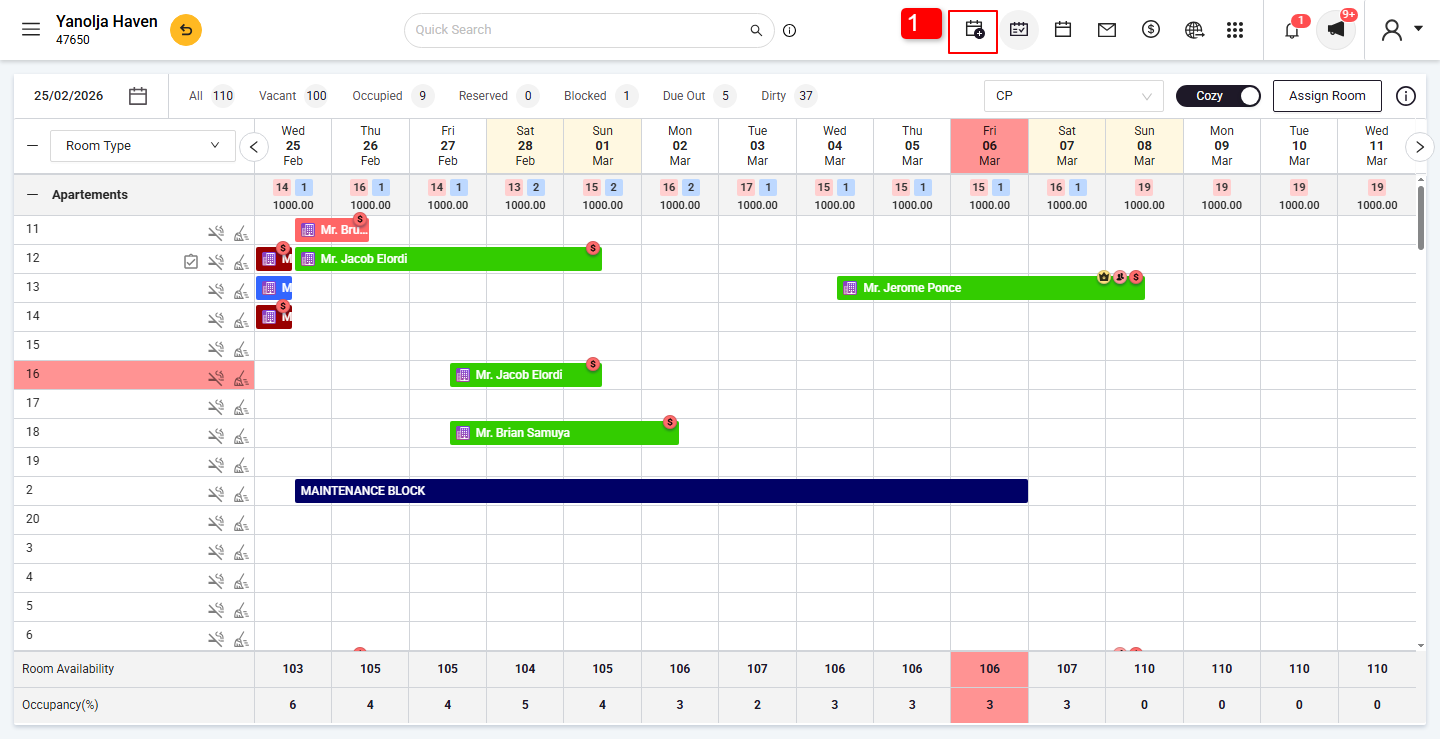
Click on the Add Reservation button (calendar icon at the top right).
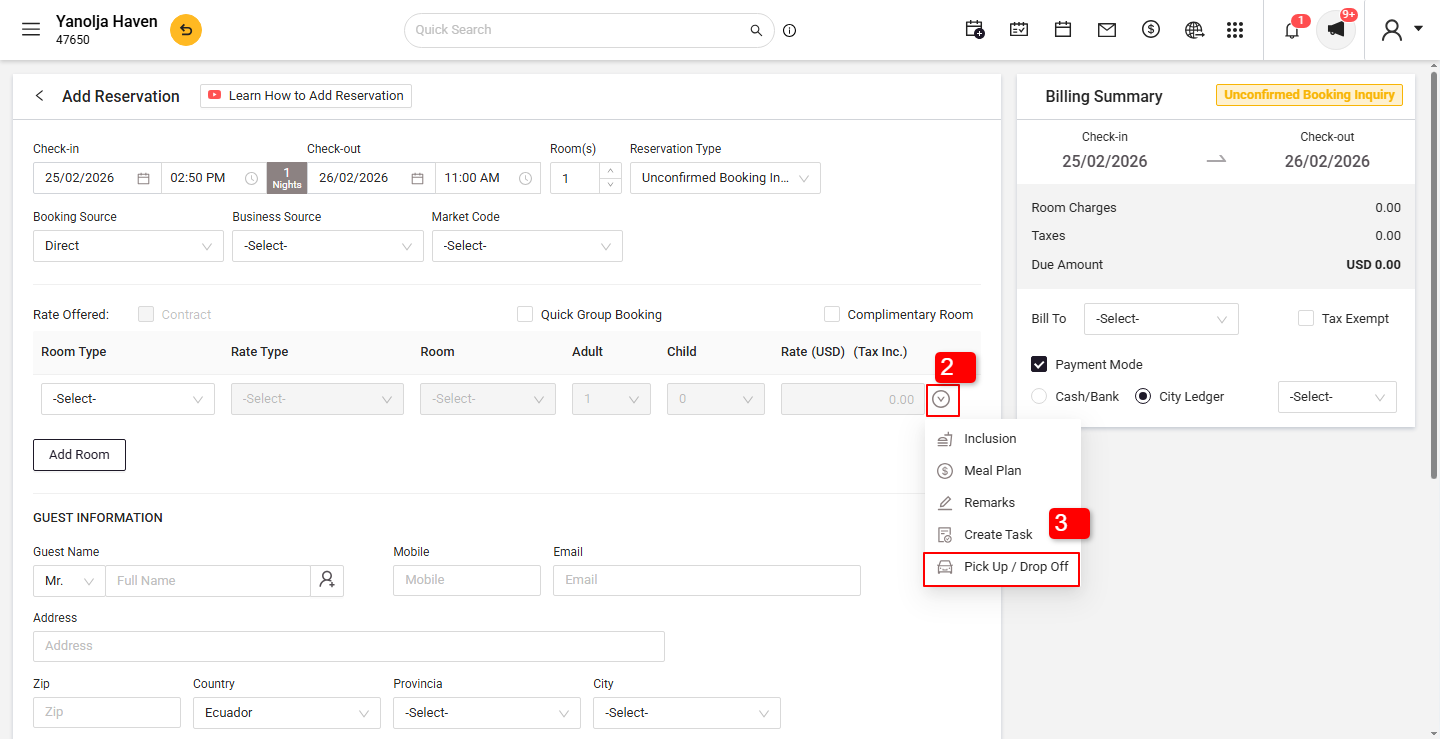
Click the dropdown arrow.
Choose Pick-Up/Drop-Off.
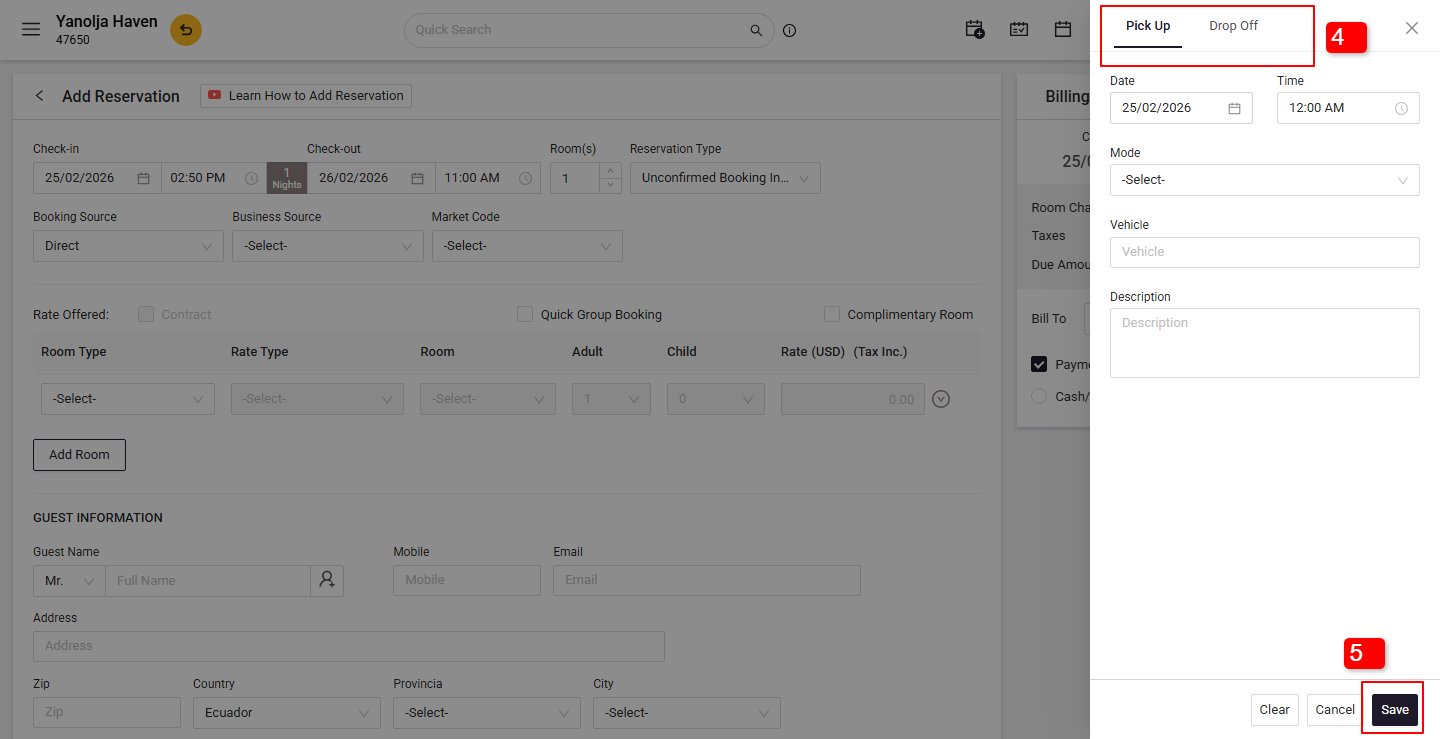
Fill in the required details.
Click Save to record the information.
Adding Pick-Up/Drop-Off After Reservation Is Made
Steps:
Go to PMS Stay View.
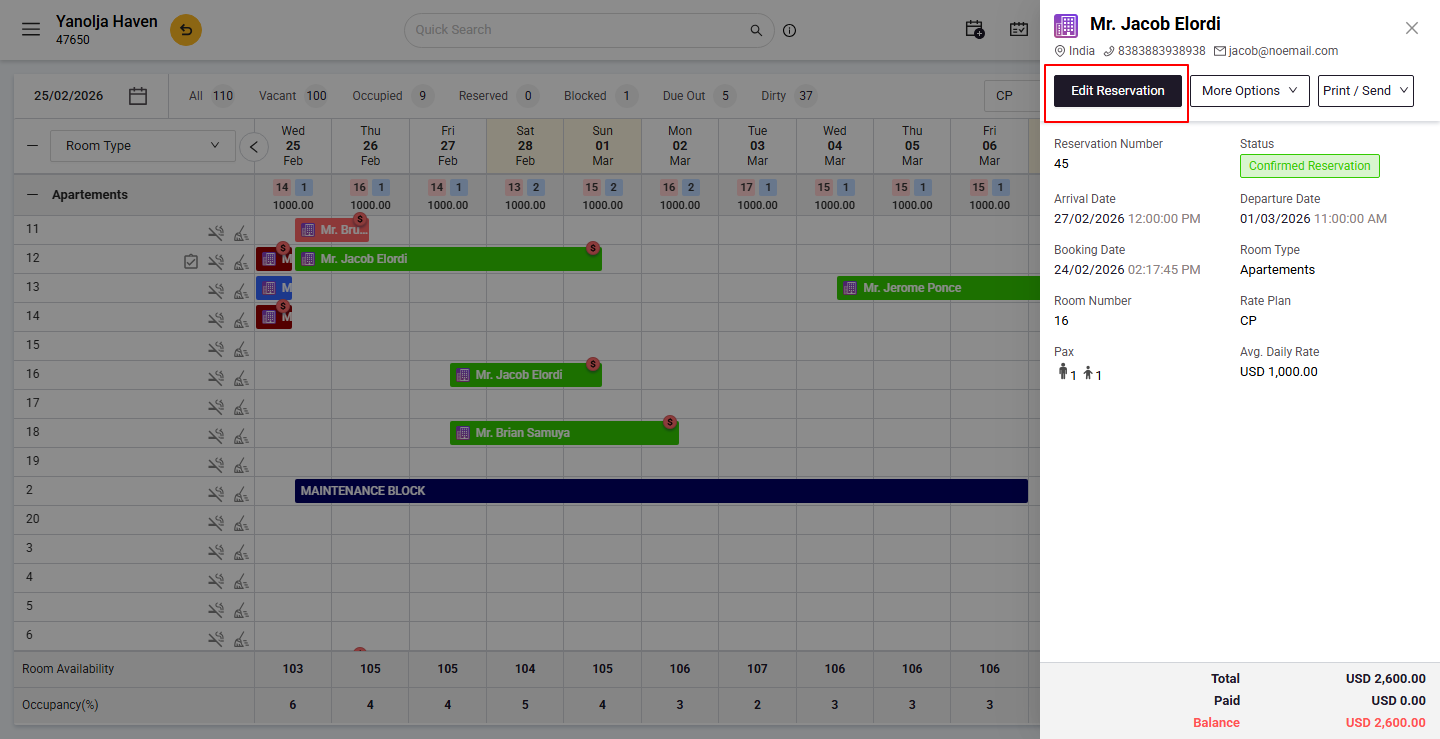
Click on the existing reservation.
Select Edit Reservation.
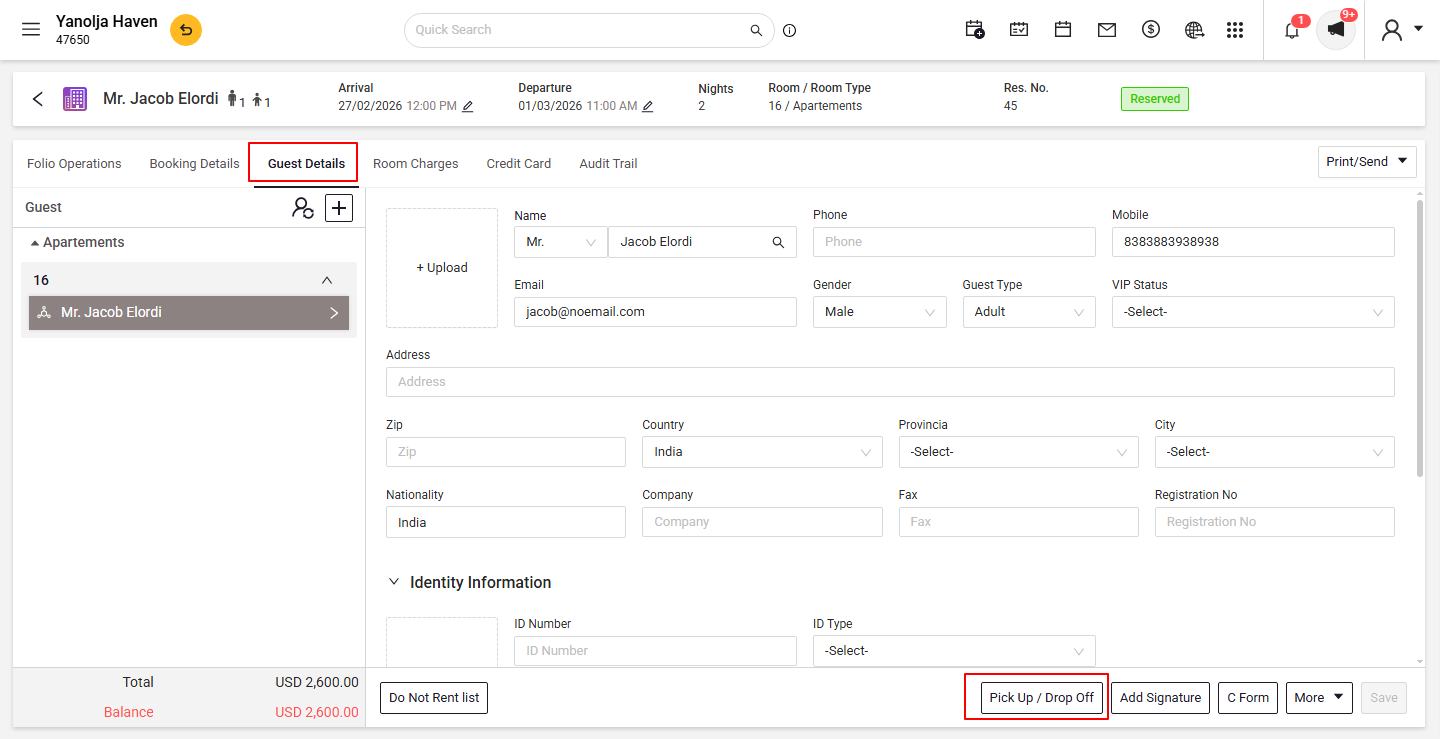
Go to the Guest Details tab.
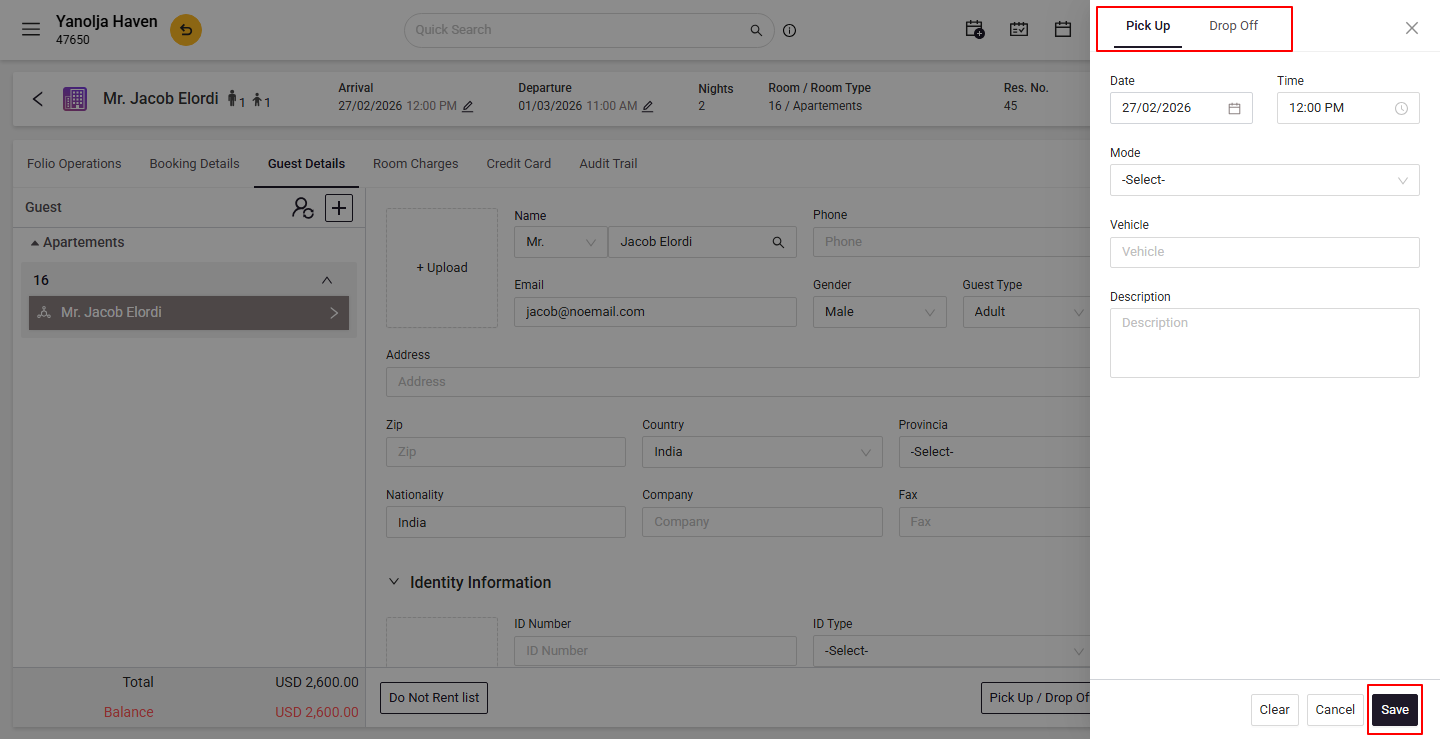
Click on Pick-Up/Drop-Off, enter the required information, and save.
Was this article helpful?
That’s Great!
Thank you for your feedback
Sorry! We couldn't be helpful
Thank you for your feedback
Feedback sent
We appreciate your effort and will try to fix the article