This article explains how you can create a Group Booking Reservation in the Property Management System (PMS).
Step 1 Add Reservation :
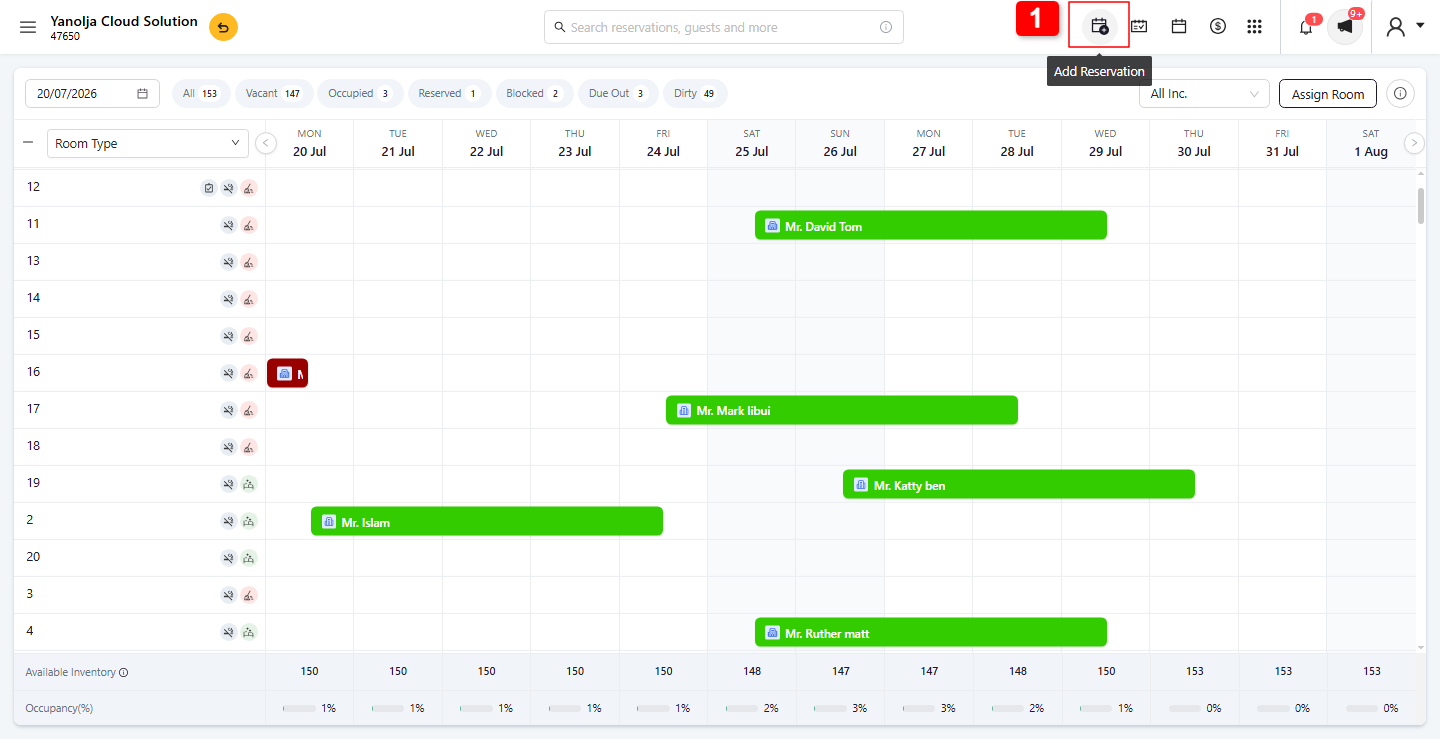
1. From the Stay View screen, check and verify the required availability or click Add New Reservation.
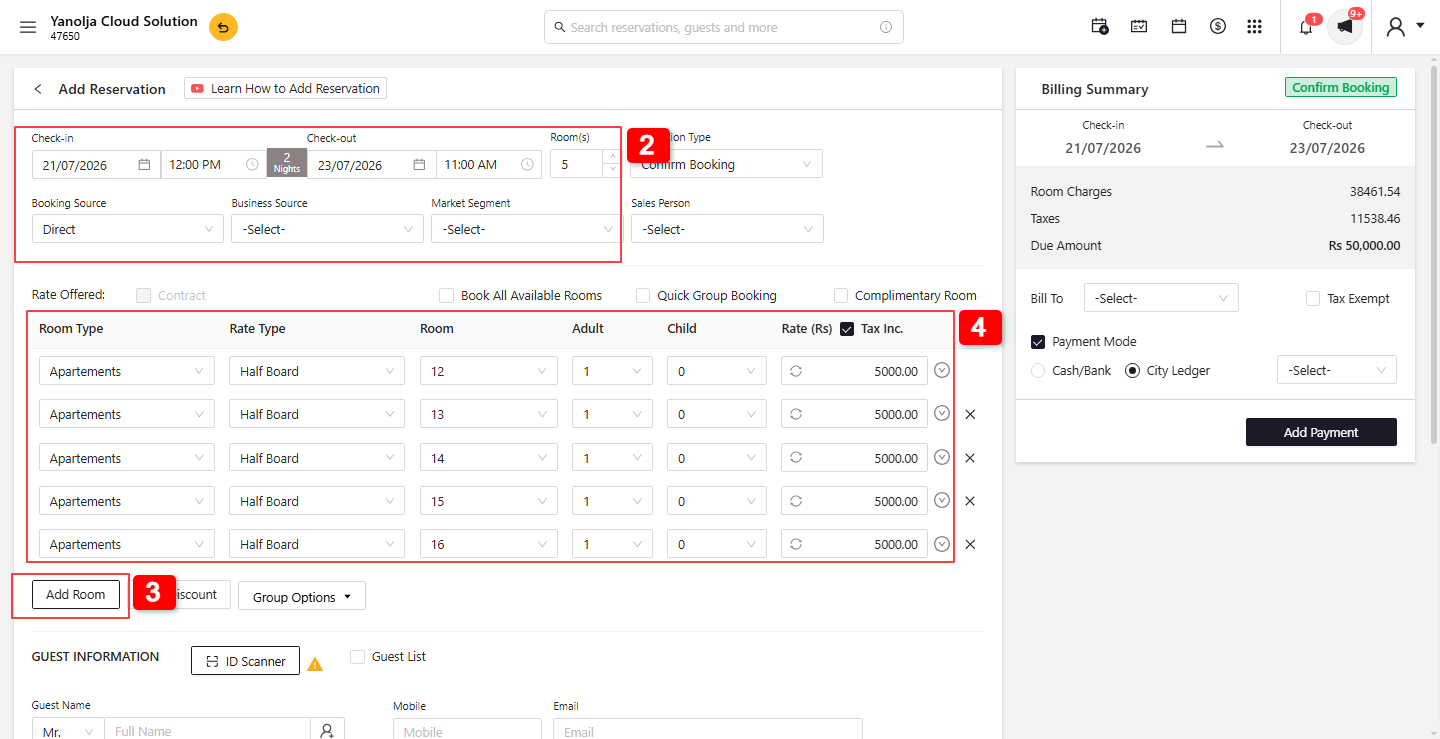
2. Reservation Details: Fill in the Check-In Date, Check-Out Date, Number of Nights, Room Number, and Business Source details.
3. Select the Number of Rooms required for the group booking.
4. Rate Options: Select the Room Type, Rate Type, Room Number, Pax Count, and the applicable offer. You can enter the manual rate including tax, and the system will automatically calculate the base rate and tax.
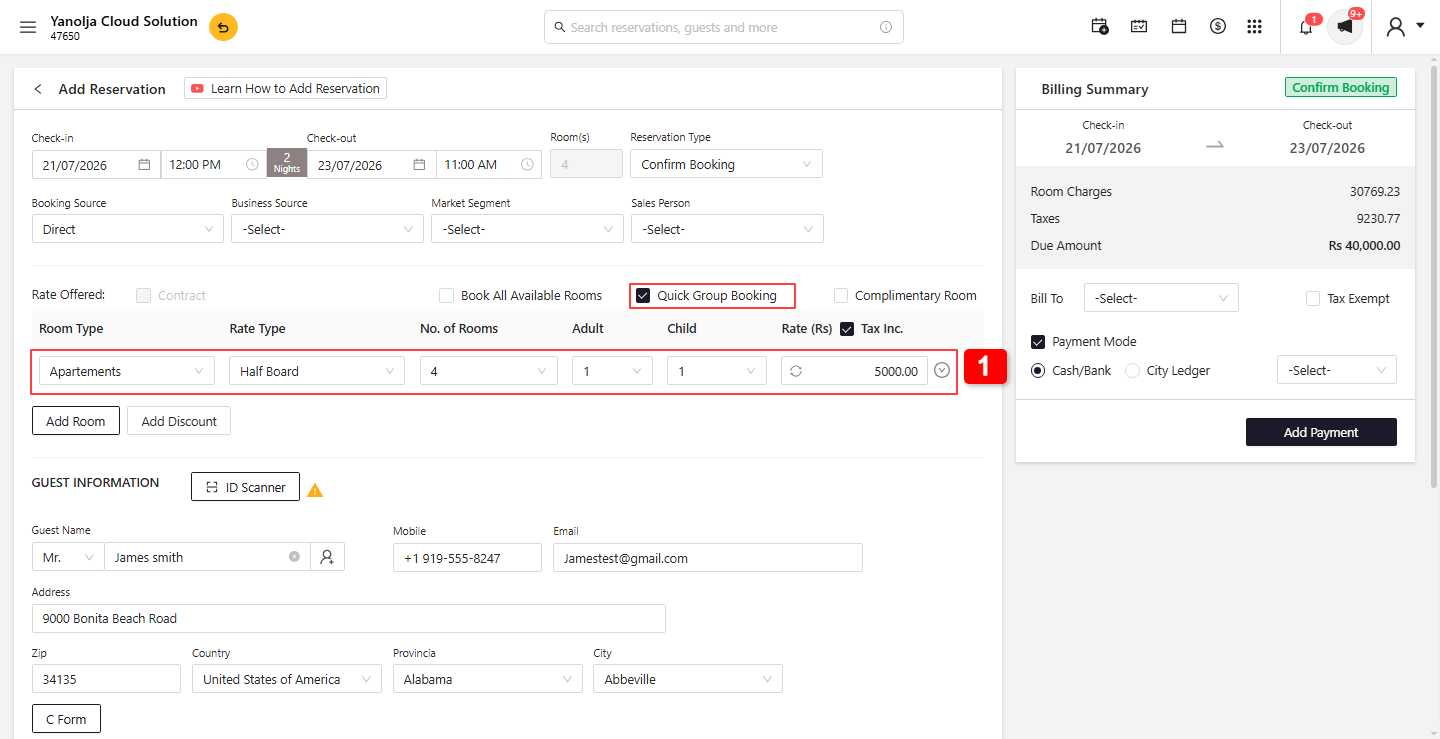
Step 2: Quick Group Booking :
1. With Quick Group Booking, you can quickly select the Room Type, Rate Type, Number of Rooms, and Rate for a single room. The system will automatically allocate the required room numbers for the group reservation based on the selected room type and availability.
Step 3: Guest Information :
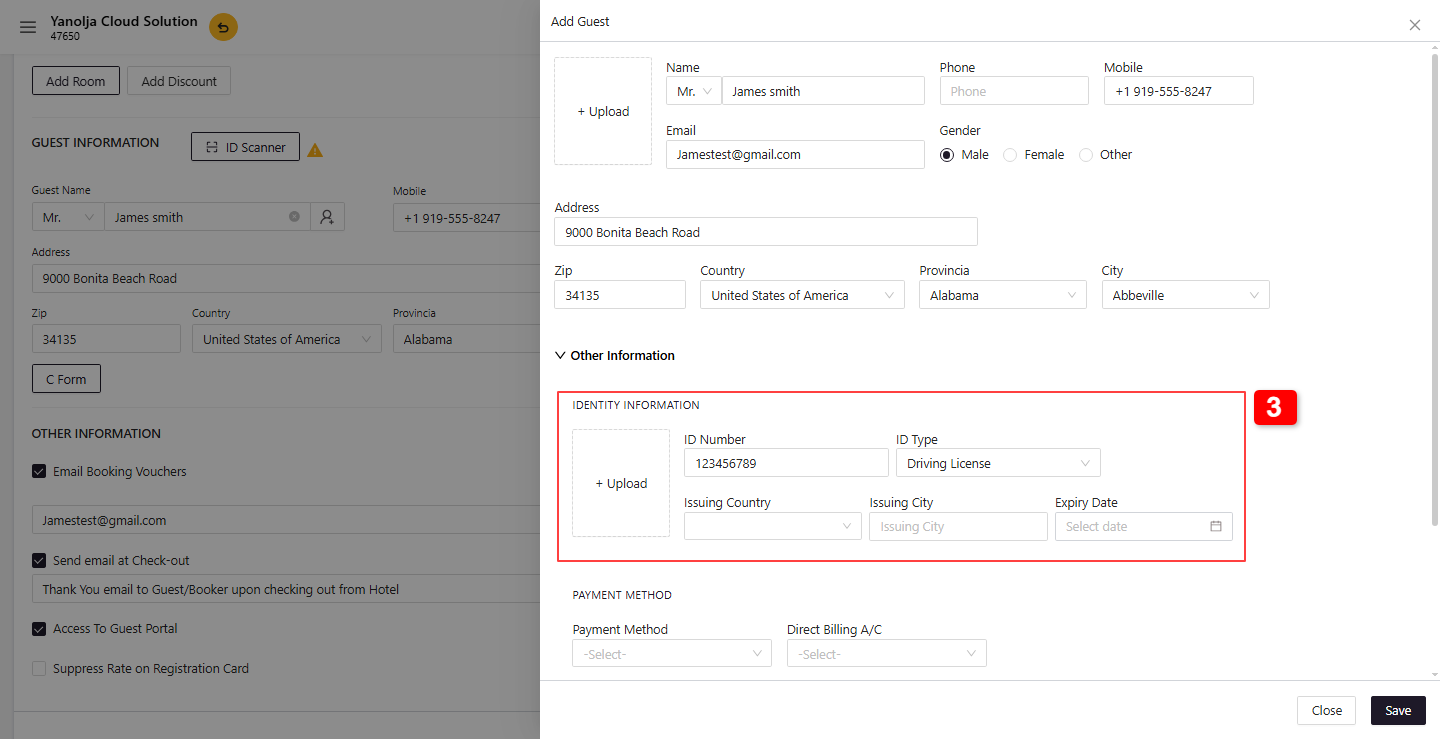
1. On the Guest Information page, you can enter or capture the guest's details.
2. If an ID Scanner is integrated, click ID Scanner and scan the guest's driver's license or ID. The system will automatically populate the guest details. Alternatively, you can manually enter the guest information.
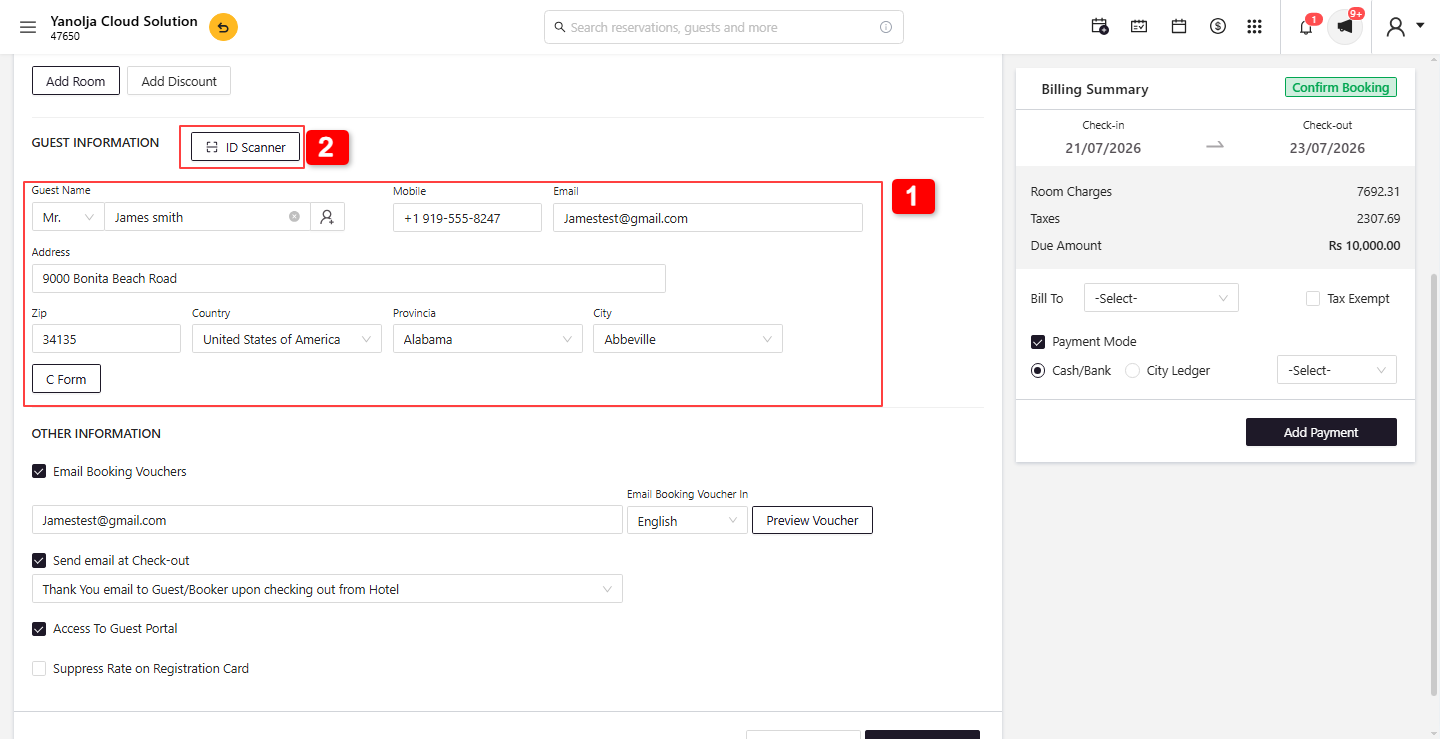
3. Identity Information: If the ID was scanned, the details will be populated automatically. Otherwise, you can manually enter the details.
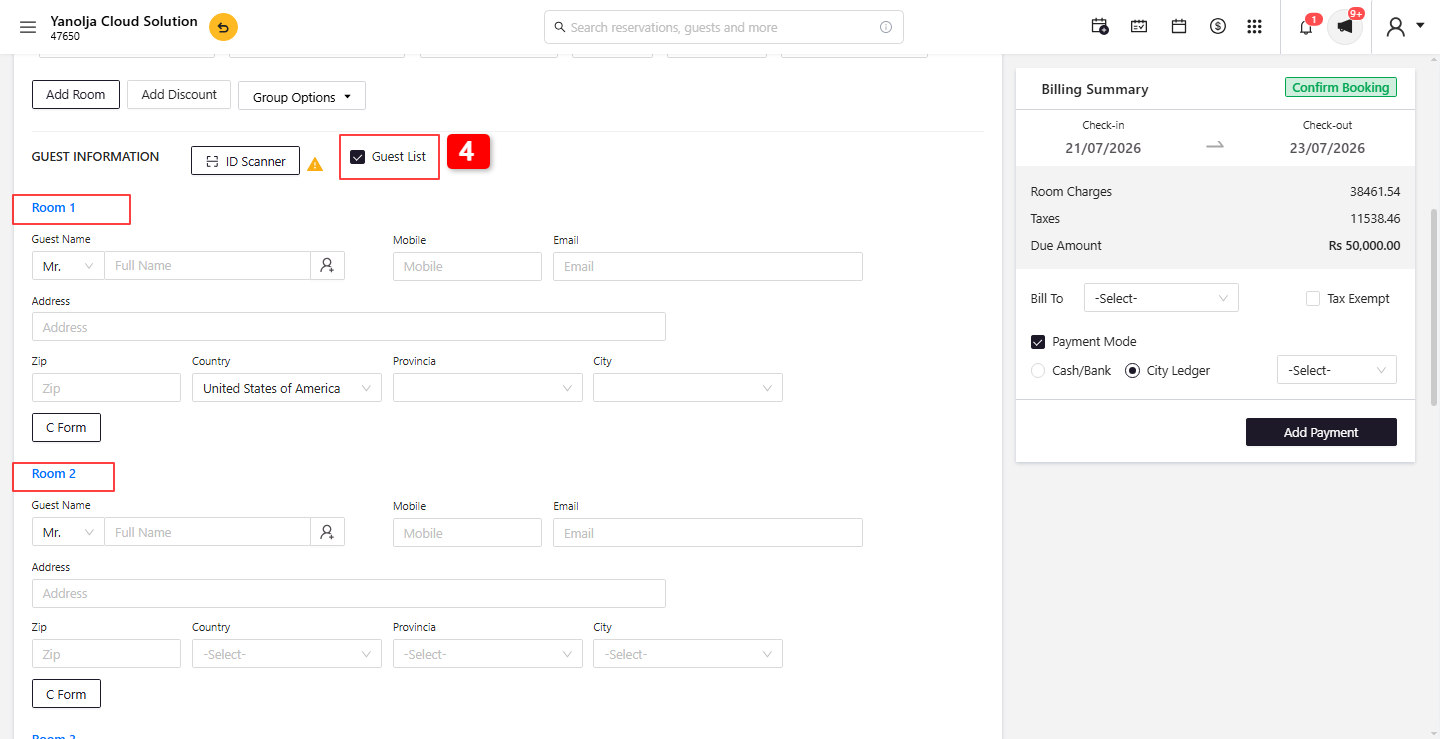
4. Guest List: Click Guest List to directly enter the individual guest details and assign them to their respective rooms.
Step 4: Payment :
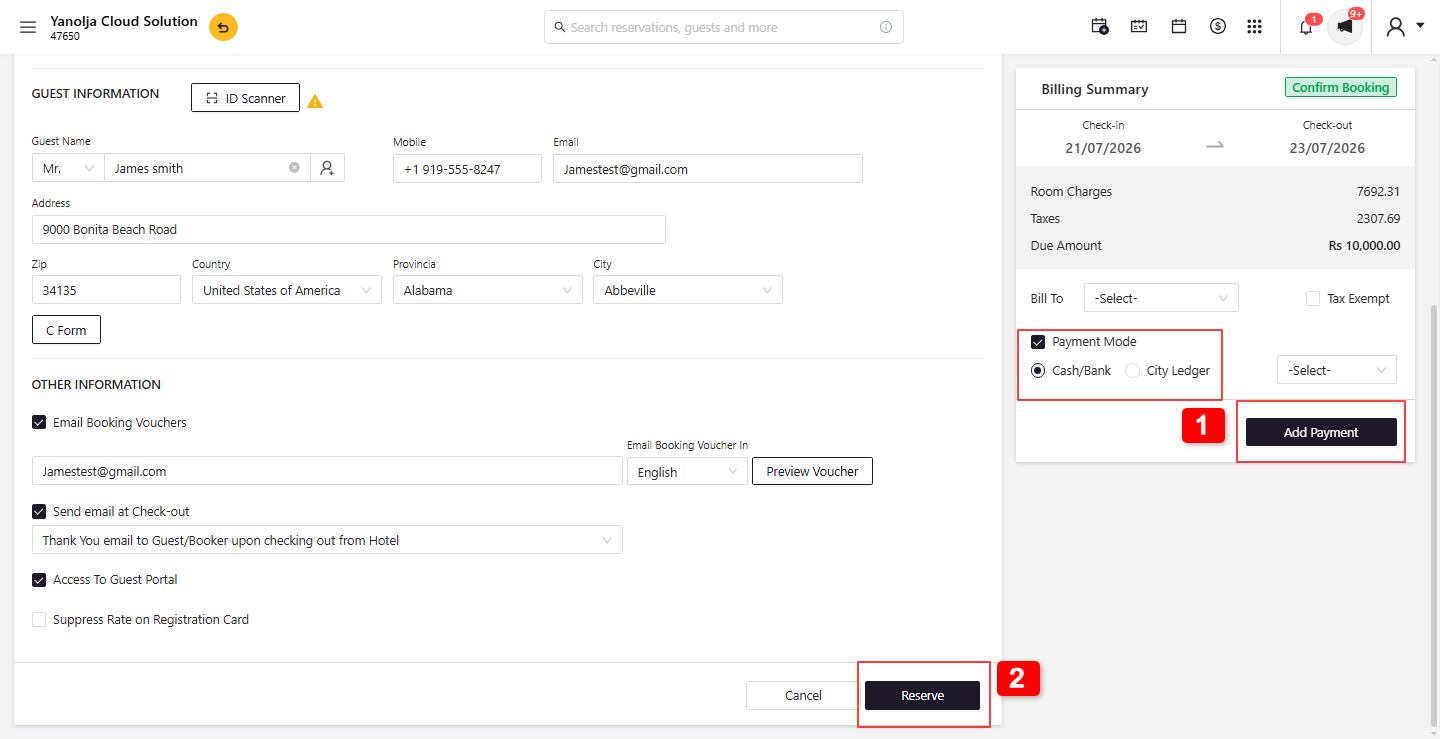
1. If required, you can collect payment or save the payment details for the reservation by selecting the Payment Mode and clicking Add Payment.
2. Click Check-in/Reserve to complete the Group Booking Reservation.
Note: Ensure that all reservation details, room allocation, guest information, payment details, and tax settings are verified before completing the group reservation to avoid any discrepancies.
Was this article helpful?
That’s Great!
Thank you for your feedback
Sorry! We couldn't be helpful
Thank you for your feedback
Feedback sent
We appreciate your effort and will try to fix the article