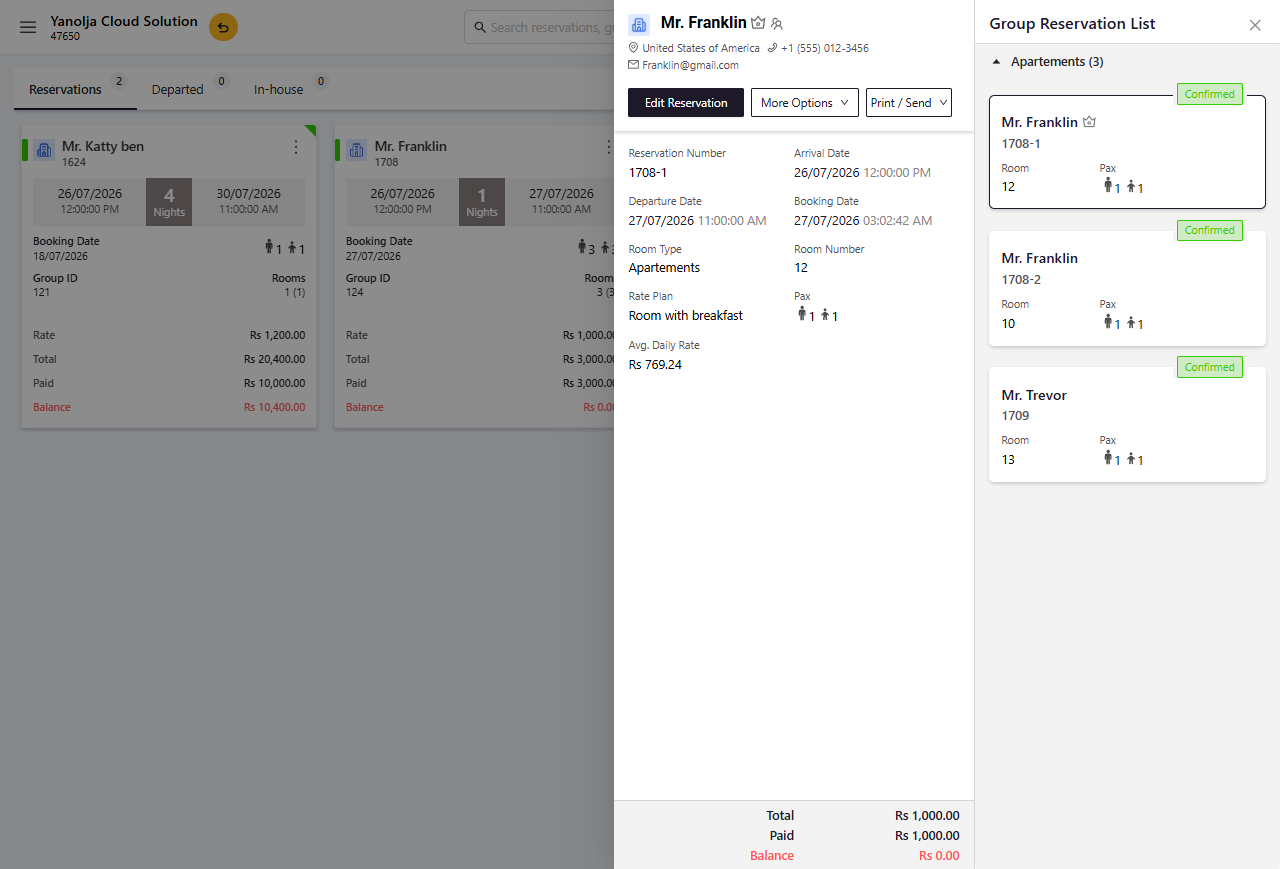
If a guest requests to merge an existing single reservation into a group booking, you can add the individual reservation to the group by following the steps below:
Steps to Merge a Single Reservation into a Group Booking
1.Navigate to the Reservations tab.
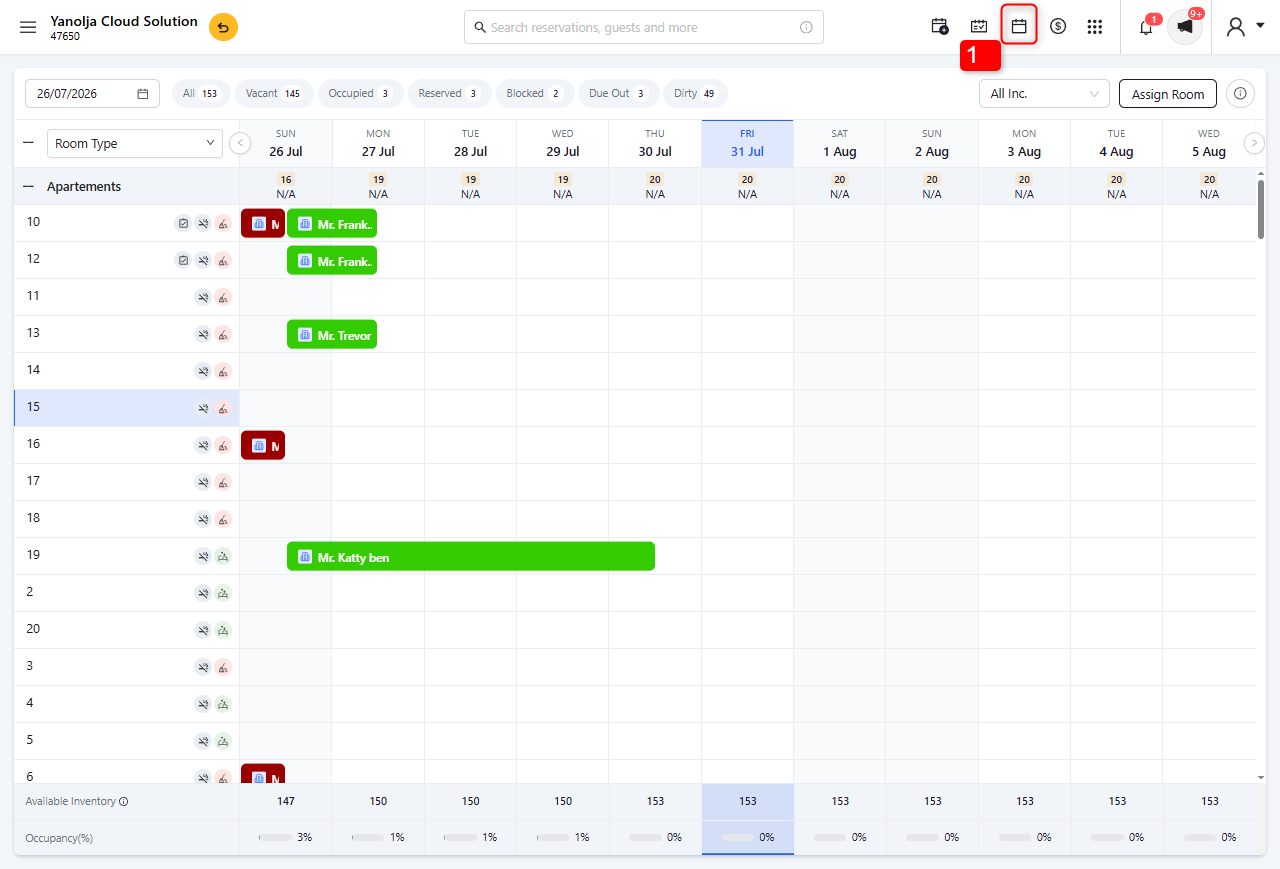
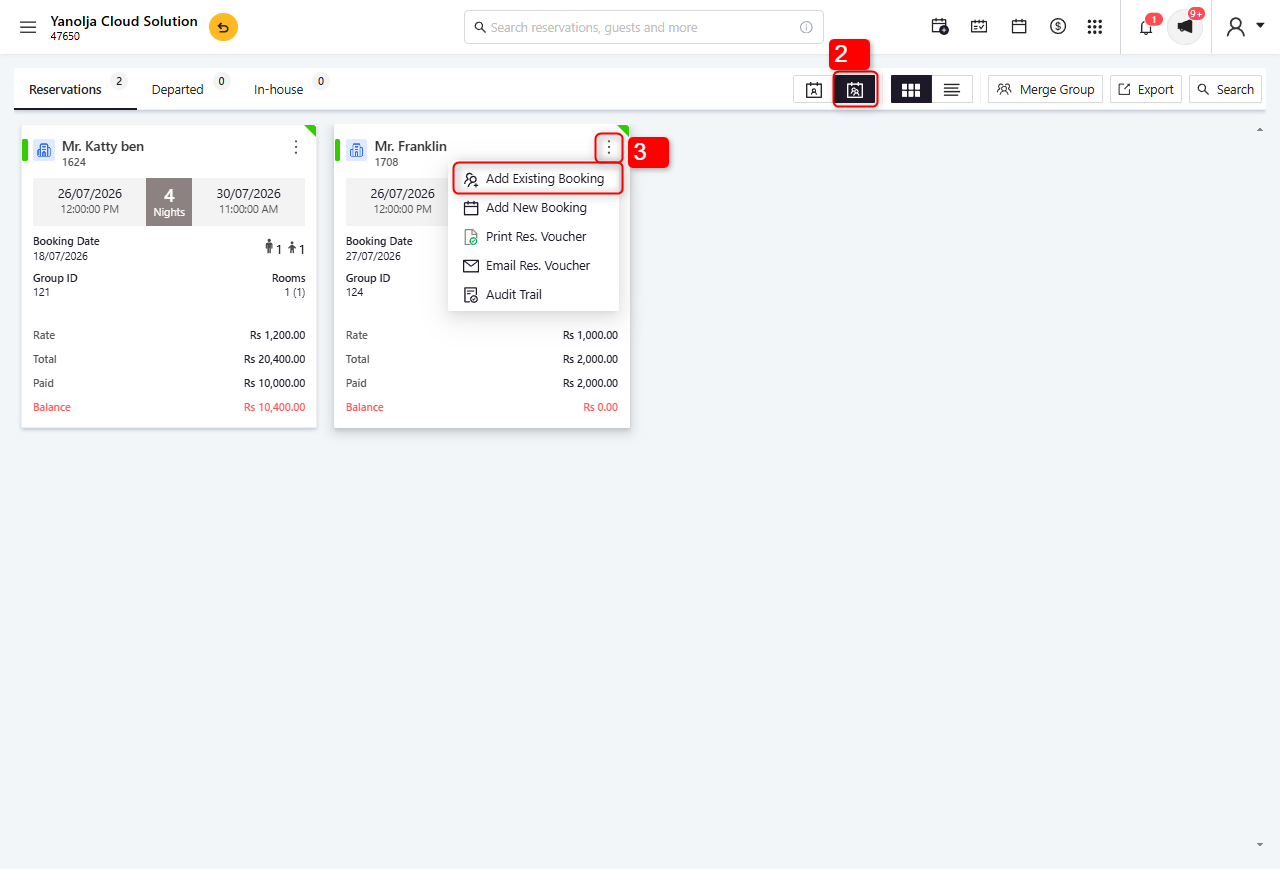
2. Click on Group View to display all group reservations.
3. Locate the required group booking, click the three-dot (⋮) menu, and select Add Existing Booking.
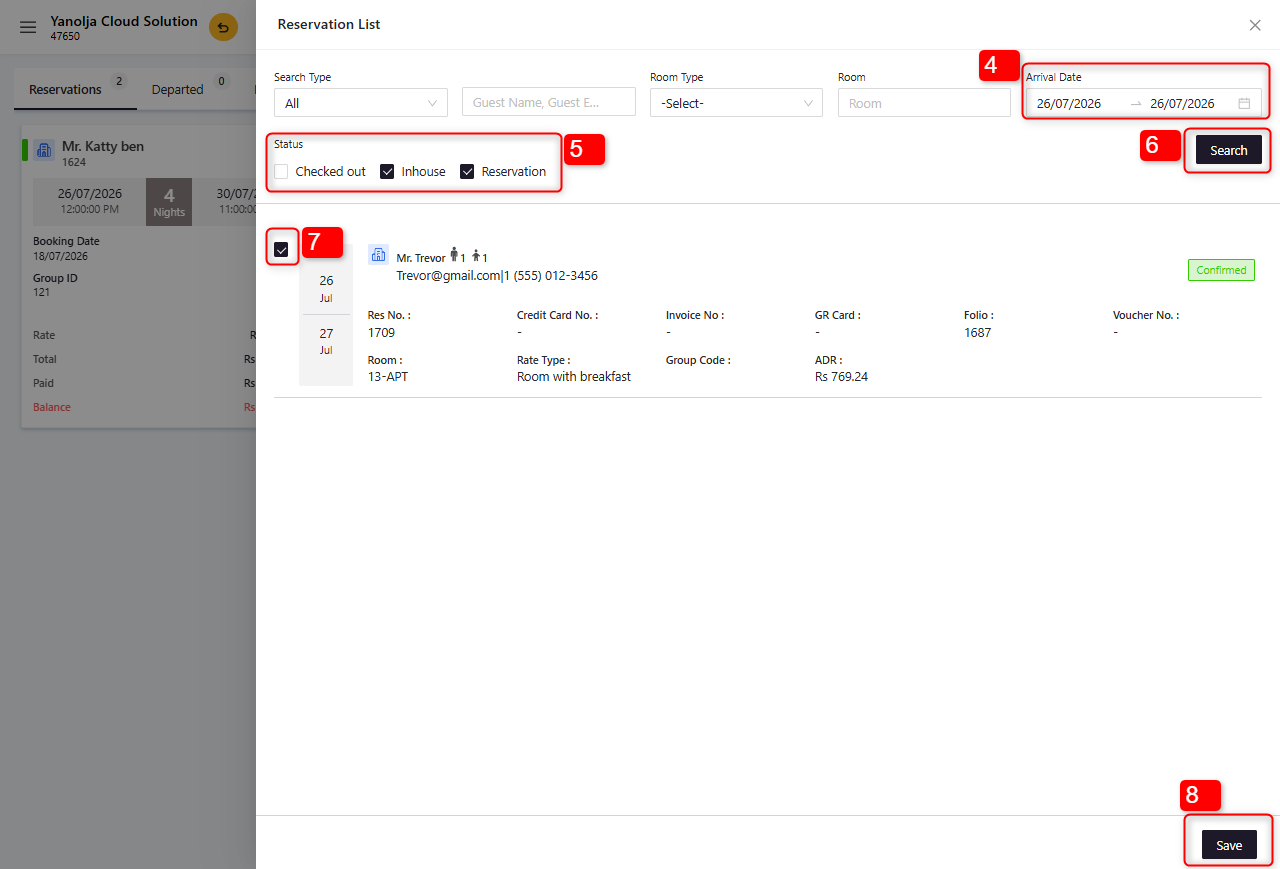
4.Select the Arrival Date of the single reservation that you want to merge.
5.Choose the appropriate Reservation Status for the single reservation.
6.Click Search to display all reservations that match the selected criteria.
7.Select the required single reservation by checking the corresponding checkbox.
8.Click Save to add the selected reservation to the group booking.
Was this article helpful?
That’s Great!
Thank you for your feedback
Sorry! We couldn't be helpful
Thank you for your feedback
Feedback sent
We appreciate your effort and will try to fix the article