Yes, it is possible to merge existing group reservations and create one group reservation.
Note: Merge group reservations are only possible when the Booking status is a reservation. once the guest is checked in we can not merge group reservations.
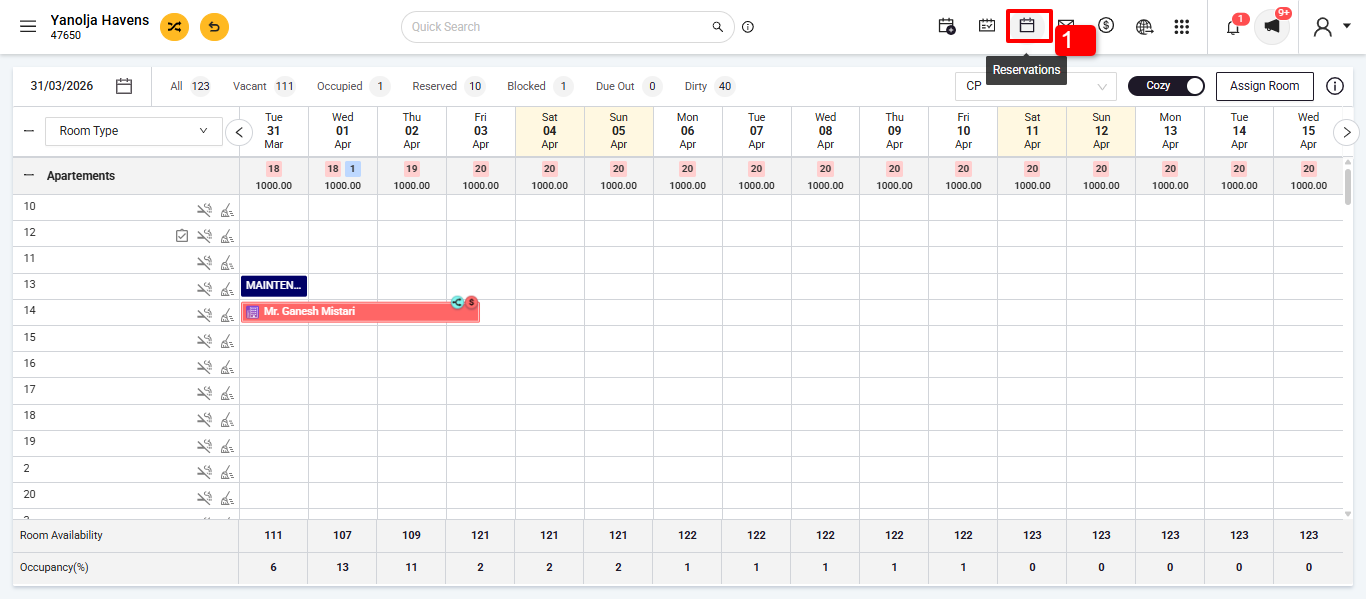
Access Group Reservations:
- Navigate to 'Reservations'.
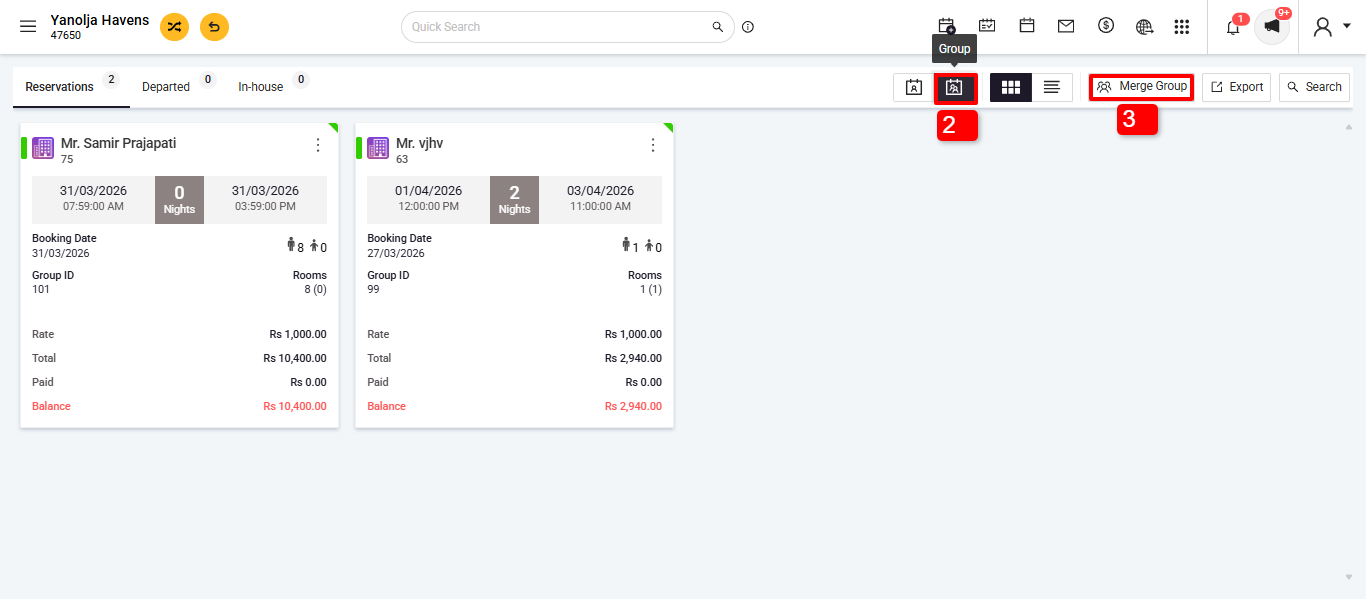
- Switch to the 'Group' view.
- Click on 'Merge Group'.
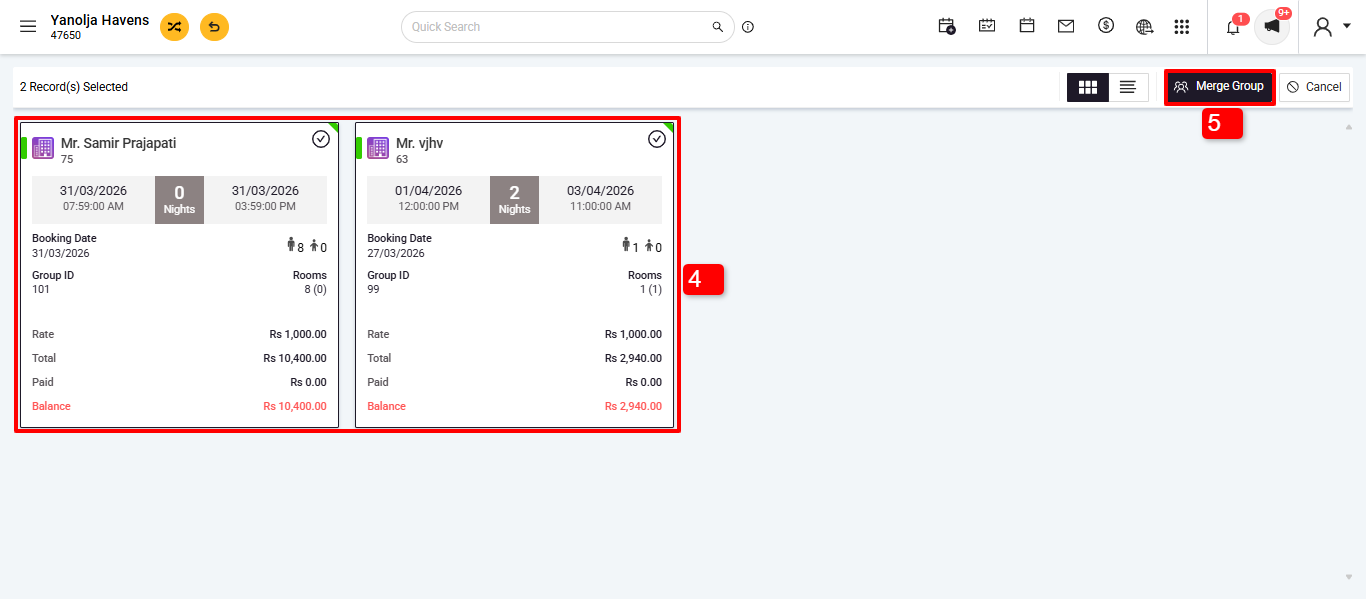
4. Select the Group to merge.
5. Click on 'Merge Group' again.
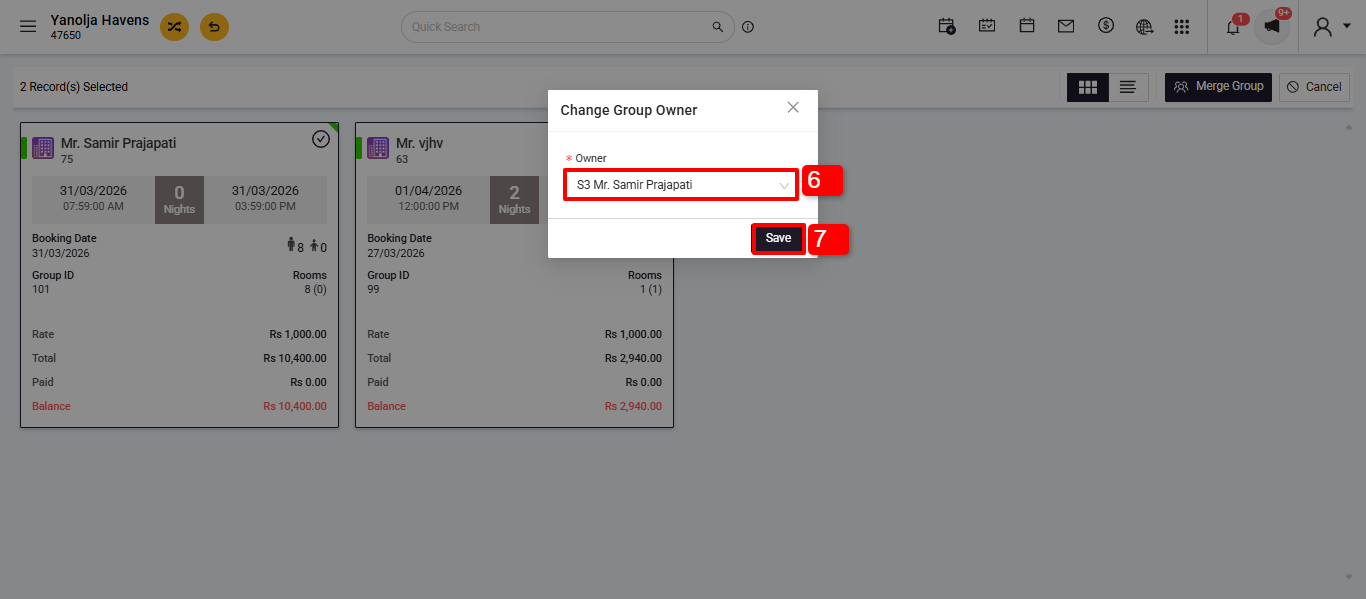
6. Choose the new group owner.
7. Save the changes.
Was this article helpful?
That’s Great!
Thank you for your feedback
Sorry! We couldn't be helpful
Thank you for your feedback
Feedback sent
We appreciate your effort and will try to fix the article