When more than one room is required to be booked/reserved with fewer steps in the PMS System, it is called a Group Reservation. This feature allows you to perform check-in and check-out for multiple rooms efficiently with just a few clicks.
Group Check-In
Access Group Reservations
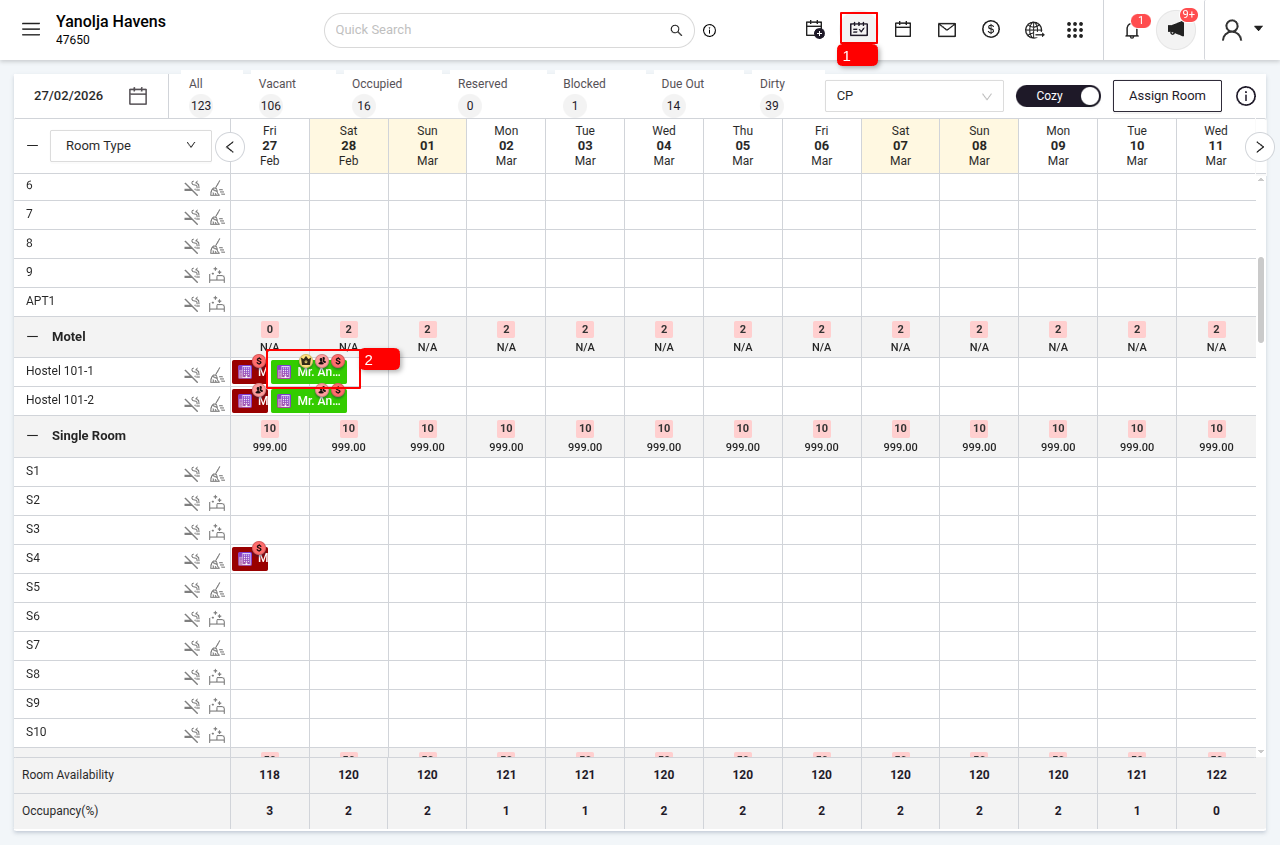
1 Navigate to the Stay View.
2 Identify and click on the desired group reservation from the list.
Initiate Check-in
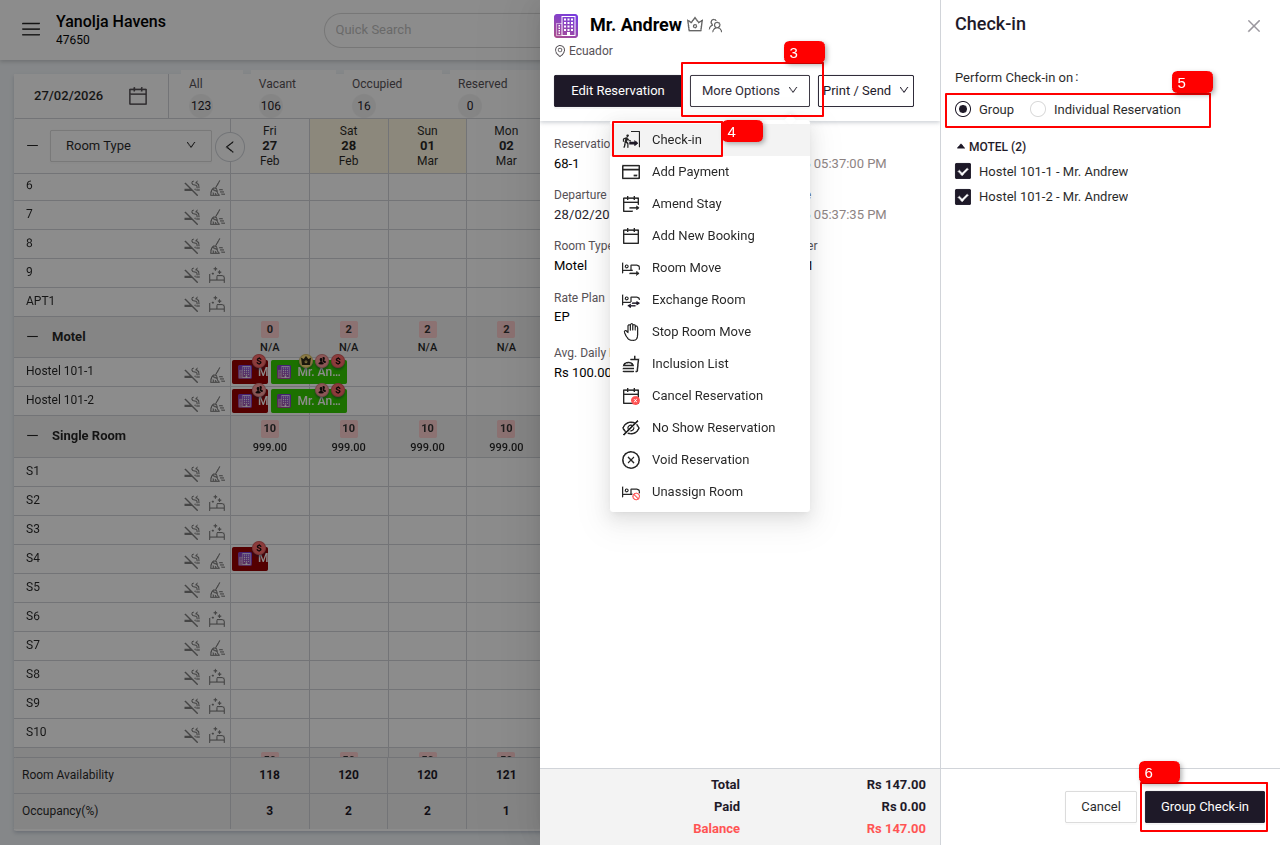
3 Click on More Options (a dropdown will open).
4 From the dropdown, click on Check-in.
Perform Group Check-in
5 Select the preferred check-in option (Group or Individual) to perform check-in for all rooms.
6 Then click on Group Check-in.
Group Check-Out
Access Group Reservations
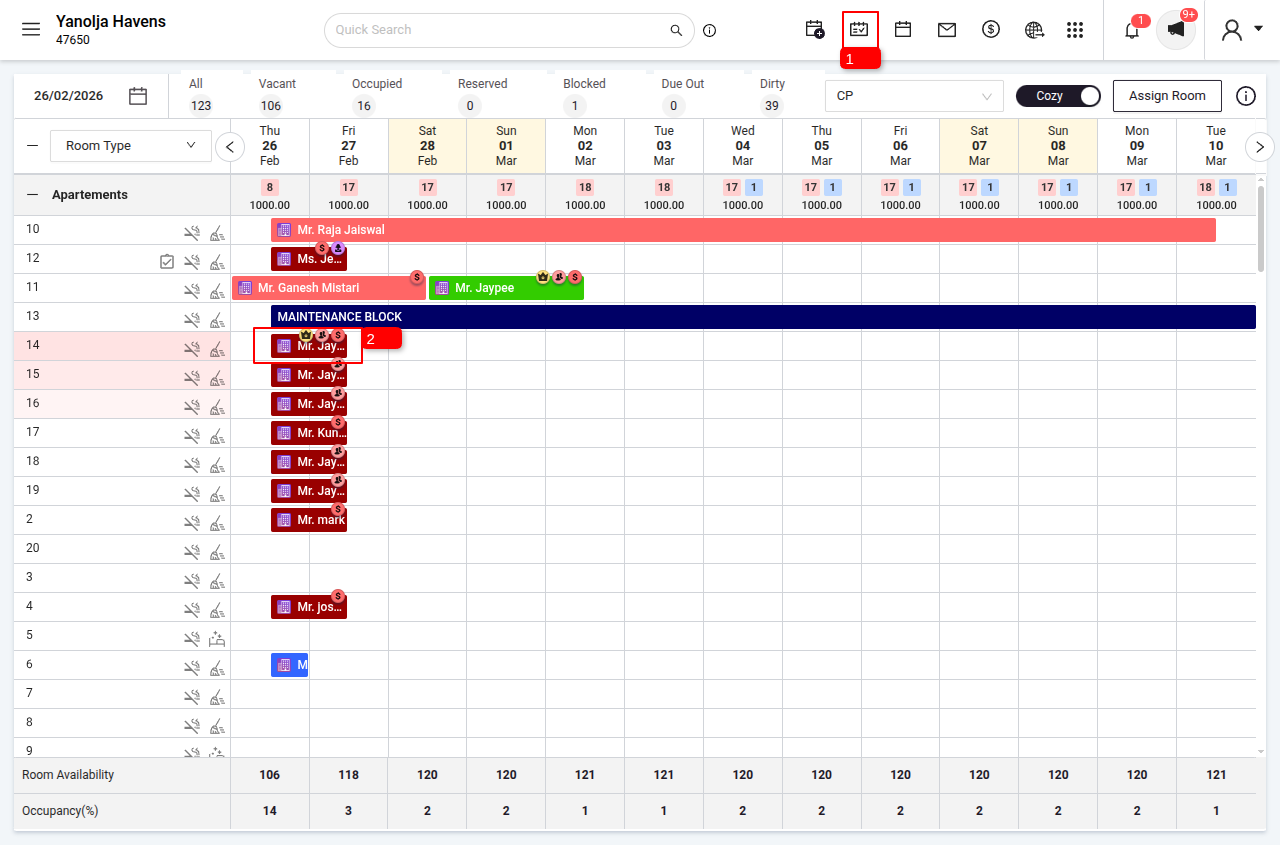
1 Navigate to the Stay View.
2 Identify and click on the desired group reservation from the list.
Initiate Group Check-Out
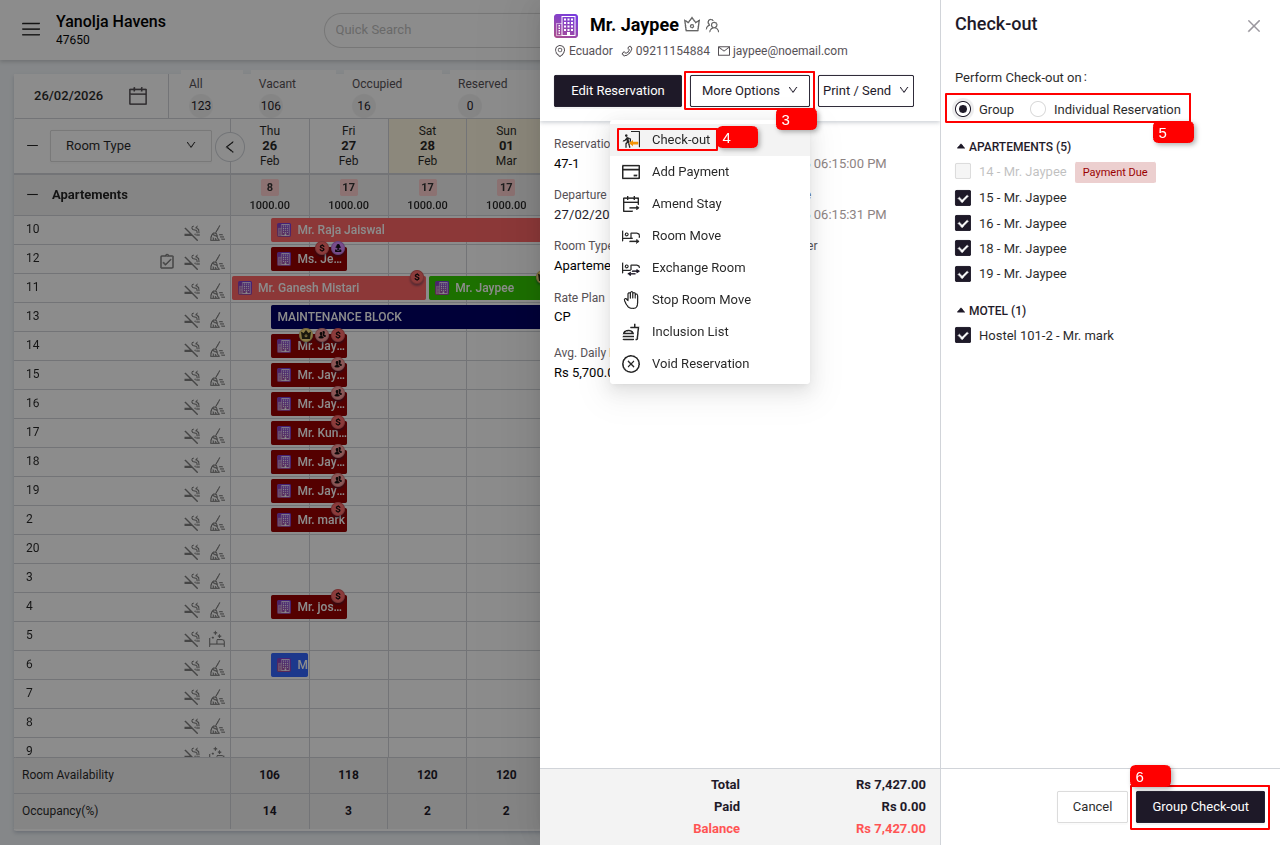
3 Click on More Options (a dropdown will open).
4 From the dropdown, click on Check-out.
Perform Group Check-Out
5 Select the preferred check-out option (Group or Individual) to perform check-out for all rooms.
6 If you want to check out the entire group, select the Group Option and click on Group Check-out.
Notes
Payment Settlement
Please ensure all folios (bills) for the group are settled before check-out.
If any folio is not settled, the system will show a "Payment Due" error and will not allow you to proceed with the check-out.
Important Note
Ensure that the Night Audit is performed and that the system date matches the current date.
- The check-in operation can only be performed for reservations whose check-in date matches the system date.
- The check-out operation can only be performed for reservations whose check-out date matches the system date.
By following these steps, you can efficiently manage group arrivals and departures, ensuring a smooth experience for both staff and guests.
Was this article helpful?
That’s Great!
Thank you for your feedback
Sorry! We couldn't be helpful
Thank you for your feedback
Feedback sent
We appreciate your effort and will try to fix the article