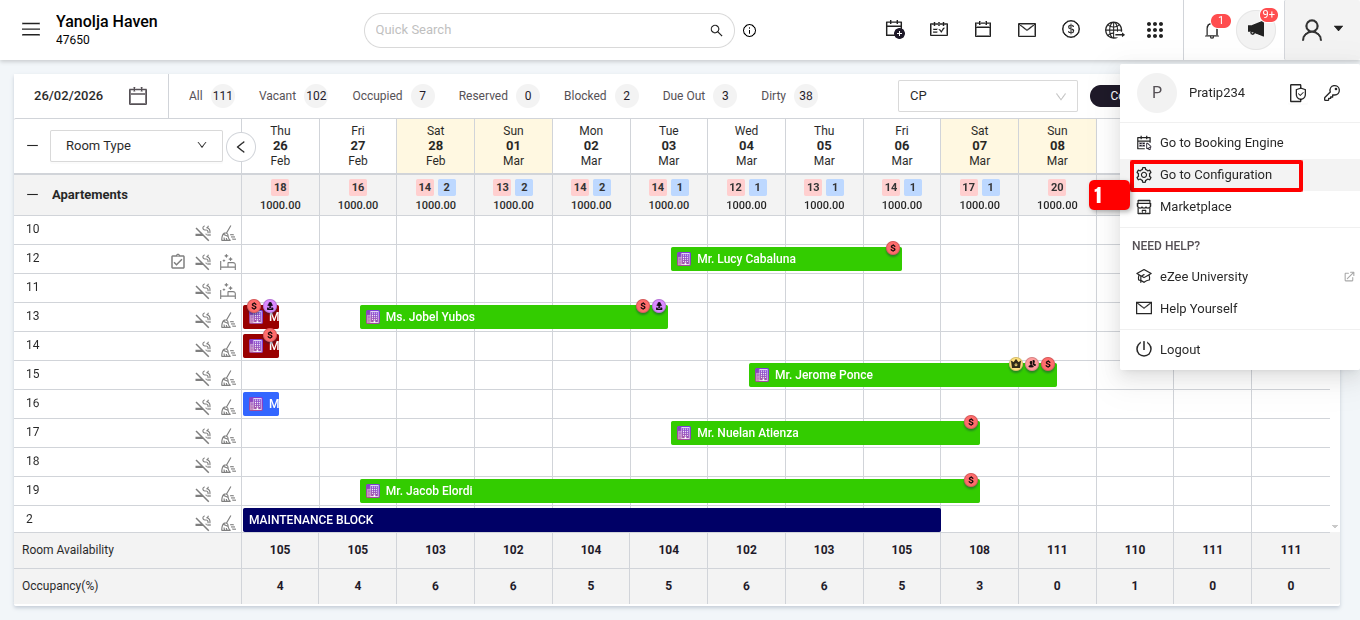
Path: Login into PMS >>Go to Configuration >> Property Setup >> Policies >>Hotel Policies>> Check In/Reservation Settings >> Check In and Check Out time settings >> Set value >> Save.
Step 1: Login to PMS
Go to configuration
Go to Policies>>Hotel Policies
Scroll down as you get the option Check-in and Check-out Time Settings.
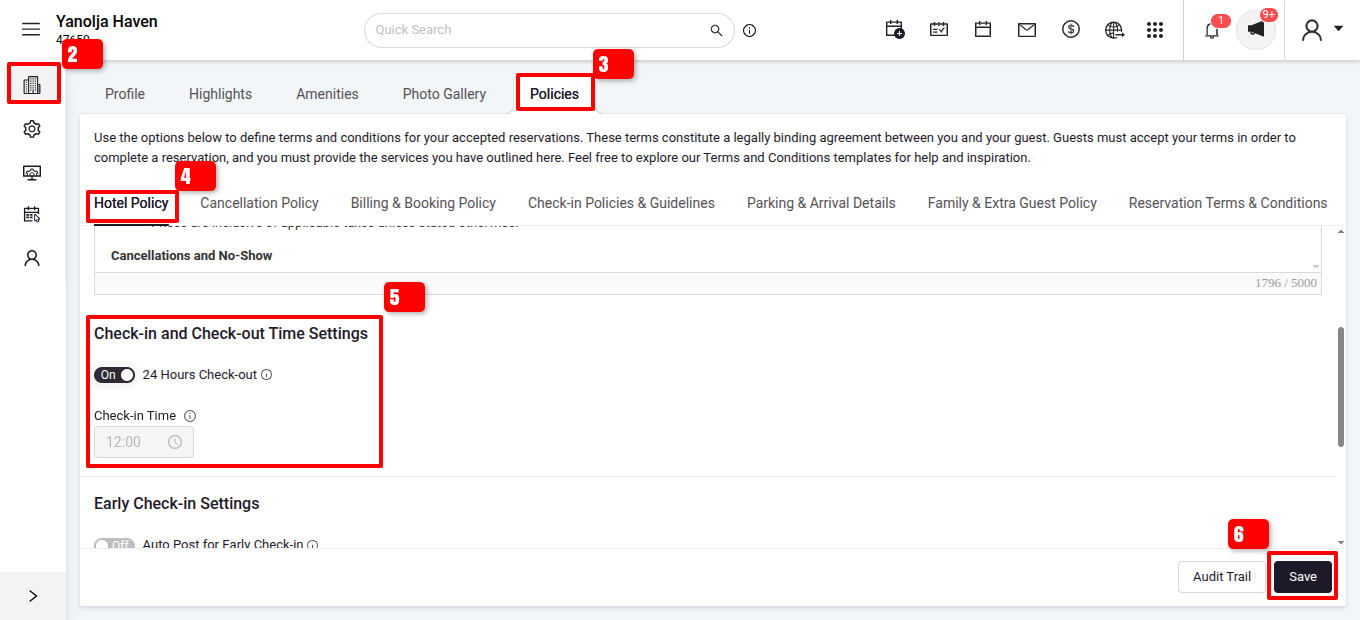
After setting the time click on save to save the changes made.
Was this article helpful?
That’s Great!
Thank you for your feedback
Sorry! We couldn't be helpful
Thank you for your feedback
Feedback sent
We appreciate your effort and will try to fix the article