To update the hotel policies, please follow the steps below:
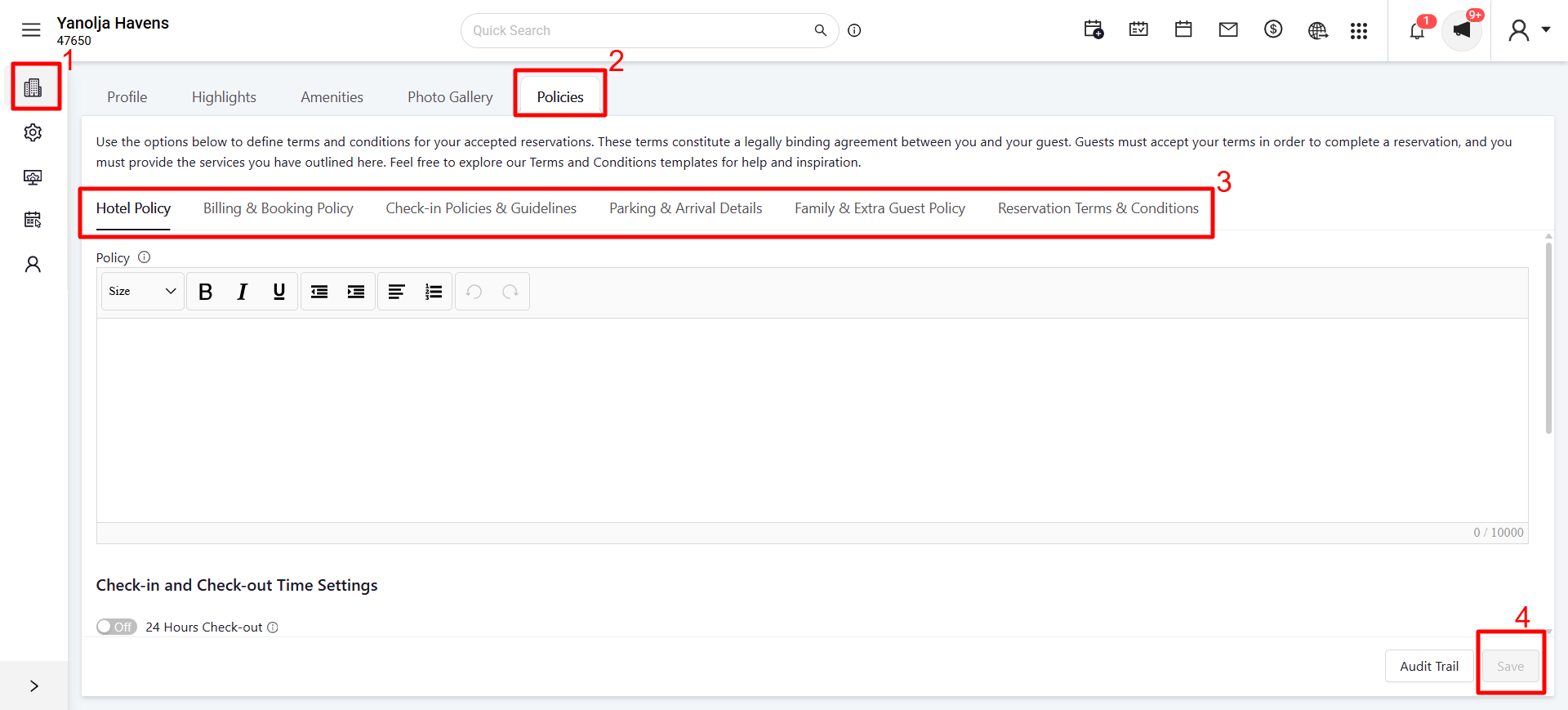
Login to Unified Configuration
Go to Hotel Profile
Select Policies
Under Descriptions, enter the Hotel Policy and other policies to be updated
Click Save
Was this article helpful?
That’s Great!
Thank you for your feedback
Sorry! We couldn't be helpful
Thank you for your feedback
Feedback sent
We appreciate your effort and will try to fix the article