What is a Reservation Voucher?
A Reservation Voucher is an official confirmation document generated by PMS whenever a booking is successfully created. It acts as proof of confirmation for the guest and contains all necessary booking, guest, and hotel information.
Think of it as a boarding pass for a hotel stay—the guest receives it after their reservation is confirmed, and it provides everything they need to know before arrival.
2. When is the Reservation Voucher sent?
By default: Automatically emailed to the guest once the booking is confirmed.
In PMS (manual booking): Sent when the “Email Reservation Voucher” checkbox is selected during booking.
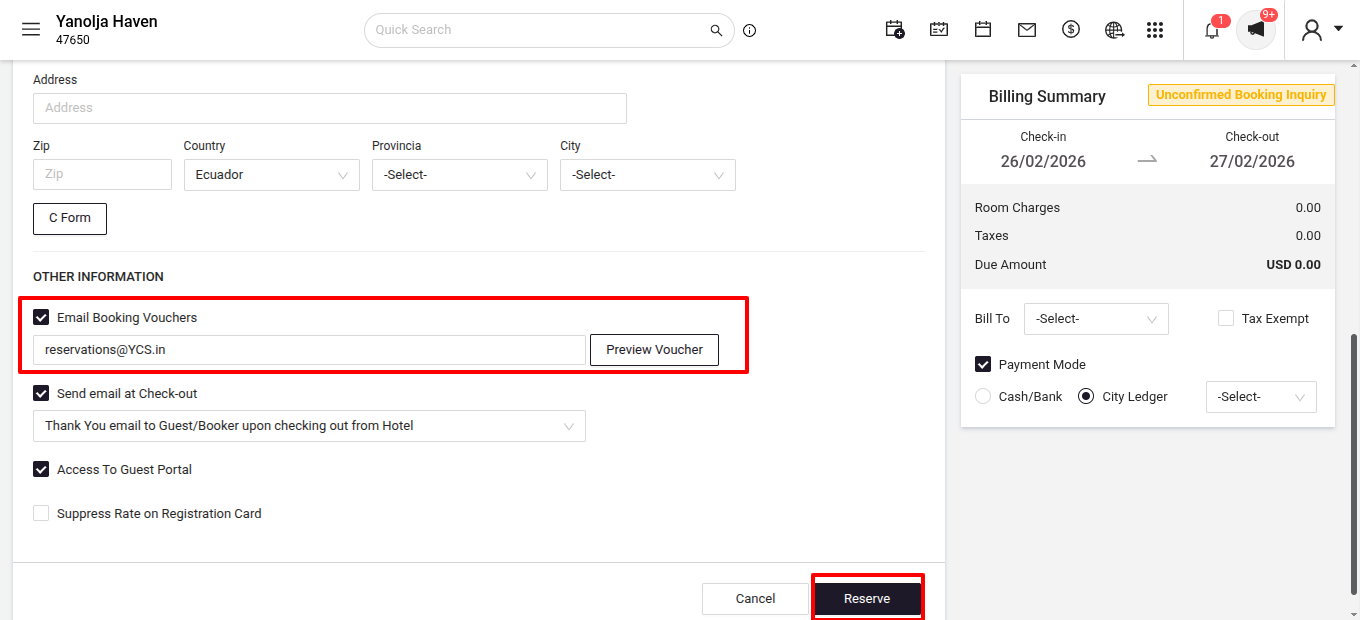
From Booking Engine: Sent automatically if the guest provides their email ID at the time of booking
3. What details are included in the Reservation Voucher?Booking Information
Reservation number / Booking ID
Check-in date and time
Check-out date and time
Number of guests (Pax)
Room type
Rate plan (Room Only, Bed & Breakfast, etc.)
Package and promotions (if applicable)
Extra charges are added at the time of booking
Total payable amount and payment status (Paid, Partially Paid, Pending)
Guest Information
Guest name(s)
Email address
Contact number
Number of adults and children (pax details)
These details will be the same that were added while booking
Hotel InformationHotel name, address, and contact details
Hotel logo/branding (if configured)
Policies (cancellation, modifications, no-show, etc.)
Where does this information come from?
All of the above details are automatically picked from PMS Configuration > Settings > Hotel Information tab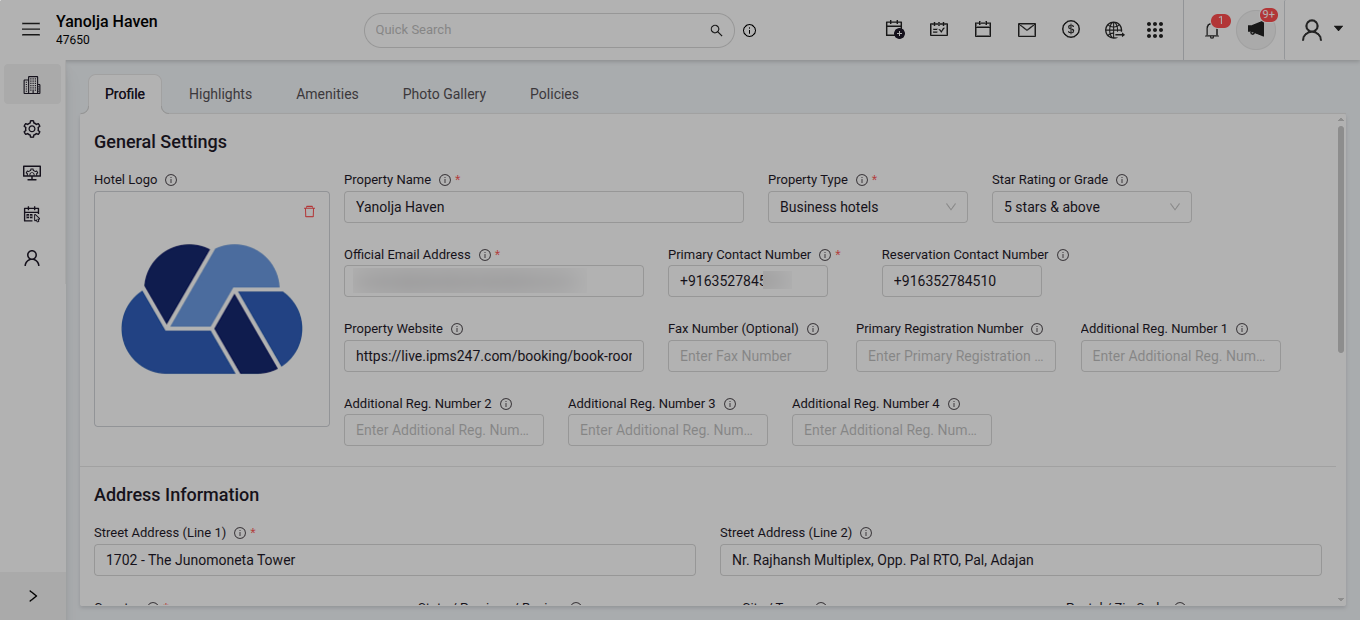
Therefore, it is important that the hotel keeps this section updated to ensure accurate information is reflected on all guest vouchers and emails.
4. Why is the Reservation Voucher important?
Confirms the booking for both the hotel and guest.
Provides all stay-related information in one place.
Avoids confusion regarding timings, charges, and policies.
Serves as an official document that can be shown at check-in.
5. What if the Reservation Voucher is not being sent automatically?
If the voucher is not reaching the guest, verify the following:
Verification 1: Email Account is Verified
Emails (including reservation vouchers, check-in/out mails) will only be delivered if the hotel’s email account is verified in the system.
Steps to check email verification:
Go to PMS Configuration > General Settings > Email Accounts > Email setting.
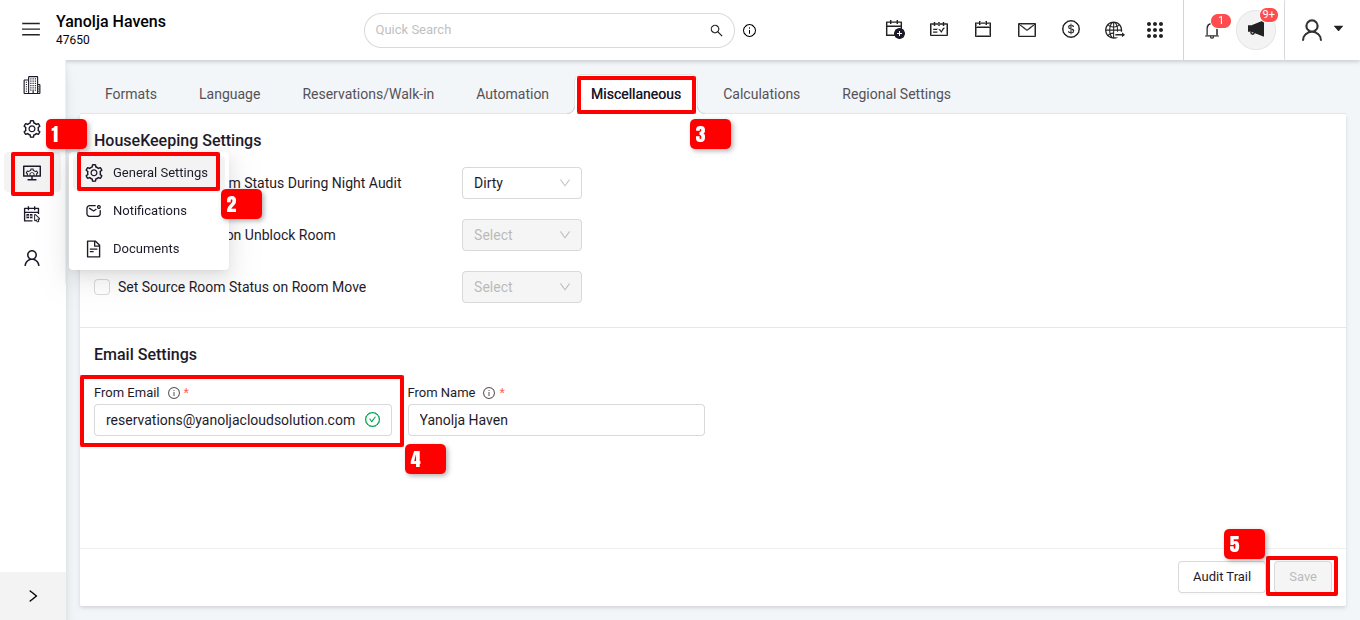
Check the status of your configured email address:
Verified → Ready to send emails.
Pending → Click on Pending. A verification link will be sent to your email inbox.
- Open your email, click the link, and the email account will be verified.
Once both verification are completed, the system will send the Reservation Voucher automatically after each confirmed booking.
The Reservation Voucher in PMS is a vital communication tool between your hotel and your guests. By ensuring your hotel information is updated, your email account is verified, and the voucher sending option is enabled, you can provide guests with clear and accurate booking confirmations every time.
Was this article helpful?
That’s Great!
Thank you for your feedback
Sorry! We couldn't be helpful
Thank you for your feedback
Feedback sent
We appreciate your effort and will try to fix the article