Yes, in PMS, you can print a voucher for extra charges posted to a guest's room. This is useful for providing guests with detailed receipts for additional services or items they have utilized during their stay. Here's how you can do it:
Steps to Print a Voucher for Extra Charges:
Access the Reservation:
- Navigate to Front Office > Reservations.
- Select the reservation you wish to modify.
- Click on Edit Reservation.
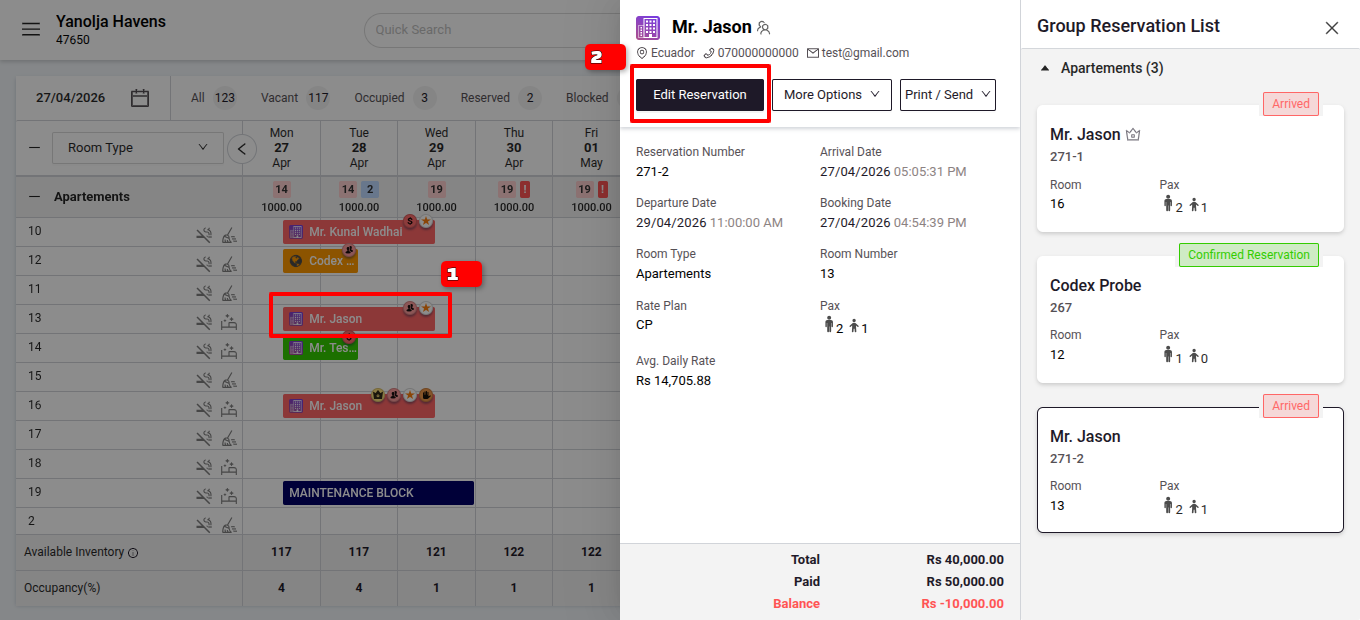
2. Open Folio Operations:- Go to the Folio Operations tab.
- Go to the Folio Operations tab.
- Select the Extra Charge:
- Within the folio, locate and select the specific extra charge you want to print a voucher f
3. Print the Voucher:
- Within the folio, locate and select the specific extra charge you want to print a voucher f
- Click on the Print icon associated with the selected extra charge.
4. Choose Print Voucher from the options.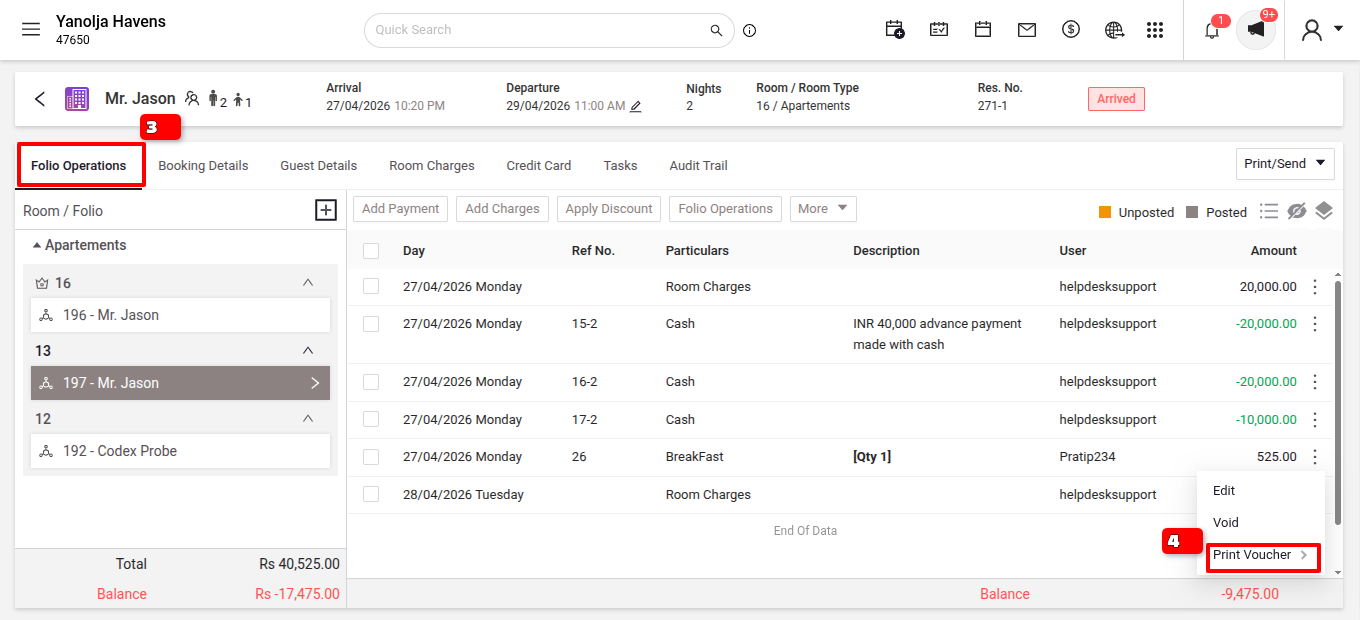
Was this article helpful?
That’s Great!
Thank you for your feedback
Sorry! We couldn't be helpful
Thank you for your feedback
Feedback sent
We appreciate your effort and will try to fix the article