To add extra charges (e.g., meals, extra bed) to a booking in PMS:
Navigate to Folio Details:
- Go to Edit Transaction.
- Select Folio Operations tab.
Add Extra Charges:
- Click Add Charges.
- Choose the extra charge from the Name dropdown.
- Enter the Amount.
- Click Add to apply the charge.
For Group Reservation:
Navigate to Folio Details:
- Go to Edit Transaction.
- Select Folio Operations tab.
Add Extra Charges:
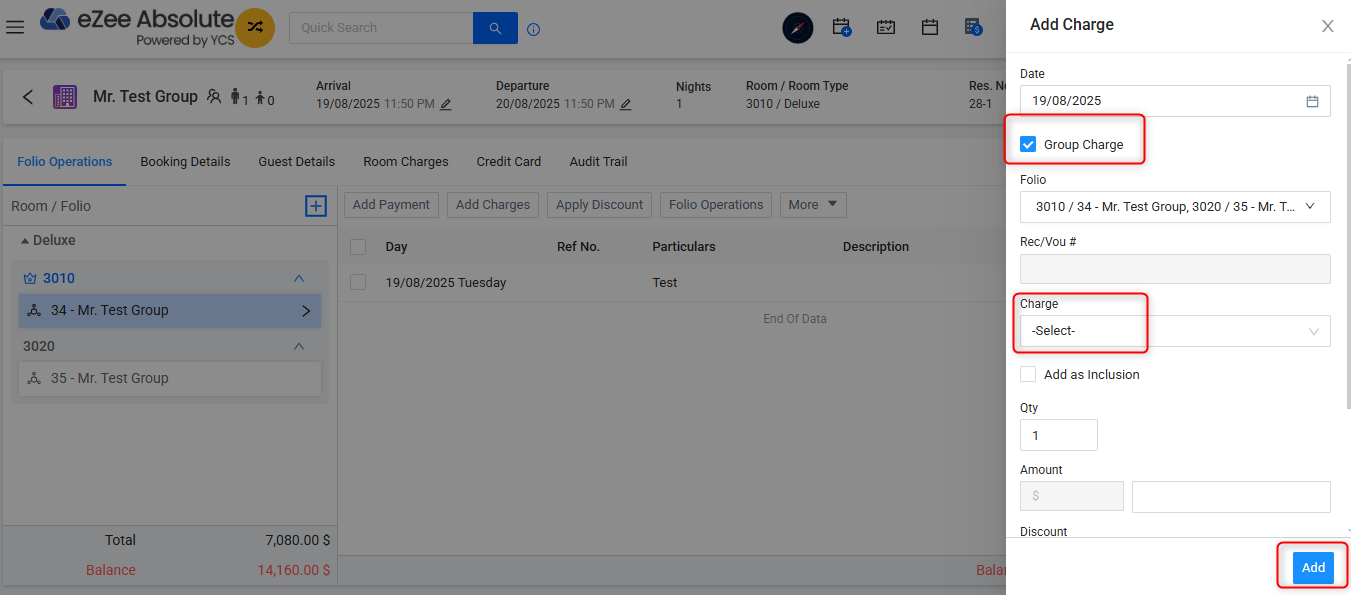
- Click Add Charges.
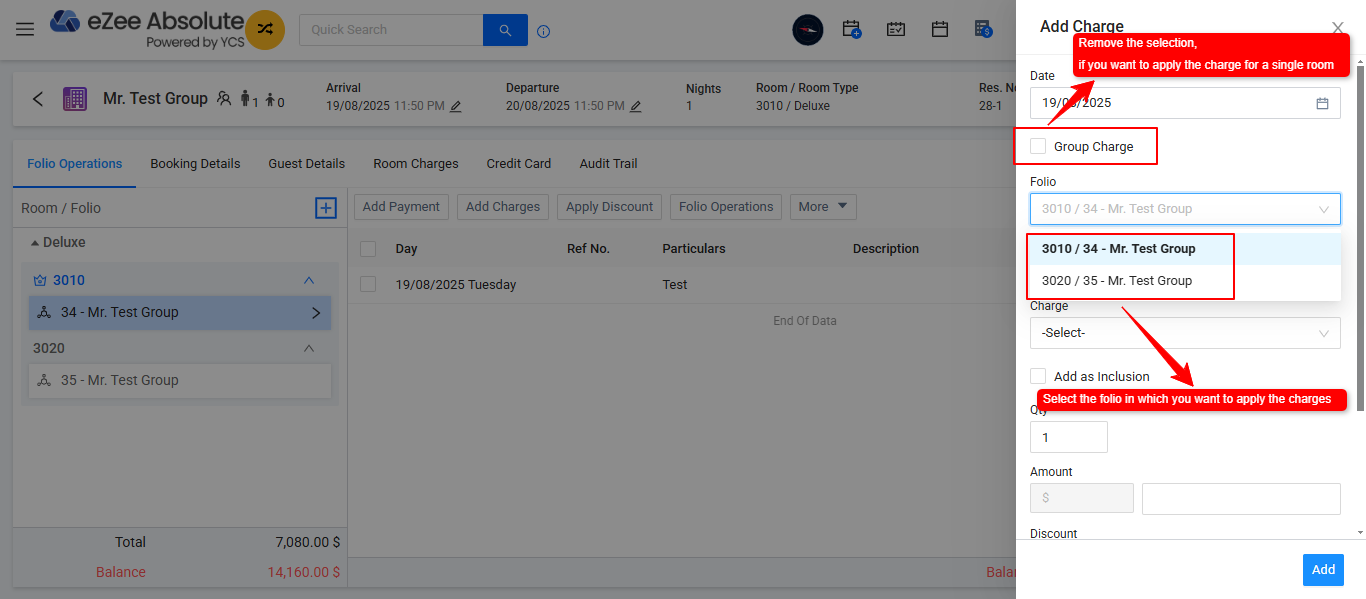
- Select the "Group Charge" option is you wish to add the chrges to the whole group or remove the selection of "Group Charge" option to apply the extra charge the individual Room.
- Choose the extra charge from the Name dropdown.
- Enter the Amount.
- Click Add to apply the charge.
Was this article helpful?
That’s Great!
Thank you for your feedback
Sorry! We couldn't be helpful
Thank you for your feedback
Feedback sent
We appreciate your effort and will try to fix the article