This article is not available in Thai, view it in English
To exempt tax on a reservation in PMS, even after check-in, follow these steps:
Access the Reservation:
- Navigate to Operations > Edit Transaction/Room.
Open Folio Operations:
- Click on Folio Operations.
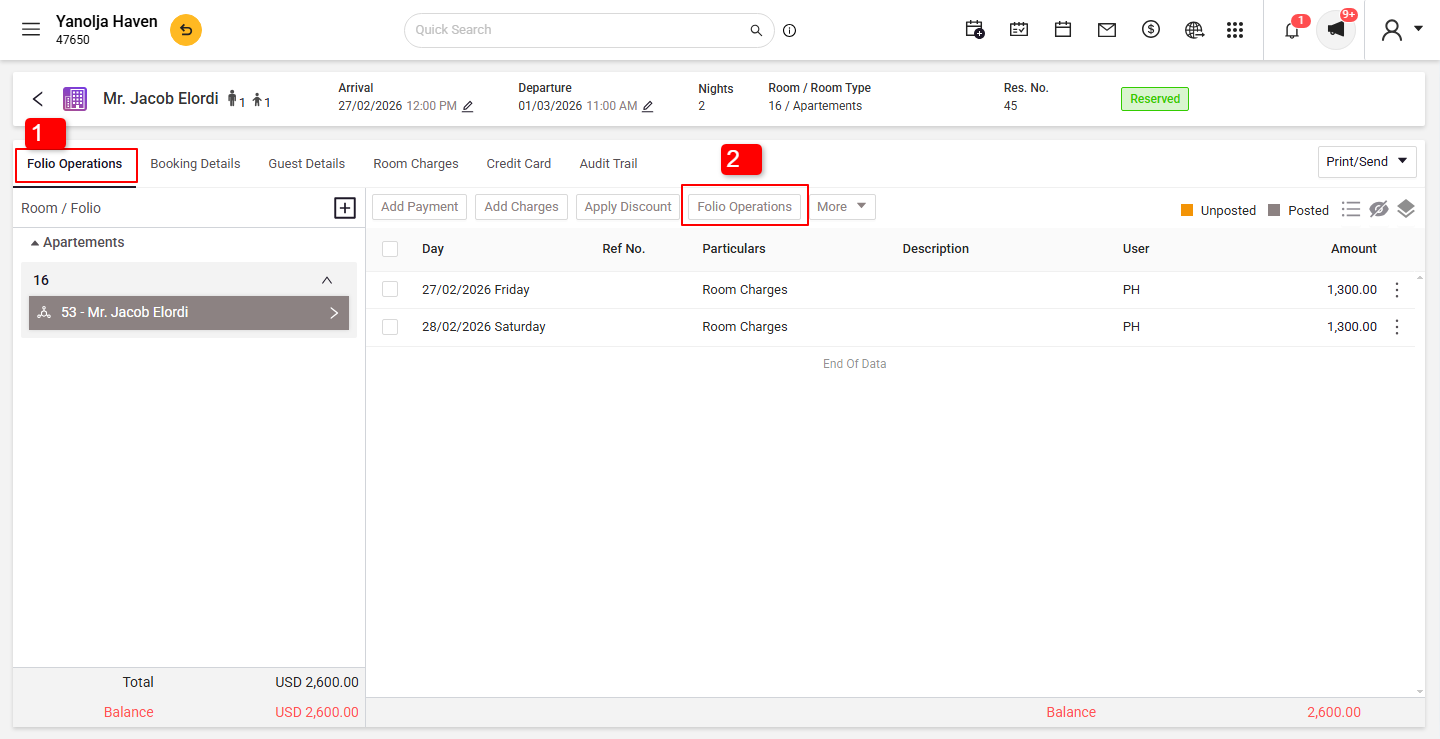
- Click on Folio Operations.
Initiate Tax Exemption:
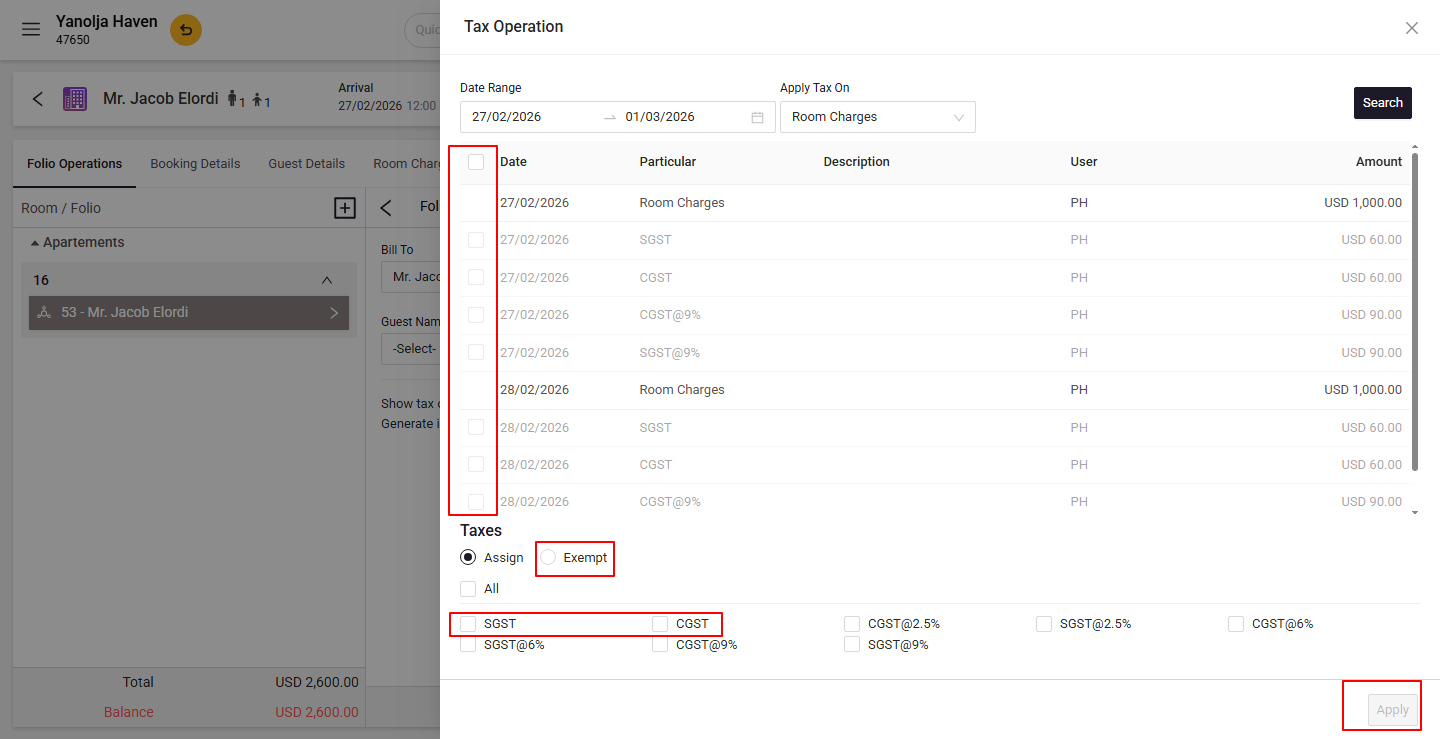
- Select Tax Operation.
- Choose the tax to exempt.
- Click on Exempt.
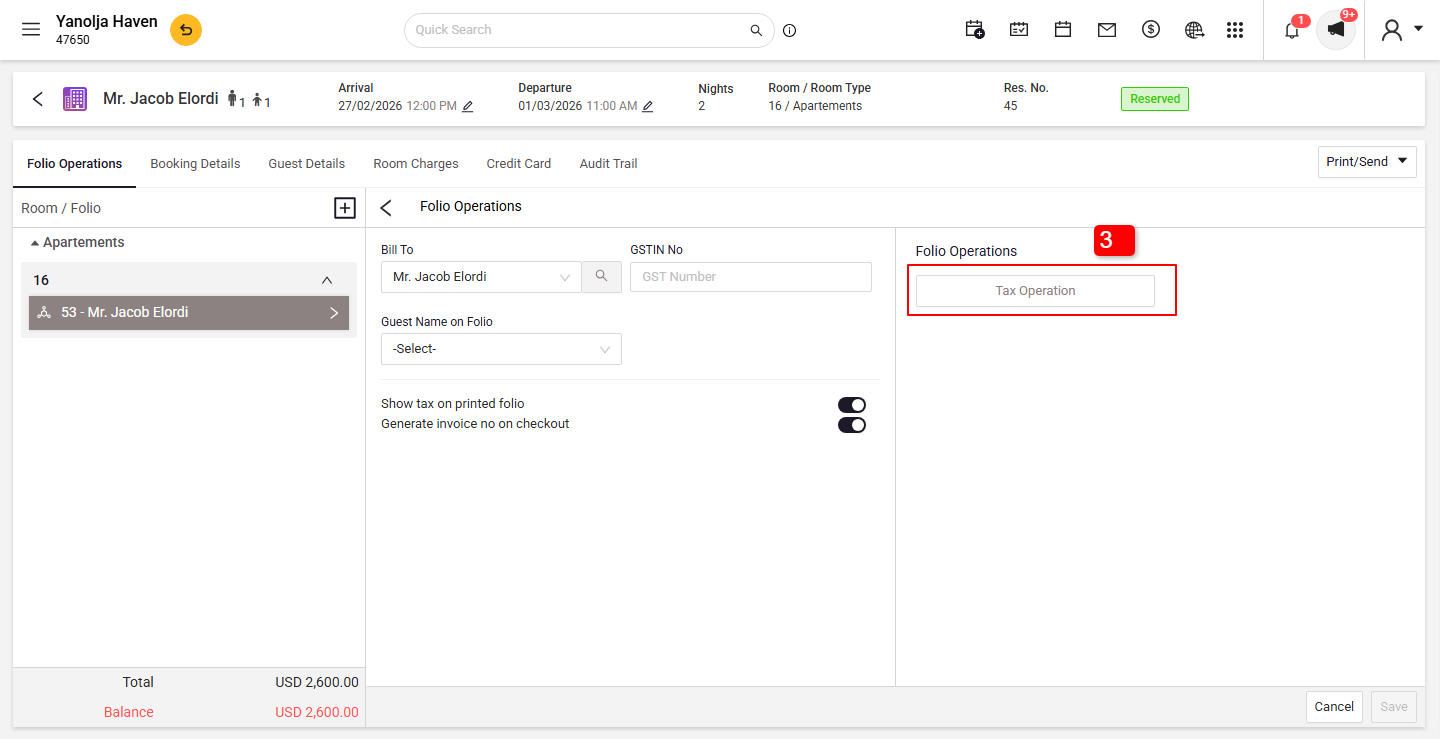
Enter Exemption Details:
- Input the Tax Exemption ID.
- Click Save to apply the changes.
User Privileges Required:
- Ensure the following rights are enabled:
- Edit an item on audited data
- Edit item on an open date
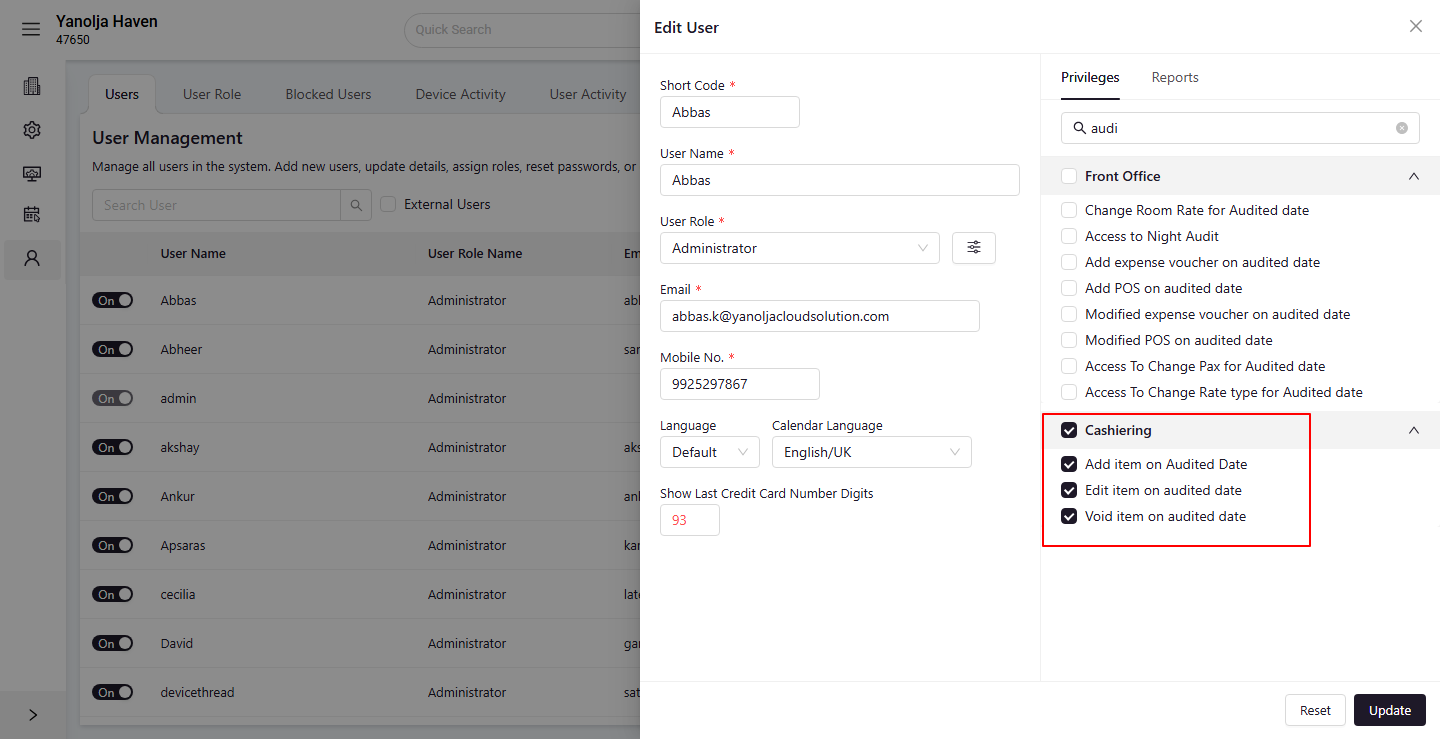
These settings can be configured under user privileges in the cashiering section.
Was this article helpful?
That’s Great!
Thank you for your feedback
Sorry! We couldn't be helpful
Thank you for your feedback
Feedback sent
We appreciate your effort and will try to fix the article