A POS (Point of Sale) Incidental Invoice in PMS allows hoteliers to manage charges for non-staying guests utilizing hotel facilities, such as restaurants or swimming pools. These charges are handled separately from guest folios.
Accessing POS:
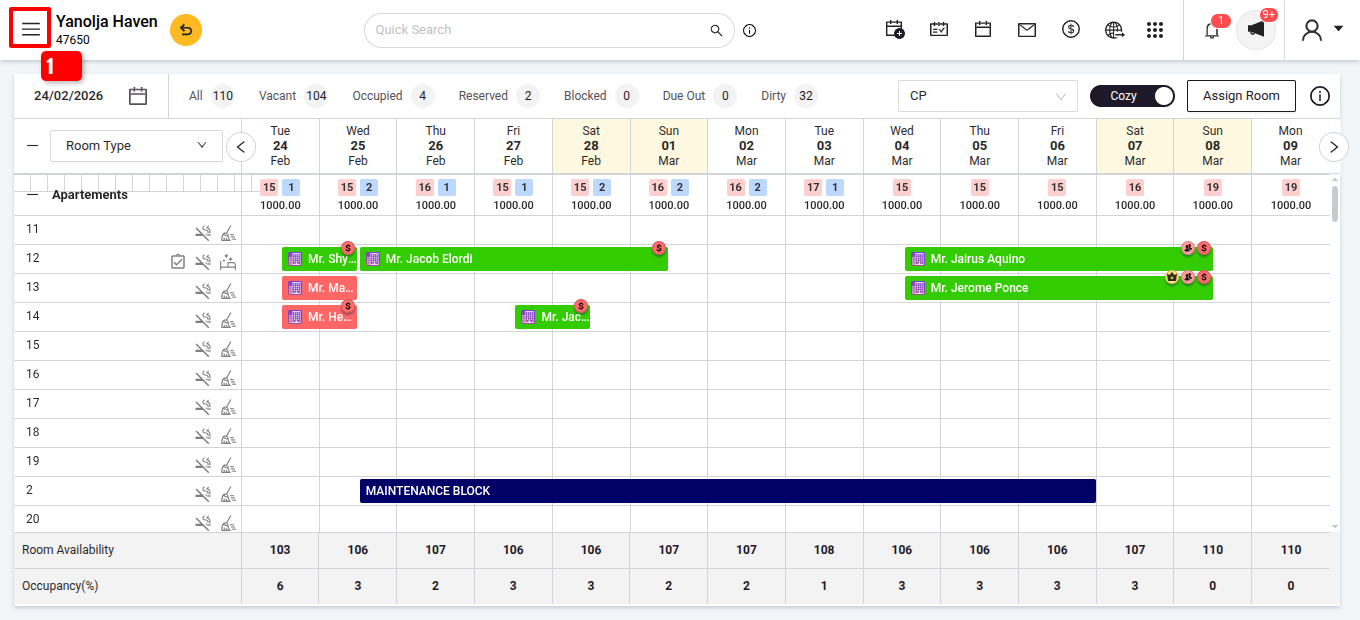
- Navigate to PMS.
- Click on the three lines (≡) to open the menu.
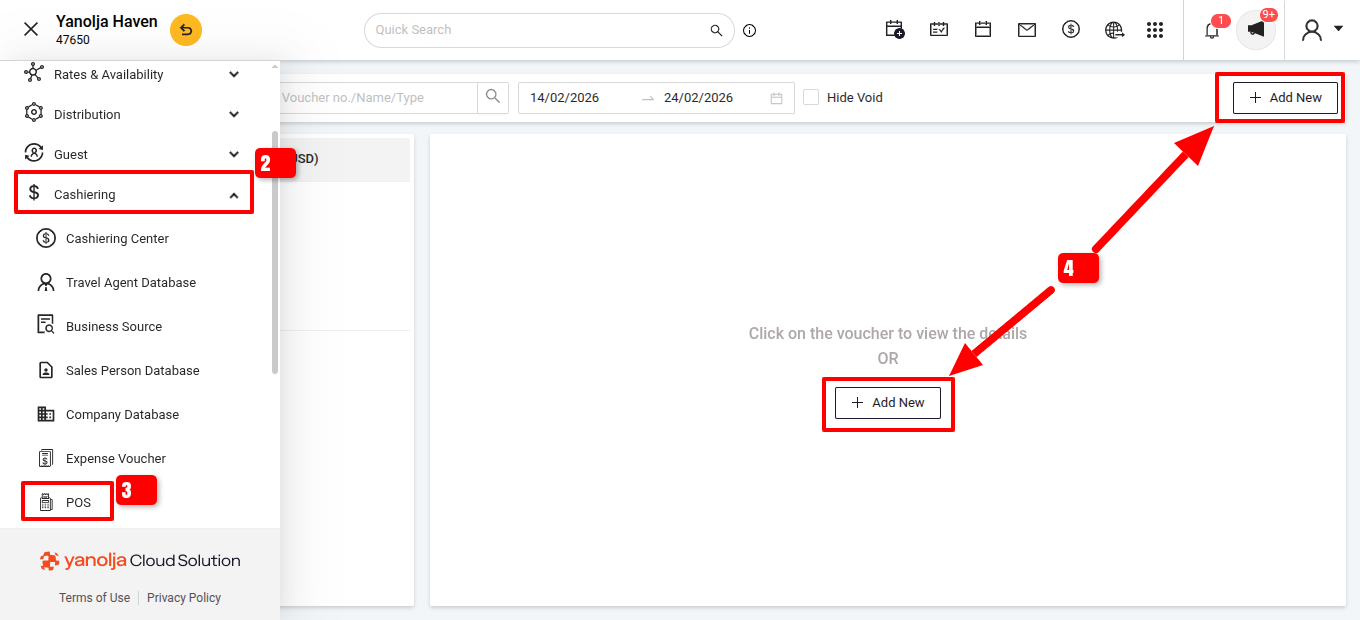
- Select 'Cashiering' >>> 'POS'.
- Select with Add New.
Prerequisites:- Configure extra charges: Go to Configuration > Master > General > Extra Charge.
- Set up document numbering: Navigate to Settings > General > Document Numbering.
Note: Extra charges with a flat percentage will not display in POS.
Generating an Incidental Invoice:
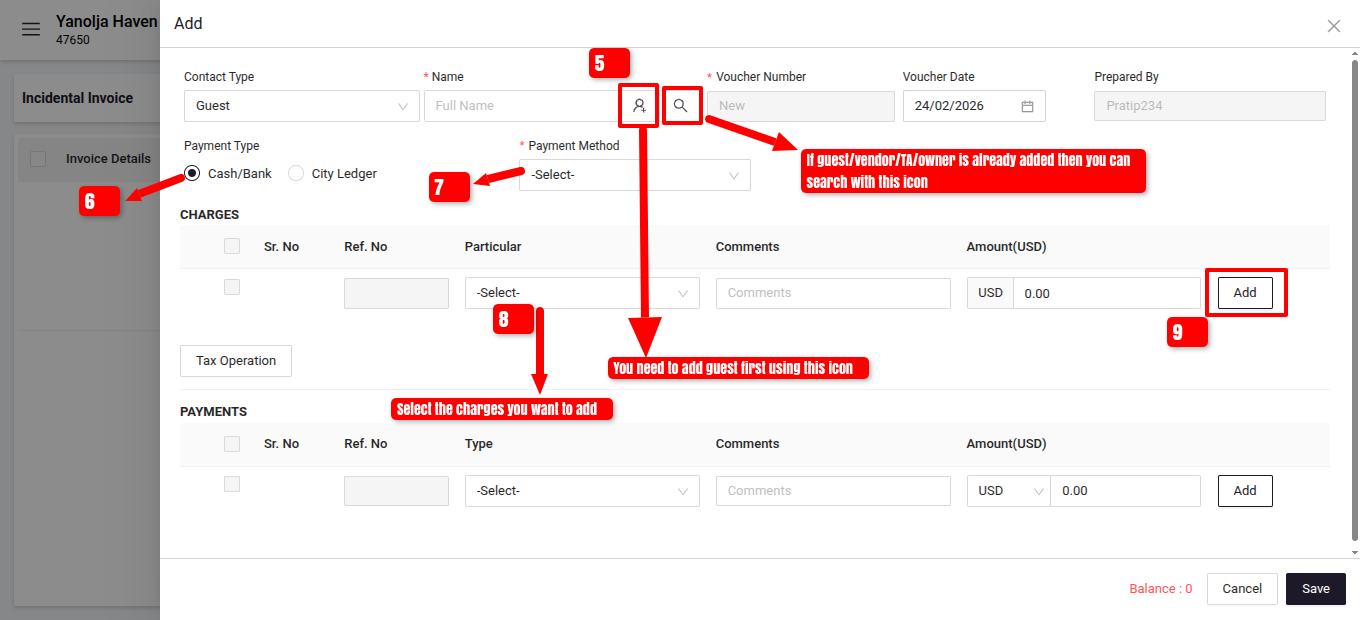
- In the POS module, add new guest information or search the existing guest database.
- Select the payment type , invoice date, and invoice number.
- Select the payment Method.
- Select appropriate charges you want to add .
- Add the extra charge clicking on Add option.
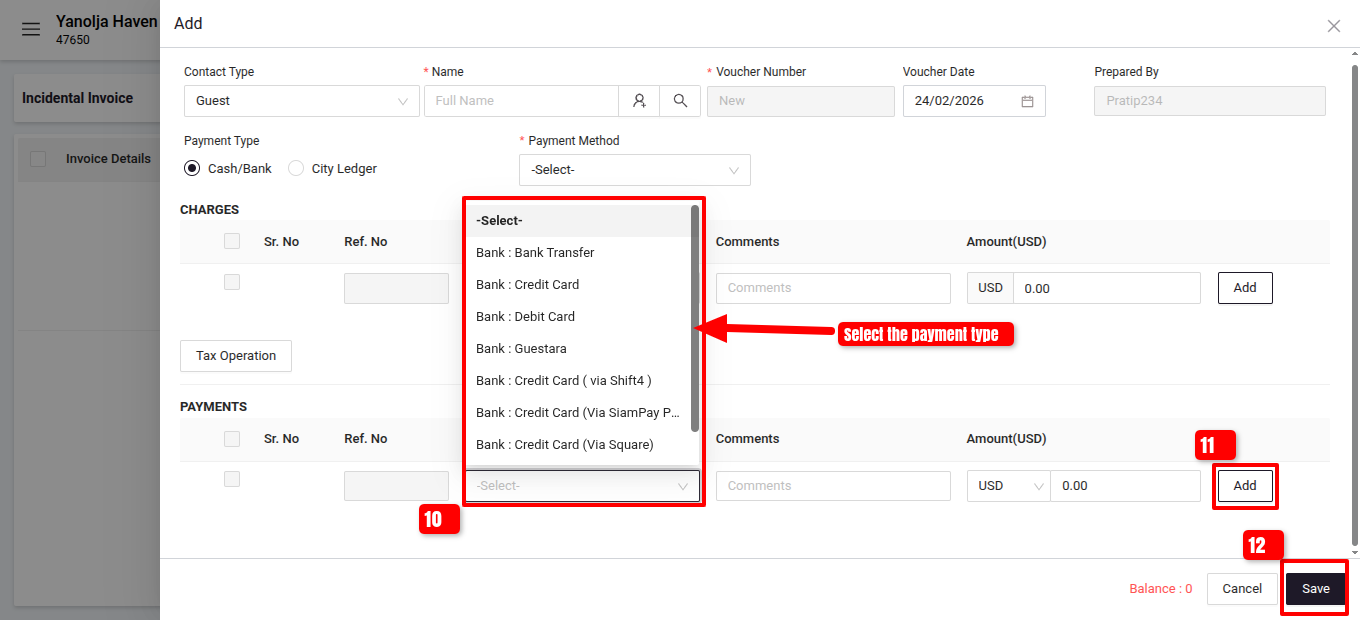
- Select the payment type.
- Add the invoice.
- Save it.
Reports:To review these transactions, access the 'Daily Extra Charge Report' in the reporting section.
Was this article helpful?
That’s Great!
Thank you for your feedback
Sorry! We couldn't be helpful
Thank you for your feedback
Feedback sent
We appreciate your effort and will try to fix the article