Change Pax is used to change pax details after crate booking, in case of update pax, Hotelier can use the Change pax option.
Steps to Change PAX for a Booking
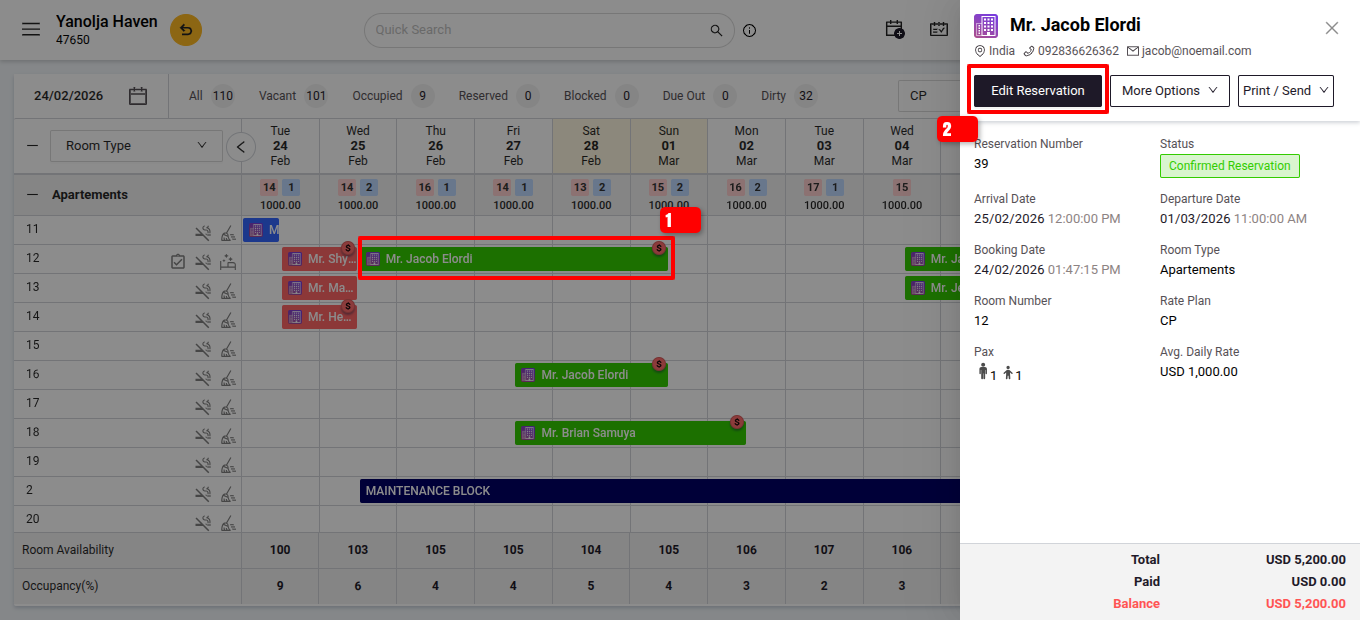
Go to the Reservation
- Navigate to Front Office > Reservation or stay View.
- Search for and select the booking you want to modify.
Edit the Guest Count
- Click on the Edit Reservation option.
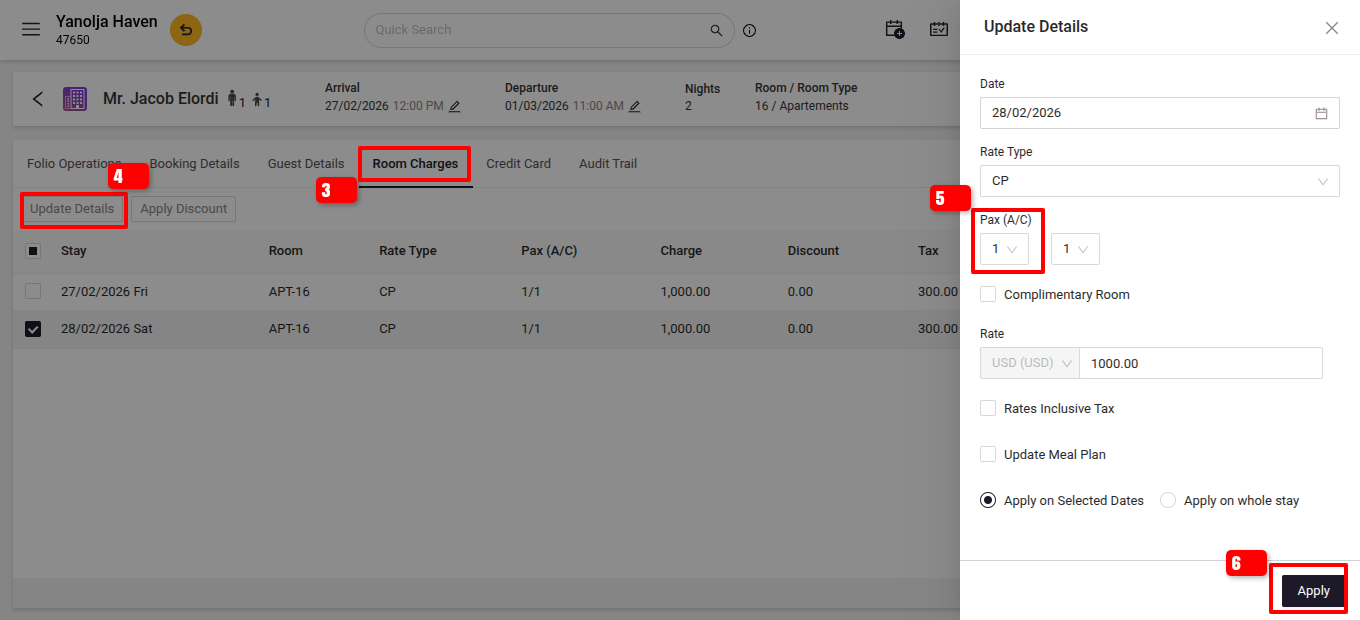
- Go to room charges Section and click on update details.
- Adjust the number of adults and children as needed.
Save the Changes
- Click Apply to Save the new PAX count.
Key Notes
- Changing PAX may affect room rates, extra guest and ch charges, and meal plans.
- If the rate plan is based on occupancy, the system will auto-update the room tariff accordingly.
- For group bookings, PAX changes must be made individually per reservation.
User Privilege Requirement
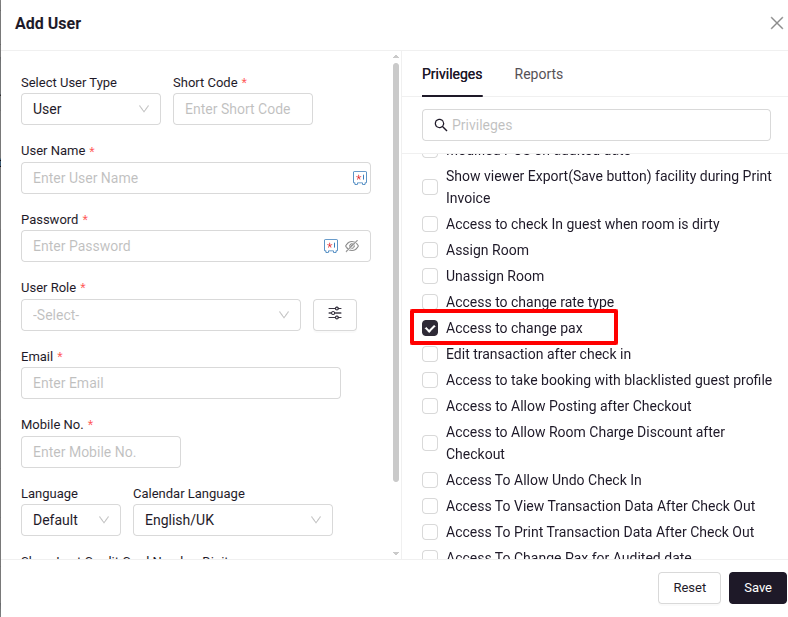
To change the PAX in a reservation, users must have the necessary privileges enabled:
- Go to Configuration > User > Edit User > Privileges > Access to change pax and Access to change pax for audited dates
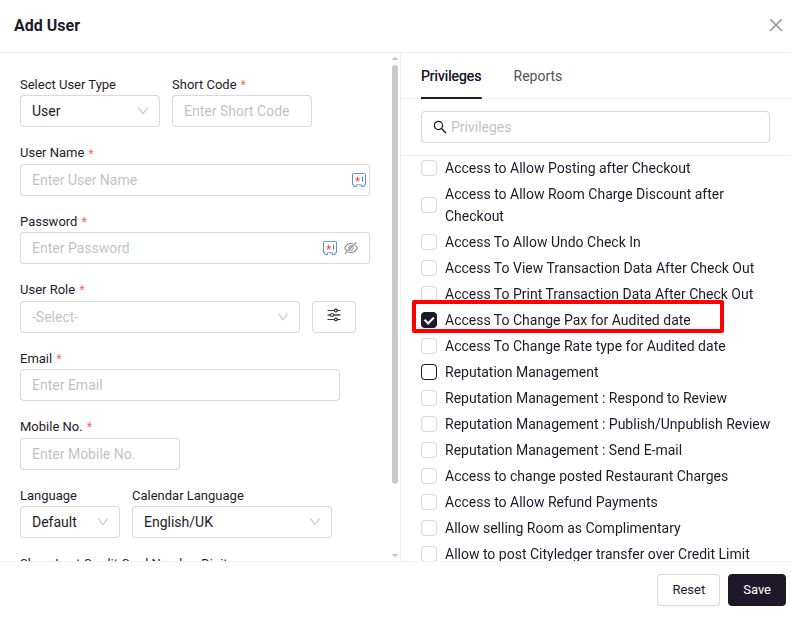
- Go to Configuration > User > Edit User > Privileges > Access to change pax and Access to change pax for audited dates
- Click Apply to Save the new PAX count.
Was this article helpful?
That’s Great!
Thank you for your feedback
Sorry! We couldn't be helpful
Thank you for your feedback
Feedback sent
We appreciate your effort and will try to fix the article