You can configure or modify the numbering format for the following documents in PMS :
Guest Registration
Guest Folio
Reservation
Cancel Reservation
Extra Charge Voucher
Receipt
Guest Invoice
Work Order
Incidental Invoice
Steps:
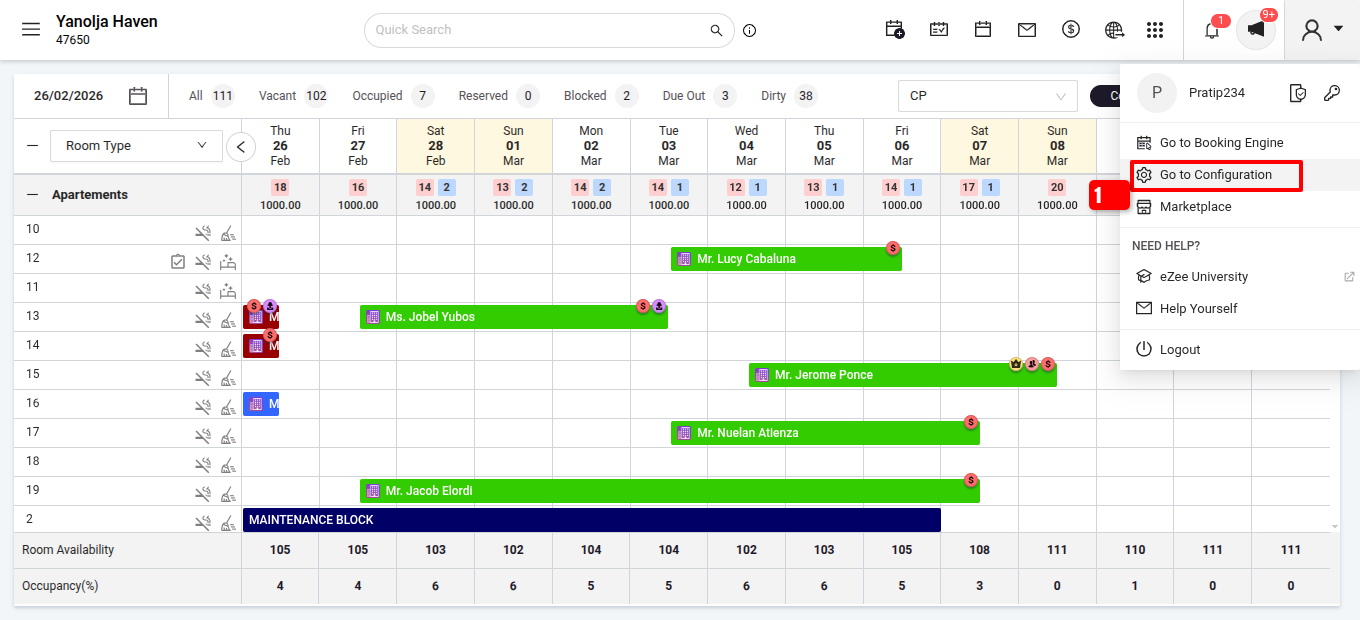
Log in to PMS >> Go to Configuration.
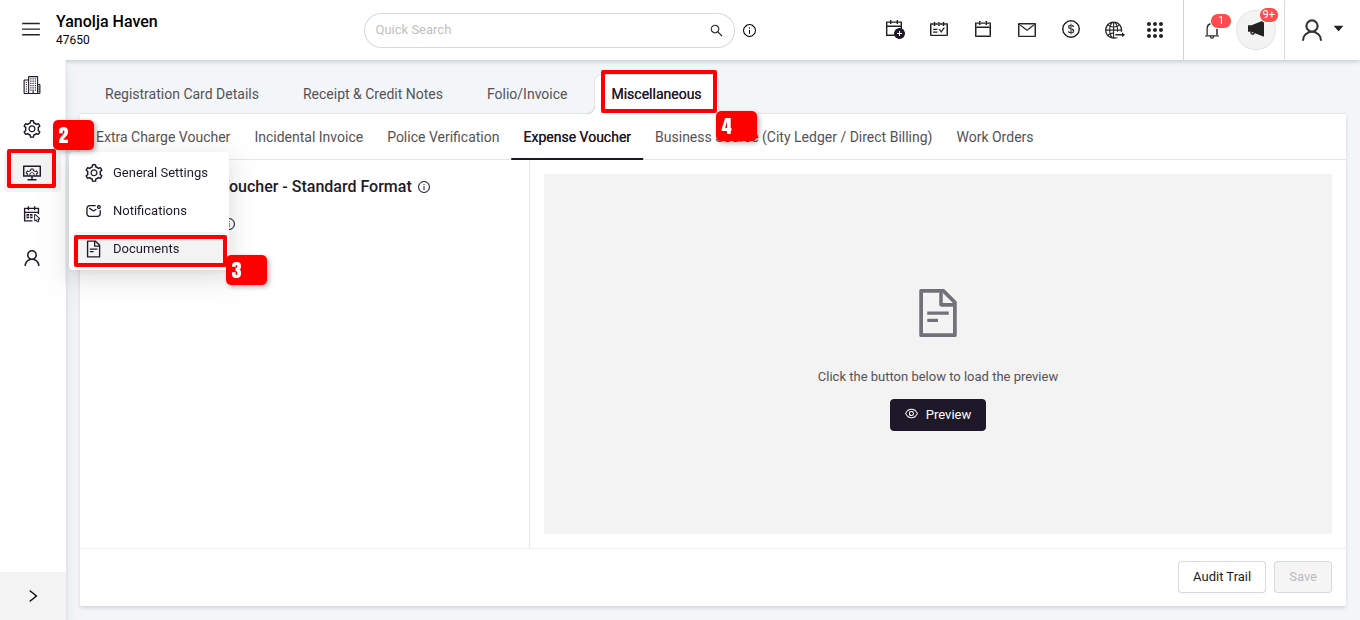
Navigate to Settings > Document > Miscellaneous.
After configuring the required document numbering.
Click on save.
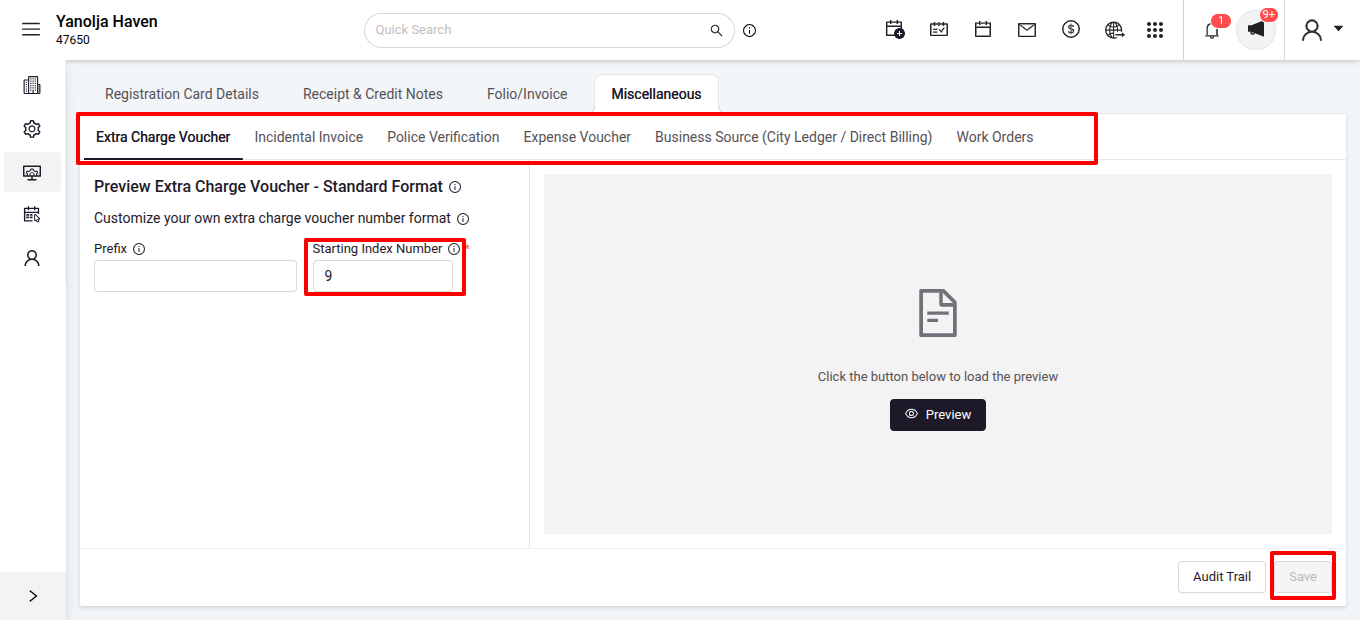
Once configured, the system will follow the defined numbering pattern for each respective document.
Was this article helpful?
That’s Great!
Thank you for your feedback
Sorry! We couldn't be helpful
Thank you for your feedback
Feedback sent
We appreciate your effort and will try to fix the article