Step-by-Step Guide
Login to PMS >Go to Configuration.
Use your admin credentials to log in.
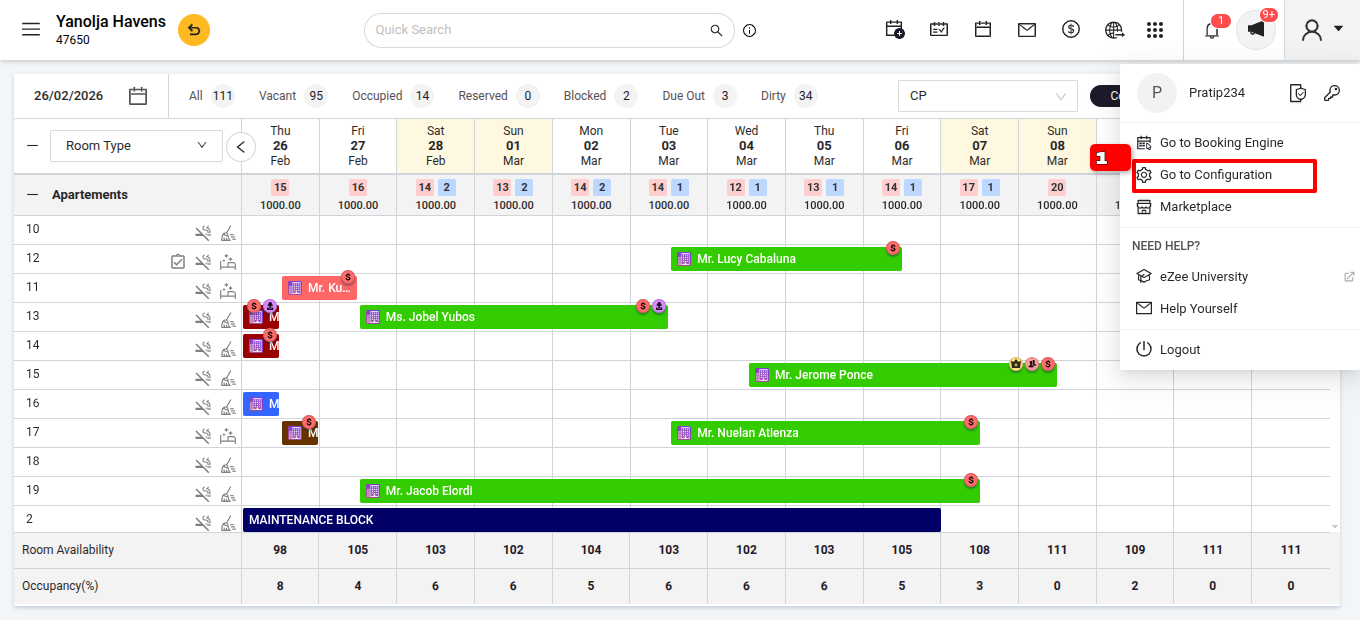
Navigate to Settings
Go to Documents.
Navigate to Folio/Invoice.
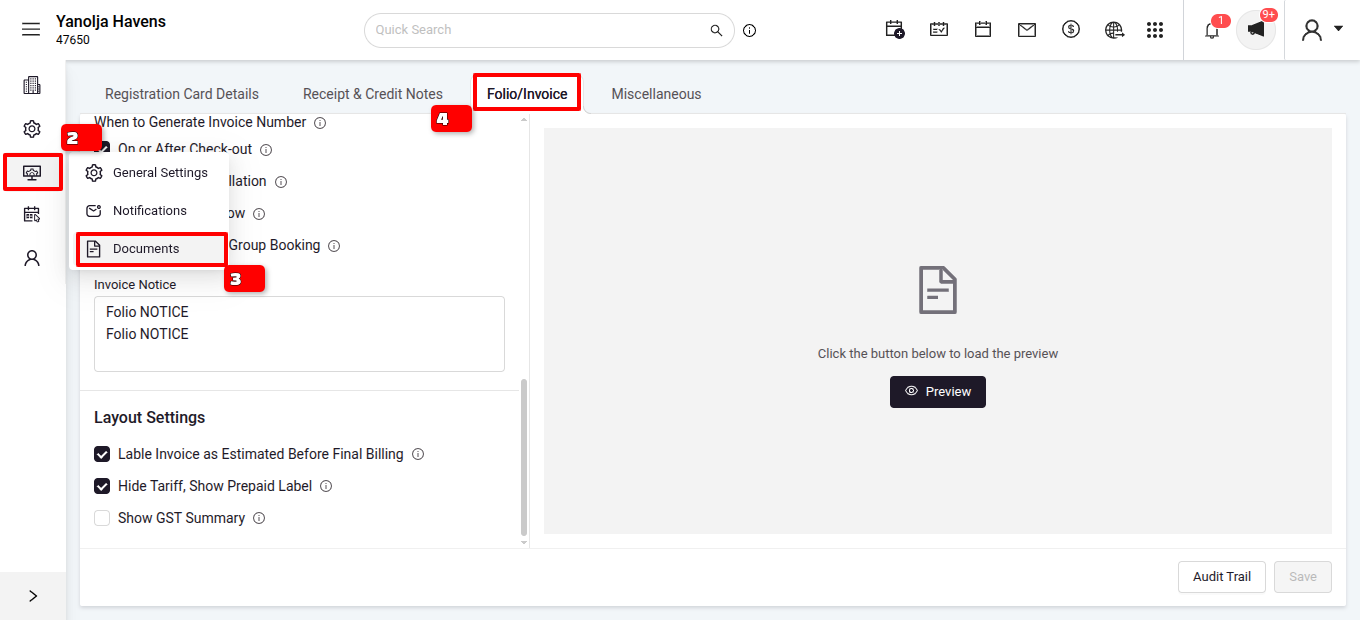
Locate the Receipt Section
In the Invoice Notices section add the bank details.
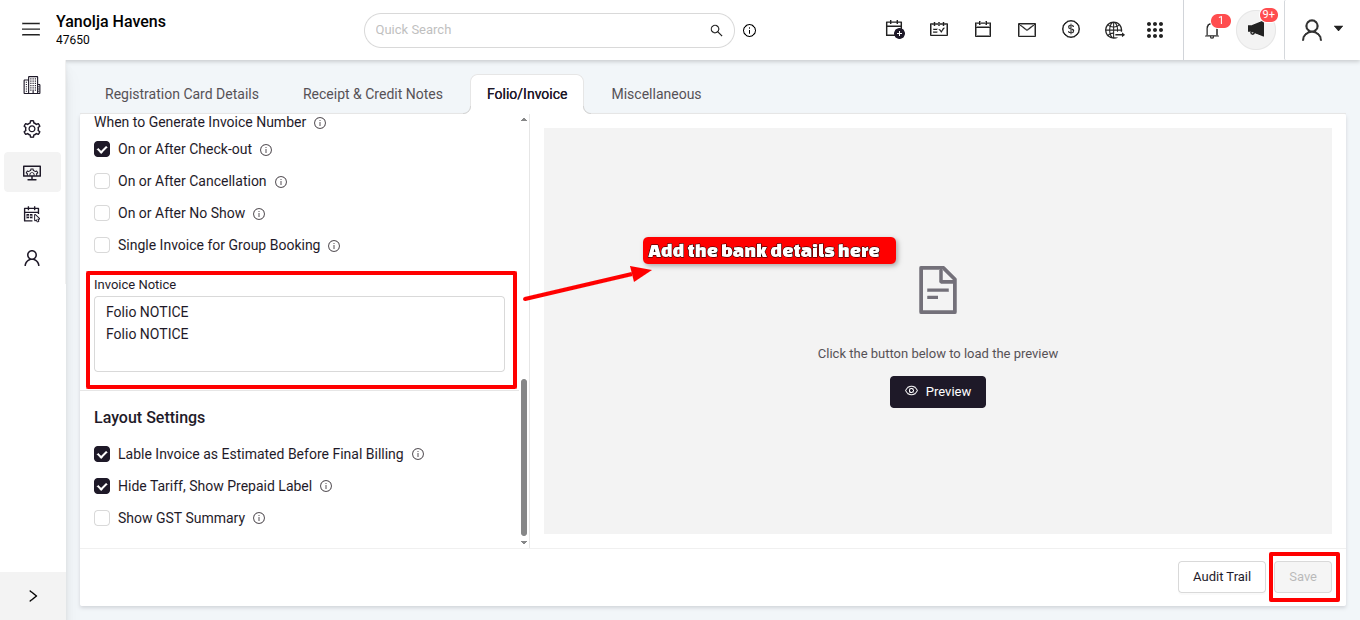
Save the Changes
Once you have updated the details, click the Save button at the bottom right of the page.
Was this article helpful?
That’s Great!
Thank you for your feedback
Sorry! We couldn't be helpful
Thank you for your feedback
Feedback sent
We appreciate your effort and will try to fix the article