This guide explains how to reconcile the Payment Gateway (PG) Batch Close Report with your Property Management System (PMS) to ensure all transactions are accurately recorded.
Overview
Reconciliation is required to verify that all transactions processed through the payment gateway match the entries in the PMS. This helps identify missing transactions, duplicates, or discrepancies.
There are two methods to perform reconciliation:
- Using Daily Receipt Report
- Using Credit Card Processing Page (Only for Zeamster/Fortis)
1. Using Daily Receipt Report
Steps:
- Navigate to Reports in the PMS.
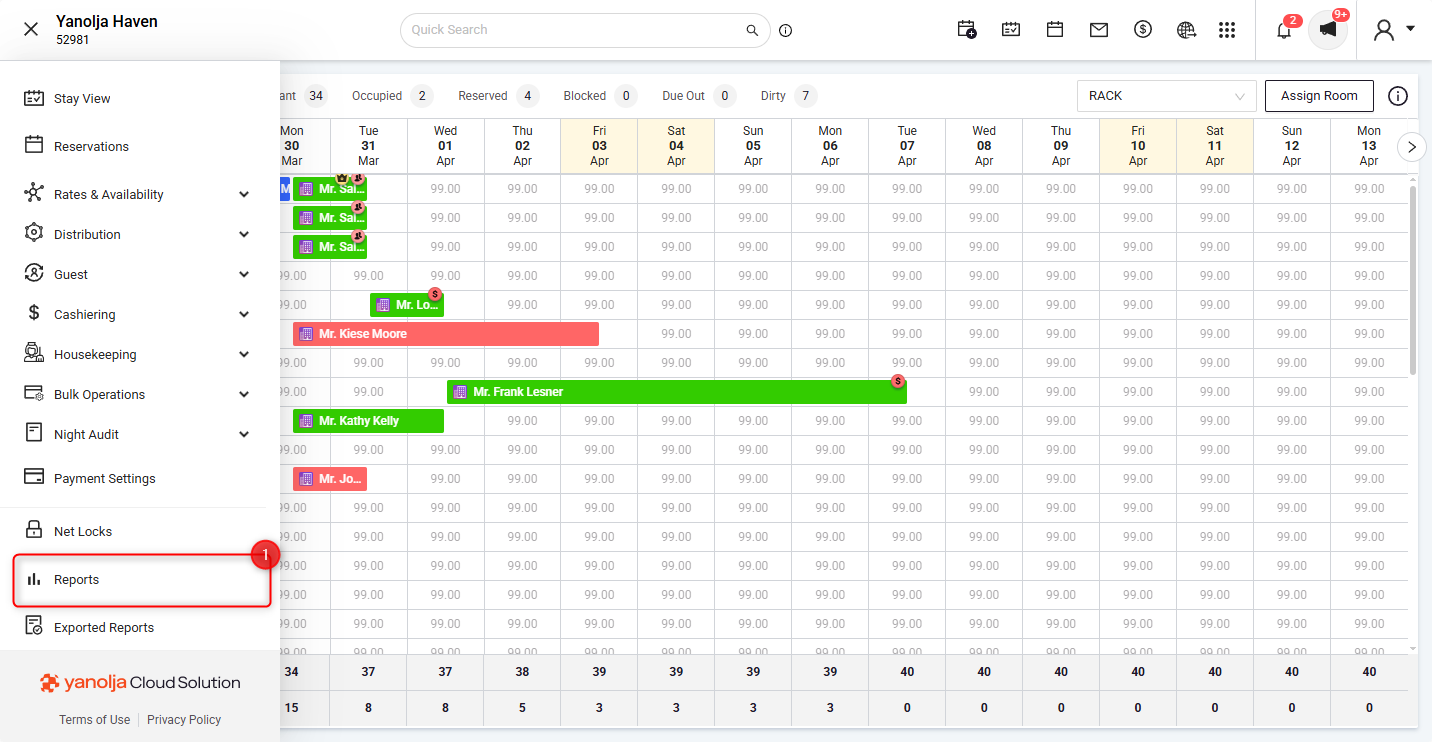
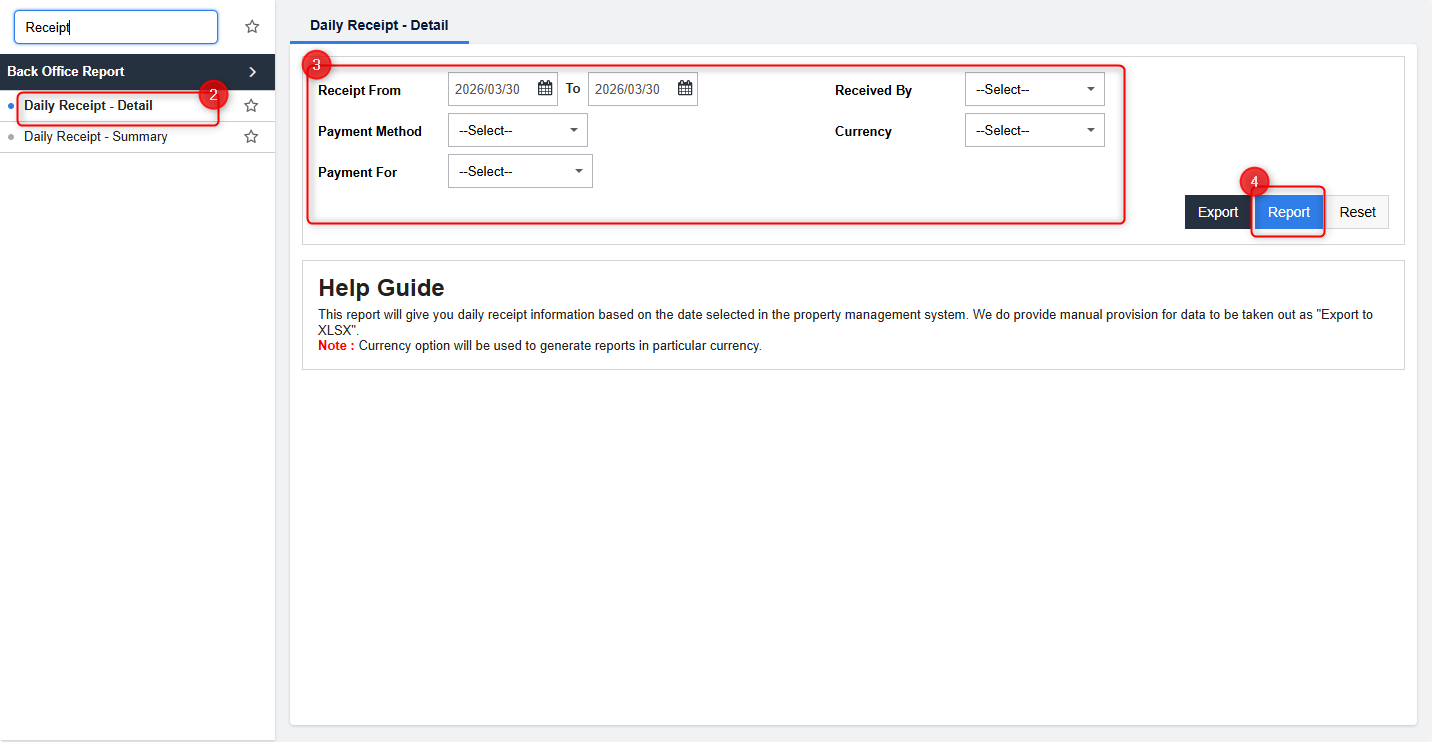
- Search for Daily Receipt - Detail using the search bar.
- Select the required date range and select the payment method as for Credit Card (via Zeamster).
- Click on Report to generate the results.
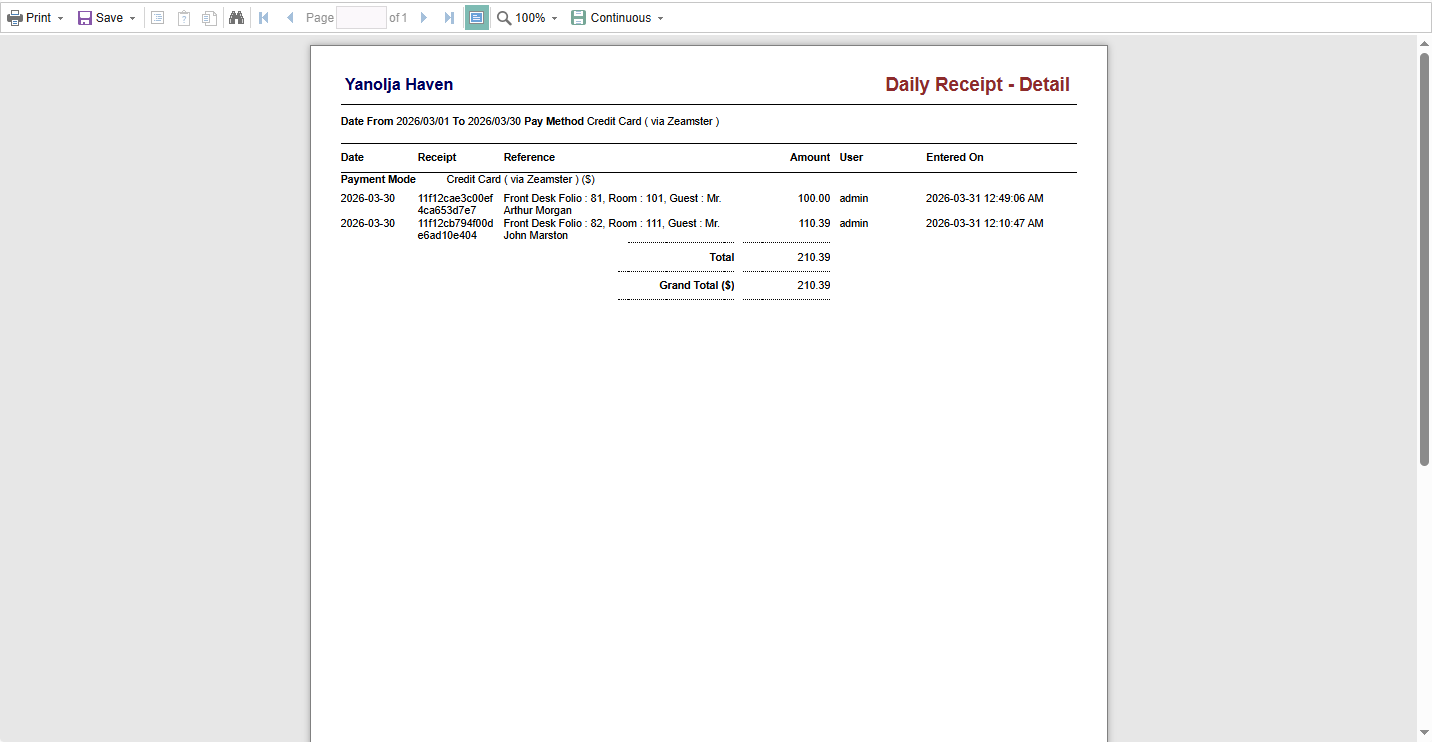
- This report will display all sales transactions within the selected date range and can be used to reconcile the PG Batch Close Report.
2. Using Credit Card Processing Page (Only for Zeamster/Fortis)
Steps:
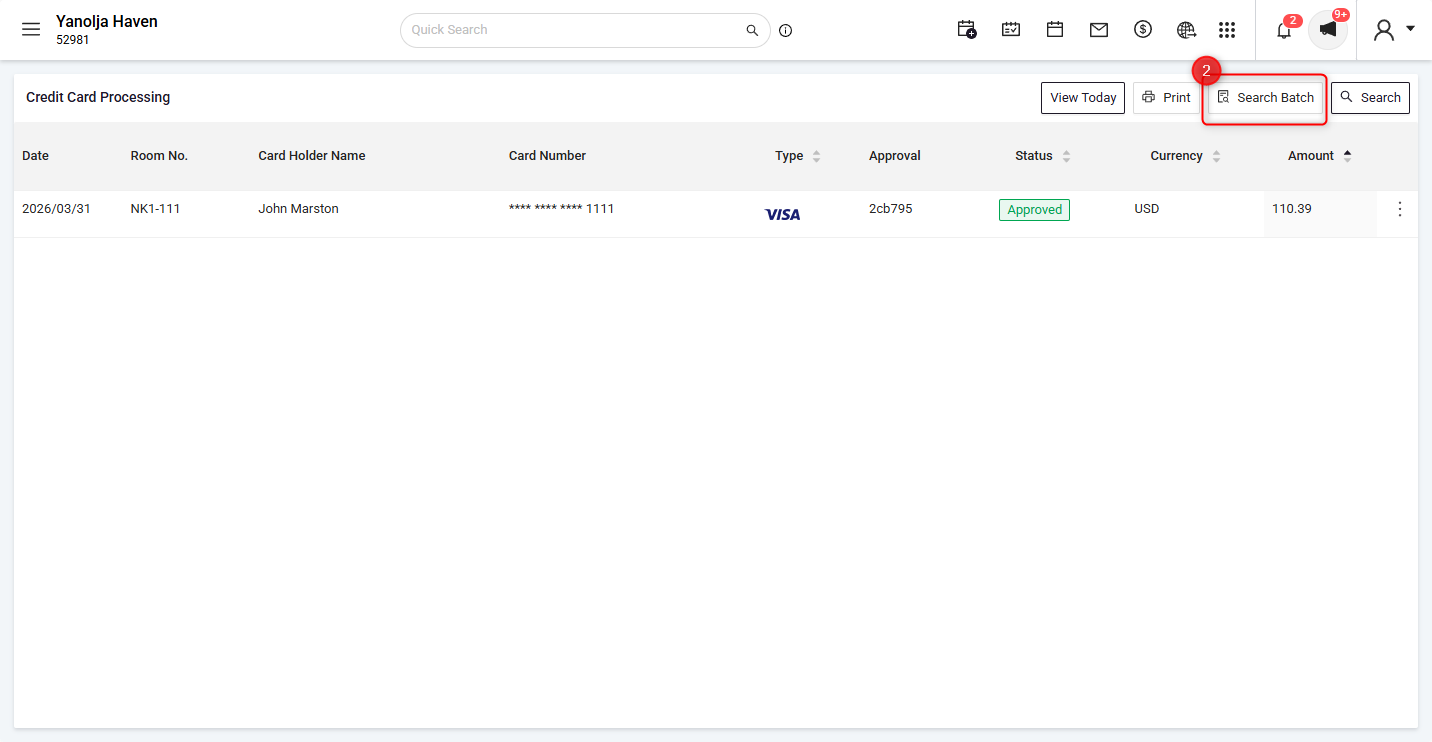
- Navigate to the Guest Section in the PMS and open the Credit Card Processing Page.
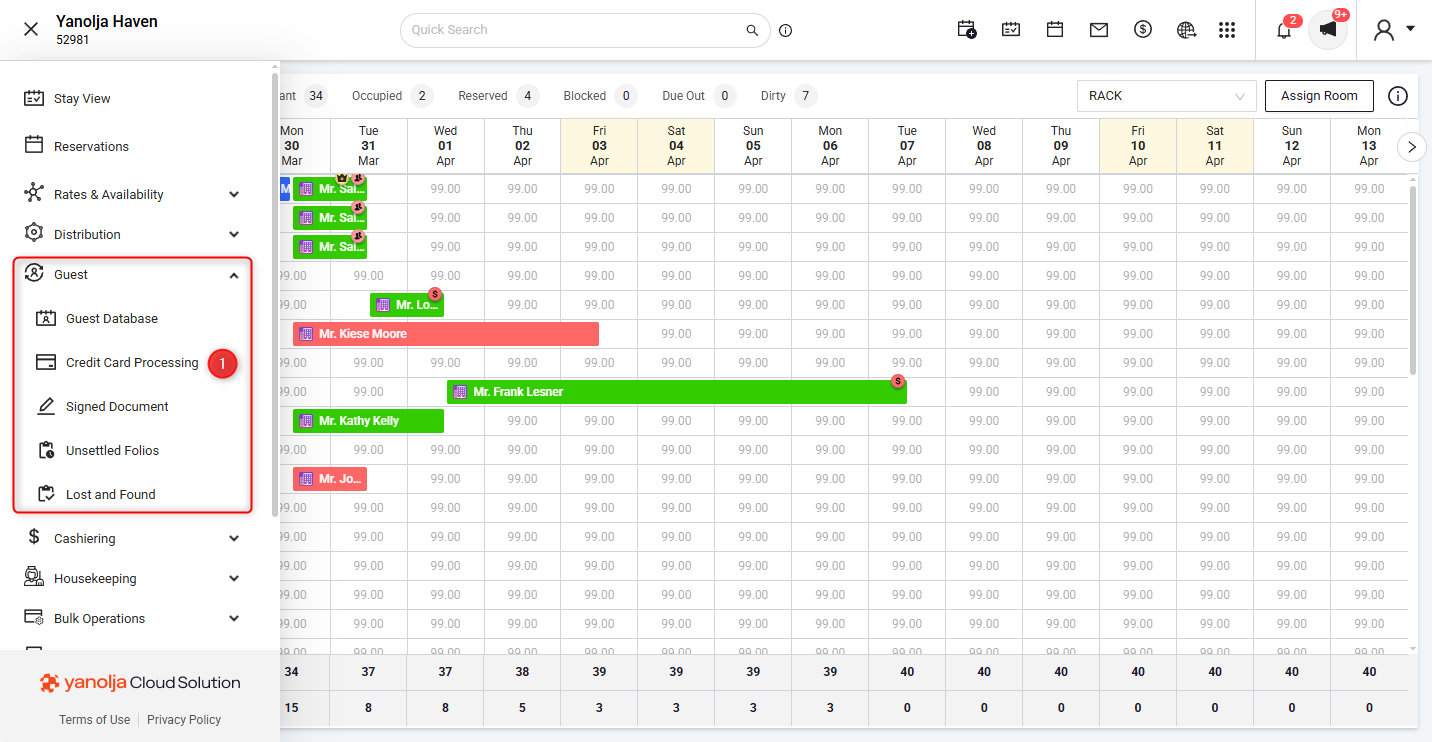
- Click on Search Batch.
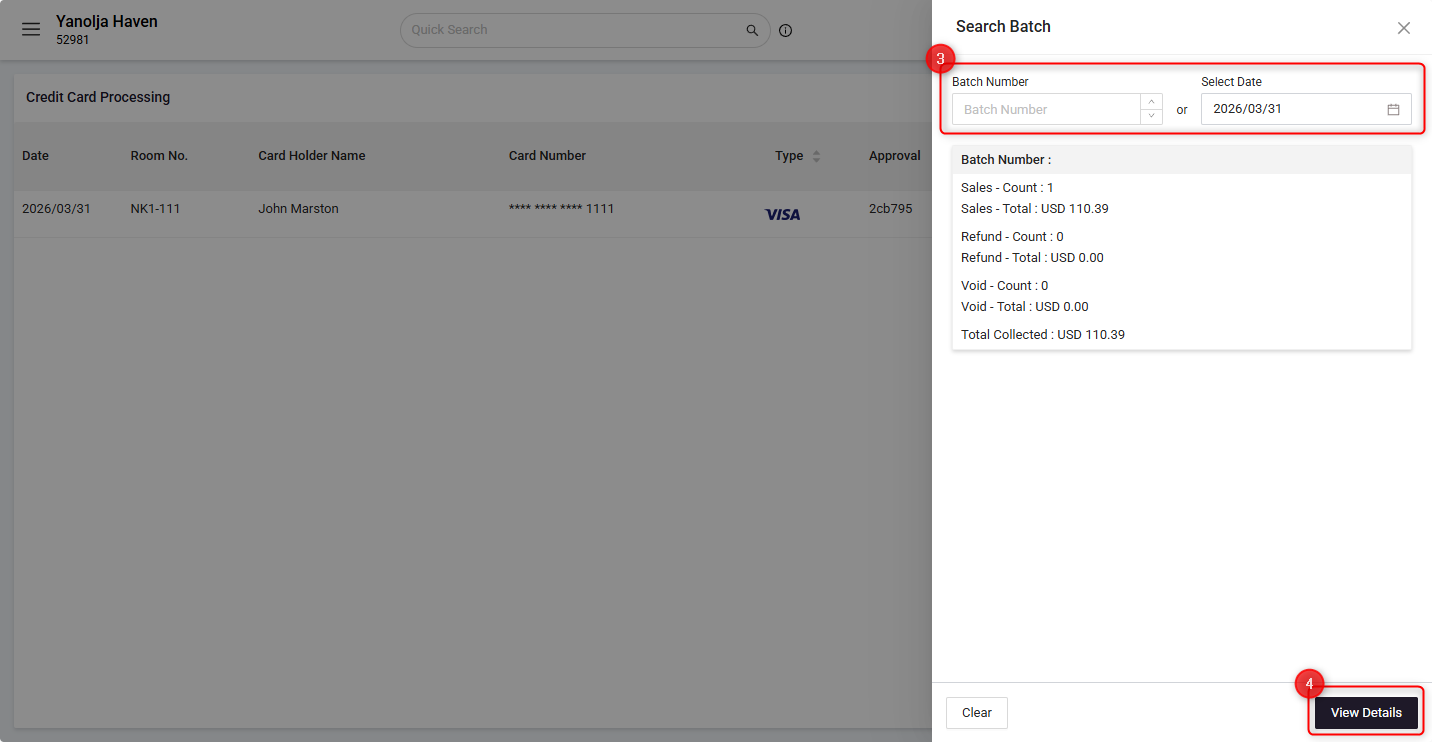
- Select the relevant date or enter the batch number.
- Click on View Details.
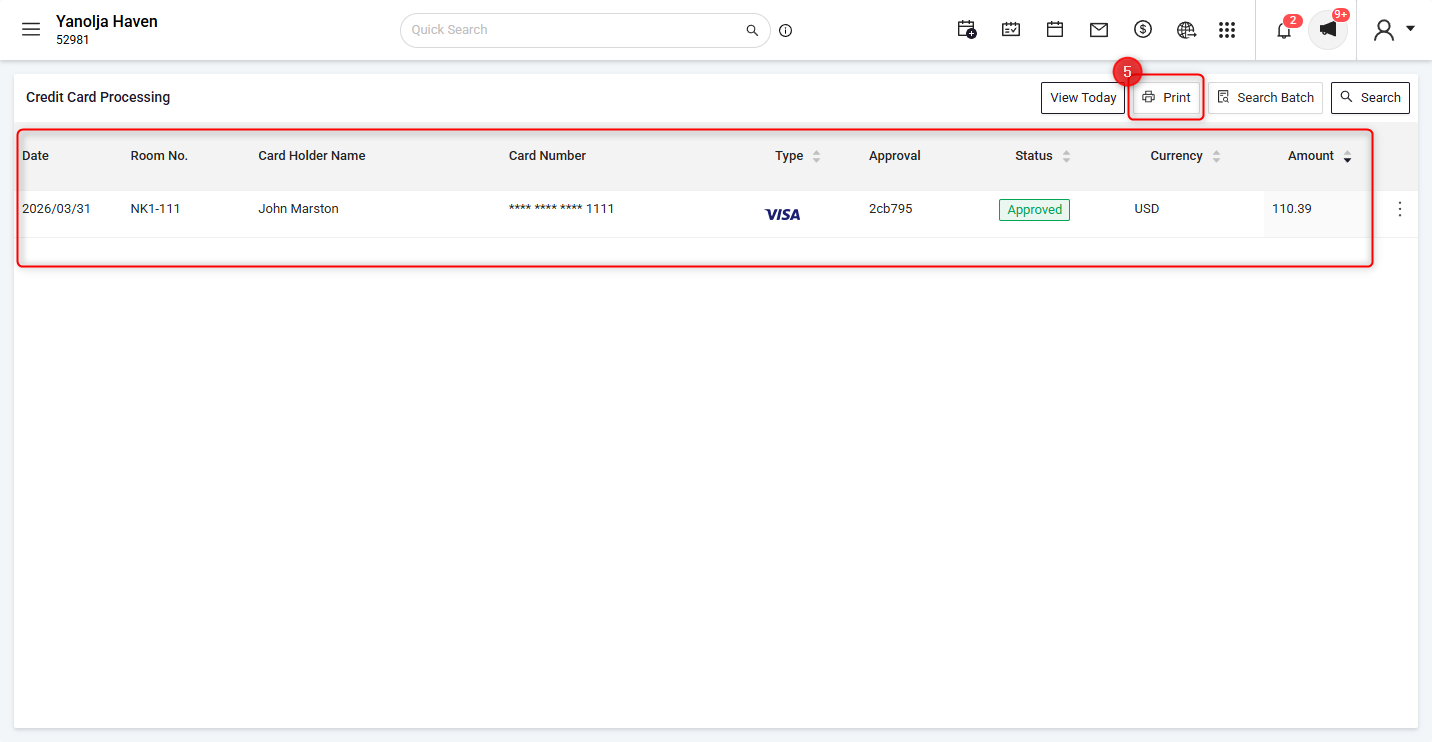
- The system will display all transactions for the selected batch/date. Click on Print to export the details as a report.
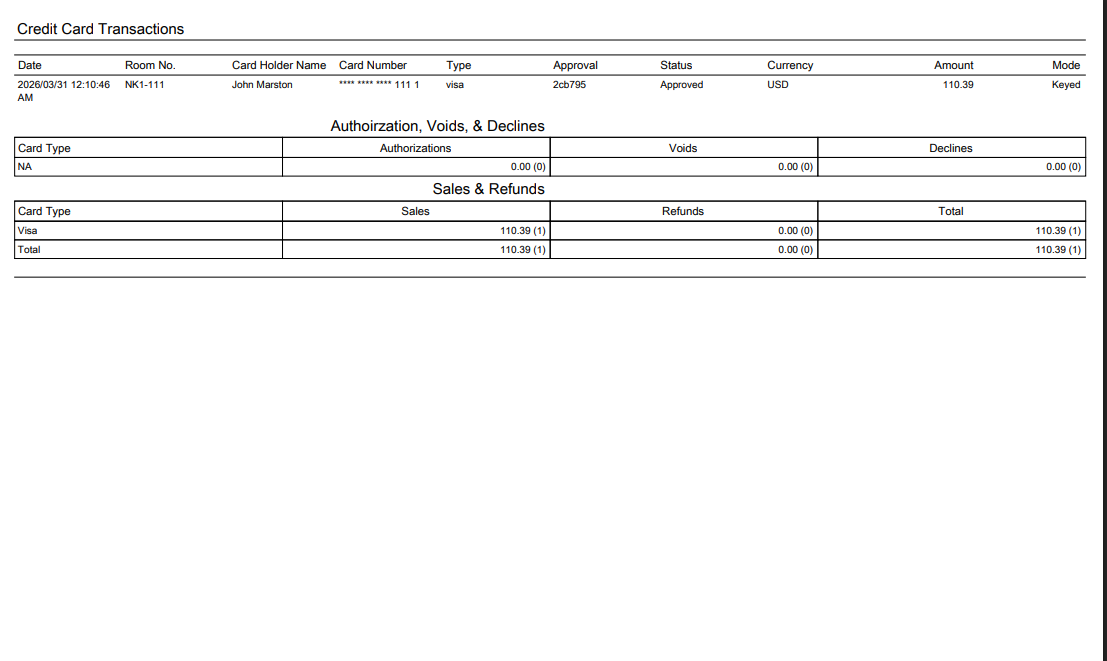
Compare this report with the PG Batch Close Report and verify that the number of transactions matches. Additionally, cross-check key details such as transaction amounts and authorization or reference numbers to ensure all entries are accurately recorded and aligned between the systems.
Was this article helpful?
That’s Great!
Thank you for your feedback
Sorry! We couldn't be helpful
Thank you for your feedback
Feedback sent
We appreciate your effort and will try to fix the article