During the integration of PMS with Zoho Books, OTA accounts such as GoMMT, Simplotel, TravelGuru, and other Online Travel Agencies (OTAs) are automatically created as Payment Clearing Accounts in Zoho Books.
These accounts are used to accurately record and reconcile payments received through OTAs.
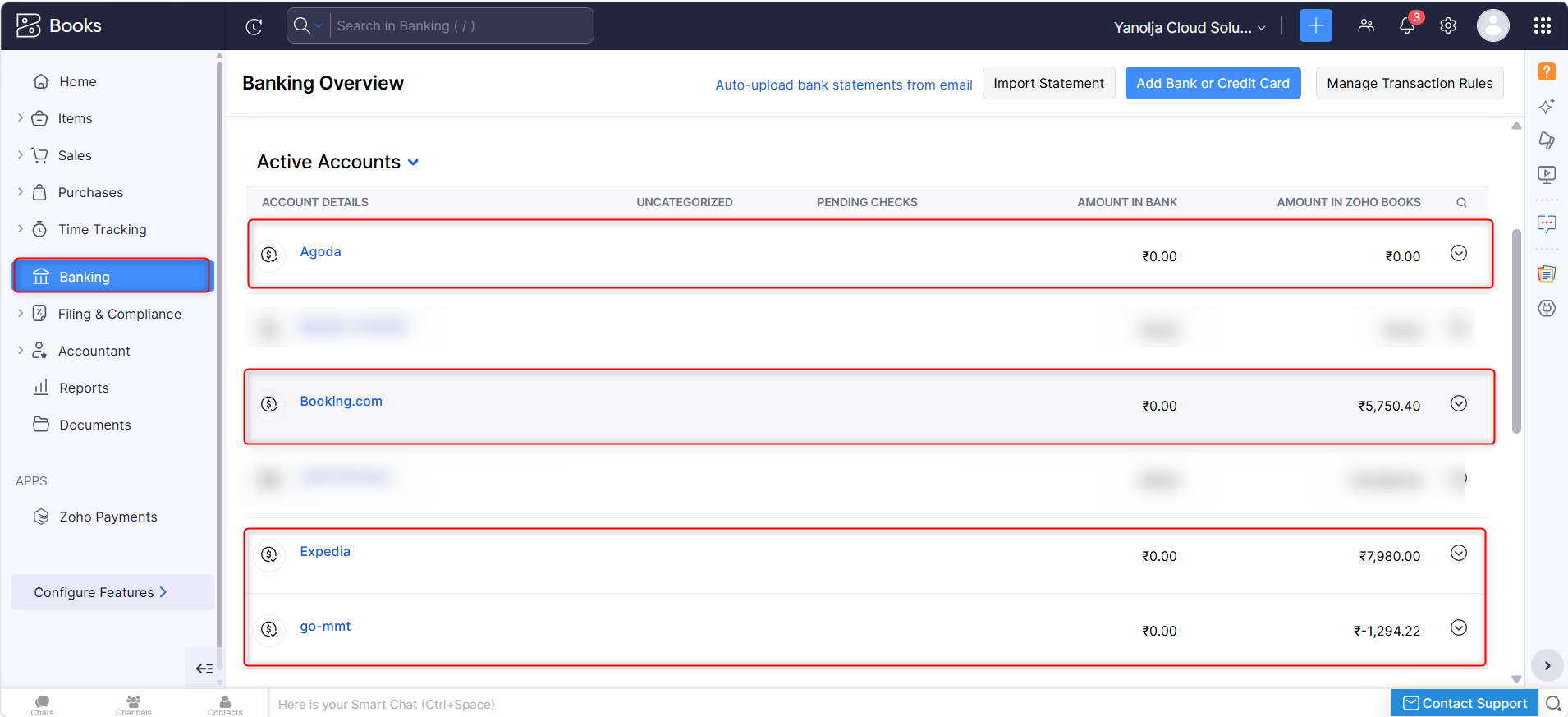
How are these accounts created?
When the integration is configured:
- The integration identifies the OTA payment methods configured in PMS.
- A corresponding Payment Clearing Account is created in Zoho Books for each OTA (if it does not already exist).
- These accounts are mapped automatically and are used for posting OTA-related transactions.
For example:
| OTA | Account Created in Zoho Books |
|---|---|
| GoMMT | GoMMT (Payment Clearing Account) |
| Simplotel | Simplotel (Payment Clearing Account) |
| TravelGuru | TravelGuru (Payment Clearing Account) |
How are these accounts managed?
When a guest books through an OTA:
- The guest makes the payment directly to the OTA.
- During checkout, the guest ledger in PMS is settled because the payment has already been collected by the OTA.
- Instead of posting the payment to the hotel's bank account, the integration posts the amount to the respective OTA Payment Clearing Account in Zoho Books.
- When the OTA remits the payment to the hotel (after deducting commission or other charges), the Payment Clearing Account can be reconciled against the actual bank transaction.
This process helps maintain accurate accounting records and simplifies OTA settlement reconciliation.
Why is a Payment Clearing Account used instead of the Bank Account?
The hotel does not receive the payment immediately from the guest. The payment is first collected by the OTA, which later transfers the net amount to the hotel after deducting commissions or other applicable charges.
Using a Payment Clearing Account allows you to:
- Track amounts receivable from each OTA.
- Record OTA commissions separately.
- Reconcile the final settlement received in the hotel's bank account.
- Maintain accurate financial records.
Can these OTA accounts be modified or deleted?
These accounts are automatically created and are an important part of the integration workflow. Deleting or changing them may result in export failures or incorrect accounting entries.
If any changes are required, we recommend contacting the Support Team before making modifications.
Was this article helpful?
That’s Great!
Thank you for your feedback
Sorry! We couldn't be helpful
Thank you for your feedback
Feedback sent
We appreciate your effort and will try to fix the article