Yes, It is possible to amend the guest's stay. The Amend Stay option in PMS allows you to modify the arrival and departure dates of a reservation. It ensures flexibility in managing guest stays, whether extending or shortening their booking.
How to Access: In order to Amend the stay of guest please follow the below steps:
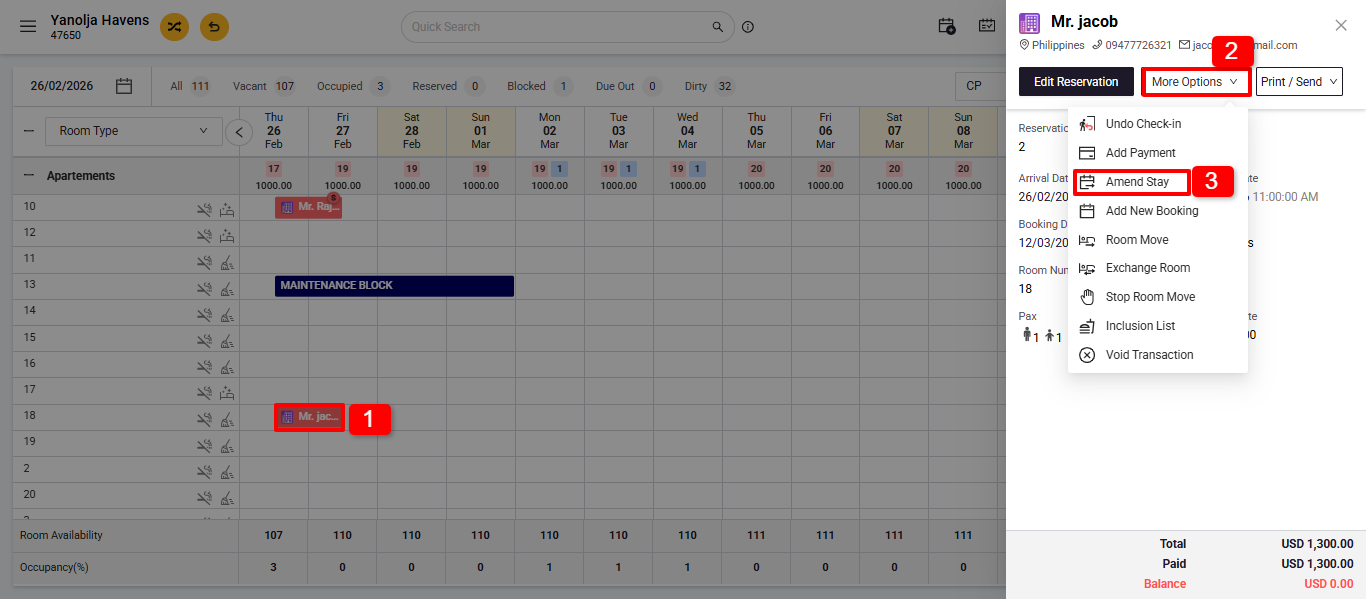
Access the Reservation:
1. Navigate to the Stay View or Reservation List.
2. Click on More options
3. Click on the Amend Stay option.
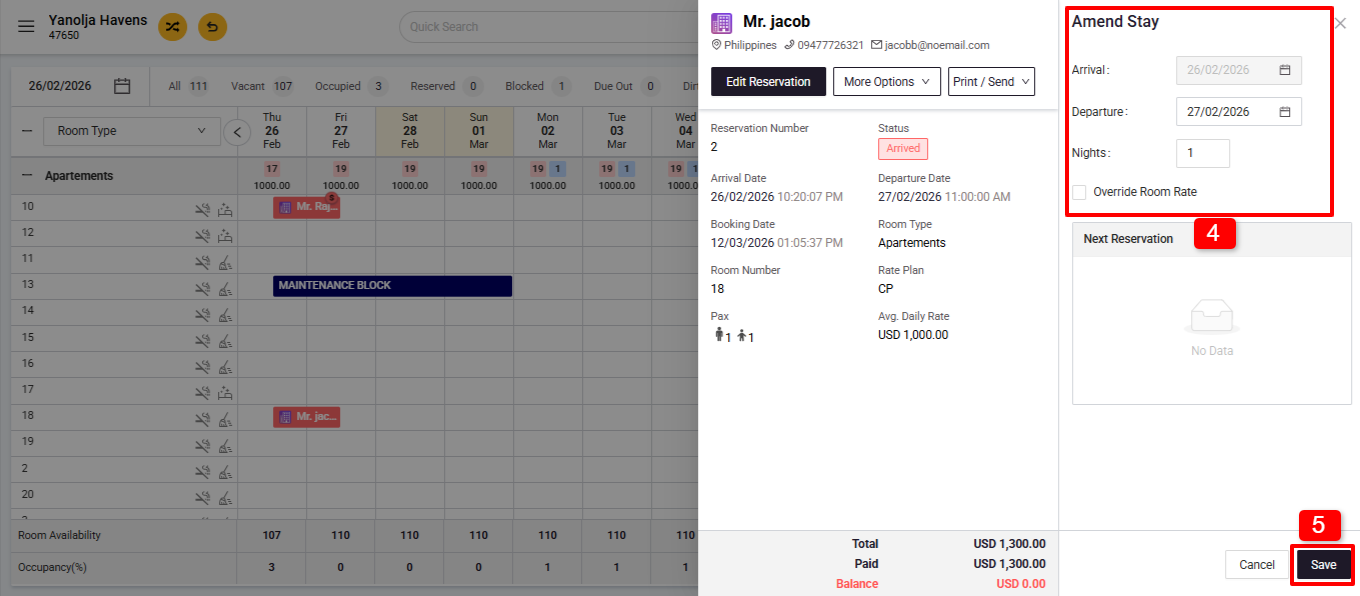
4. Adjust the arrival or departure dates as needed to extend or reduce the stay.
5. Save Changes:
Note:
- No special privilege is needed to amend reservations made via PMS.
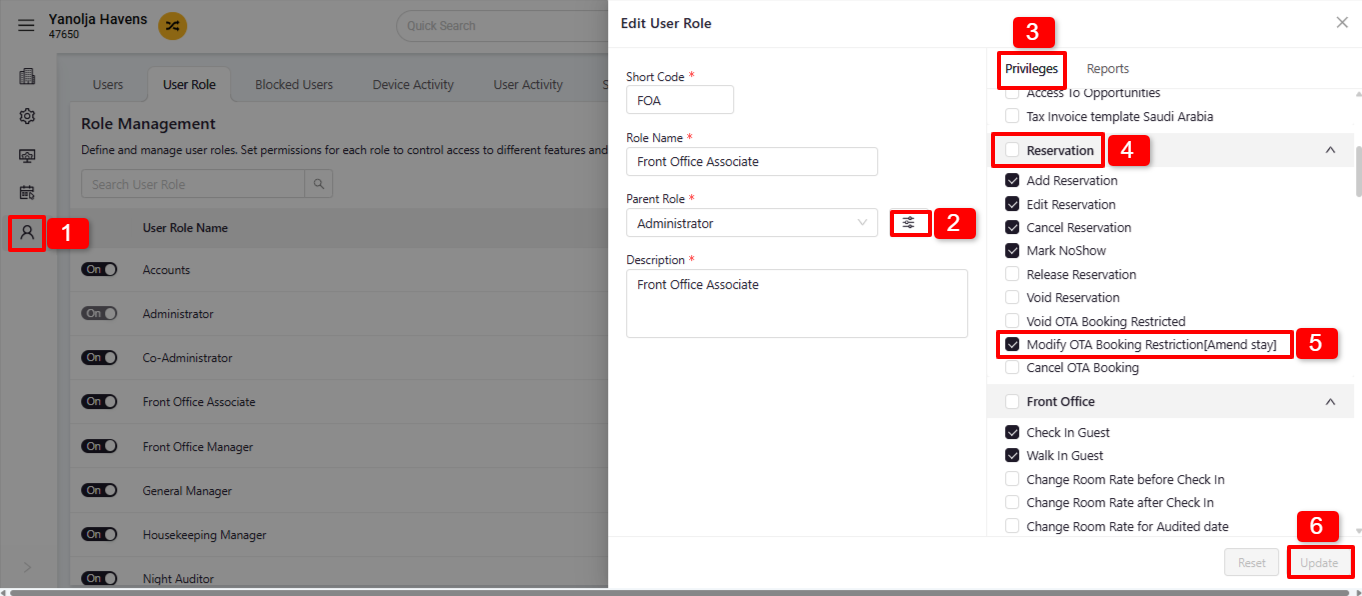
- To amend OTA bookings, ensure the following privilege is enabled:
PMS Configuration > User > Edit User > Privileges > Reservation > Enable Modify OTA Booking Restriction (Amend Stay)>Update.
Was this article helpful?
That’s Great!
Thank you for your feedback
Sorry! We couldn't be helpful
Thank you for your feedback
Feedback sent
We appreciate your effort and will try to fix the article