Problem:
You are encountering the following error while exporting transactions from eZee PMS/POS to Zoho Books:
"The request could not be authenticated as the authentication value you entered is invalid. Enter a valid authentication value and try again."
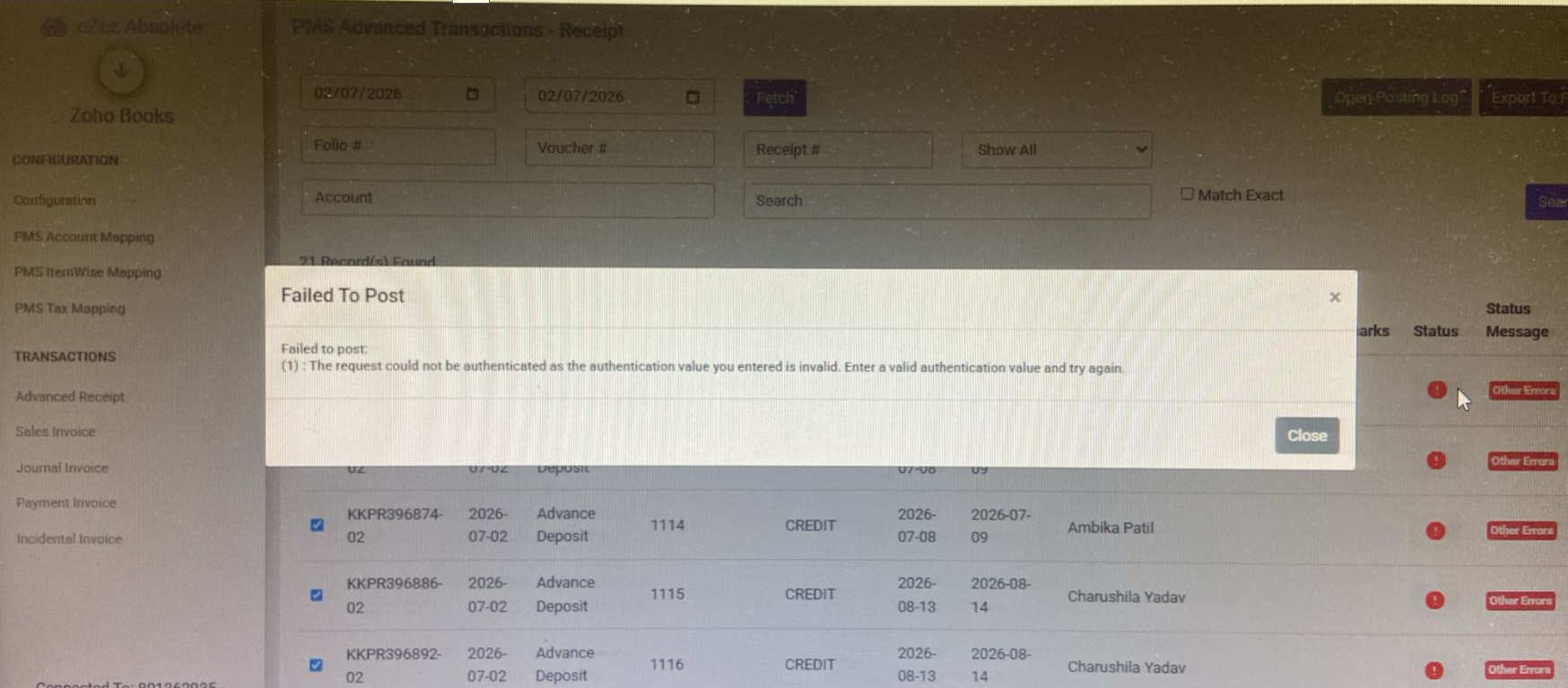
This error occurs when the Zoho Books authentication session has expired or become invalid, preventing the interface from posting transactions to Zoho Books.
Solution:
Step 1: If the Zoho Books integration window is already open, close the existing browser tab.
Step 2: Open the PMS/ POS to Zohobooks integration and sign in using your credentials.
Step 3: Authorize the integration when prompted to reconnect your Zoho Books organization.
Step 4: Try to Export the transactions again to Zoho Books.
The transactions should now be exported successfully.
If the issue persists, please contact the Support Team with a screenshot of the error and the affected voucher number(s) for further investigation.
Was this article helpful?
That’s Great!
Thank you for your feedback
Sorry! We couldn't be helpful
Thank you for your feedback
Feedback sent
We appreciate your effort and will try to fix the article