Message: Could not load file or assembly 'System.Data.SQLite.dll' or one of its dependencies. The specified module could not be found.
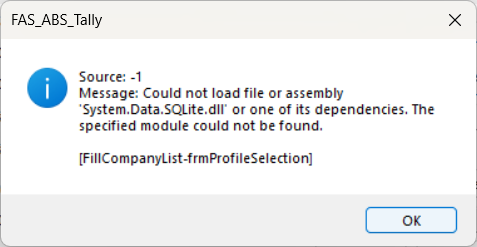
Q: What is the error message I am seeing?
Ans: You are seeing the error message: "Could not load file or assembly 'System.Data.SQLite.dll' or one of its dependencies. The specified module could not be found." This error appears when you log in to the Integration software.
Q: How can I resolve this issue?
Ans: Follow these steps to resolve the issue:
Ensure the application is closed.
Install the downloaded file.
Restart the Integration software.
Q: What should I do if the error still persists after following the steps?
A: If the error continues after installing the files, kindly contact the support team for further assistance.
Was this article helpful?
That’s Great!
Thank you for your feedback
Sorry! We couldn't be helpful
Thank you for your feedback
Feedback sent
We appreciate your effort and will try to fix the article