How to Check Daily Revenue in PMS.
Tracking daily revenue is essential for monitoring a hotel’s financial performance. In PMS, users can generate a Daily Revenue Report to get a clear breakdown of earnings, including room charges, cancellations, and other additional charges.
Steps to Check Daily Revenue
Log in to your PMS account.
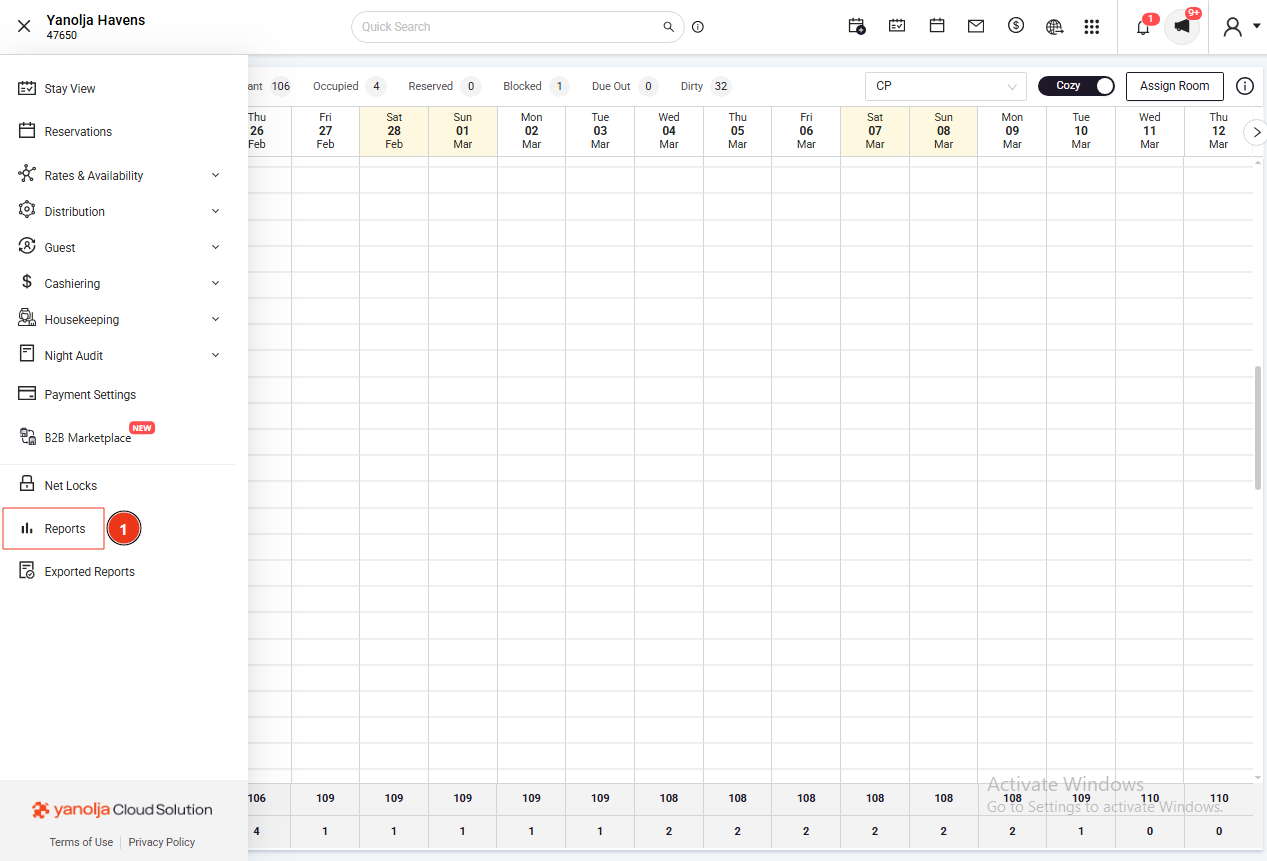
Click on the ≡ (Menu) icon
Navigate to Reports
2. Select the Daily Revenue Report
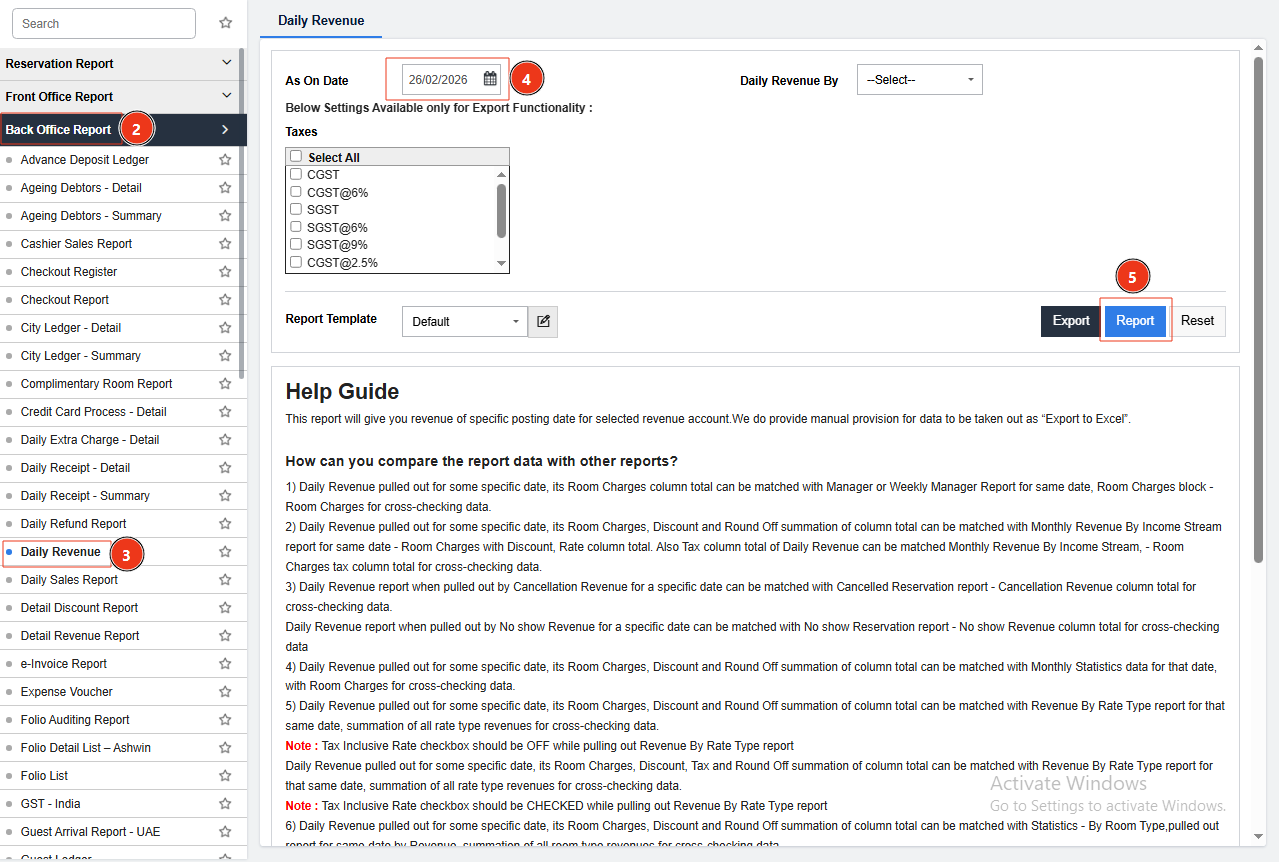
Choose Daily Revenue Report from the Back Office Reports list
Select the required date to view revenue for a specific day
3. Generate and View the Report
Click on Report to generate the data
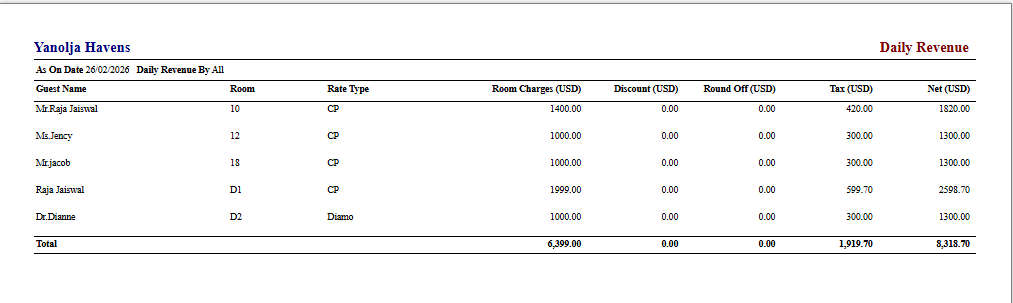
The report will display:
Room revenue
Extra charges
Discounts
Taxes
Total earnings for the selected date
Was this article helpful?
That’s Great!
Thank you for your feedback
Sorry! We couldn't be helpful
Thank you for your feedback
Feedback sent
We appreciate your effort and will try to fix the article