This article explains how you can extend a sale on a particular payment in Property Management Software (PMS) under Yanolja Cloud Solution.
A. How the Extend Sale works:
Extend Sale allows you to charge an additional amount using a previously processed transaction without altering the original payment.
This feature is useful for collecting extra charges such as add-ons, damages, or post check-out adjustments.
Follow the steps below to extend a sale.
Select the Guest on which you want to extend a sale.
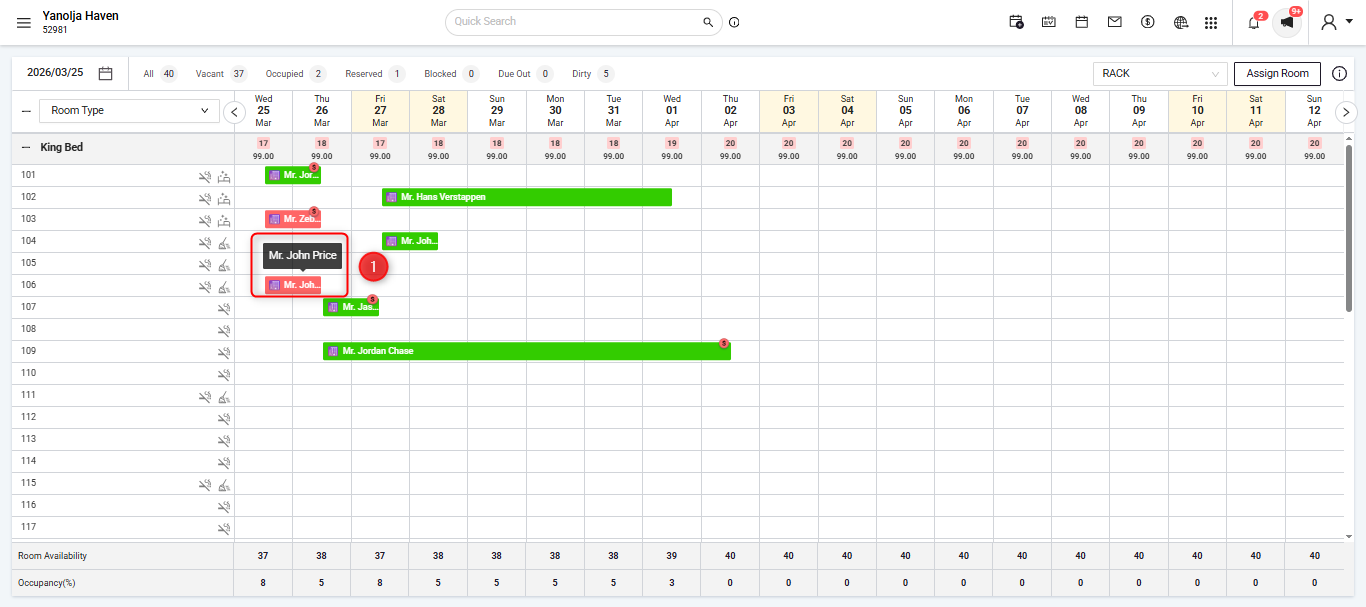
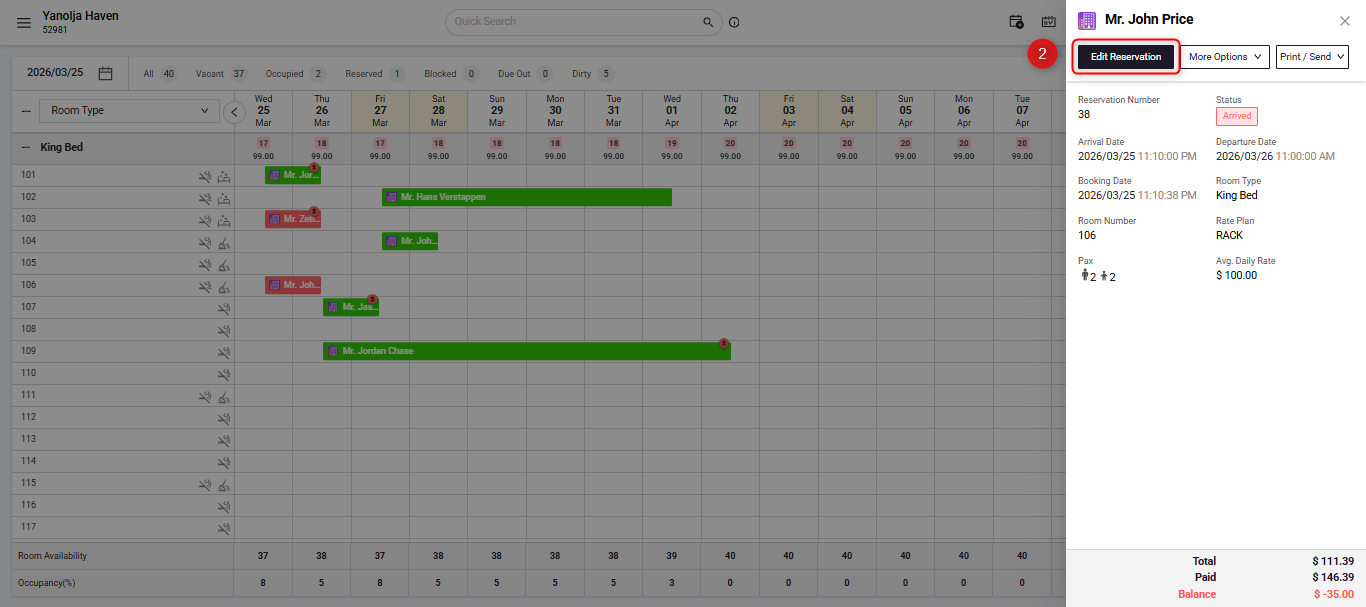
Select Edit Reservation
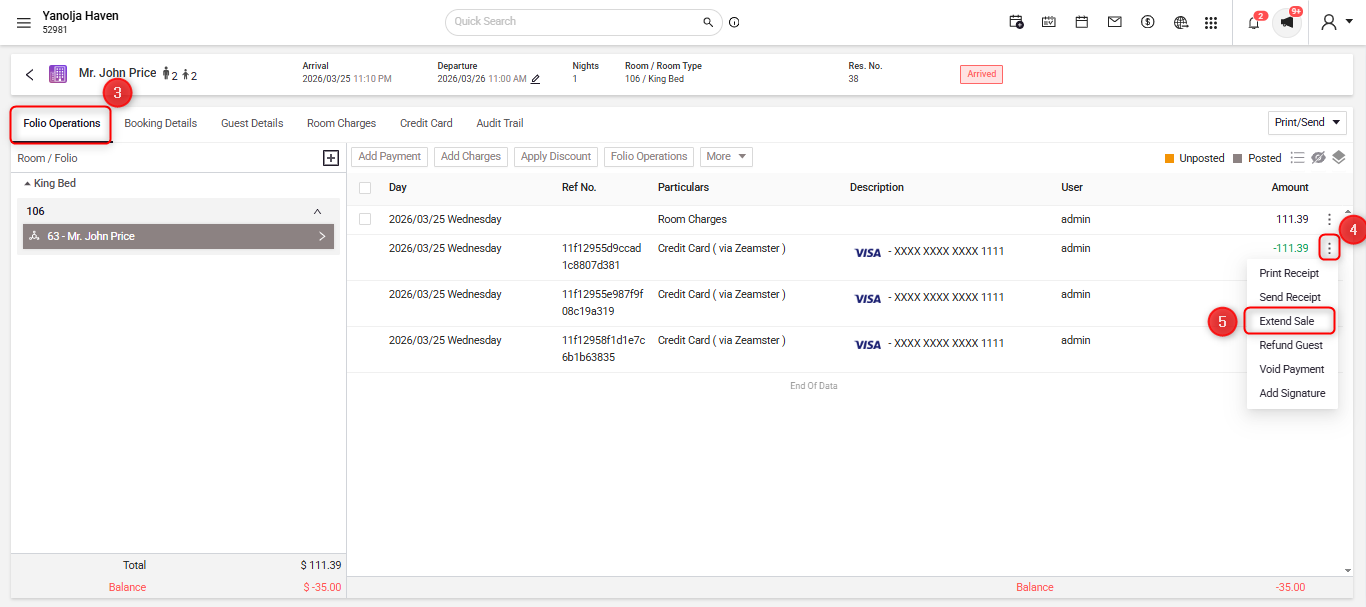
In the Folio Operations tab, click on the 3 dots on the particular payment entry on which you want to extend sale and then click on Extend Sale.
You can enter the amount that you want to charge and then click on Extend Sale at the bottom right.
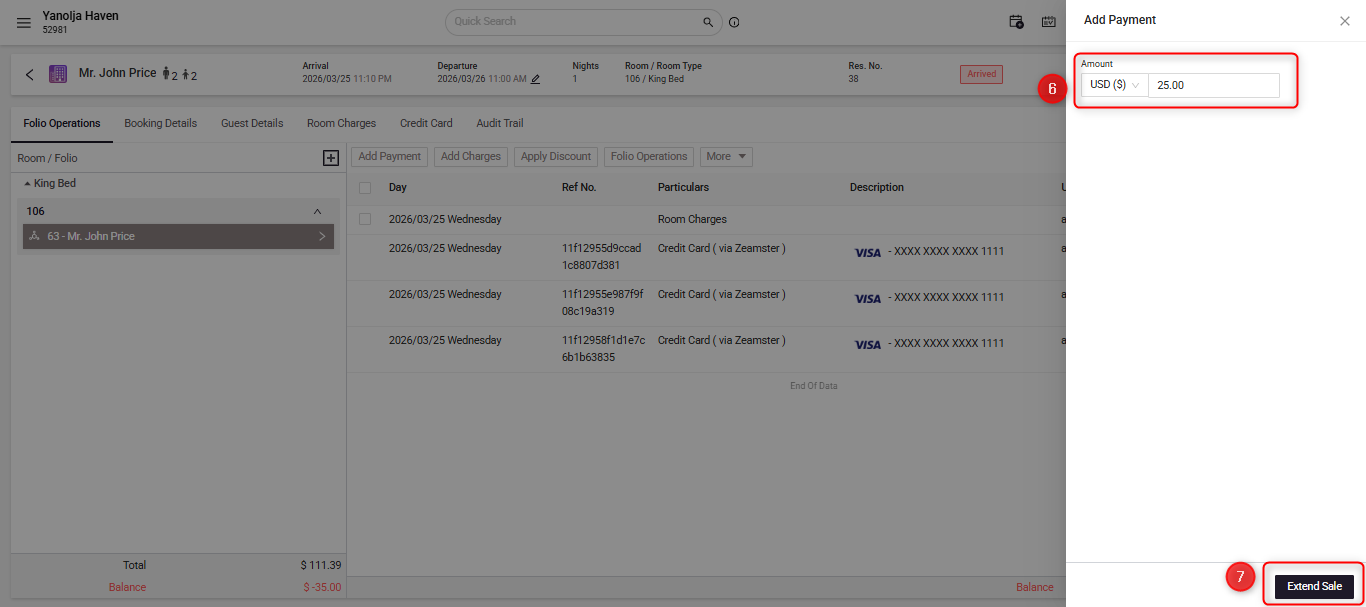
This will then try to charge the card and if successful will create a new payment entry in the folio.
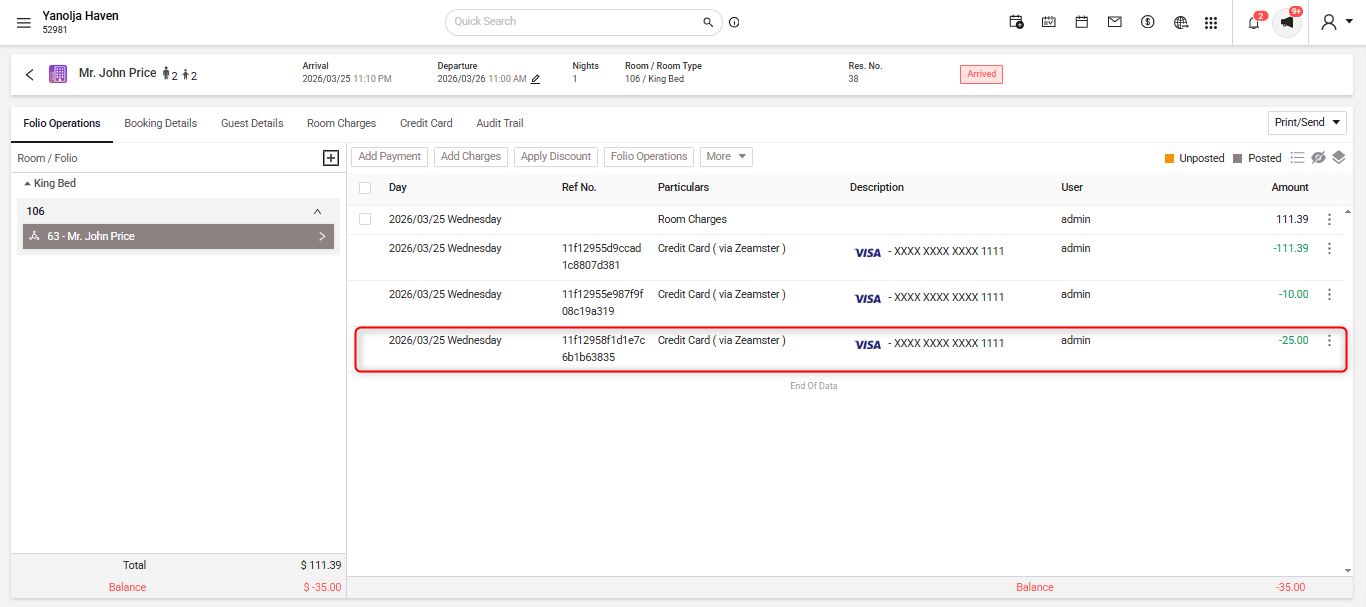
This now concludes the Extend Sale operation.
B. Where can this be seen in the reports.
The system logs all transactions in reports, which can be reviewed daily for revenue monitoring.
To check Click (☰) menu. Then navigate to reports section.
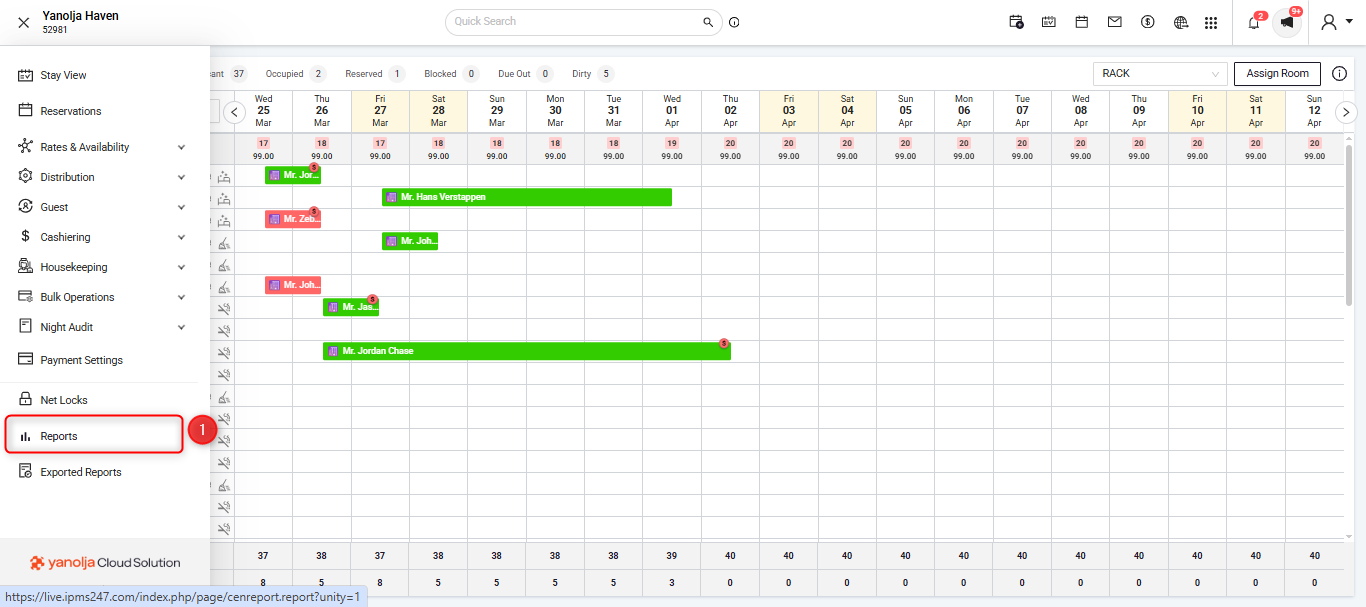
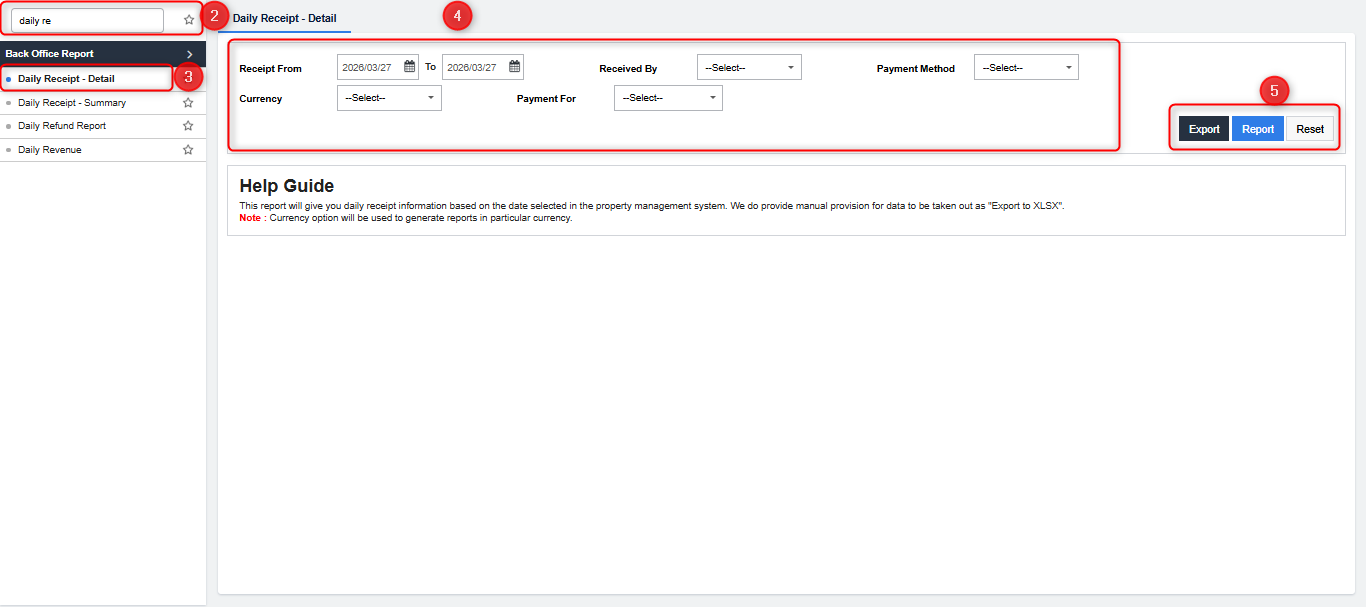
- A new window will open displaying all available reports. Search for Daily Receipt – Detail.
- Select the Daily Receipt – Detail report from the list.
- In the Filters section, the current working date will auto-populate. You can adjust other filters as required.
- Click Report to generate the report in PDF format, or select Export to Excel to download the data in Excel format.
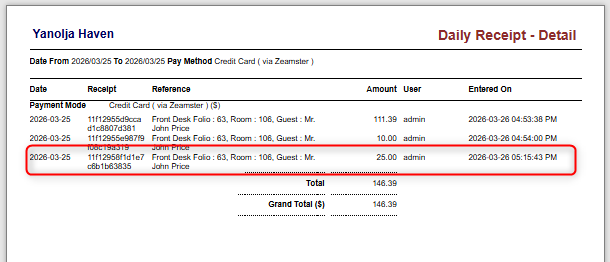
- A new window will open displaying the report, where you can view the transactions, categorized according to the payment mode.
Was this article helpful?
That’s Great!
Thank you for your feedback
Sorry! We couldn't be helpful
Thank you for your feedback
Feedback sent
We appreciate your effort and will try to fix the article