Yes, you can obtain both the monthly revenue and total room nights sold in a single report in PMS.
How to Generate the Report:
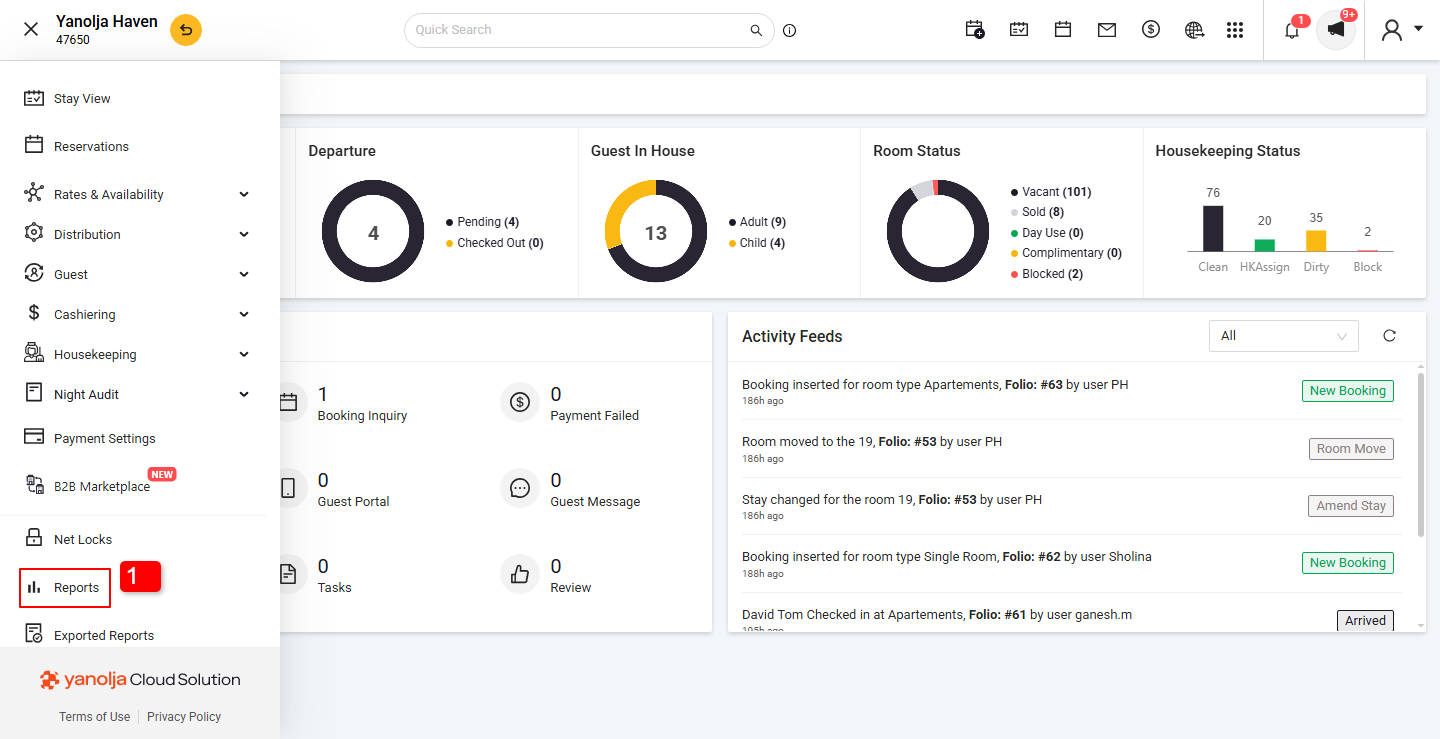
Navigate to the hamburg menu on Top left Corner (≡)
1. Click on Reports Tab.
2. Go to Statistical Report.
3. Click on Room Sale Statistics
4. Select the desired date range (monthly).
5. Click Report to view the total revenue and room nights sold.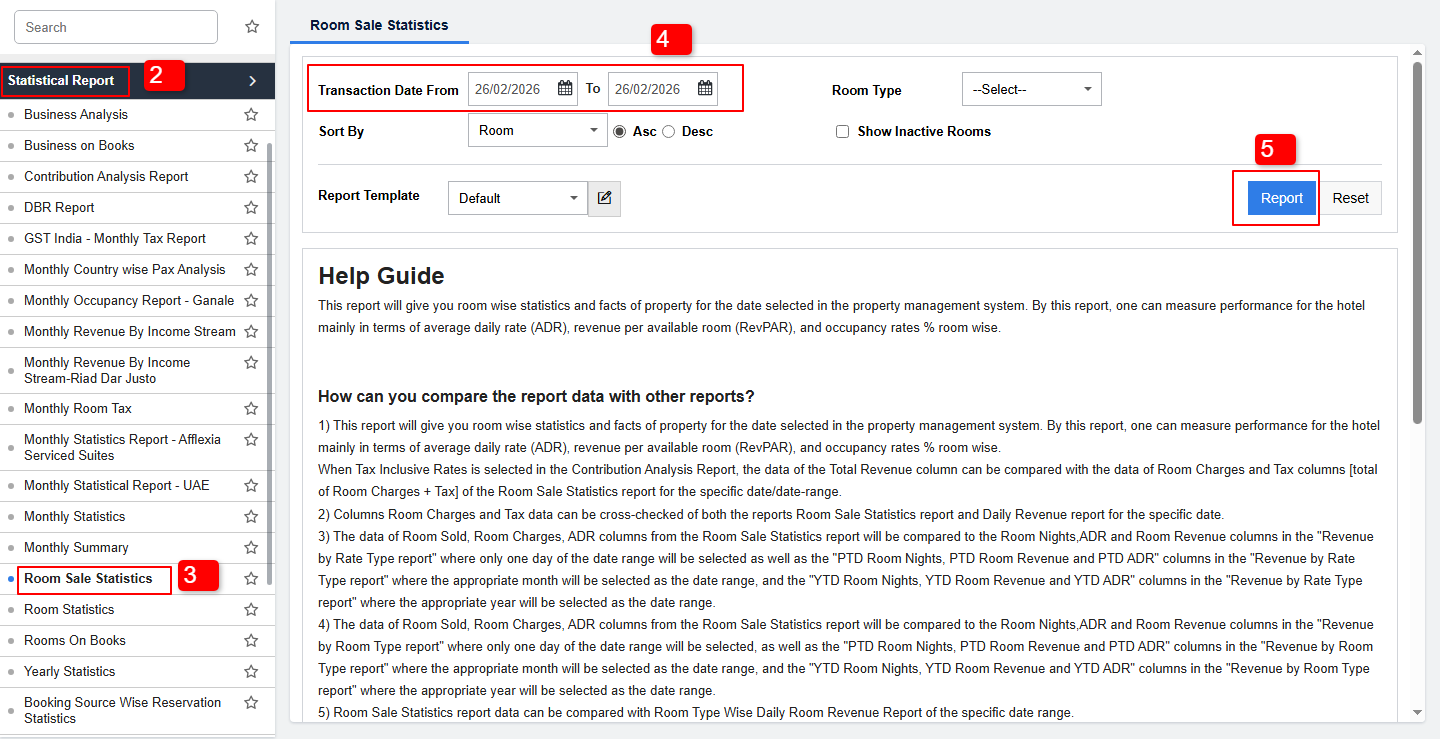
This report provides a clear overview of your hotel's monthly performance, helping you track occupancy and revenue trends efficiently.
User Privilege Required:
To access this report, the user must have the following privileges enabled:
PMS Configuration → User → Edit User → Reports → Statistical Report → Room Sale Statistics
Was this article helpful?
That’s Great!
Thank you for your feedback
Sorry! We couldn't be helpful
Thank you for your feedback
Feedback sent
We appreciate your effort and will try to fix the article