To view guests who are currently checked in, you can use the Guest Checked-In Report in PMS. Please follow the steps below to access the report.
Steps to Access the Report
Log in to your PMS account
Click on the ≡ (Menu) icon
Navigate to Reports
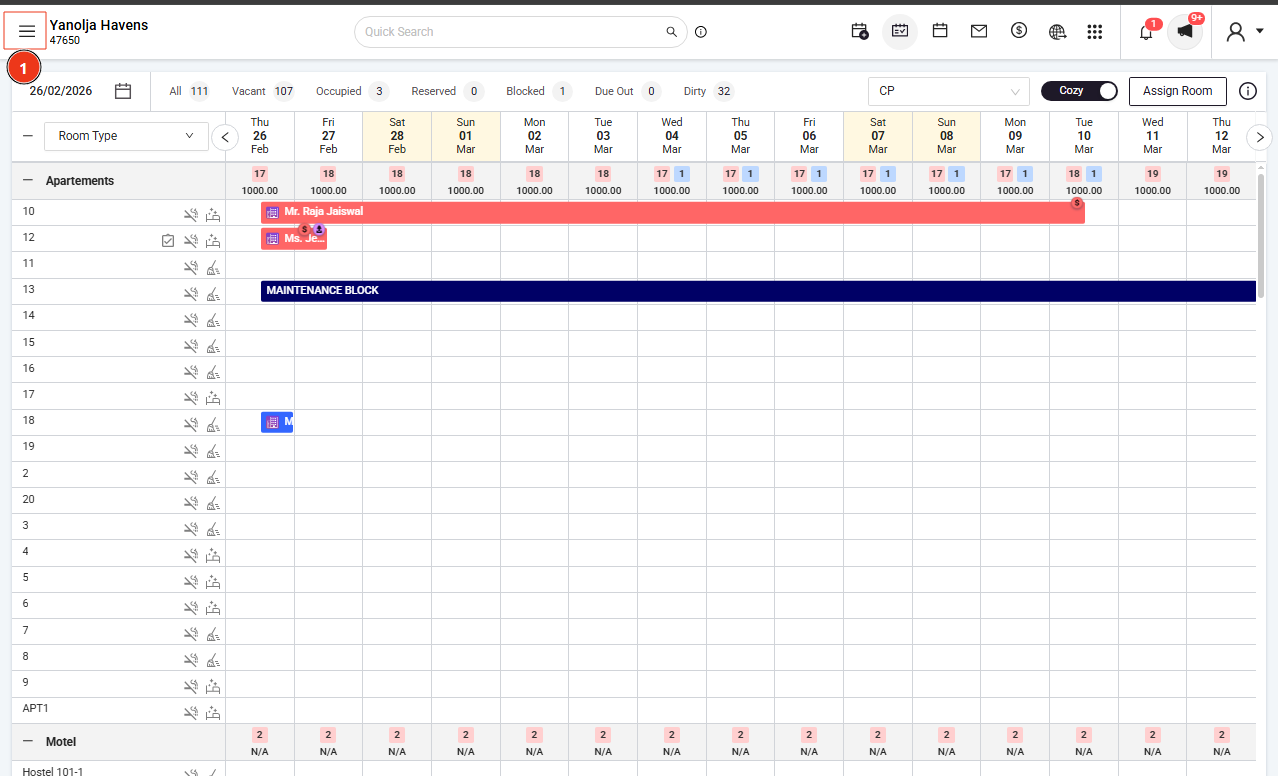

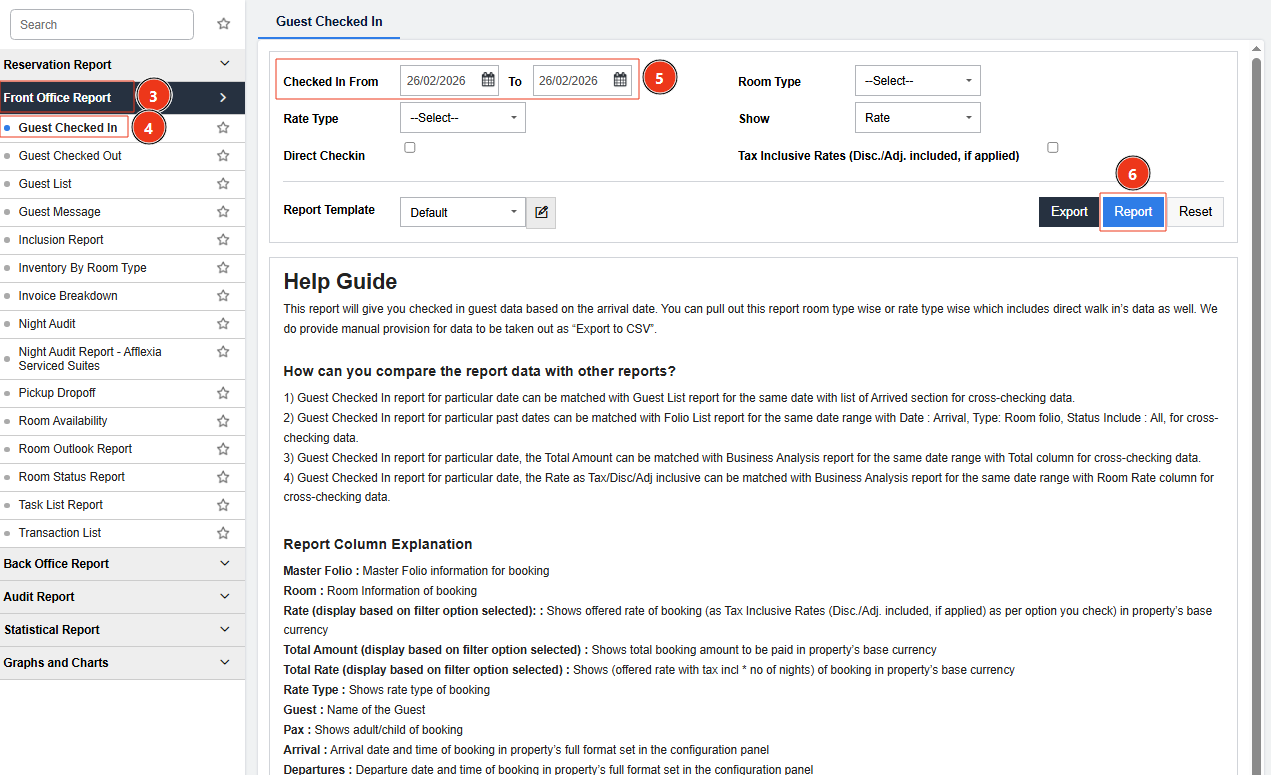
Select Front Office Report
Open the Guest Checked-In Report
Select your preferred date range
Apply available filters as required
Note:
If there is no direct filter for pending payments, you may need to manually review the payment status within the report.
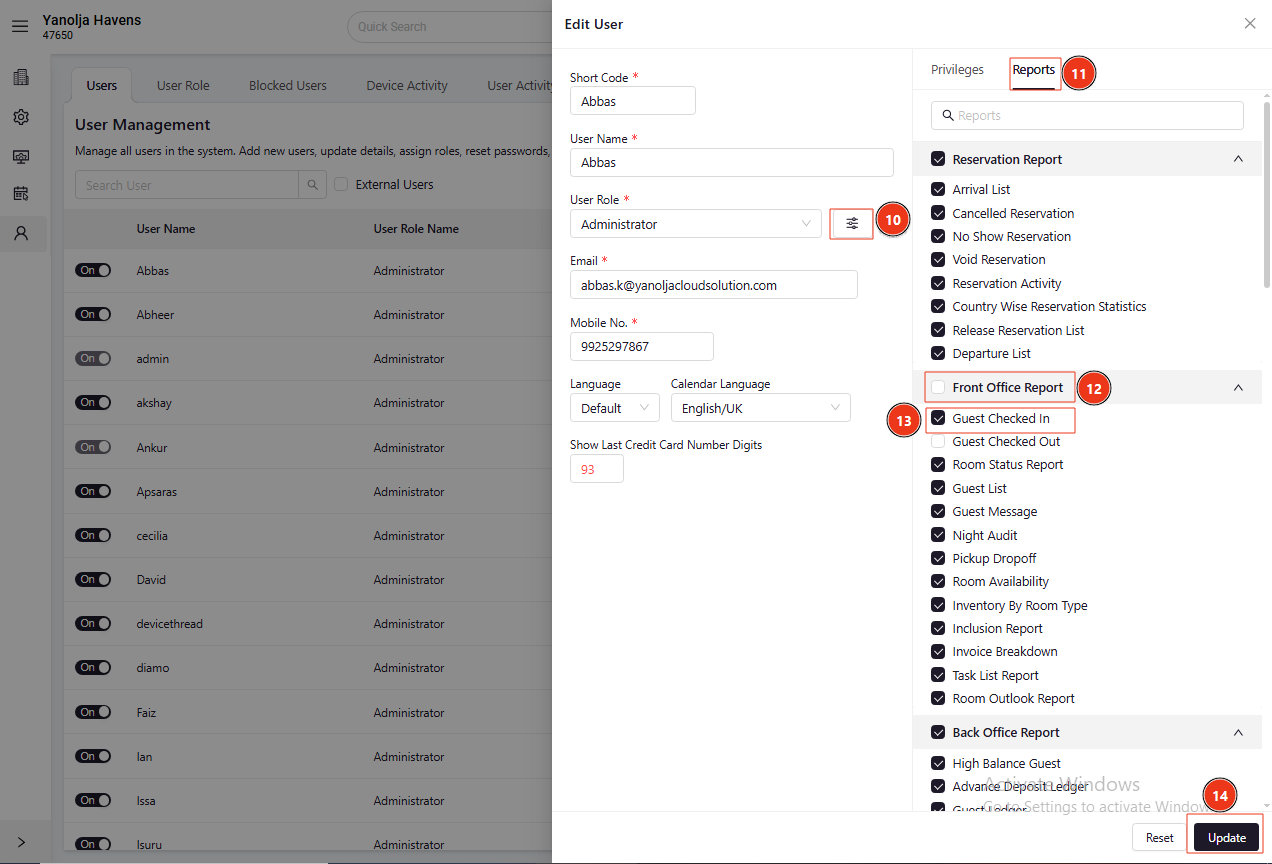
User Privilege Required
To access this report, ensure the following user privilege is enabled:
Path:
Configuration → User → Edit User → Reports → Front Office Report → Guest Checked In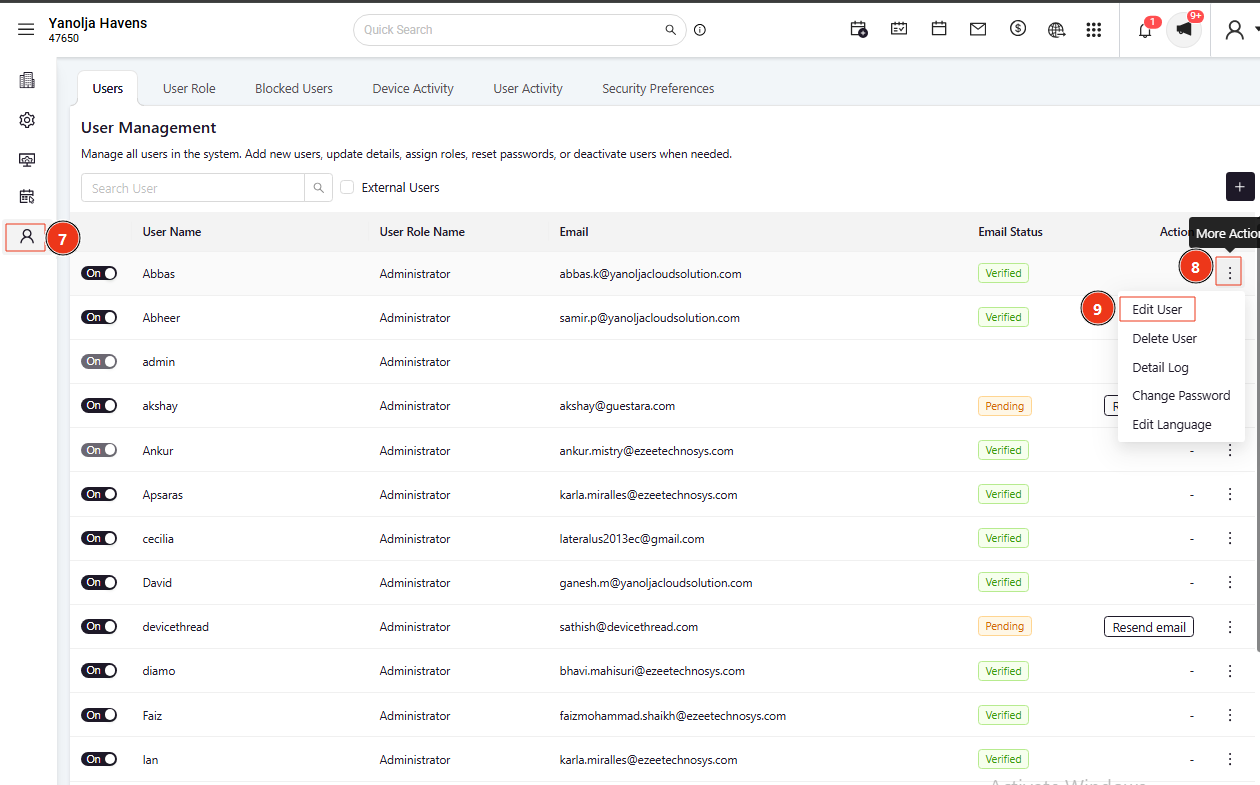
Was this article helpful?
That’s Great!
Thank you for your feedback
Sorry! We couldn't be helpful
Thank you for your feedback
Feedback sent
We appreciate your effort and will try to fix the article