What is “No Sale”?
In Restaurant POS, No Sale is a feature used to open the cash drawer without processing any sale or payment transaction.
This is typically used when:
- You need to access the cash drawer without billing
- Performing cash adjustments
- Checking or organizing cash manually
When should I use No Sale?
You can use No Sale in situations such as:
- Adding or removing cash from the drawer
- Verifying cash balance
- Handling non-sale cash activities
How do I open the cash drawer using No Sale?
Follow these steps:
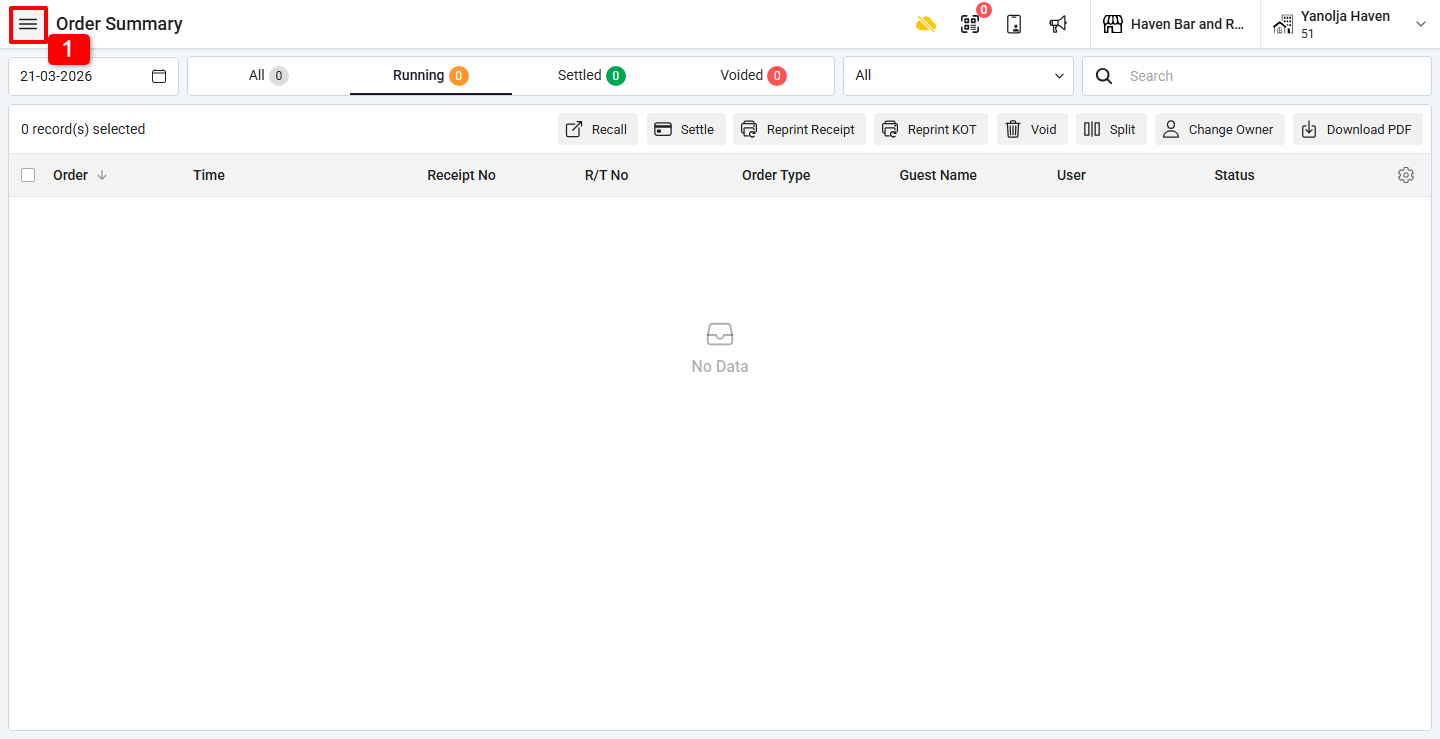
1. Click on the ☰ (Three Lines Menu).
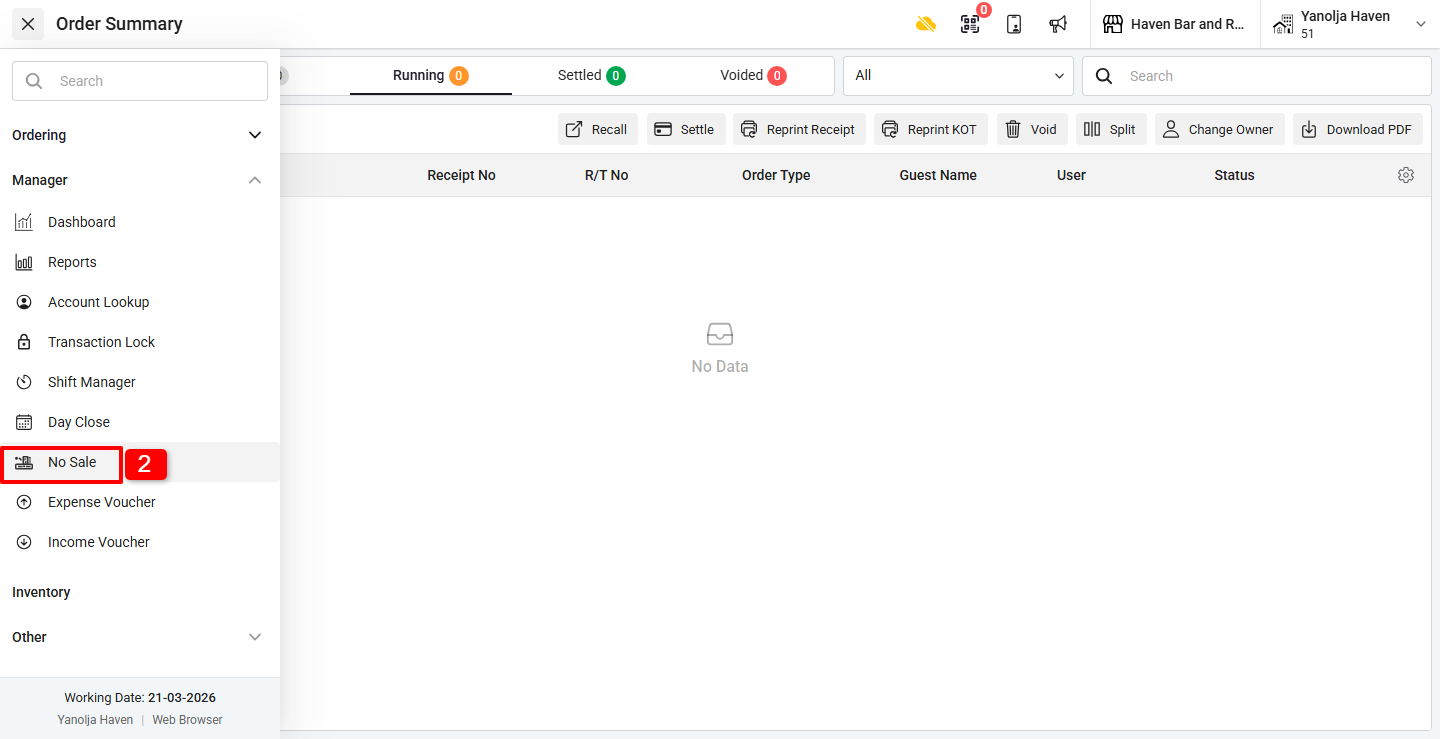
2. Under Manager, click on No Sale.
Once clicked:
- The cash drawer will open immediately
- No order settlement is required
Was this article helpful?
That’s Great!
Thank you for your feedback
Sorry! We couldn't be helpful
Thank you for your feedback
Feedback sent
We appreciate your effort and will try to fix the article