The Expense Voucher feature in Restaurant POS helps hoteliers manage accounts payable and petty cash transactions during the day. It allows the Front Office or Cashier to record expenses and additional petty cash income during their shift.
Types of Expense Vouchers
1. Pay Out Voucher :
Pay Out vouchers are used to record hotel expenses or payments made by the hotel. These may include:
1. Hotel operational expenses (e.g., newspaper bills, telephone charges).
2. Payments made on behalf of guests, which are later added to the guest invoice.
2. Pay In Voucher :
Pay In vouchers are used to record additional petty cash income received by the hotel.
Examples:
1. Sale of swimming costumes
2. Sale of scrap newspapers
3. Any miscellaneous cash income received during the shift
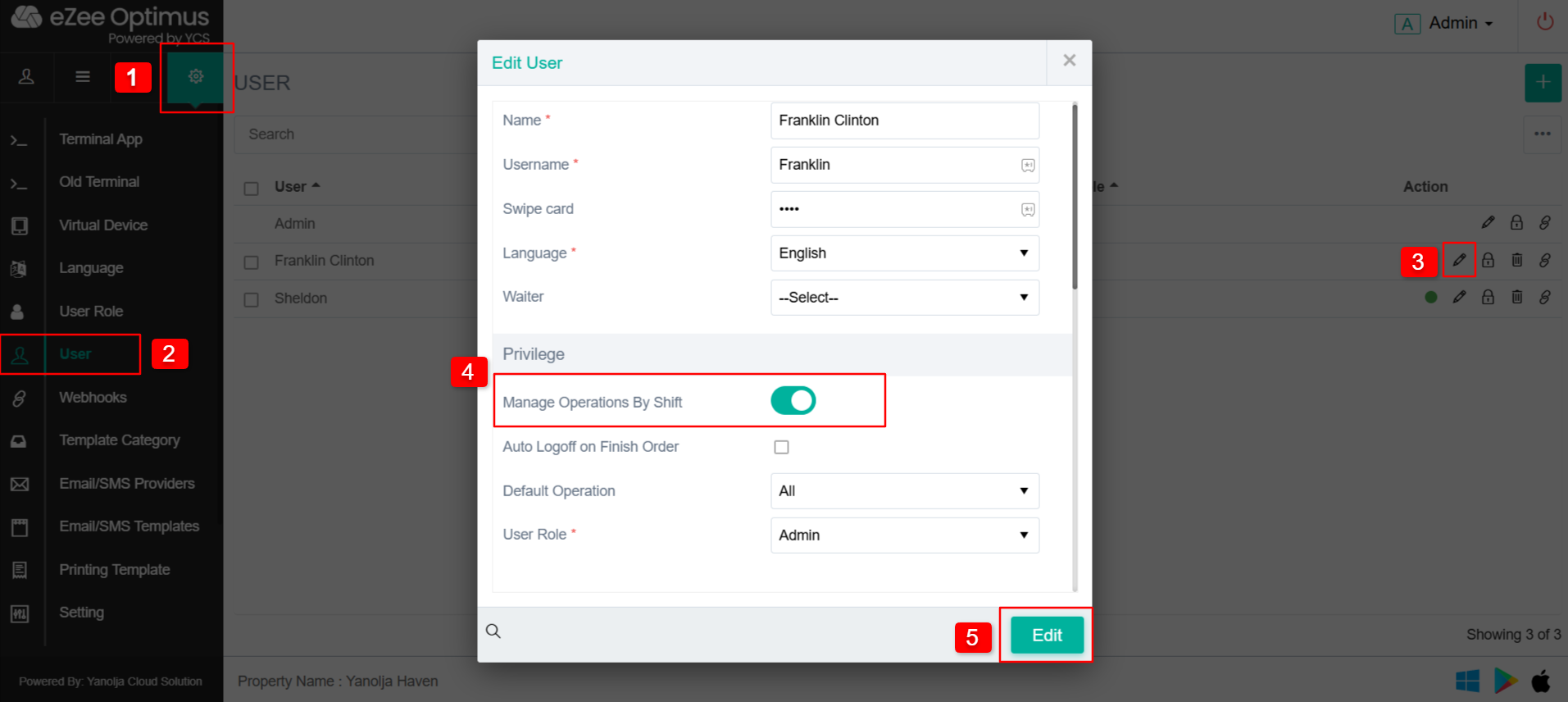
Step 1: Active Shift Management for the User :
(Note: You are only allowed to turn on other user shifts.)
1. Go to Settings.
2. Select User.
3. Click on Edit User.
4. Go to Privilege and click on “Manage Operation By Shift.”
5. Click on “Edit” to save the changes.
Step 2: Go to Shift Management :
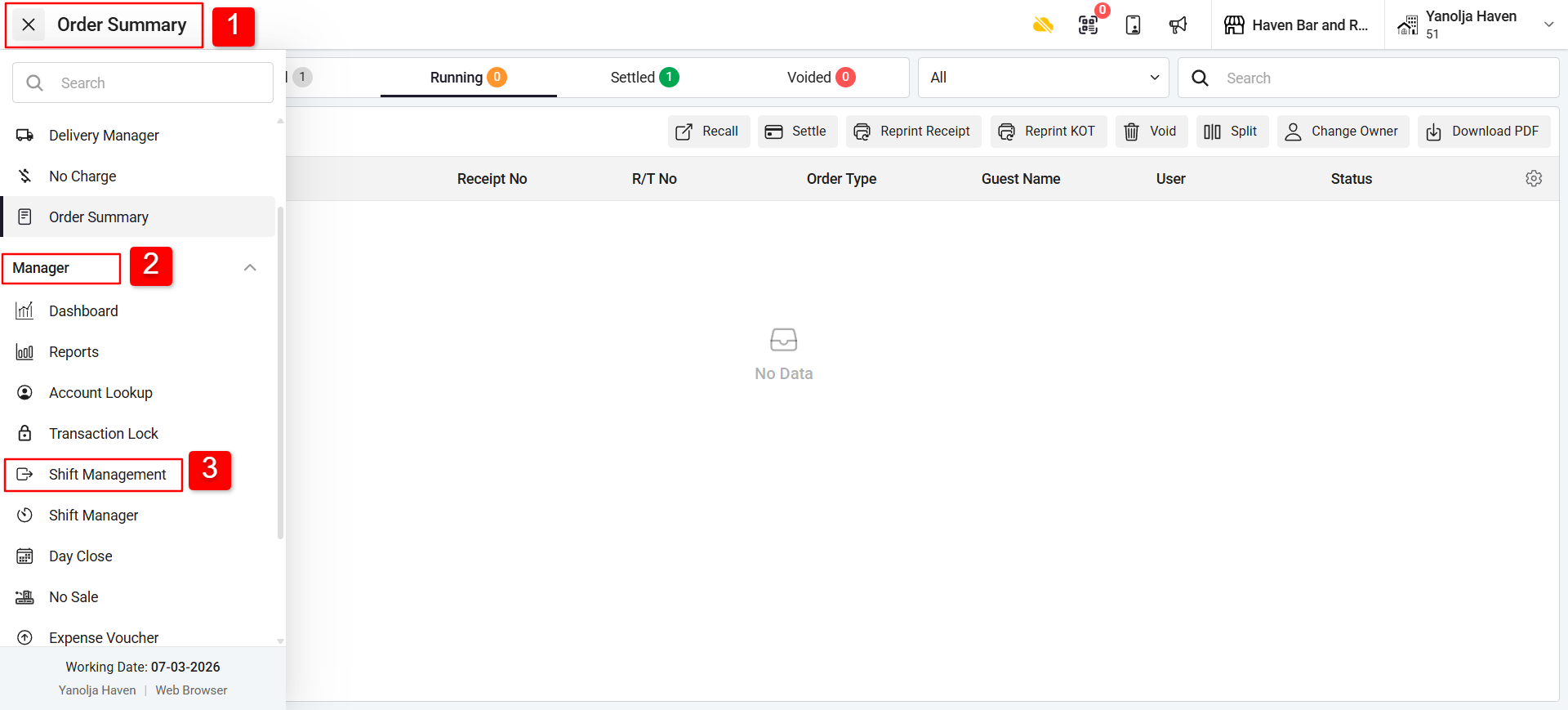
1. Click on Menu (☰).
2. Go to the Manager section; a dropdown will open.
3. Select Shift Management.
Step 3: Add Expenses by Clicking on Payout :
You will see Transaction Details with Remarks.
1. Pay In: Account Receivable.
Pay Out: Account Payable.
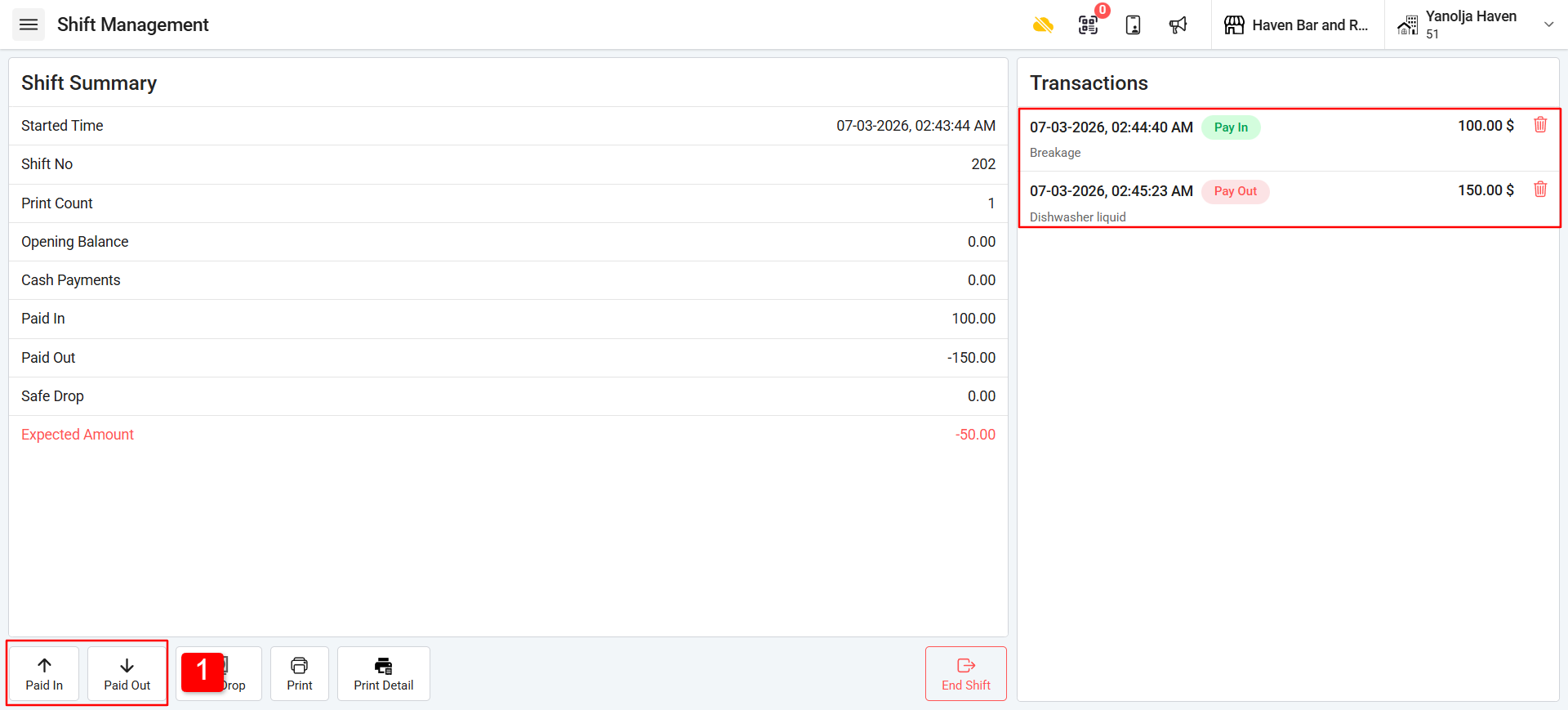 Use Pay In when the hotel receives cash income and Pay Out when the hotel records expenses.
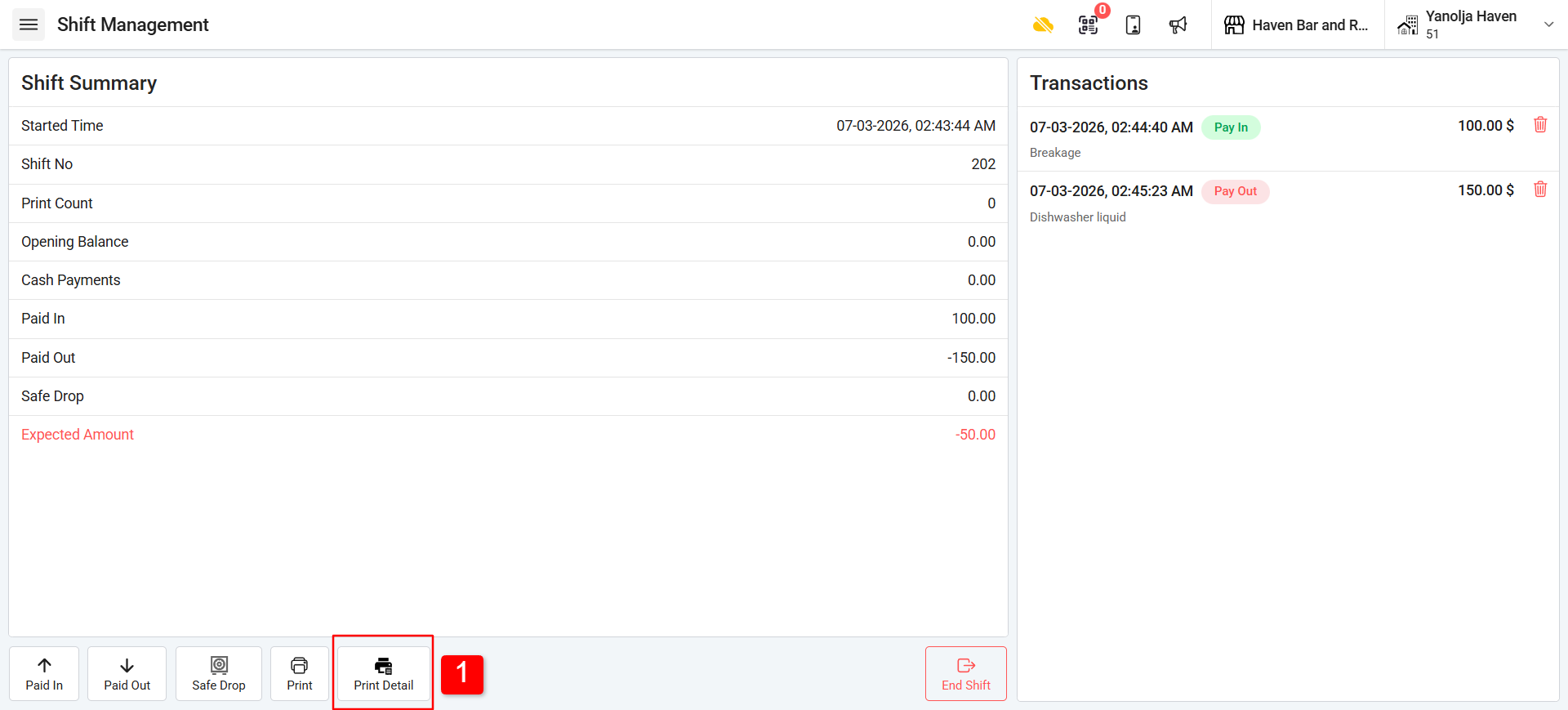
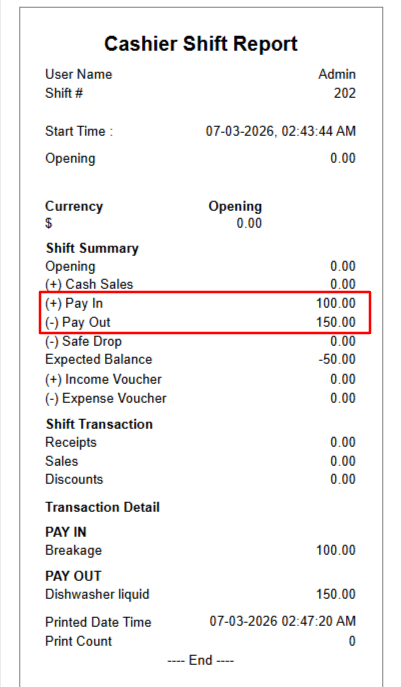
Step 4: Cashier Shift Report :
1. Click on Print Details.
Was this article helpful?
That’s Great!
Thank you for your feedback
Sorry! We couldn't be helpful
Thank you for your feedback
Feedback sent
We appreciate your effort and will try to fix the article