Expense Voucher
The Expense Voucher is used to record the hotel’s accounts payable expenses. It allows the front office or cashier to enter all expenses incurred during the day.
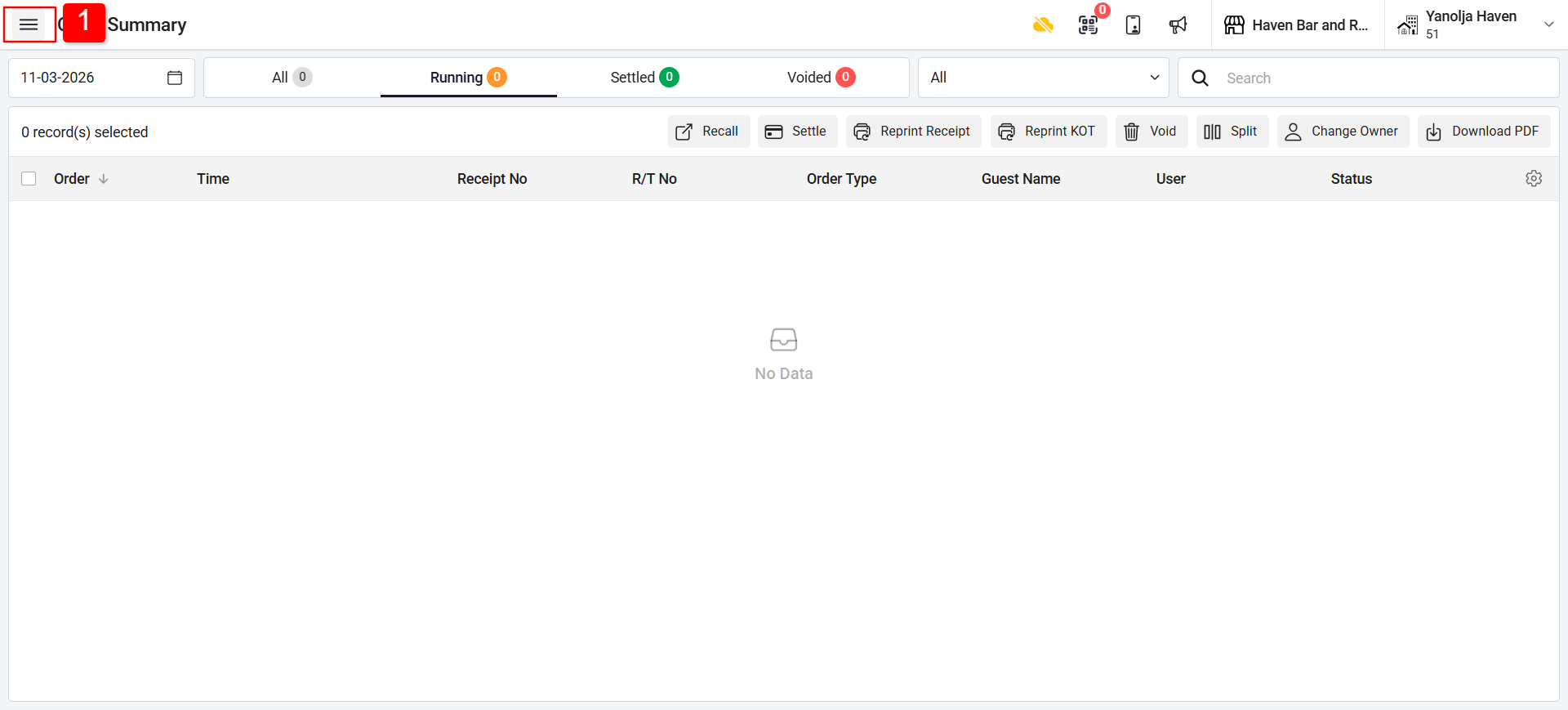
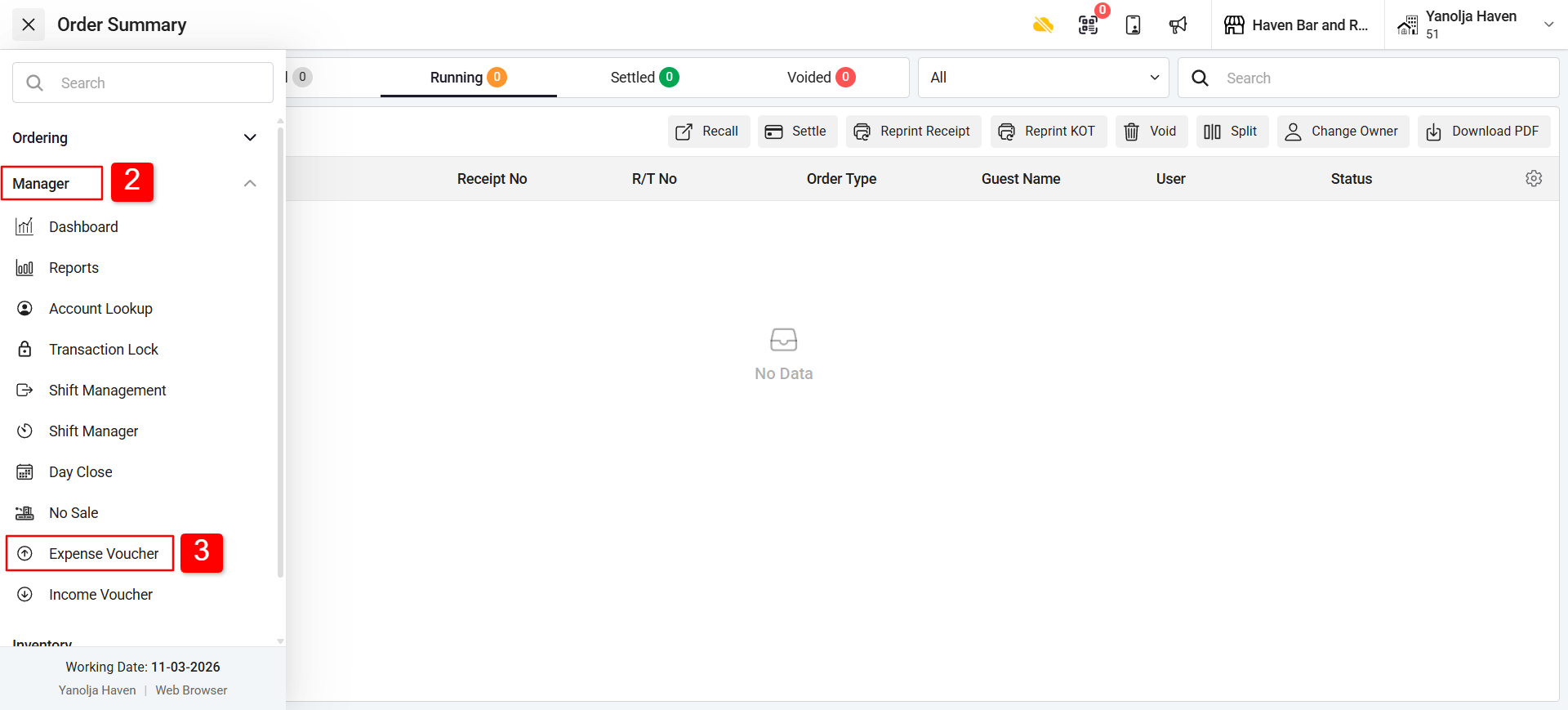
Step 1: Open Expense Voucher
Click on Menu.
Go to the Manager Section.
Select Expense Voucher.
Step 2: Add an Expense Voucher
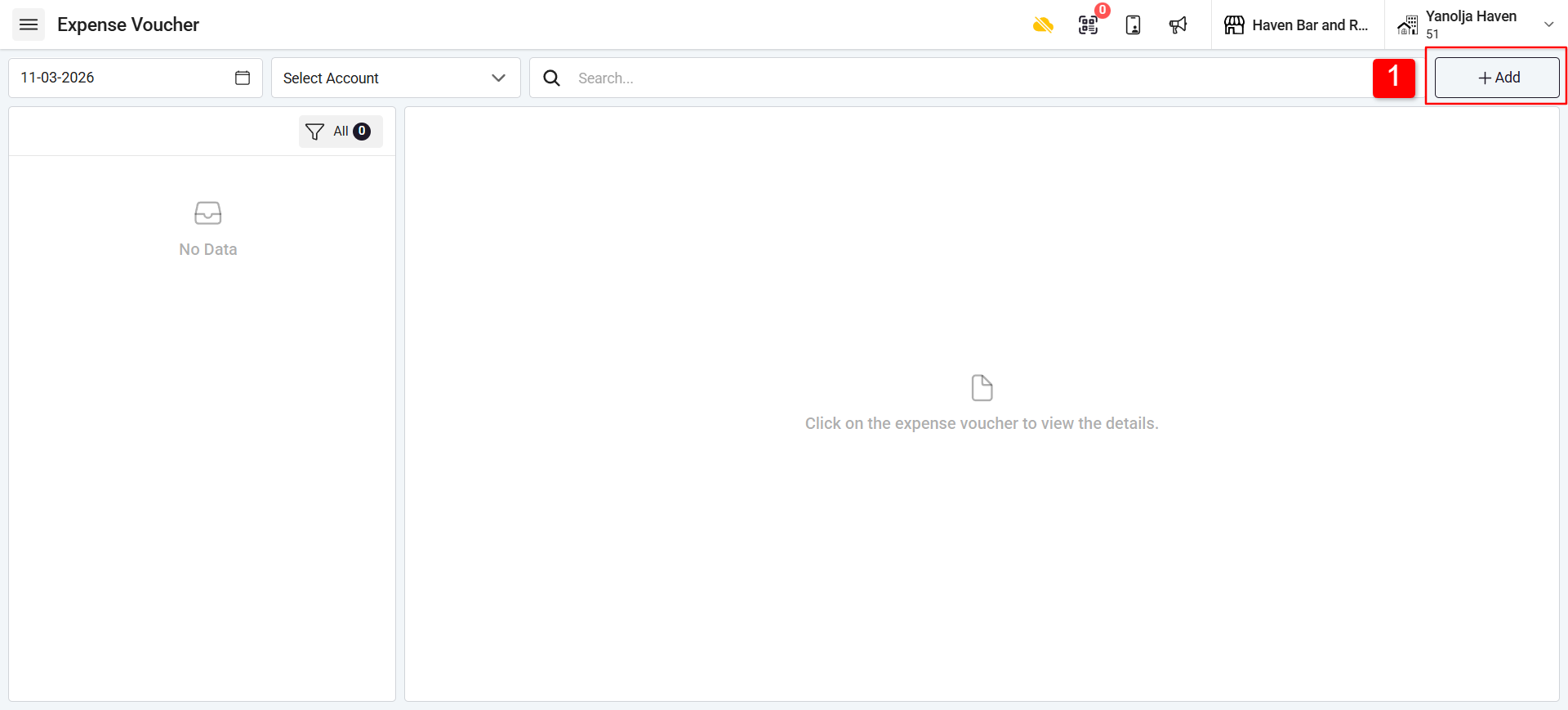
Click on the Plus (+) icon to add a new expense voucher.
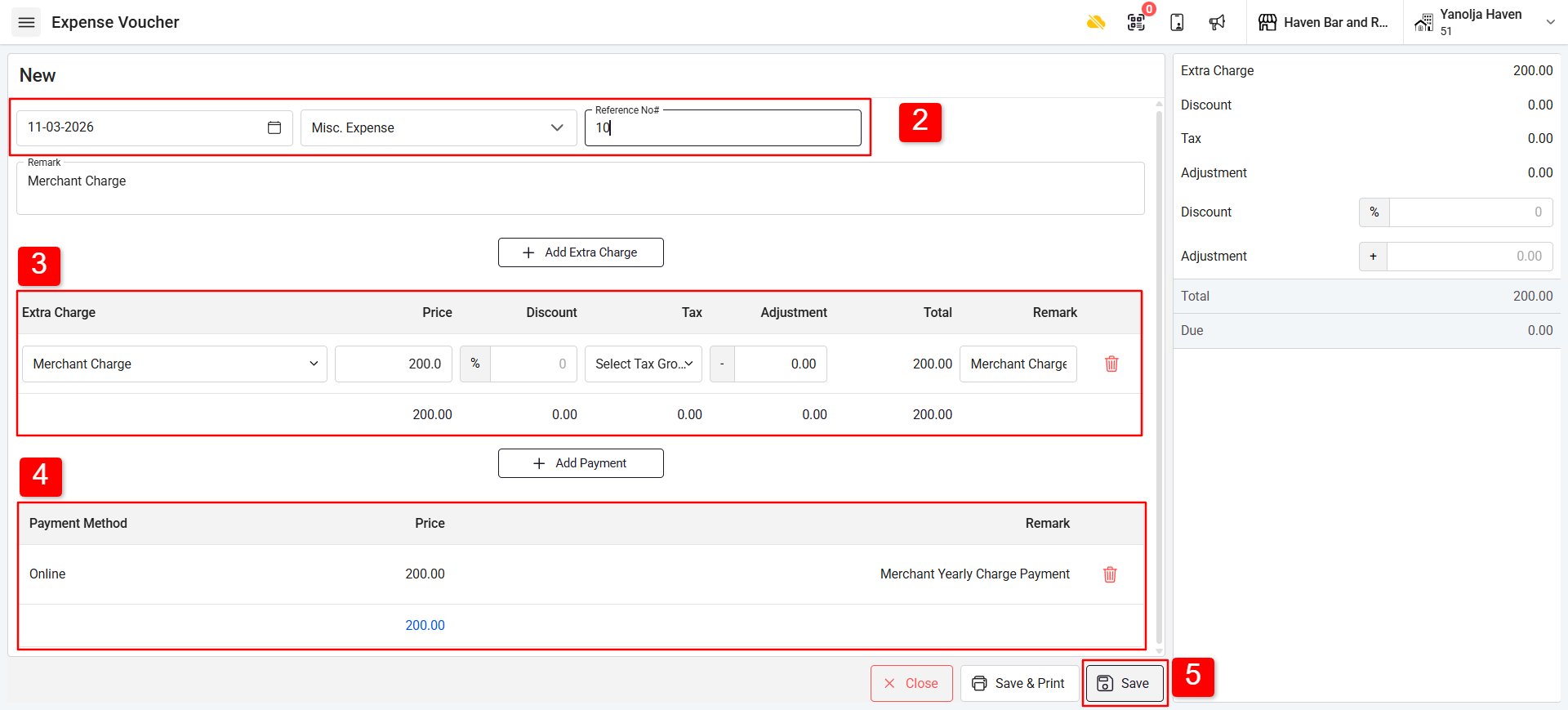
Select the Date and the Expense Account and Reference no.
Enter the Expense Charge amount.
Enter the Payment Amount for the voucher.
Click Save to record the voucher.
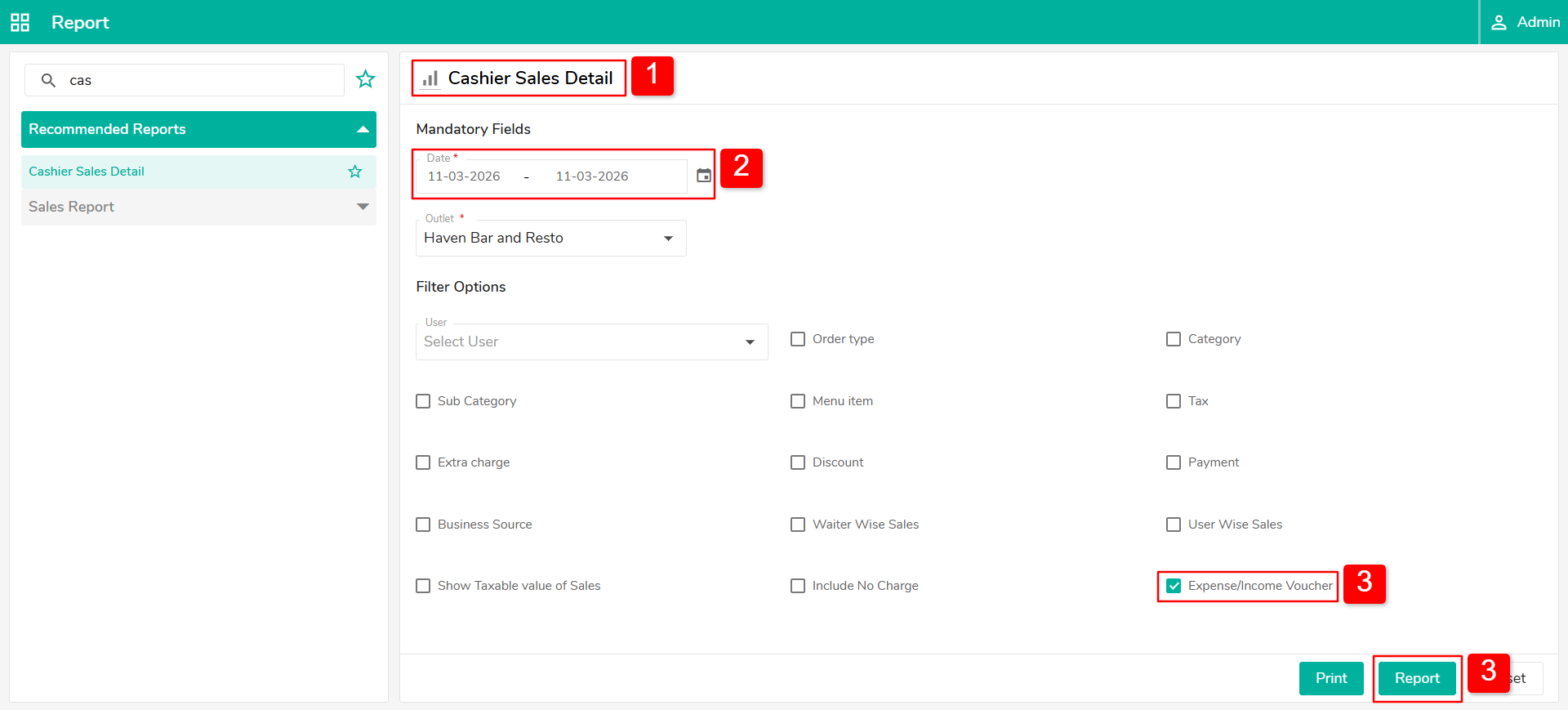
Step 3: View Expense Voucher in Reports
Go to Cashier Sales Details Report.
Select the Date Range.
Tick the option Expense / Income Voucher and click on the report.
Was this article helpful?
That’s Great!
Thank you for your feedback
Sorry! We couldn't be helpful
Thank you for your feedback
Feedback sent
We appreciate your effort and will try to fix the article