The PMS System comes with several preconfigured payment methods (such as Cash, Credit Card, etc.) to cover common payment types.
However, you can also create custom payment methods if your property accepts additional payment options like UPI, digital wallets, or bank transfers.
Steps to Define a New Payment Method
Access the Payment Method Settings
Log in to PMS System.
1 Go to Configuration.
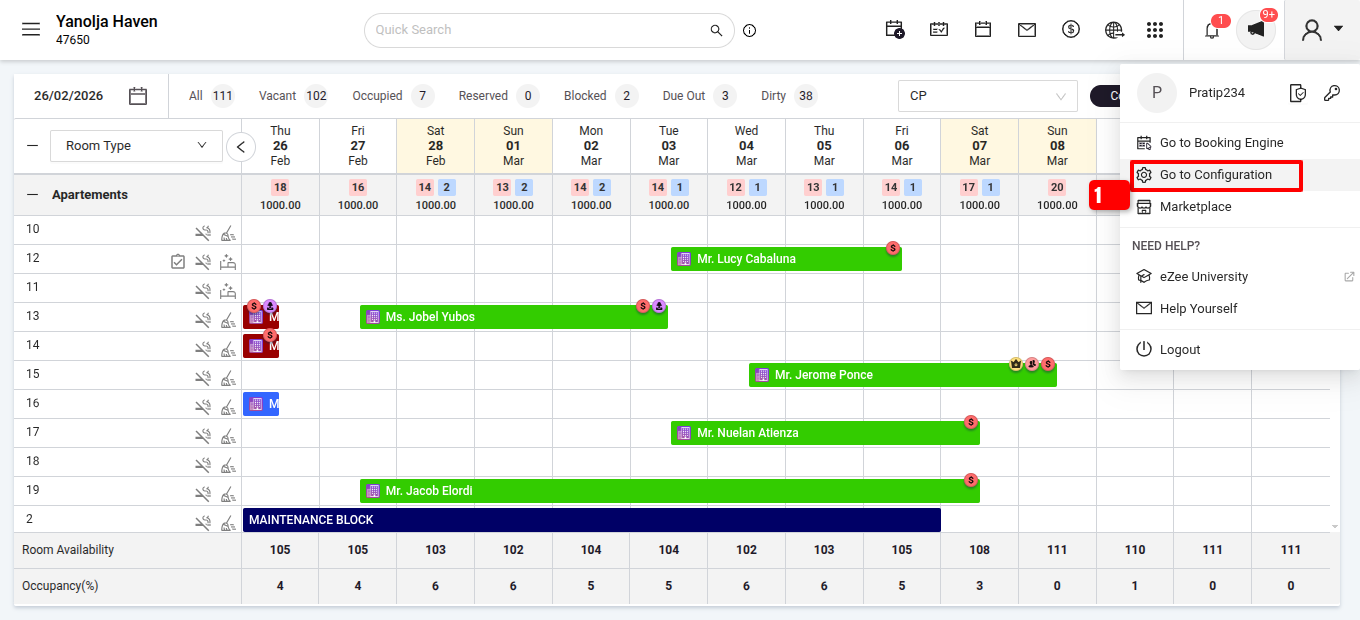
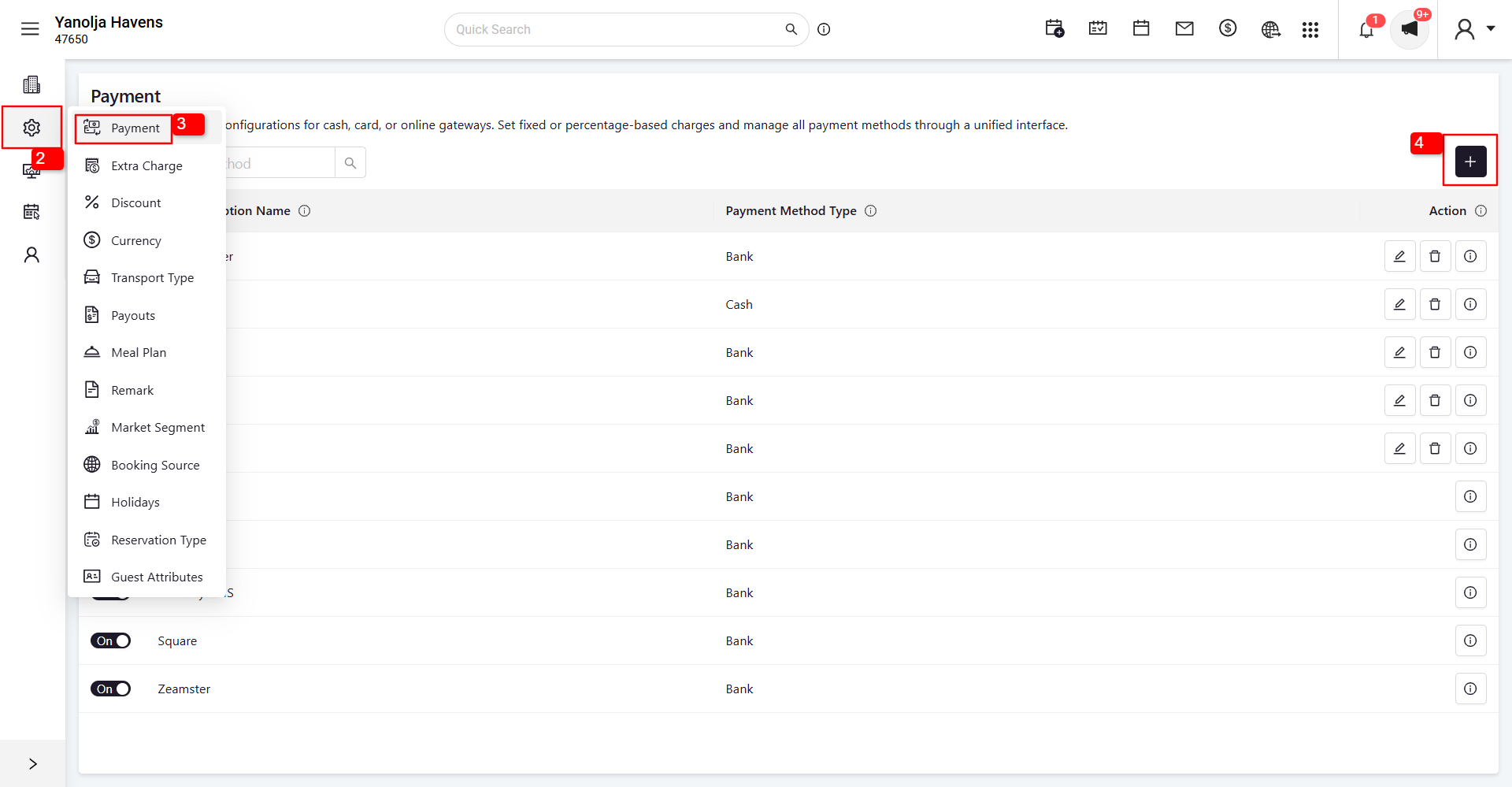
2 Navigate to the Settings Icon on the right-side panel menu.
3 Select Payment.
Add a New Payment Method
4 Click on the + (Add) button.
Fill in the Required Details
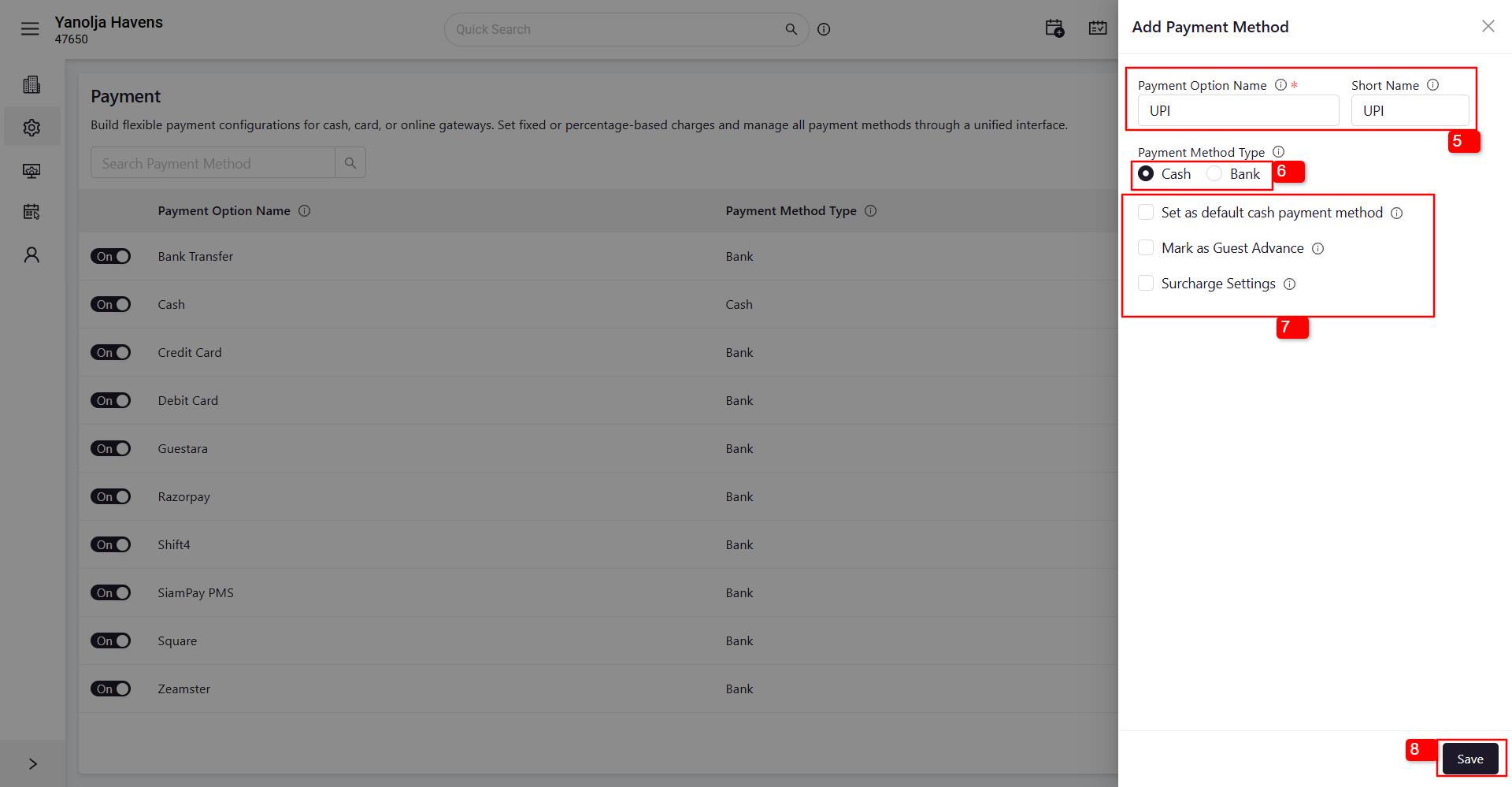
5 Enter the Payment Method Name (e.g., Cash, Credit Card, UPI) and Short Name.
6 Select the Payment Method Type (Cash/Bank).
7 You can also select additional options as per your requirement, such as:
- Set as default cash payment method
- Mark as Guest Advance
- Surcharge Settings
8 Click Save to complete the setup.
Notes
- You can create multiple payment methods based on your property’s requirements.
- The defined payment methods will be available during the billing or settlement process in the Front Office.
- Ensure payment methods are accurately named to avoid confusion in financial reporting.
Was this article helpful?
That’s Great!
Thank you for your feedback
Sorry! We couldn't be helpful
Thank you for your feedback
Feedback sent
We appreciate your effort and will try to fix the article