Business Source: The sales and marketing department would like to do a sales analysis of the source of the business. Such information and analysis would be helpful to design a promotion campaign, marketing budget, or even helpful to determine what rate to offer to which travel agent. You can define your entire business source here and associate this business source with Check-In/Reservation.
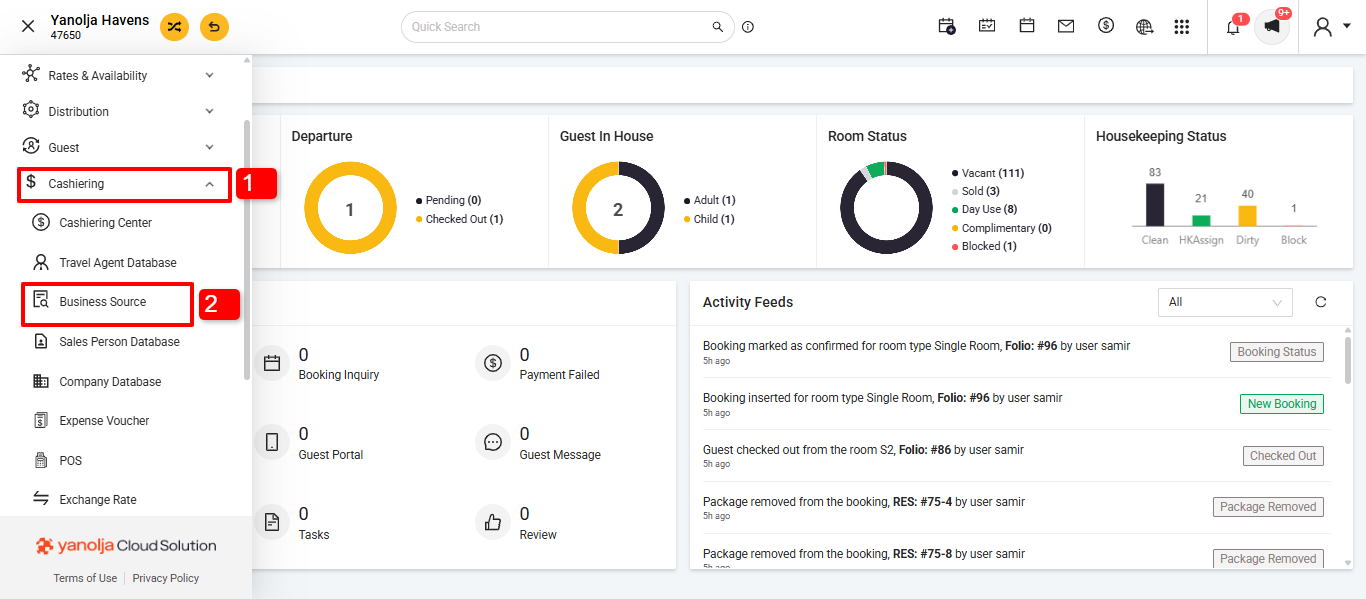
We can add a new Business Source in the Front Office click on the three line.
1. Click on the Cashering.
2. In the Cashering you need to click on Business Source.
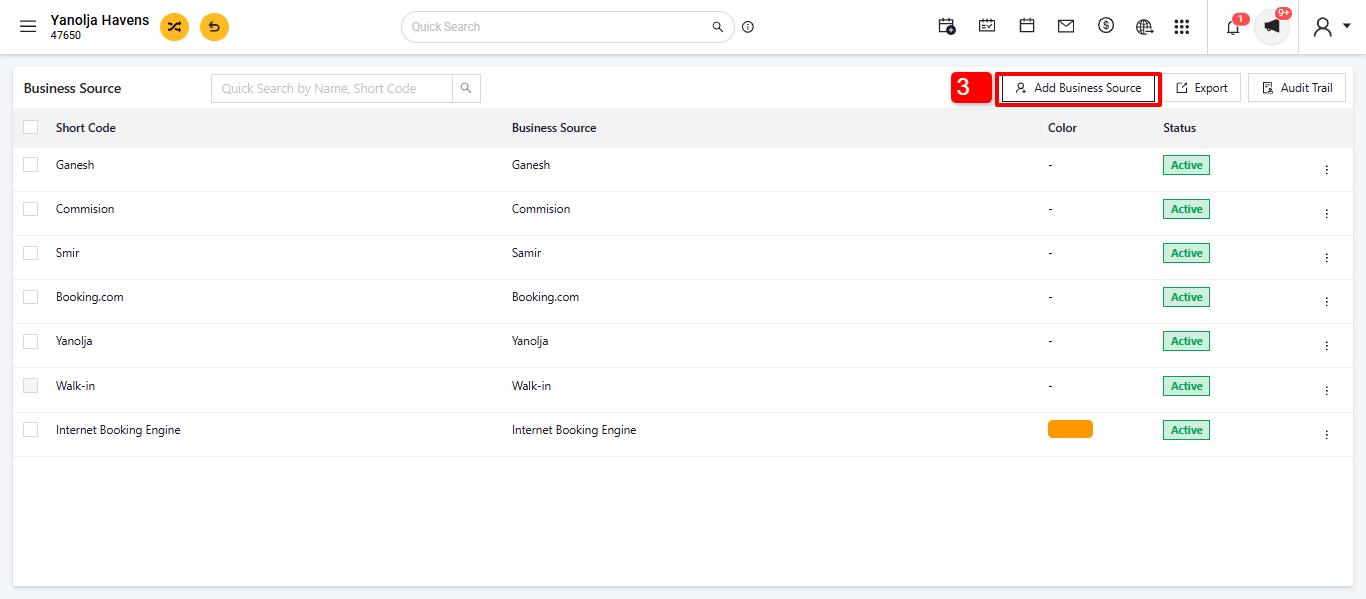
3. Click on the Add Business Source Button
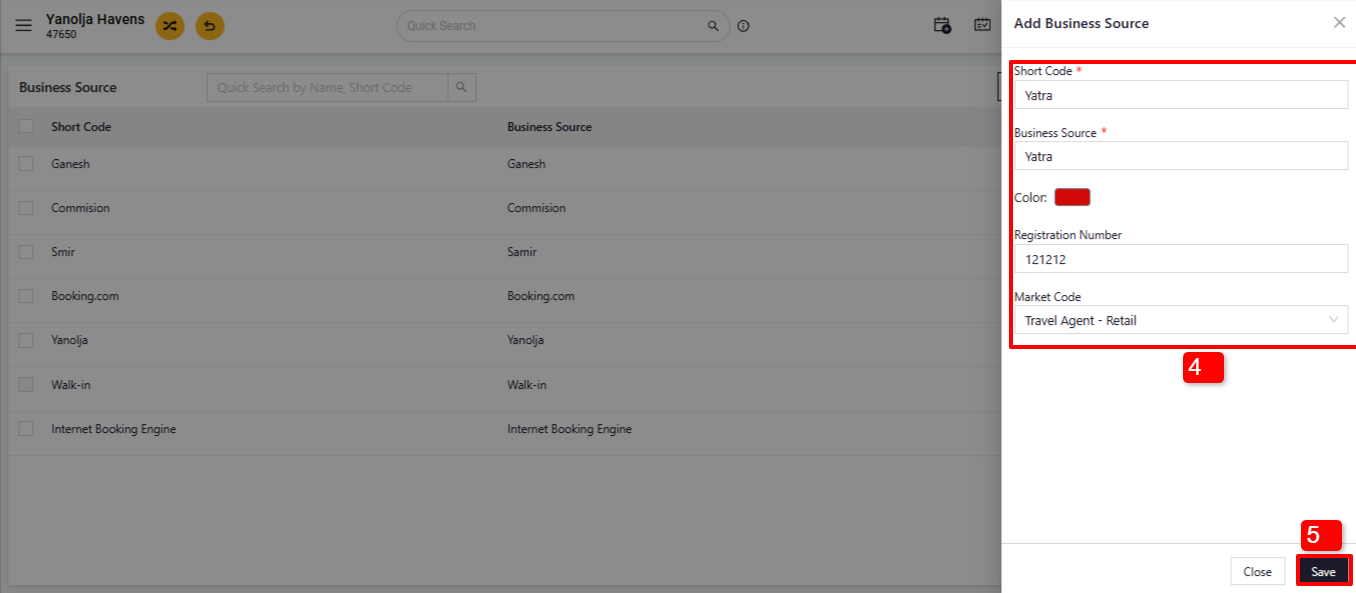
4. Add all the relevant details like Short Code, Business Source, Color if you want, Registration Number & Market Code.
5. Once all the details added needs to click on the "Save" Button.
Option - 2
We can add a new Business Source in the PMS system Configuration.
1. Click on the “Setting” button
2.Click on Business Source.
How to Access: In order to add business source please follow the below steps.
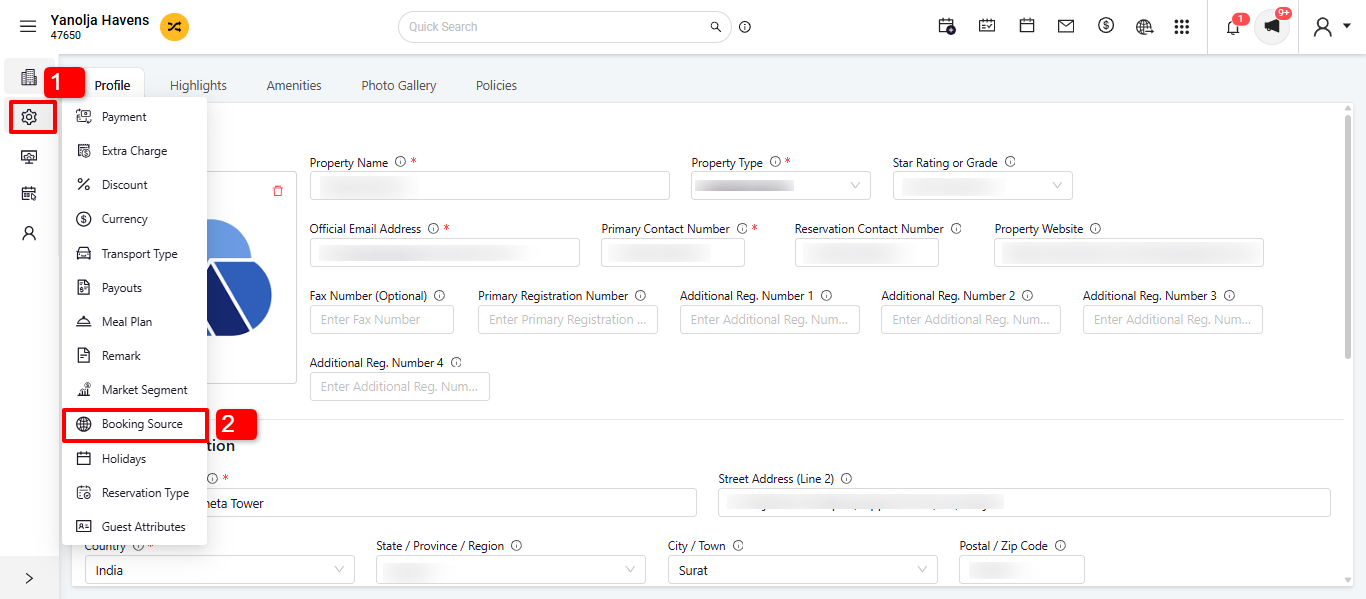
Location: PMS configuration >> Setting >> Business Source.
3. Click on the + Sign.
4. Add Business Source
5. Click on the "Save" Button.
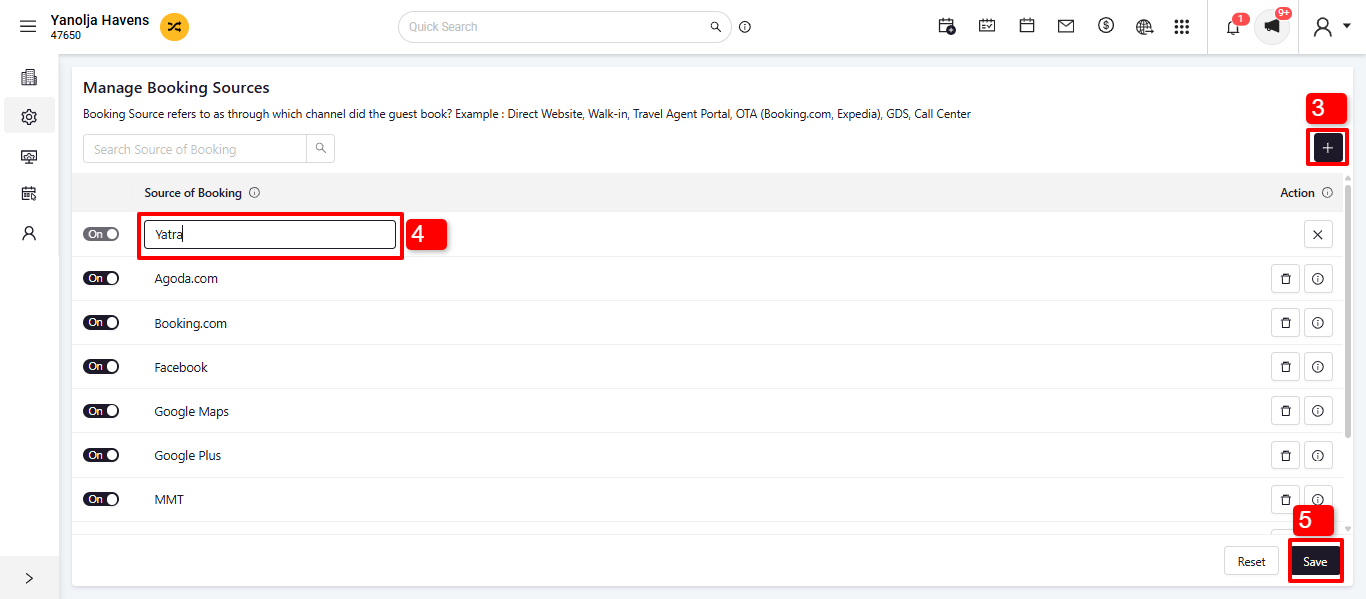
Use this option to list down all your business sources. Use Add New button to add a new business source to the list. PMS users will have to list all their OTAs (Online Travel Agents) here so that the reservation list shows the source of the booking. In case, you are using Front Desk and retrieve your bookings from Reservation to FD, you need to make sure that the business source names are configured exactly in the same manner (case sensitive) in FD as well as Reservation for the bookings to reflect the source name in FD after being retrieved.
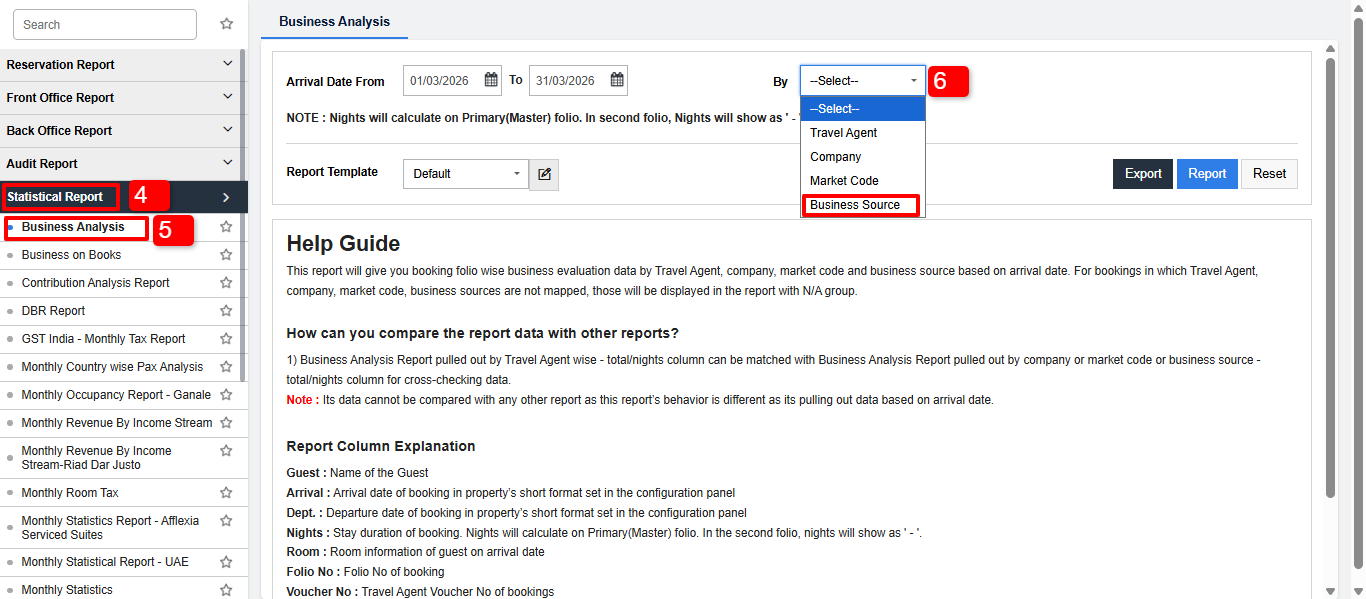
Reports: Select Business Analysis from the Report tab under Statistical Report.
1. Needs to click on Three Lines.
2. Click on Reports.
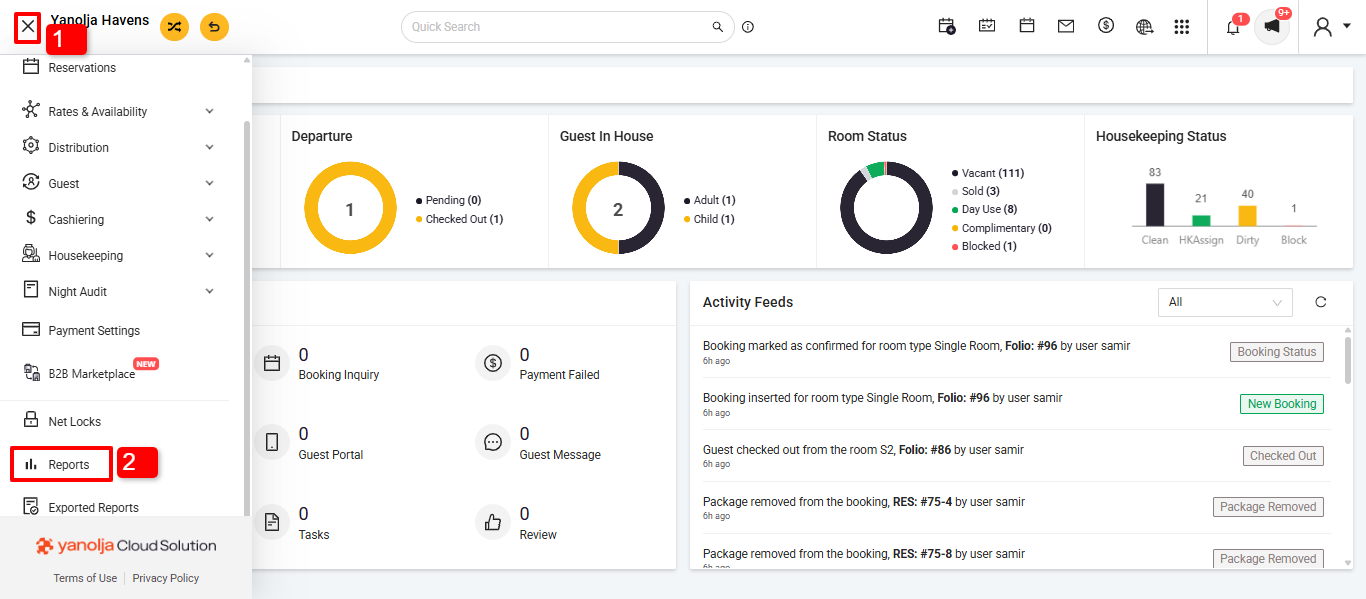
4. Click on Statistical Report.
5. In Statistical Report select "Business Analytics."
6. Needs to select by "Business Source".
Was this article helpful?
That’s Great!
Thank you for your feedback
Sorry! We couldn't be helpful
Thank you for your feedback
Feedback sent
We appreciate your effort and will try to fix the article