Business Source: The sales and marketing department would like to do a sales analysis of the source of the business. Such information and analysis would be helpful to design a promotion campaign, marketing budget, or even helpful to determine what rate to offer to which travel agent. You can define your entire business source here and associate this business source with Check-In/Reservation.
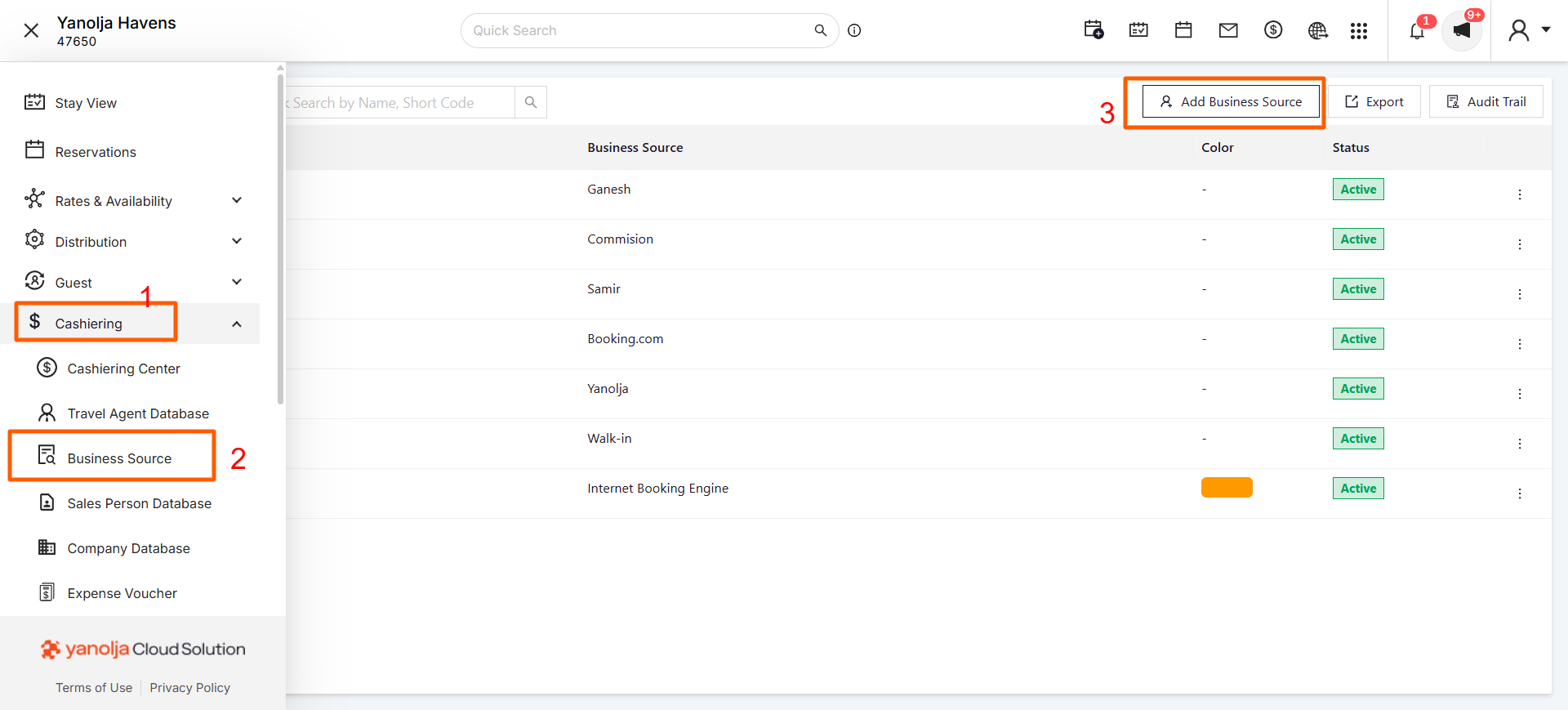
We can add a new Business Source in the PMS system from Unified Solution. Click on the “Add Business Source” button and enter the name and the short code you want to associate with it.
How to Access: In order to add business source please follow the below steps.
Location: Unified Solution >> Cashiering>> Business Source.
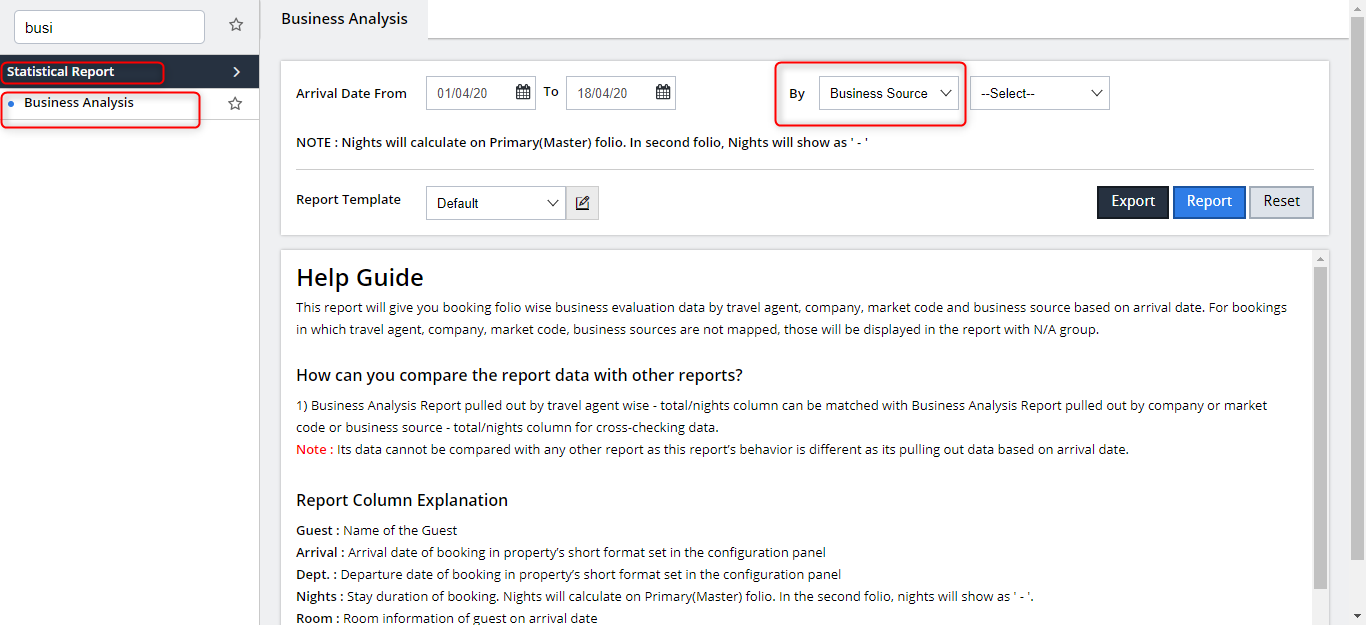
Reports: Select Business Analysis from the Report tab under Statistical Report.
Was this article helpful?
That’s Great!
Thank you for your feedback
Sorry! We couldn't be helpful
Thank you for your feedback
Feedback sent
We appreciate your effort and will try to fix the article