Can I print the Business Source name on Delivery Receipts?
Yes. In Restaurant POS, you can configure the system to print the Business Source Name (e.g., Swiggy, Zomato, Direct Order, etc.) on Delivery receipts.
Why should I print Business Source on receipts?
Printing the Business Source helps in:
- Identifying the order origin (online platforms, direct orders, etc.)
- Better reporting and reconciliation
- Improving order tracking and auditing
How do I create a Business Source?
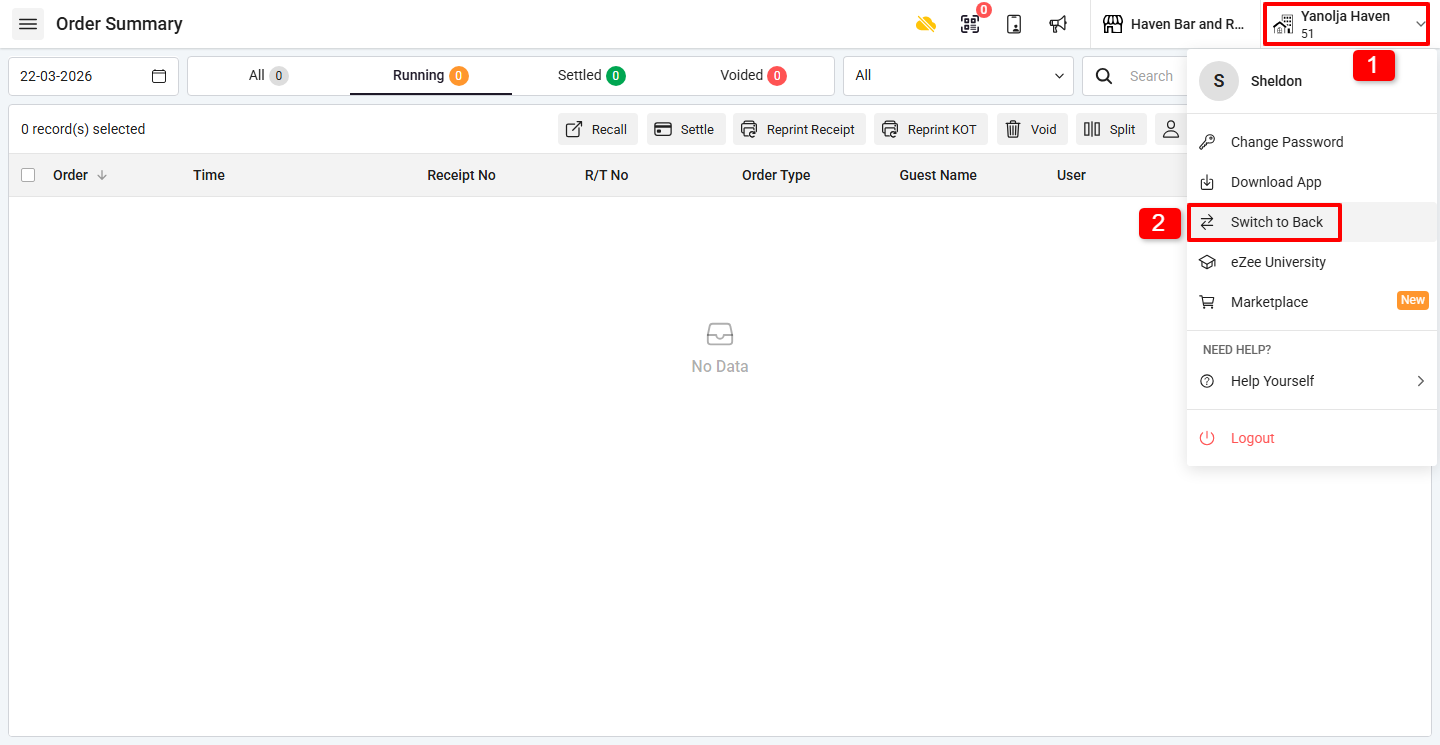
Step 1: Switch to Back Office
1. Click on the Company Name / Property Code.
2. Click on Switch to Back Office.
Step 2: Add Business Source
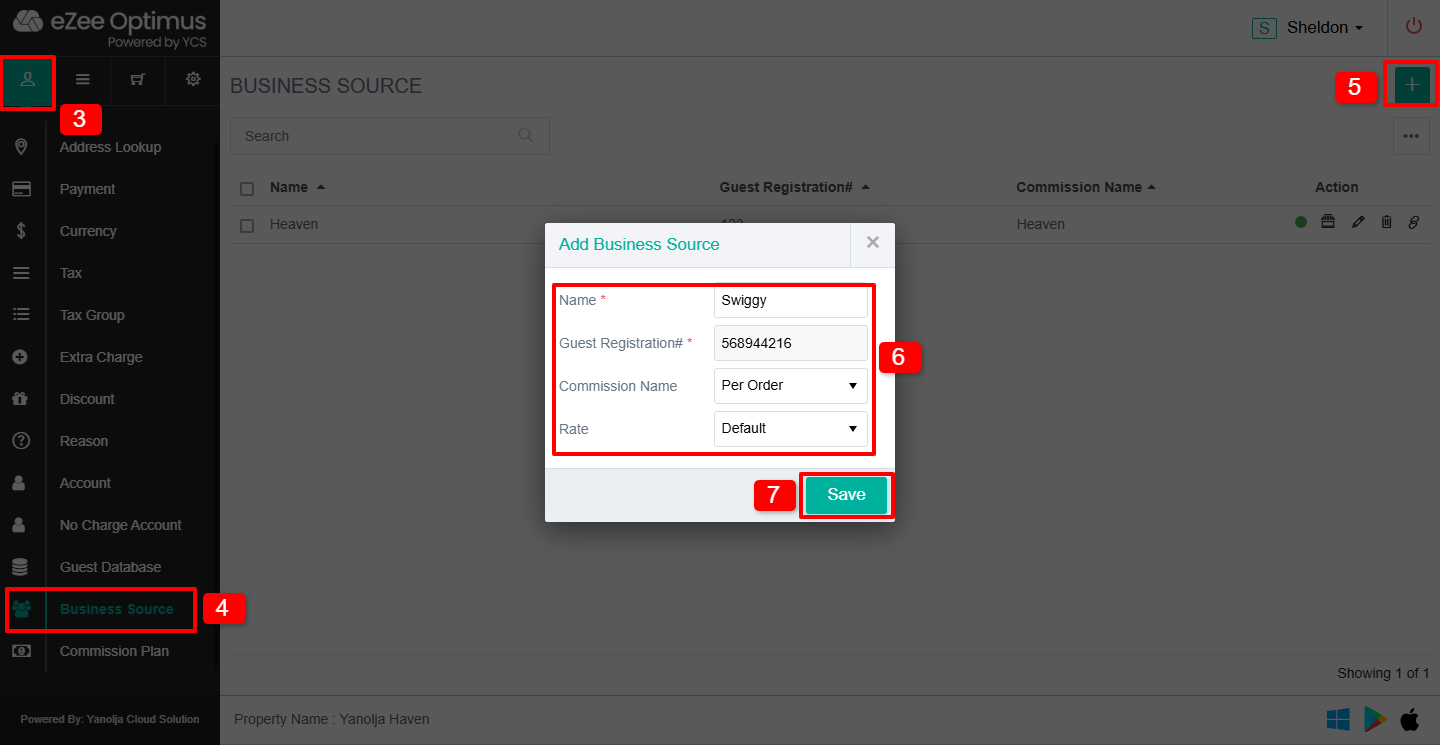
3. Click on Master
4. Click on Business Source
5. Click on the “+” icon
6. Enter the required details (e.g., name, description)
7. Click on Save
How do I enable Business Source for Delivery orders?
Step 3: Configure Delivery Order Type
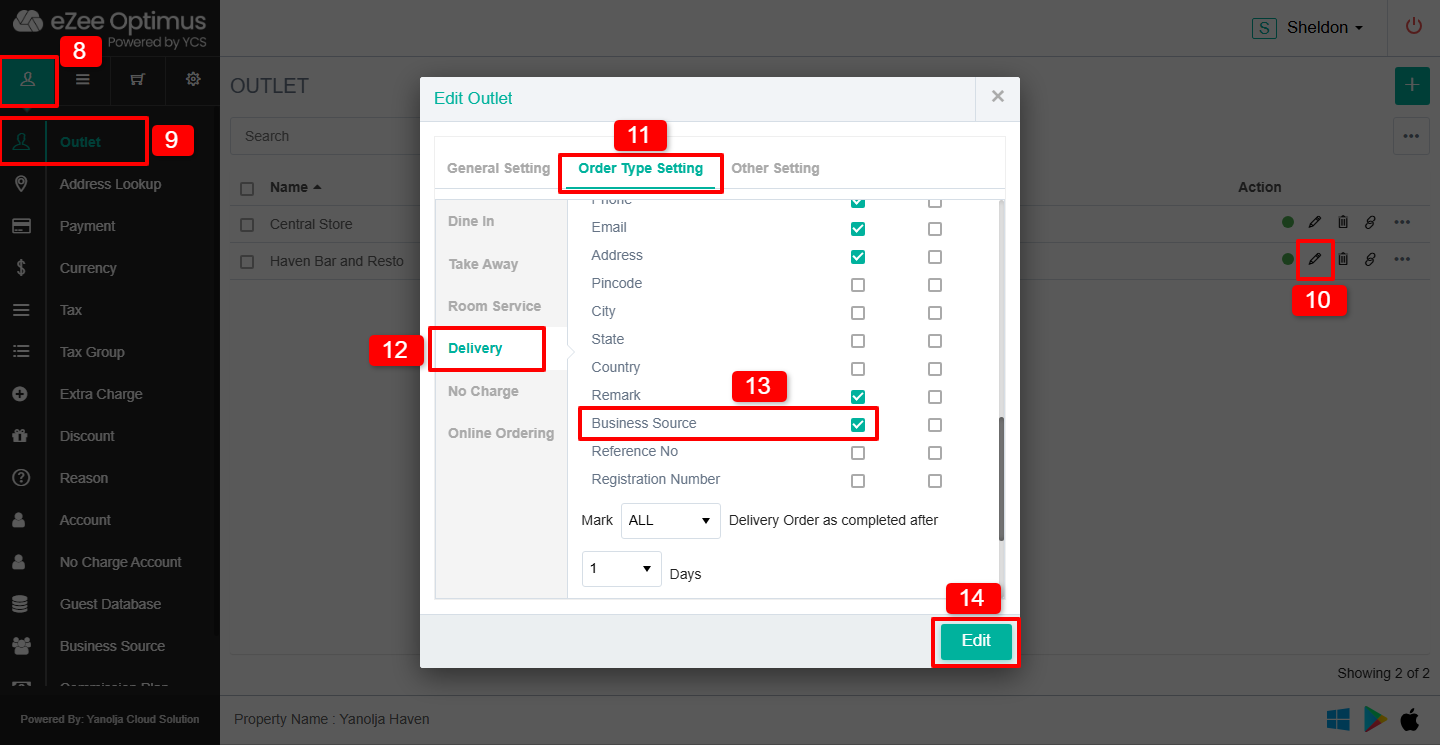
8. Click on Master
9. Click on Outlet
10. Click on the Pen/Pencil (Edit) icon
11. Click on Order Type Setting
12. Select Delivery
13. Checkmark Business Source
14. Click on Save
How do I configure the receipt template to show Business Source?
Step 4: Update Printing Template
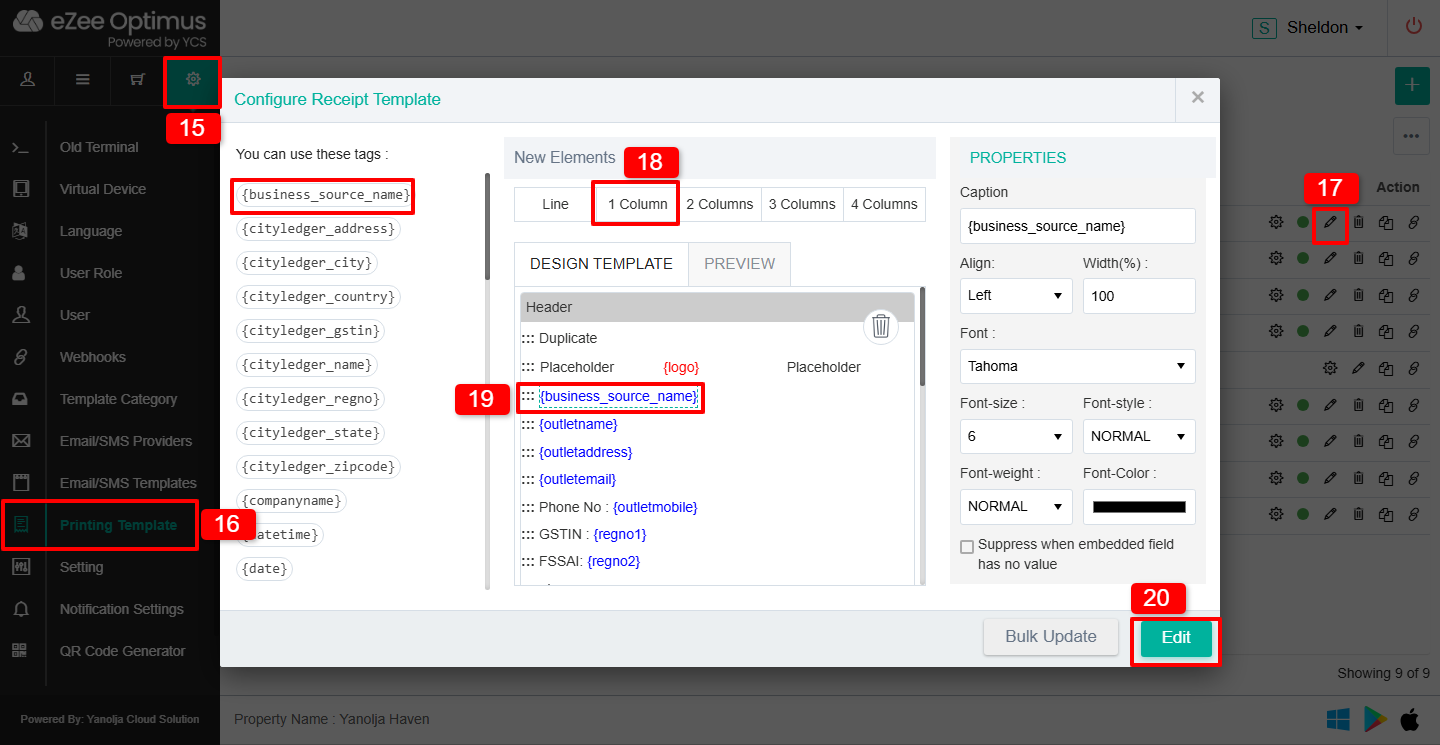
15. Click on Settings (Gear Icon)
16. Click on Printing Template
17. Click on the Pen/Pencil (Edit) icon
18. Add a Column where you want to display the Business Source
19. Insert the Business Source Name tag in the column
20. Click on Edit/Save to apply changes
Was this article helpful?
That’s Great!
Thank you for your feedback
Sorry! We couldn't be helpful
Thank you for your feedback
Feedback sent
We appreciate your effort and will try to fix the article