Once you are on the Unity (New UI) dashboard, you will still have the option to switch back to the Classic UI anytime.
Both panels remain accessible during the transition.
How to Switch Back?
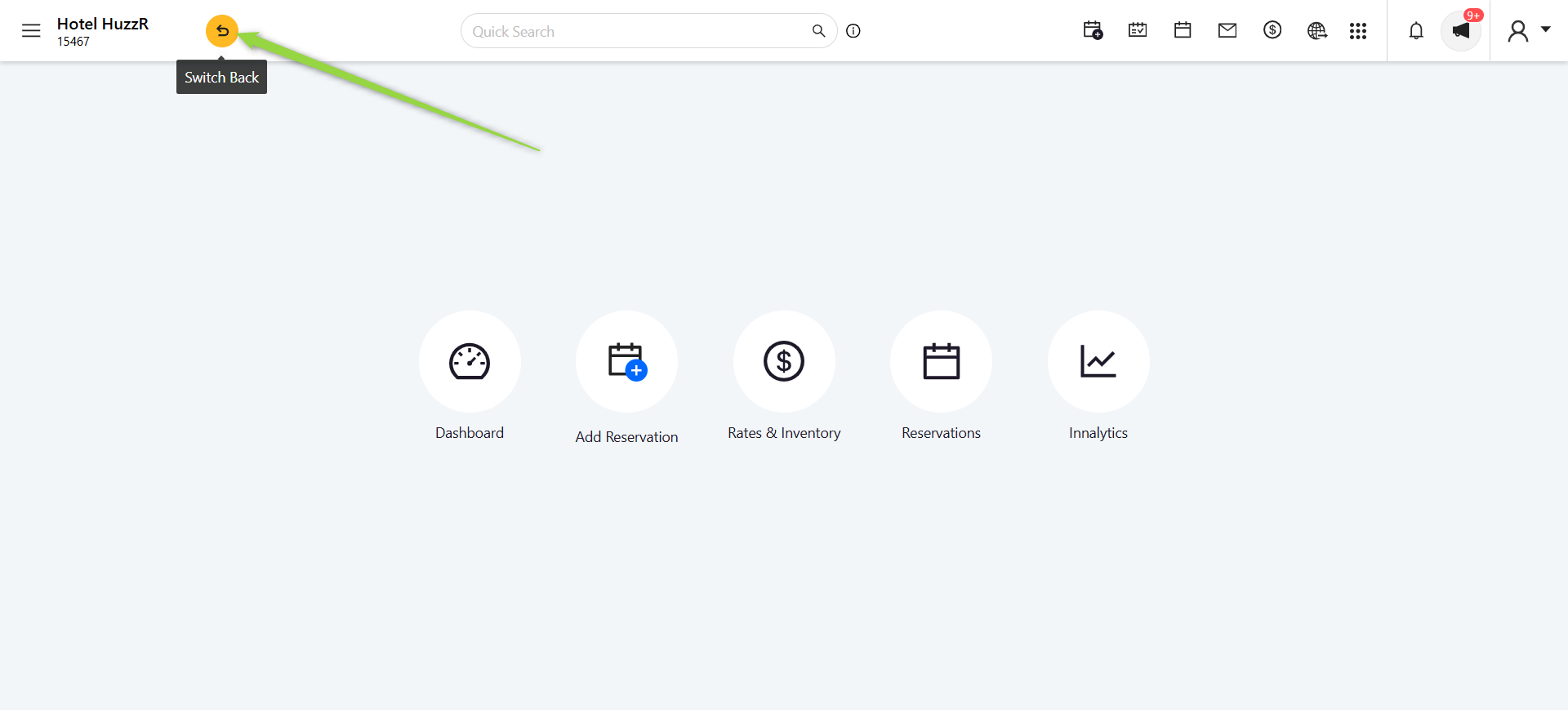
Look for the round arrow icon on the top bar (as shown in the screenshot).
Just click on it, and you’ll instantly switch back to the Classic panel.
Frequently Asked Questions (FAQs)
❓ What is a unified solution?
A unified solution means one single workspace for all your needs.
Previously, you had to switch between PMS, Extranet, and Configurations — now everything is available in one place.
❓ Do we lose access to current panels?
No!
Classic panels remain fully accessible during the transition period.
❓ Will this slow down our operations during transition?
Not at all.
There is zero downtime, and you can run both versions in parallel until you’re fully comfortable.
Most teams complete the switch within a week.
❓ Do all staff need training?
Unity is designed to be simple, intuitive, and user-friendly.
Most users understand the workflow easily.
Still, if needed, our support team is always available to help.
❓ What if we find issues or missing features?
You’re unlikely to miss anything, but if you do, simply contact our support team.
Your feedback helps us improve and enhance the product.
❓ Is there an additional cost?
No.
Unity comes at no extra charges — it’s our investment in giving you a smoother and more powerful experience.
❓ What are the future plans?
We plan to merge more of our solutions into Unity, including:
Dynamic Pricing
B2B Marketplace
POS
All in one unified workspace.
Was this article helpful?
That’s Great!
Thank you for your feedback
Sorry! We couldn't be helpful
Thank you for your feedback
Feedback sent
We appreciate your effort and will try to fix the article