Este artículo no está disponible en Spanish (Latin America); accede a la versión en English.
You can generate revenue reports by rate type or room type in PMS. To do this, follow these steps:
Accessing the Report:
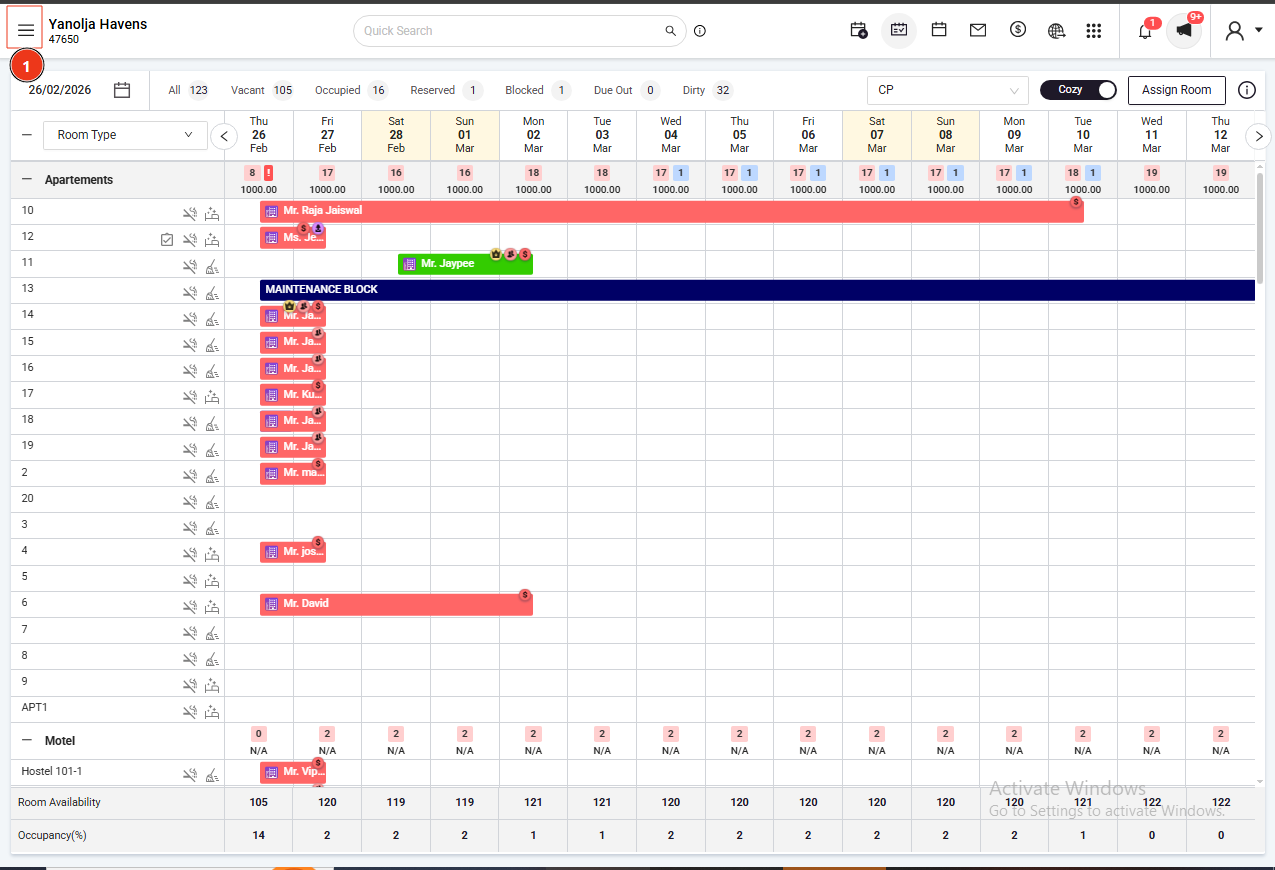
- Log in to your PMS account.
- Click on the three horizontal lines (≡) to open the main menu.
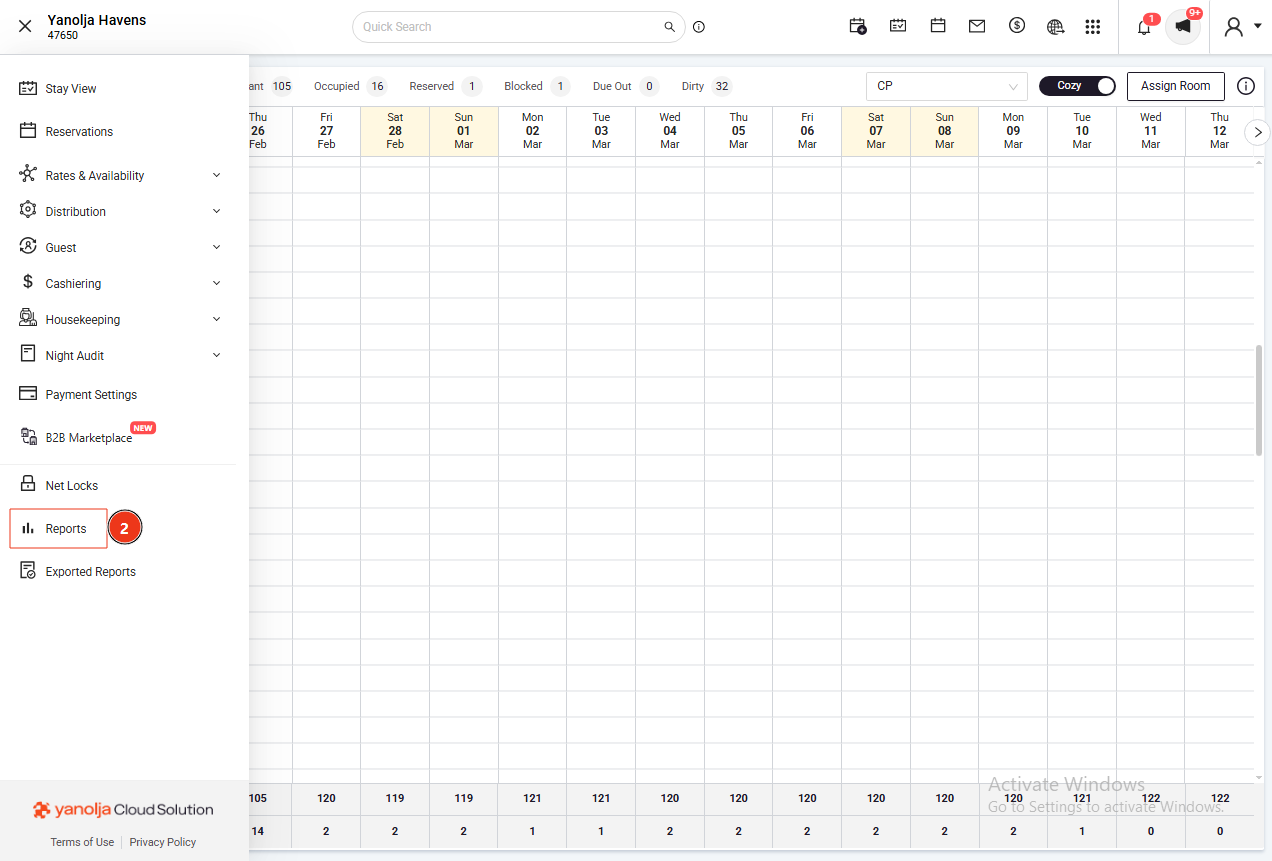
- Navigate to Reports.
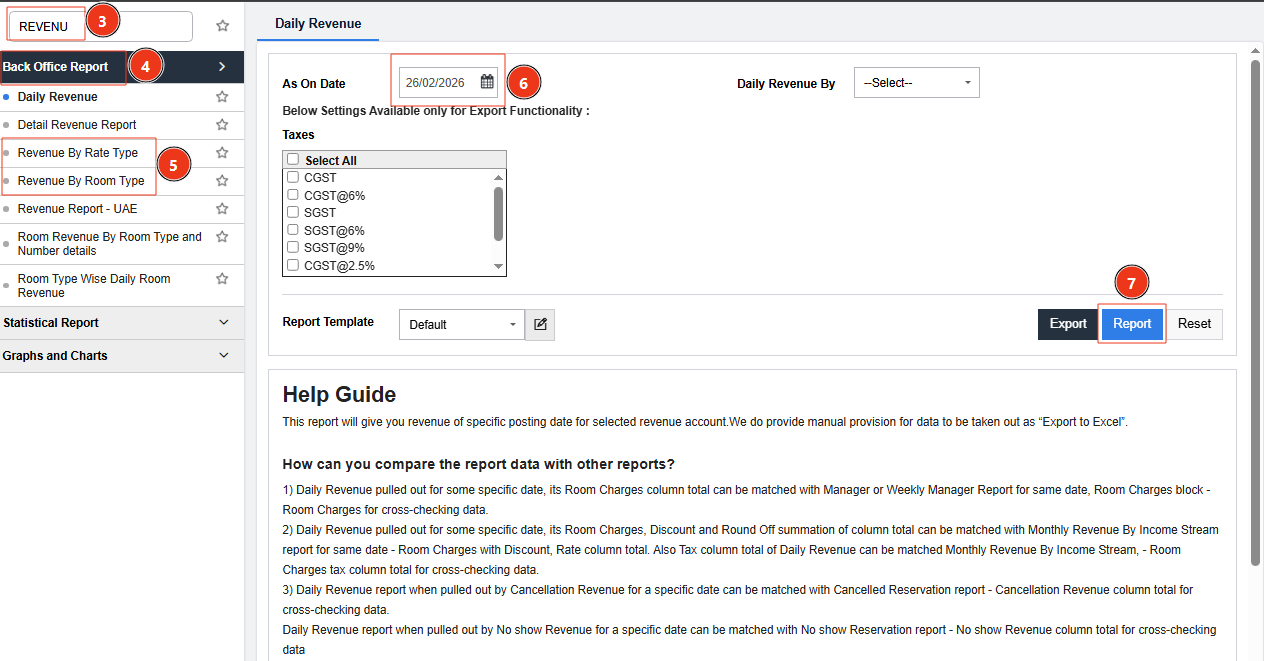
- Under Back Office Report, select either Revenue by Rate Type or Revenue by Room Type.
By following these steps, you can view detailed revenue reports categorized by rate type or room type, aiding in comprehensive financial analysis.
User Privileges:
- Ensure you have the necessary permissions to access these reports:
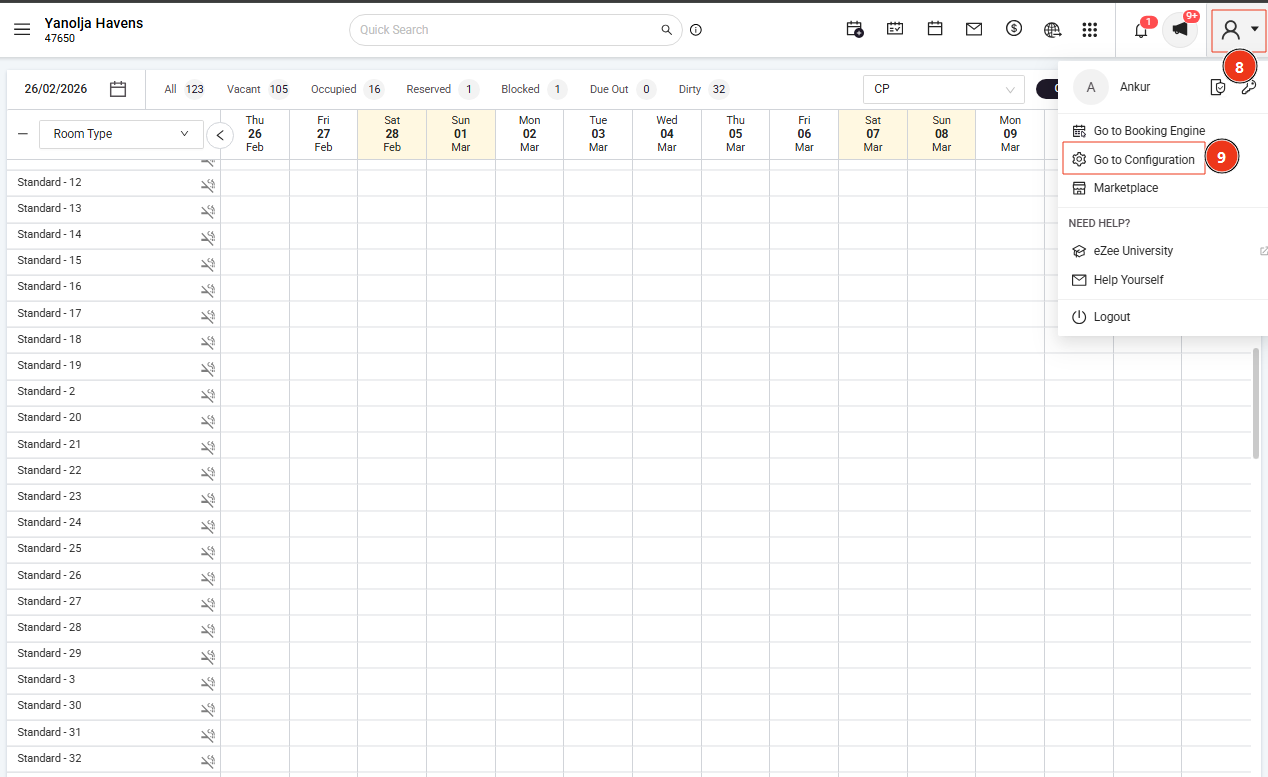
- Go to PMS Configuration.
- Select User and choose the user profile you wish to edit.
- Under Report privileges, enable access to Revenue by rate type and Revenue by room type.
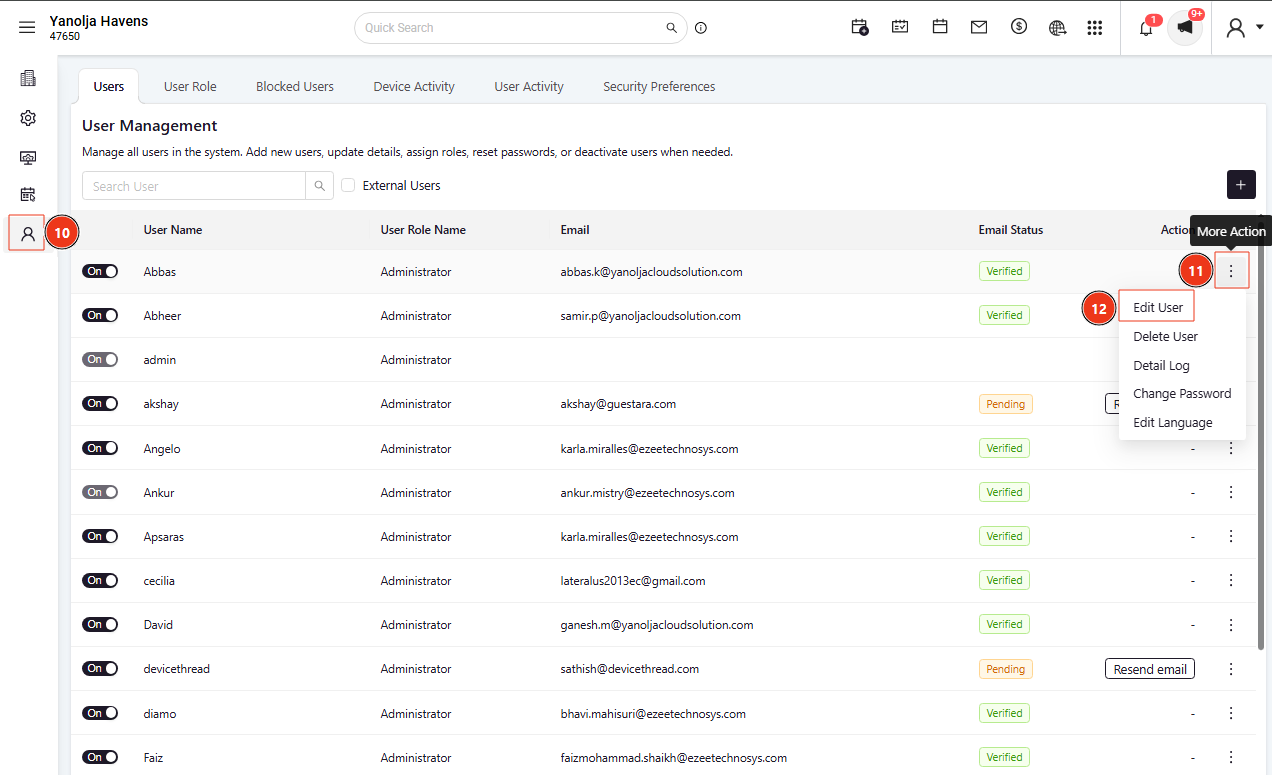
- Ensure you have the necessary permissions to access these reports:
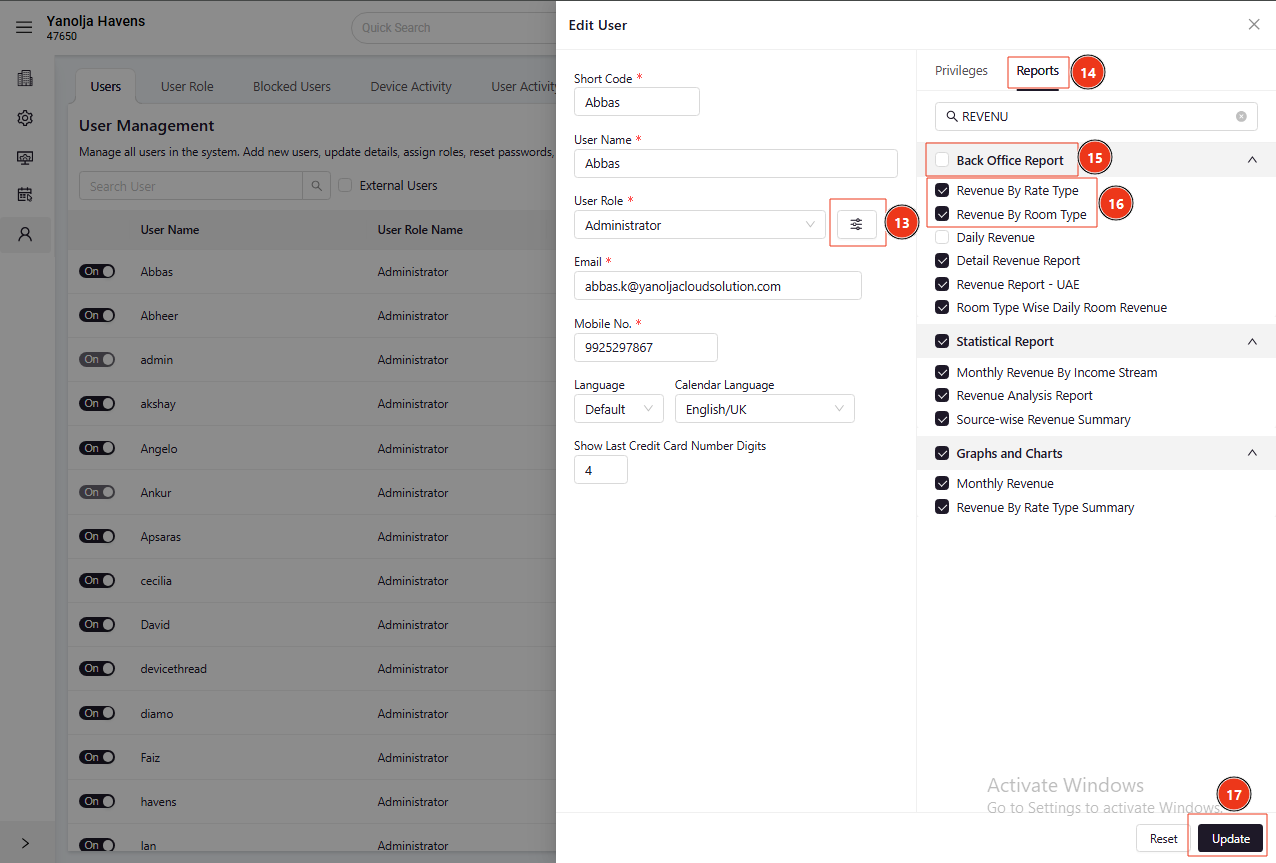
Was this article helpful?
That’s Great!
Thank you for your feedback
Sorry! We couldn't be helpful
Thank you for your feedback
Feedback sent
We appreciate your effort and will try to fix the article