The Owner Statement Report in PMS provides property owners with a detailed summary of financial performance. It includes:
- Revenue Summary: Income from room bookings, services, and other charges.
- Expense Breakdown: Operating costs and deductions.
- Profit Calculation: Net profit after expenses.
- Occupancy Rates: Percentage of rooms occupied during a specific period.
How to Generate the Report:
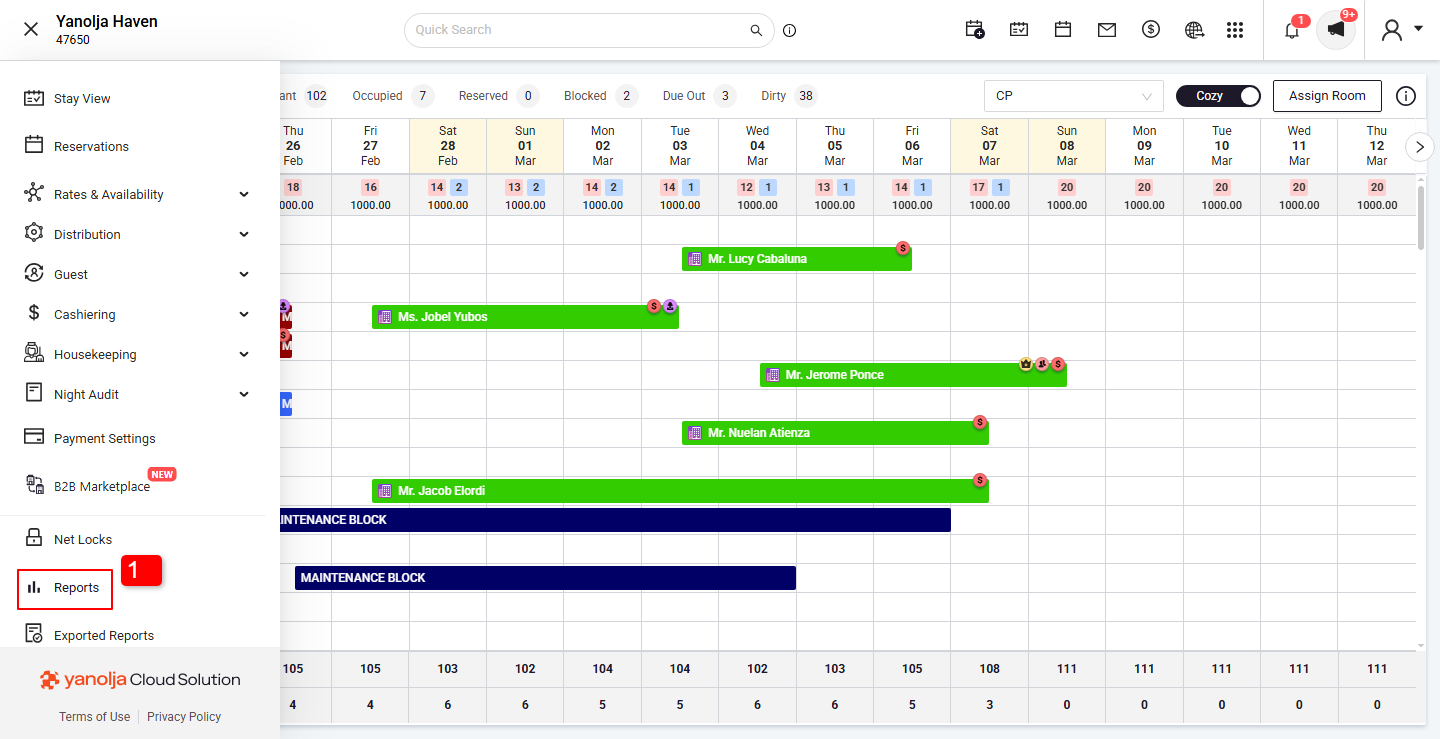
Navigate to the hamburg menu on Top left Corner (≡)
- Go to Reports Section.
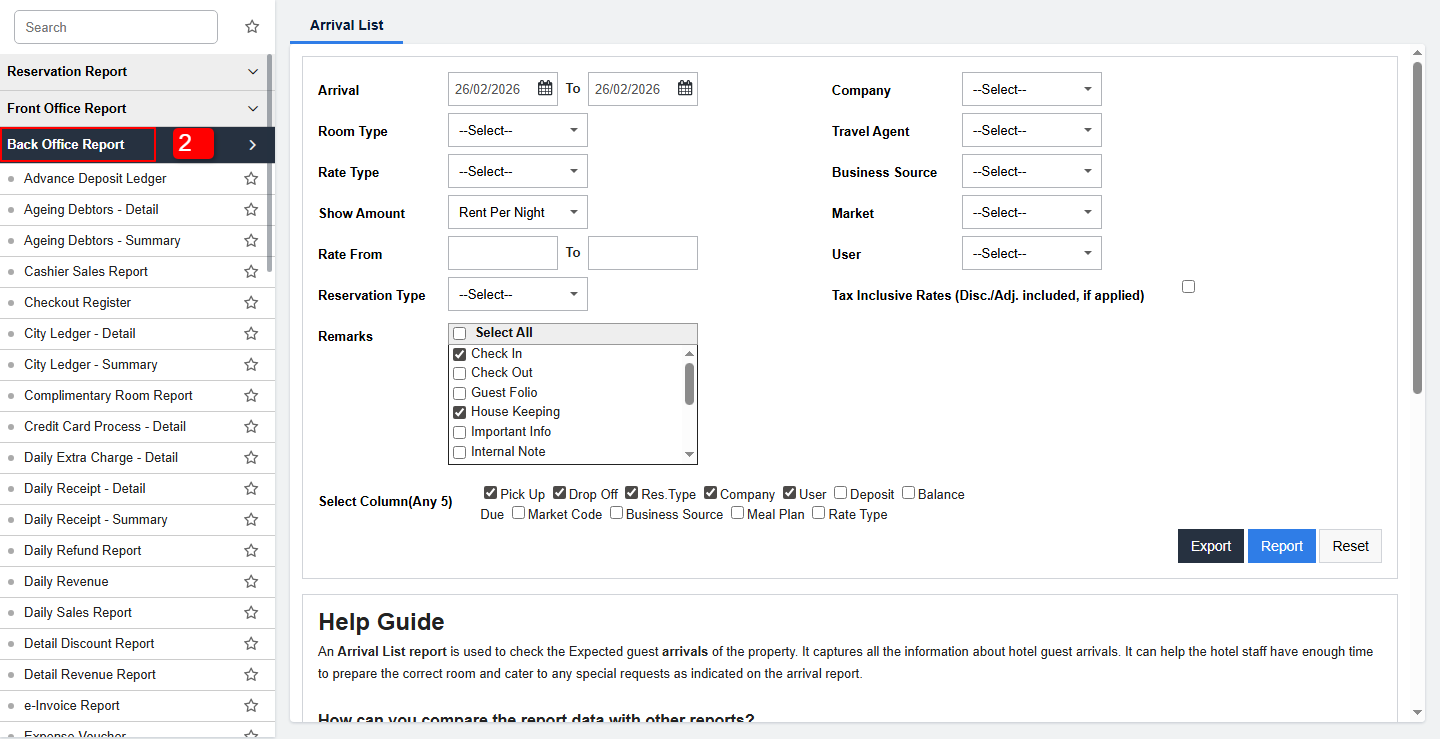
- Select the Back Office Report Option.
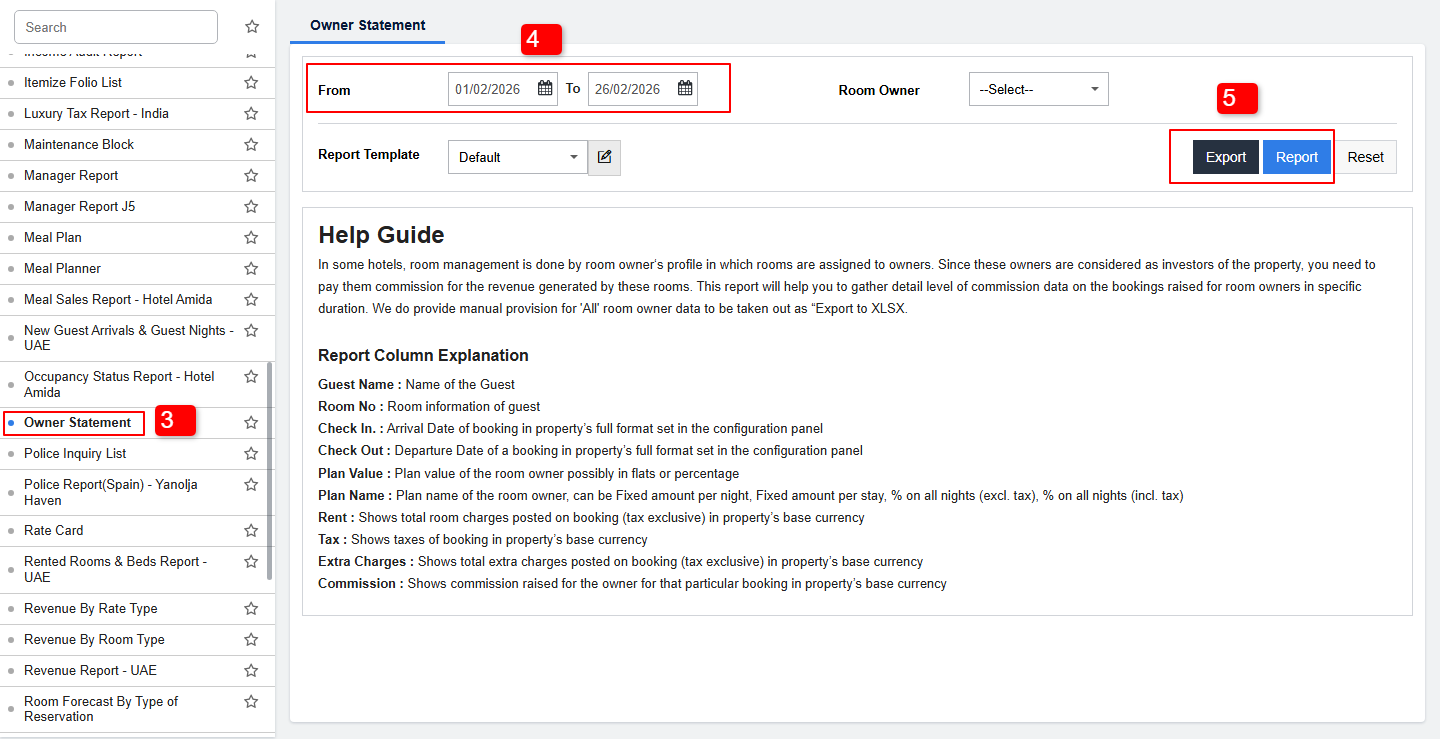
- Click on Owner Statement Report.
- Select the desired date range.
- Click Generate Report to view or download the statement
User Privileges: PMS configuration >> User >> Edit User >> Report >> Back office report >> Owner Statement.
Was this article helpful?
That’s Great!
Thank you for your feedback
Sorry! We couldn't be helpful
Thank you for your feedback
Feedback sent
We appreciate your effort and will try to fix the article