In PMS, the Group Owner is the main reservation holder responsible for all bookings under a group. If needed, you can change the Group Owner to another guest in the group.
Steps to Change the Group Owner
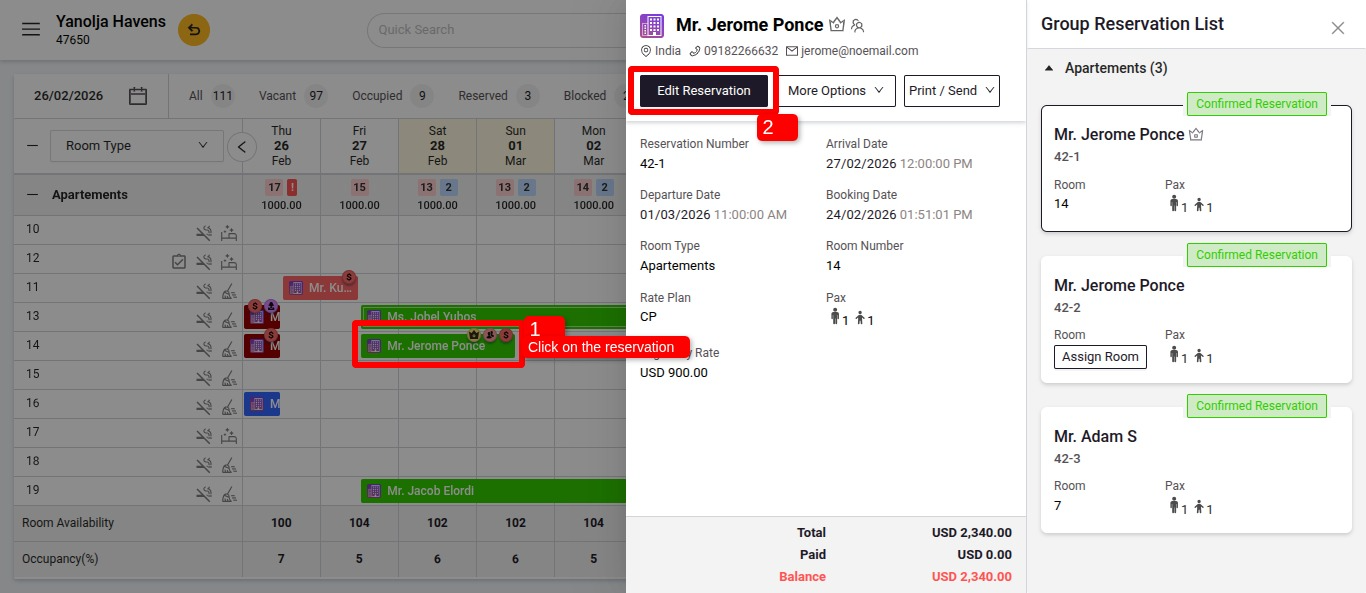
Go to Group Reservation
- Navigate to Front Office > Reservation or Stay View.
- Locate and open the Group Reservation you want to modify click on Edit Reservation.
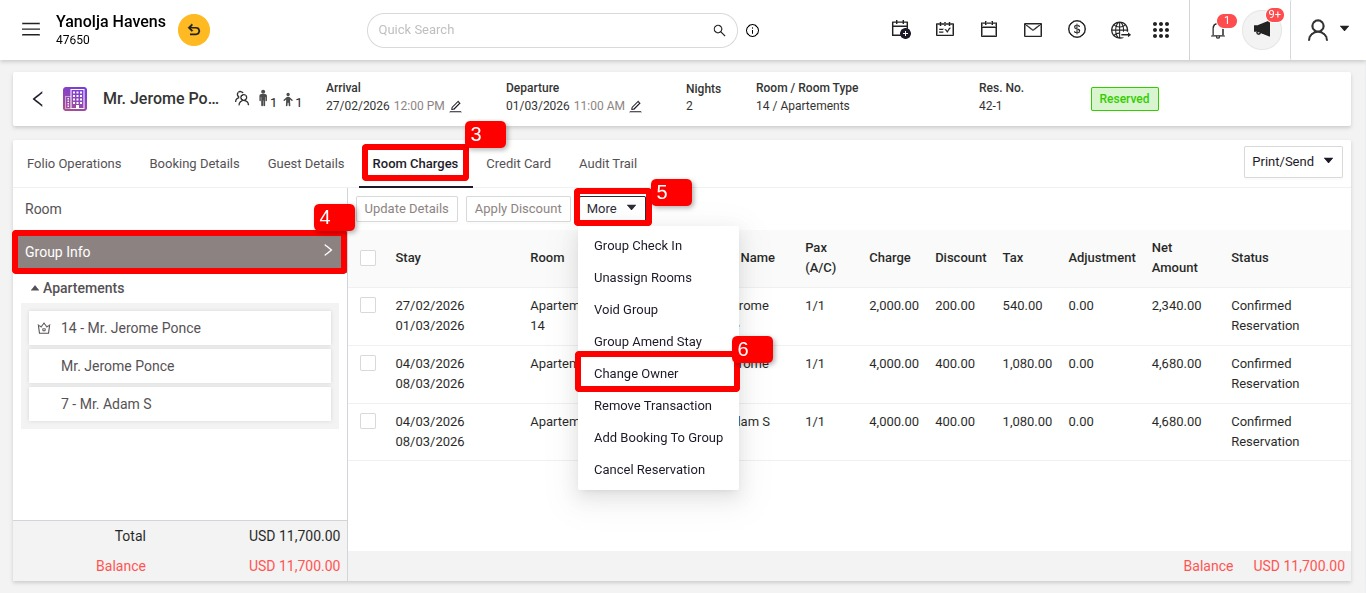
Access Group Owner Settings
- Click on Room Charges Click on More Options and select Change Owner
- In the Group Reservation Details, find the current Group Owner’s name.
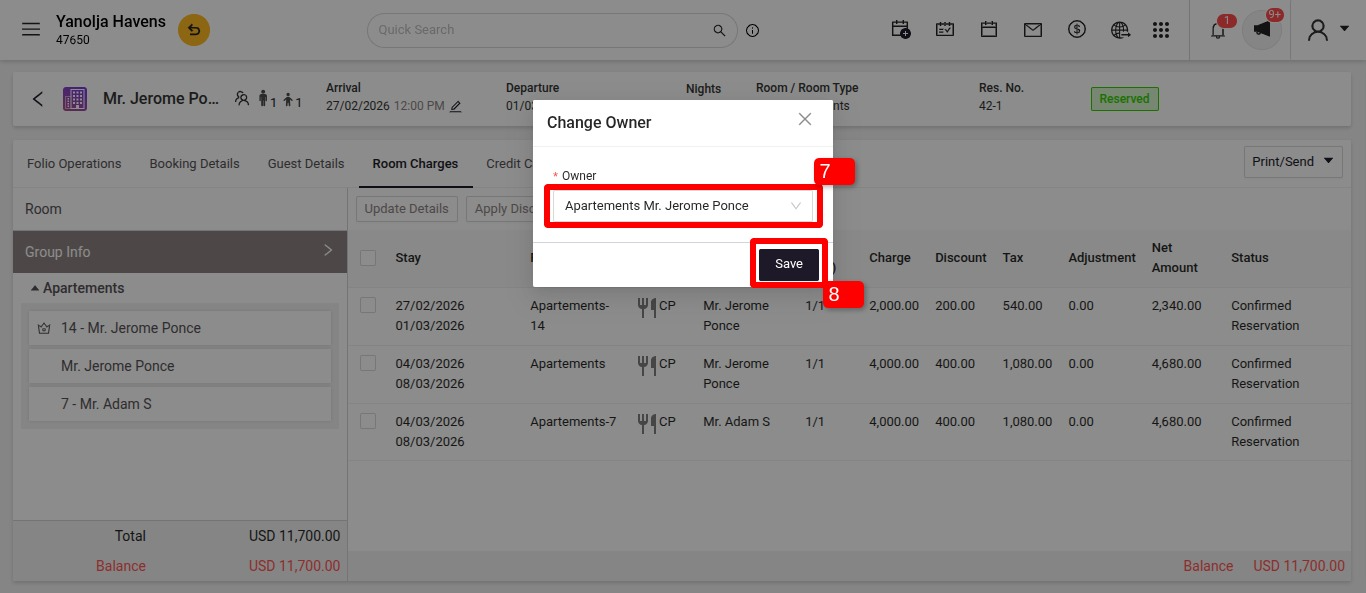
Select a New Group Owner
- Choose another guest from the same group.
- Confirm the selection and save the changes.
Key Notes
- The new Group Owner will now have control over the group’s reservation details.
- This change will reflect in billing, folios, and reporting under the new owner's name.
- Only one guest can be assigned as the Group Owner at a time.
By following these steps, you can easily update the Group Owner to the correct person handling the booking.
Was this article helpful?
That’s Great!
Thank you for your feedback
Sorry! We couldn't be helpful
Thank you for your feedback
Feedback sent
We appreciate your effort and will try to fix the article