The Complimentary Guest Room(s) is for free overnight lodging at a Participating Hotel during the stay.
To assign a complimentary room in PMS, follow these steps:
Enable User Privileges:
- Navigate to PMS Configuration > User > Edit User > Privileges > Front Office.
- Enable "Allow selling Room as Complimentary" and "Allow Rate Beyond Threshold".
Create a Complimentary Reservation:
- In PMS, go to Add Reservation.
- Enter guest and booking details.
- Select the "Complimentary Room" option.
- Save the reservation.
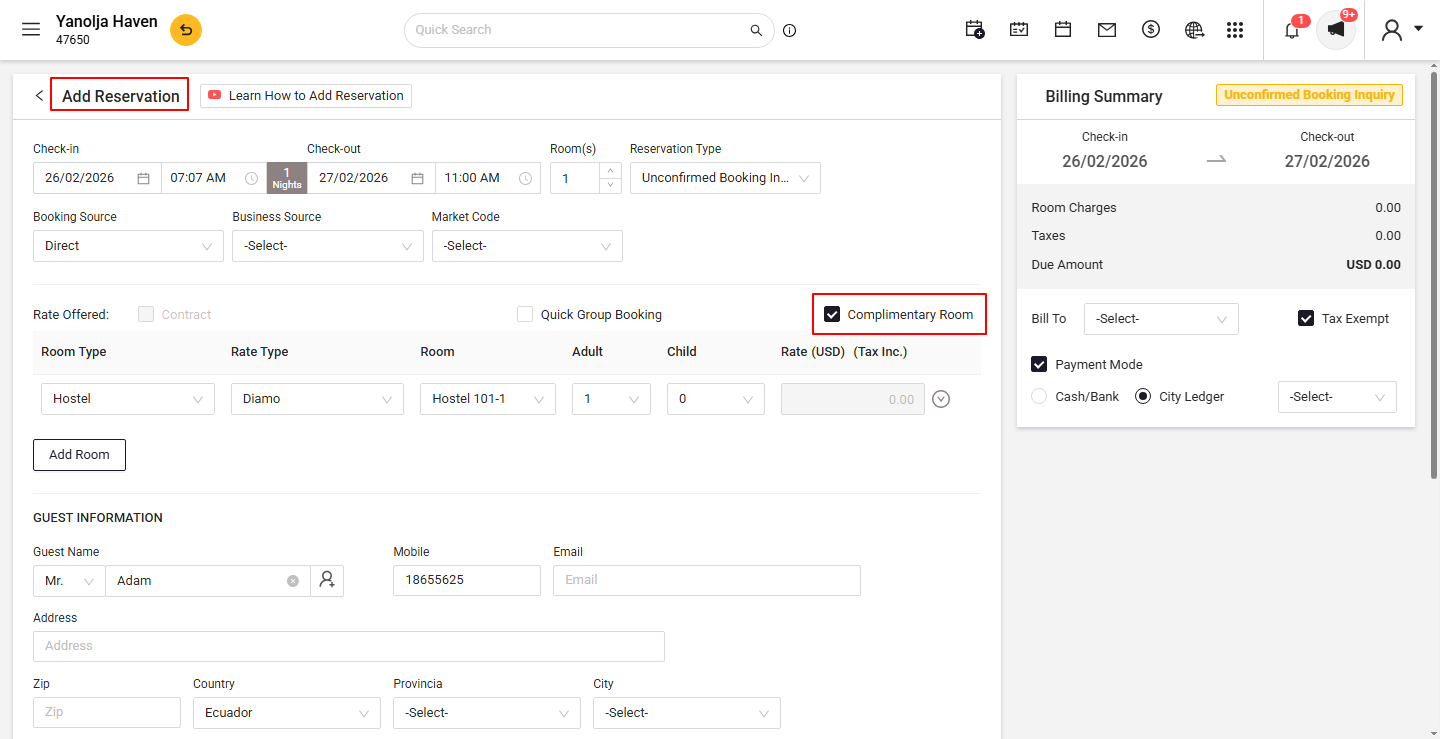
Verify Complimentary Status:
- Open the reservation to confirm that the room charges are set to zero.
- Open the reservation to confirm that the room charges are set to zero.
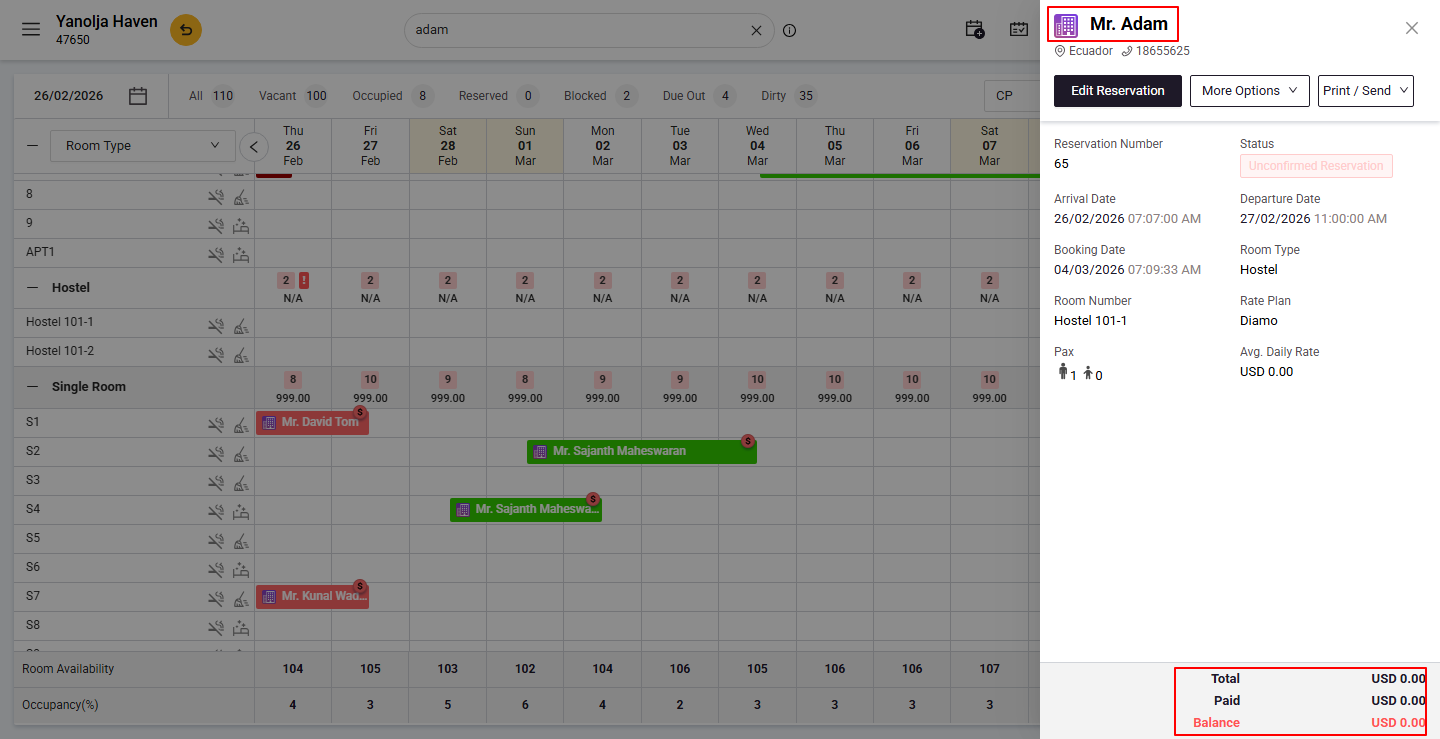
Locate the Reservation:
- Open PMS.
- Search for the reservation you want to modify.
- Click on Edit Reservation.
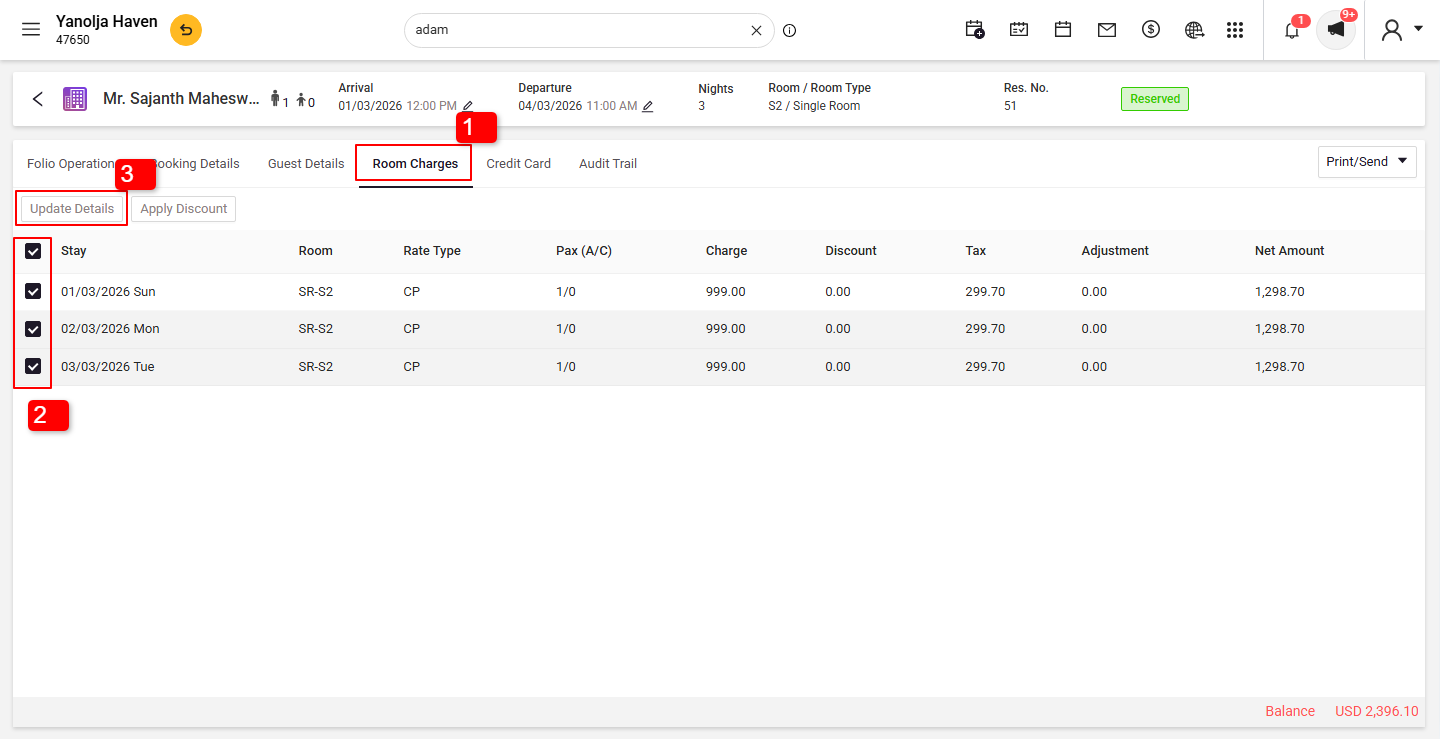
Update Room Charges:
1. Go to the Room Charges tab.
2. Select all room charges.
3. Click on Update Details.
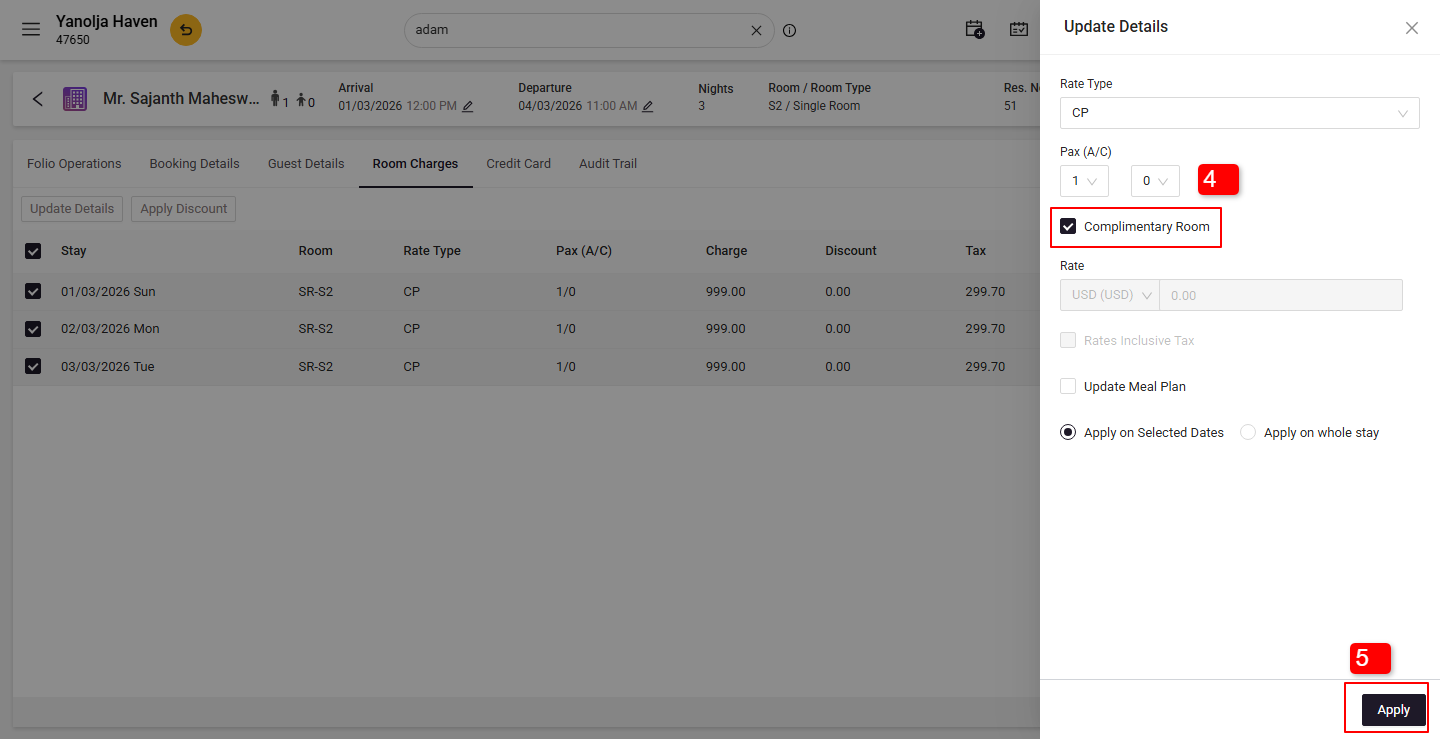
4. Checkmark the Complimentary Room option.
5. Click Apply to save the changes.
Was this article helpful?
That’s Great!
Thank you for your feedback
Sorry! We couldn't be helpful
Thank you for your feedback
Feedback sent
We appreciate your effort and will try to fix the article