Yes, in PMS, you can change the meal plan for an in-house guest if adjustments are needed due to updates in room charges or an incorrect initial selection. Here's how you can do it:
- American Plan (AP): Includes all three meals—breakfast, lunch, and dinner.
- Bed & Breakfast (BB): Only breakfast is included in the room rate.
- Continental Plan (CP): Includes a light breakfast (coffee/tea, juice, bread); other meals are charged separately.
- European Plan (EP): No meals included, allowing guests flexibility to dine outside.
Steps to Change the Meal Plan for an In-House Guest:- Login and Access the desired Reservation.
- Log in to PMS.
- Click on Edit Reservation.
- Go to the Room Charges tab.
- Click on the Update Details button.
- From the drop down, select Update Meal Plan.
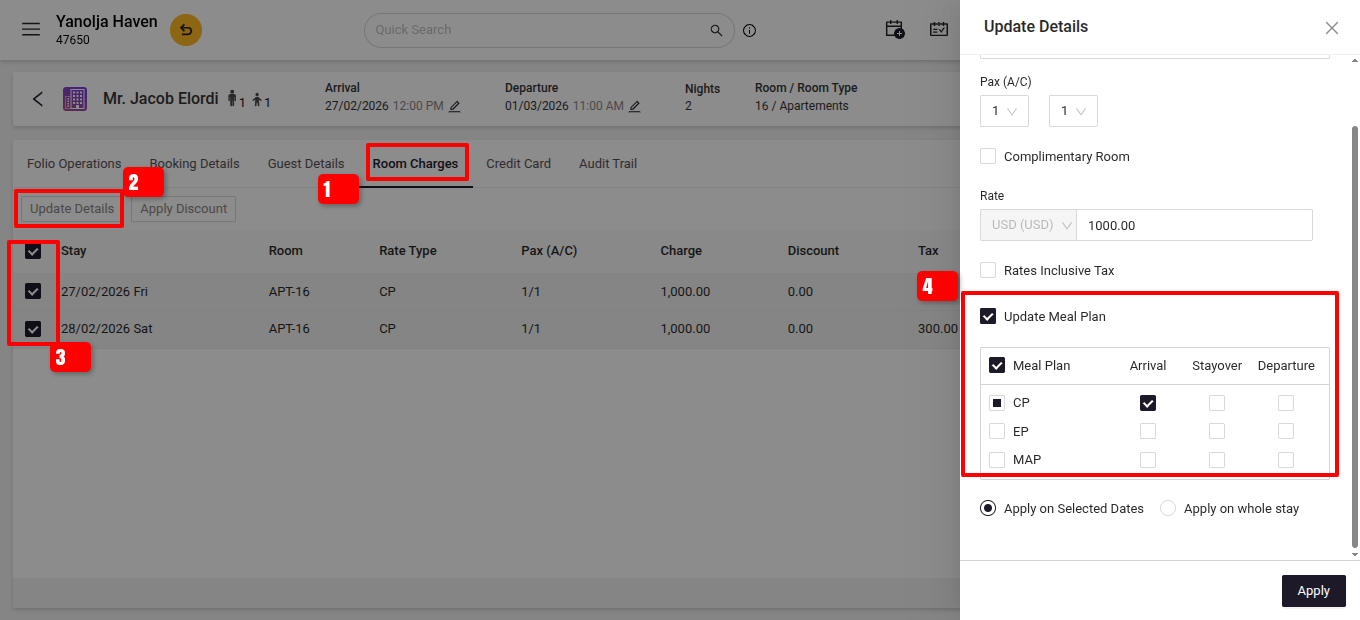
- Select and Apply the New Meal Plan:
- Choose the desired meal plan from the list.
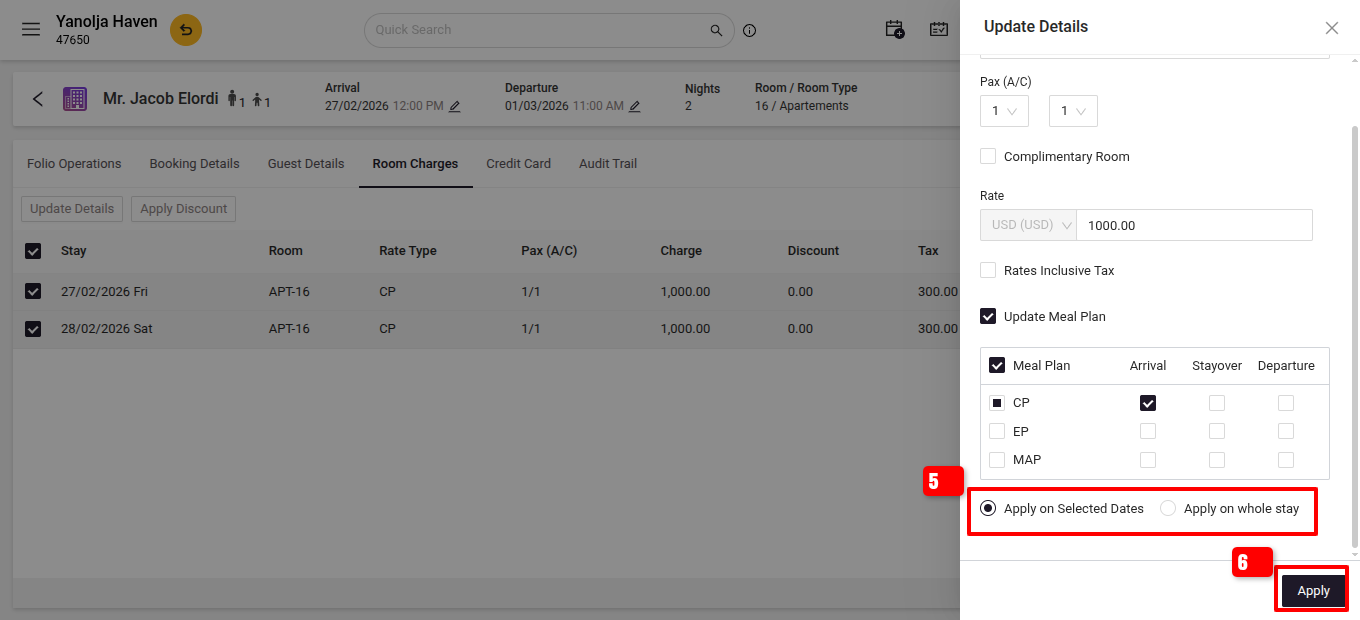
- When prompted, decide whether to apply the change to:
- Selected Dates: Specify particular dates.
- Whole Stay: Apply for the entire duration of the stay.
- Click Apply to confirm the changes.
- Prerequisites:
Meal Plan Configuration: Ensure the desired meal plans are set up in the system:
- Navigate to PMS > Master > General > Meal Plan.
- Add or verify the meal plans as needed.
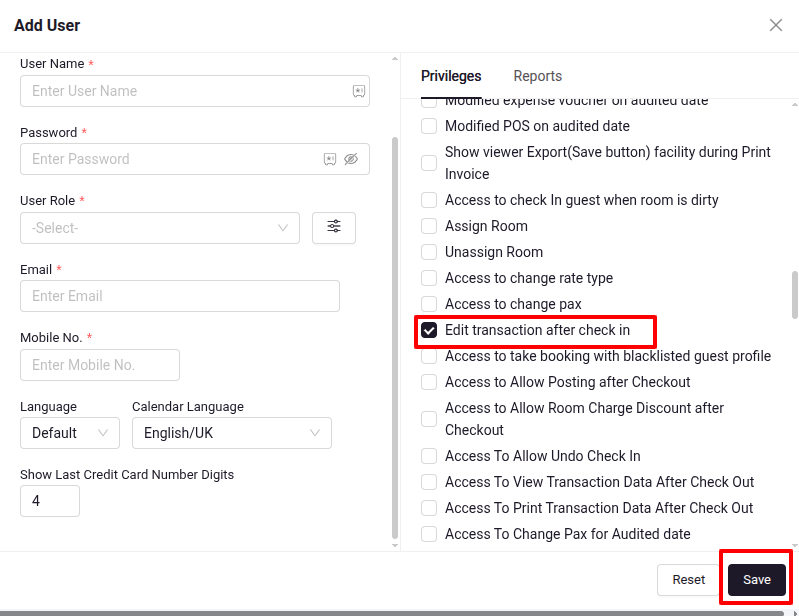
User Privileges: Confirm that your user account has the necessary permissions:
- Go to PMS > User > Edit User.
- Under Privileges, enable Front Office > Edit transaction after check-in >Save.
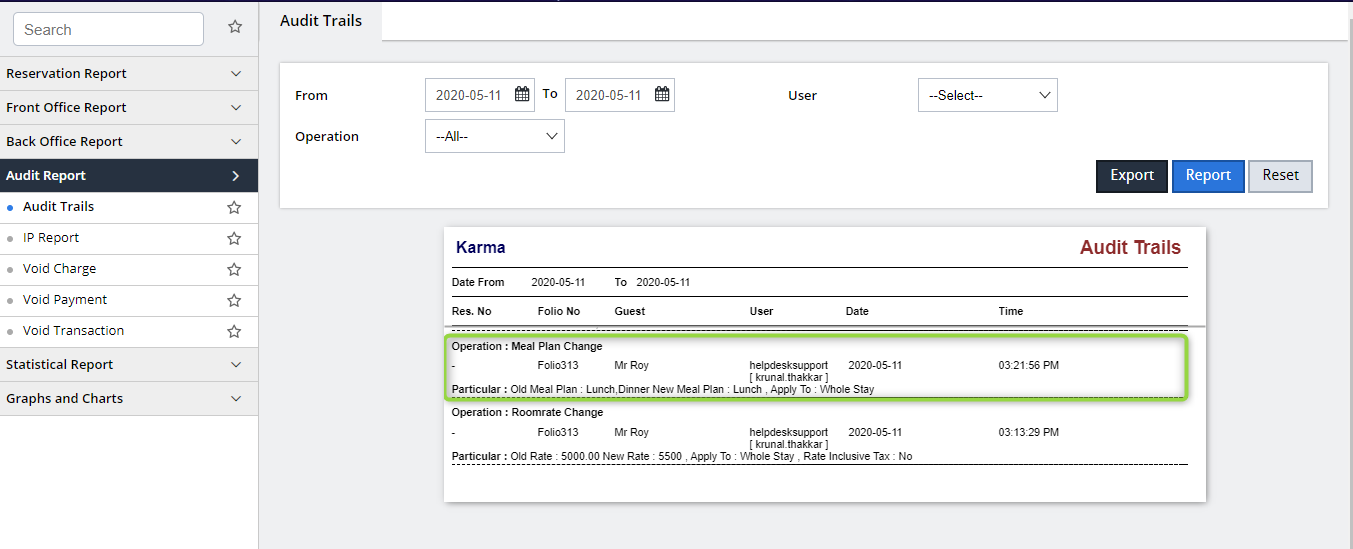
Report:After updating the meal plan, you can track this modification in the Audit Trails Report:
- Navigate to Reports > Audit Trails.
- Look for entries with the operation labeled Meal Plan Change to view details of the old and new meal plans.
- Login and Access the desired Reservation.
Was this article helpful?
That’s Great!
Thank you for your feedback
Sorry! We couldn't be helpful
Thank you for your feedback
Feedback sent
We appreciate your effort and will try to fix the article