You can give a discount on all Group booking at once, not need to open each individual group booking and give them a discount.
To apply or remove a discount on a group booking in PMS, follow these steps:
Prerequisites:
Configure Discounts:
- Navigate to PMS Configuration > Master > General > Discounts.
Set User Privileges:
- Go to PMS Configuration > User > Edit User > Discount.
- Select the appropriate discount permissions.
- Click Save.
Applying a Discount:
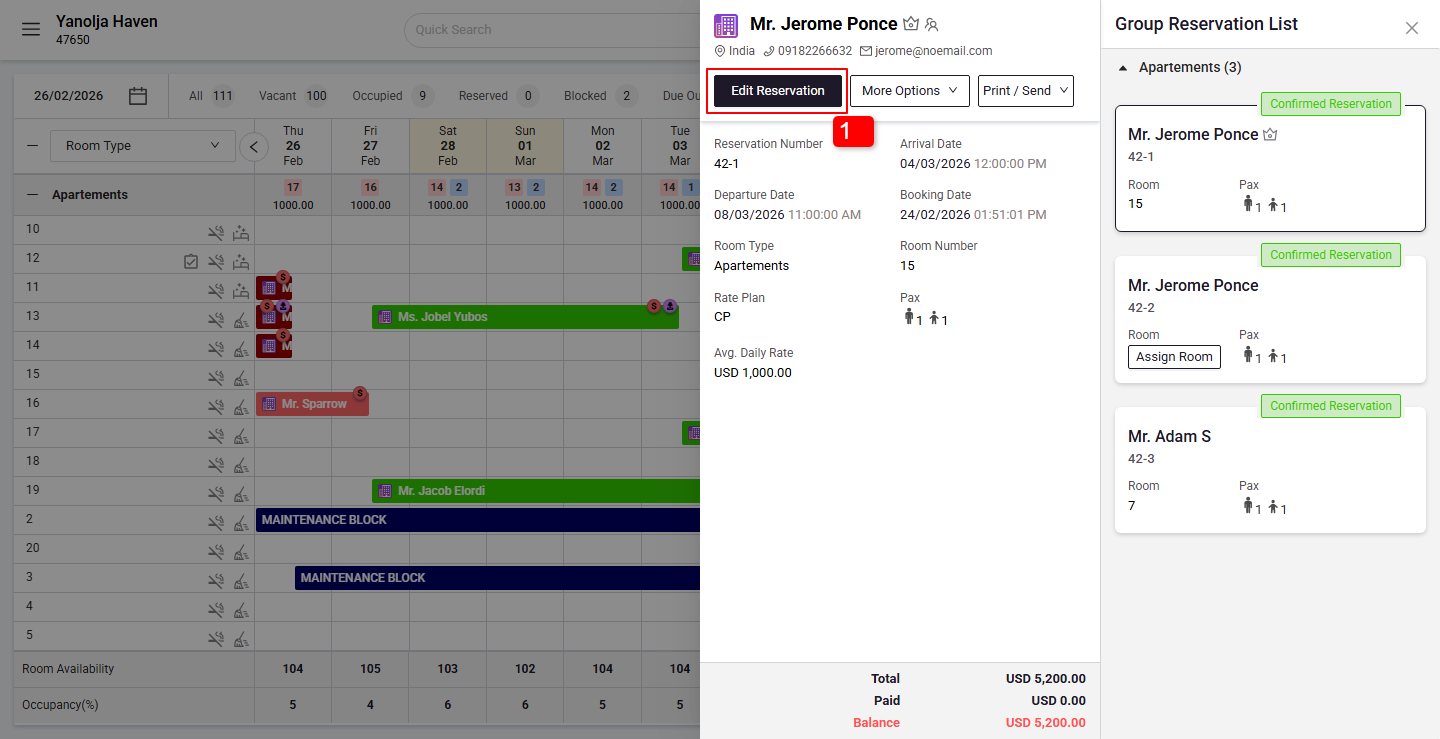
Click on the Edit Reservation.
2. Go to Room Charges.
3. Go to Group Info
4. Click on check box.
5. Click on Apply Discount.
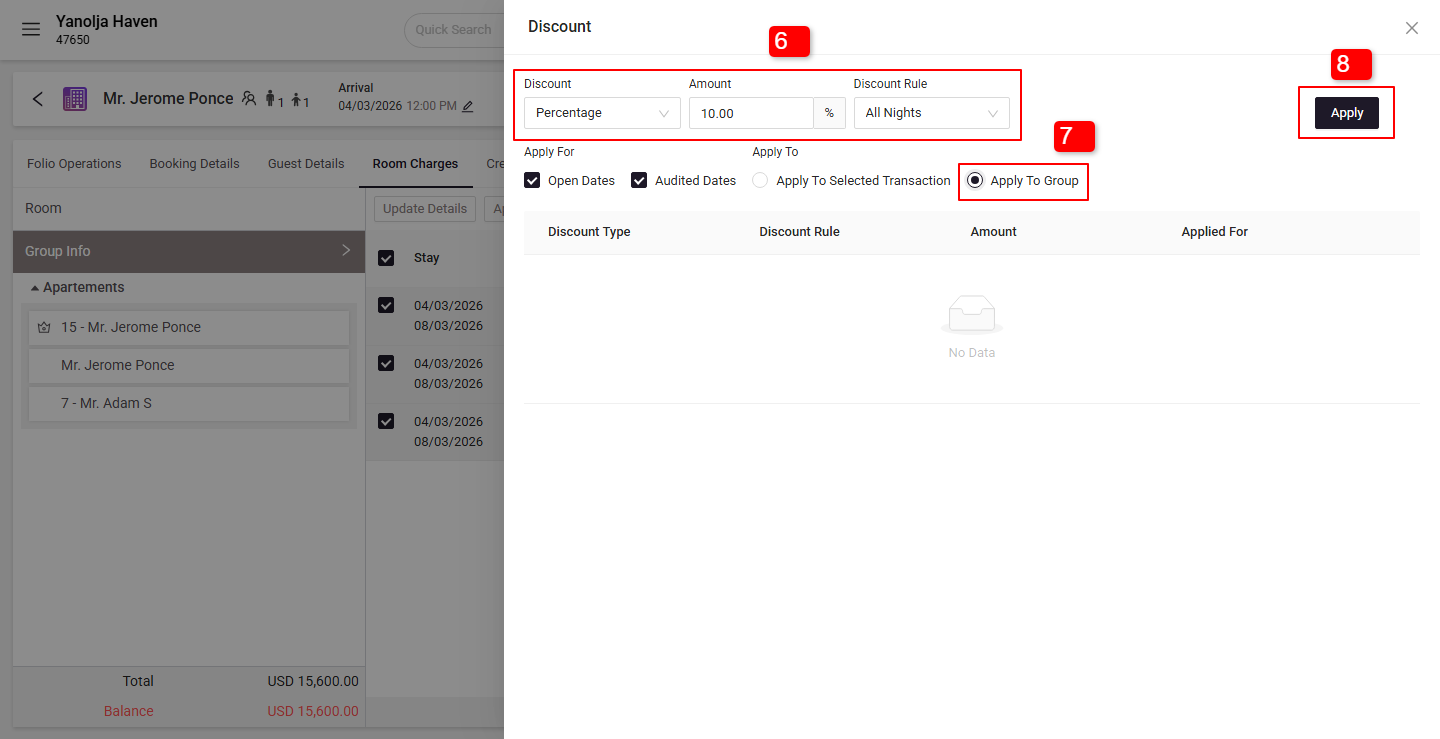
6. Choose the discount and set the applicable rules.
7. Click on Apply To Group
8. Click on Apply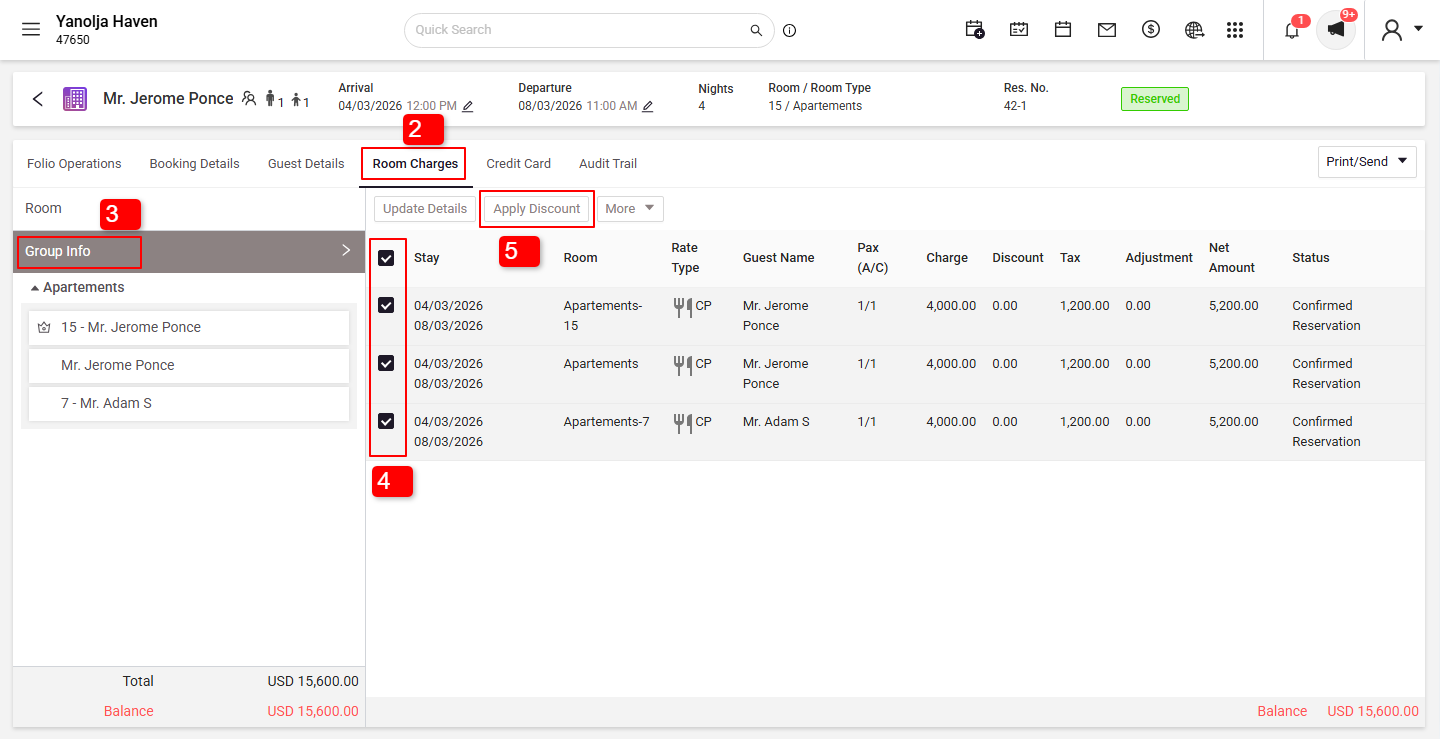
Removing a Discount:
1. Click on the Edit Reservation. 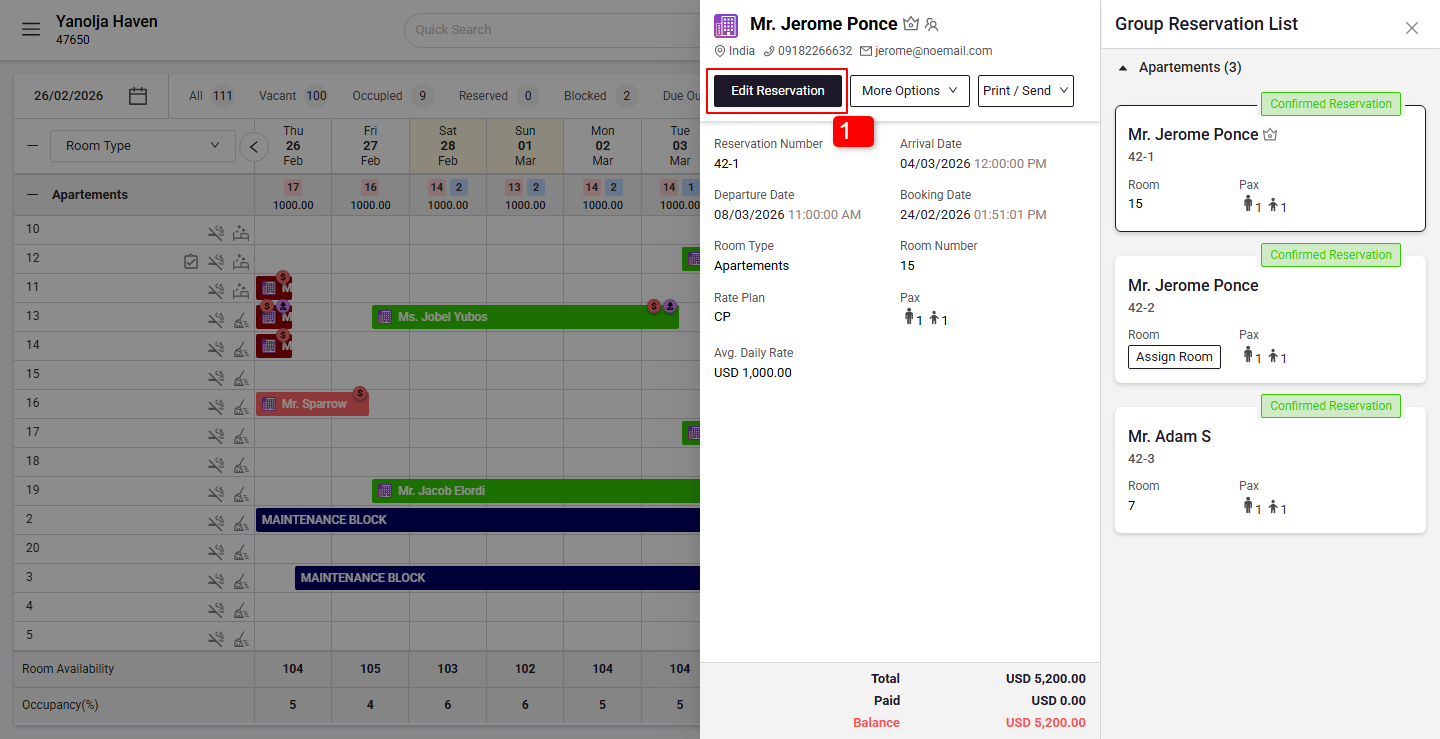
Remove Discount:
2. Go to Room Charges.
3. Go to Group Info
4. Click on check box.
5. Click on Apply Discount.
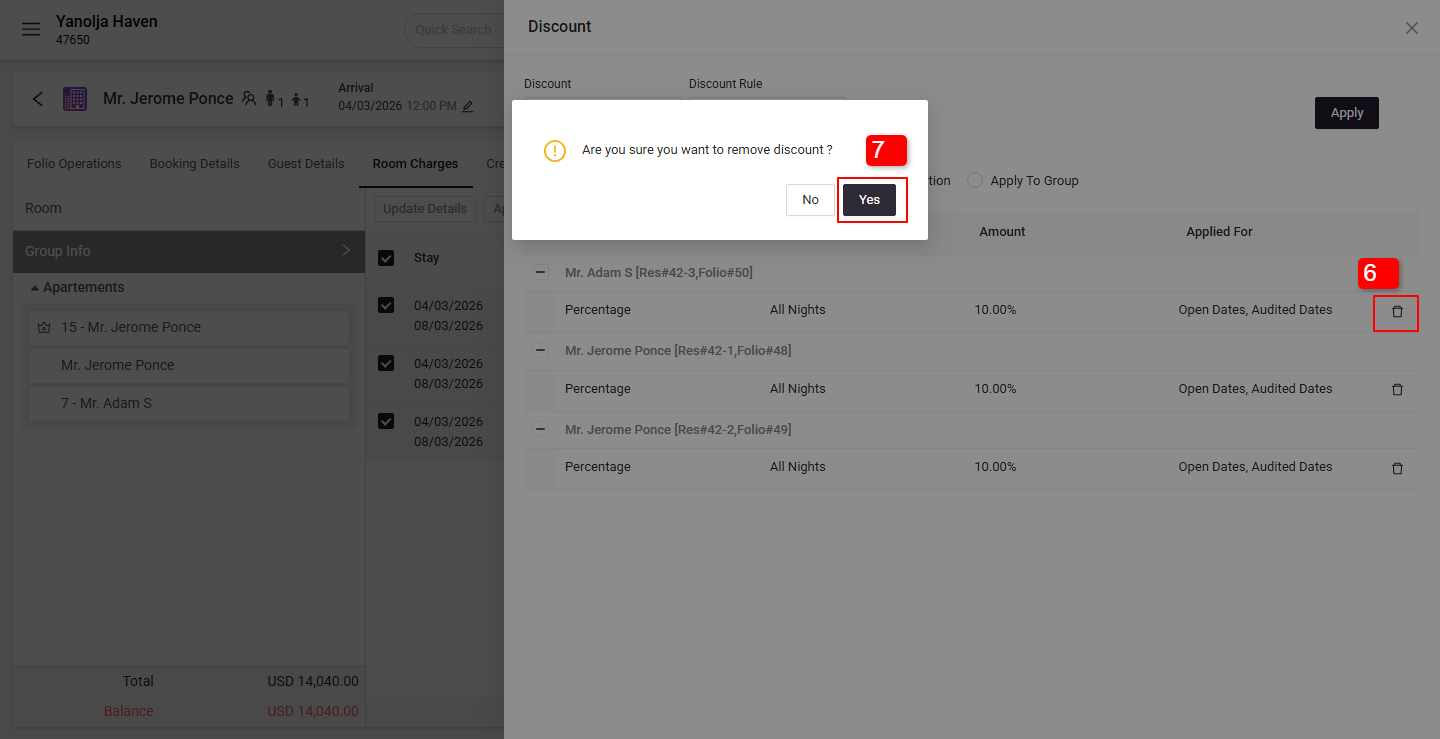
6. Choose the Delete option to remove the discount.
7. Click on Yes.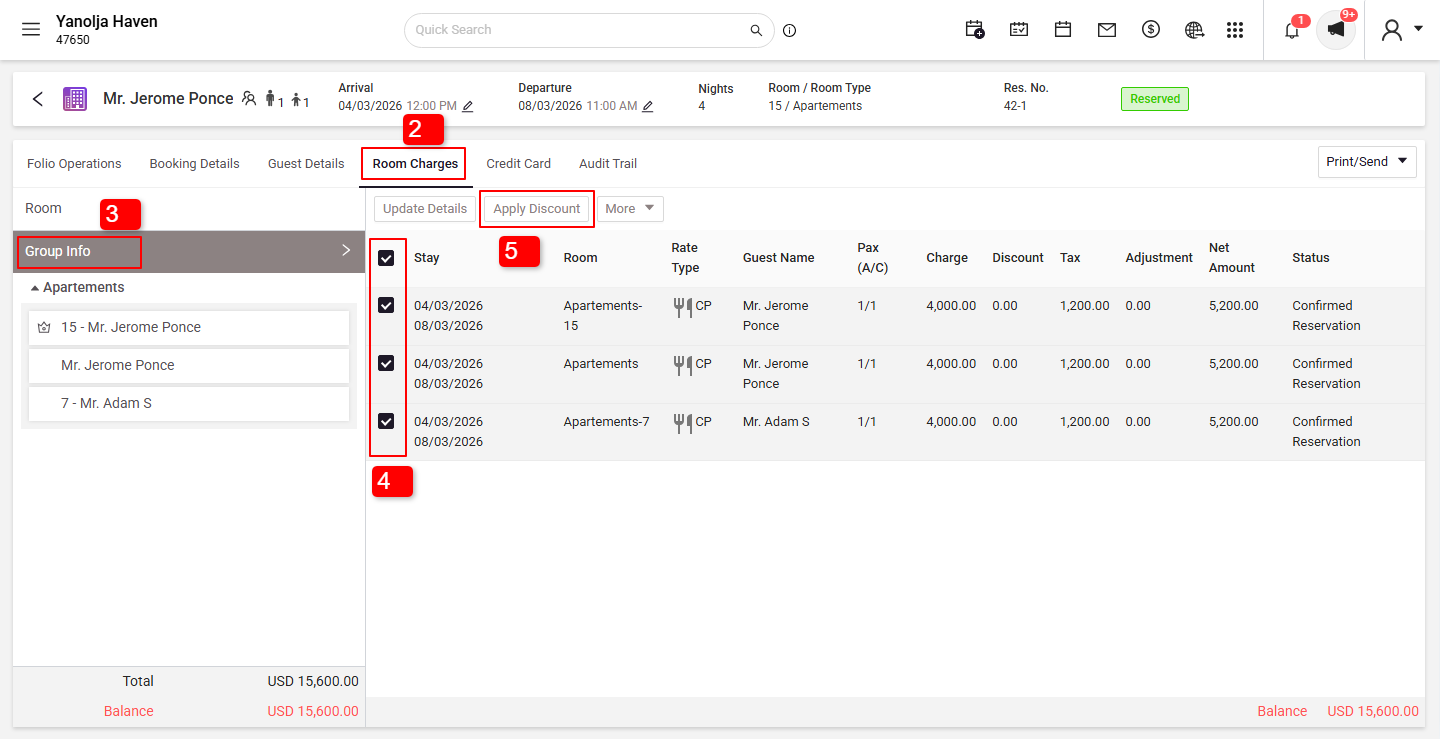
Was this article helpful?
That’s Great!
Thank you for your feedback
Sorry! We couldn't be helpful
Thank you for your feedback
Feedback sent
We appreciate your effort and will try to fix the article