This FAQ explains how to remove a discount that has already been applied to the room charges of a reservation in the PMS. Use these steps if you need to correct or update the billing details before check-out or invoice generation.
Steps to Delete an Applied Discount :
1. Click on Booking and Edit Reservation.
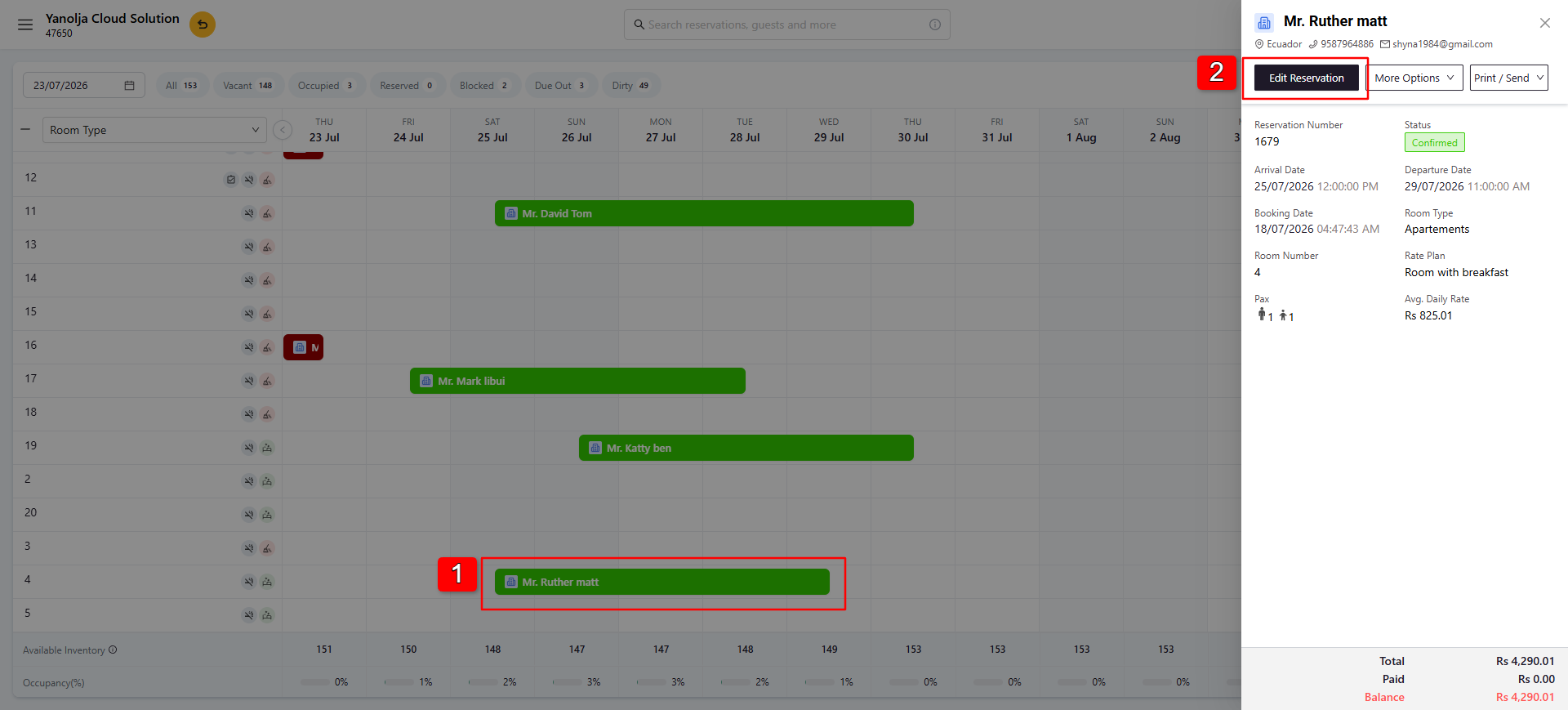
2. Navigate to the Room Charges section.
3. Click Apply Discount.
4. A side panel will open, displaying the currently applied discount(s).
5. Click the Delete option to remove it.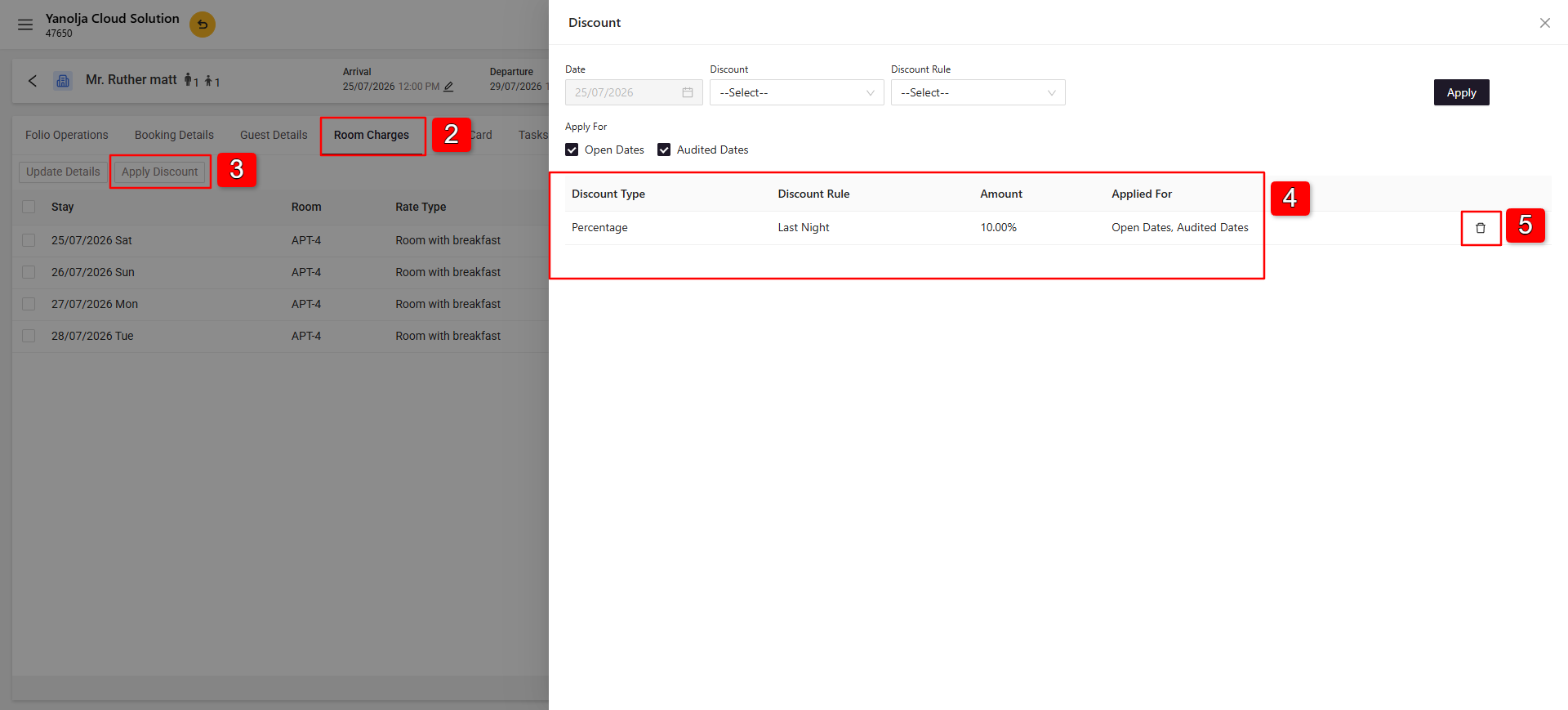
Note: Once the discount is deleted, the room charges will be recalculated based on the original room rate or any remaining applicable discounts.
Was this article helpful?
That’s Great!
Thank you for your feedback
Sorry! We couldn't be helpful
Thank you for your feedback
Feedback sent
We appreciate your effort and will try to fix the article