To apply a discount on room charges in PMS:
- Access the Reservation:
1. Navigate to Edit Reservation.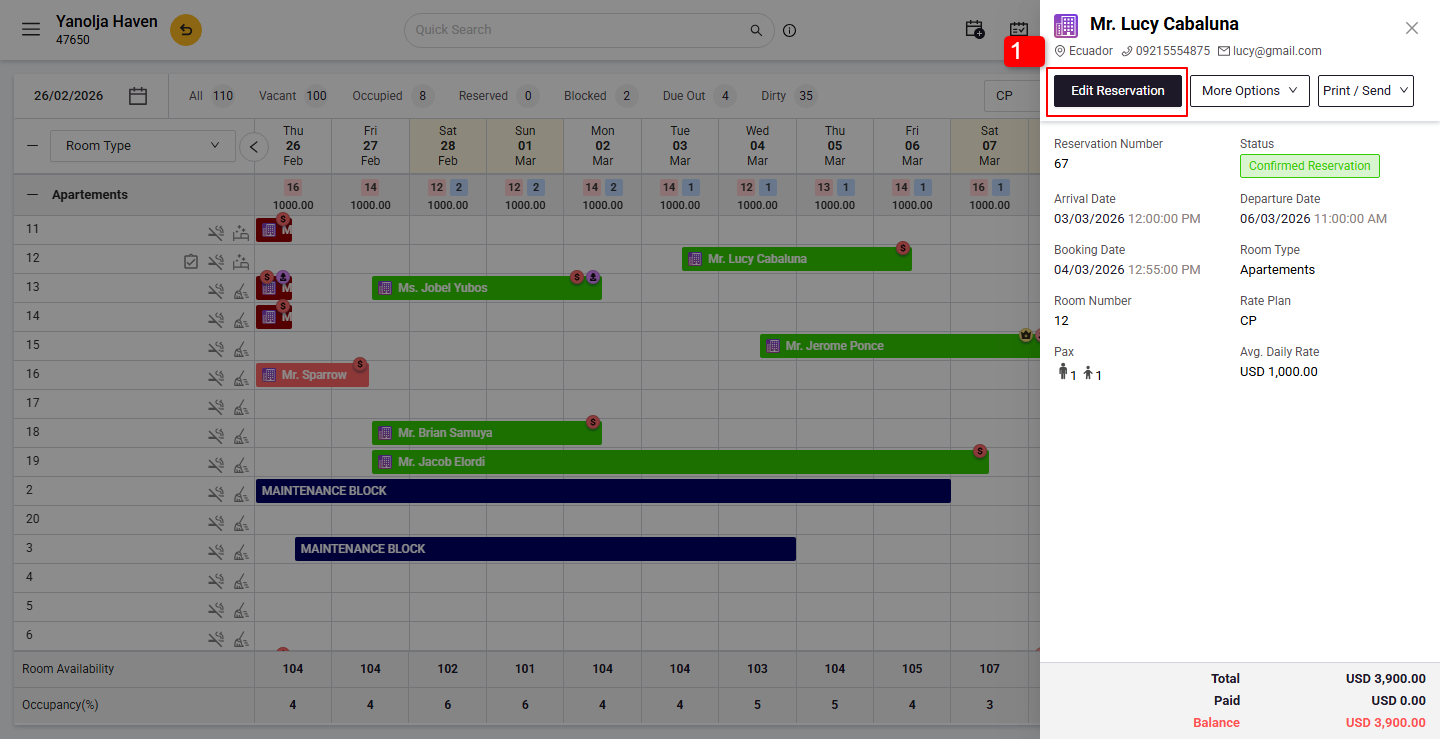
- Apply Discount:
2. Go to the Room Charges tab.
3. Click on check box.
4. Click Apply Discount.
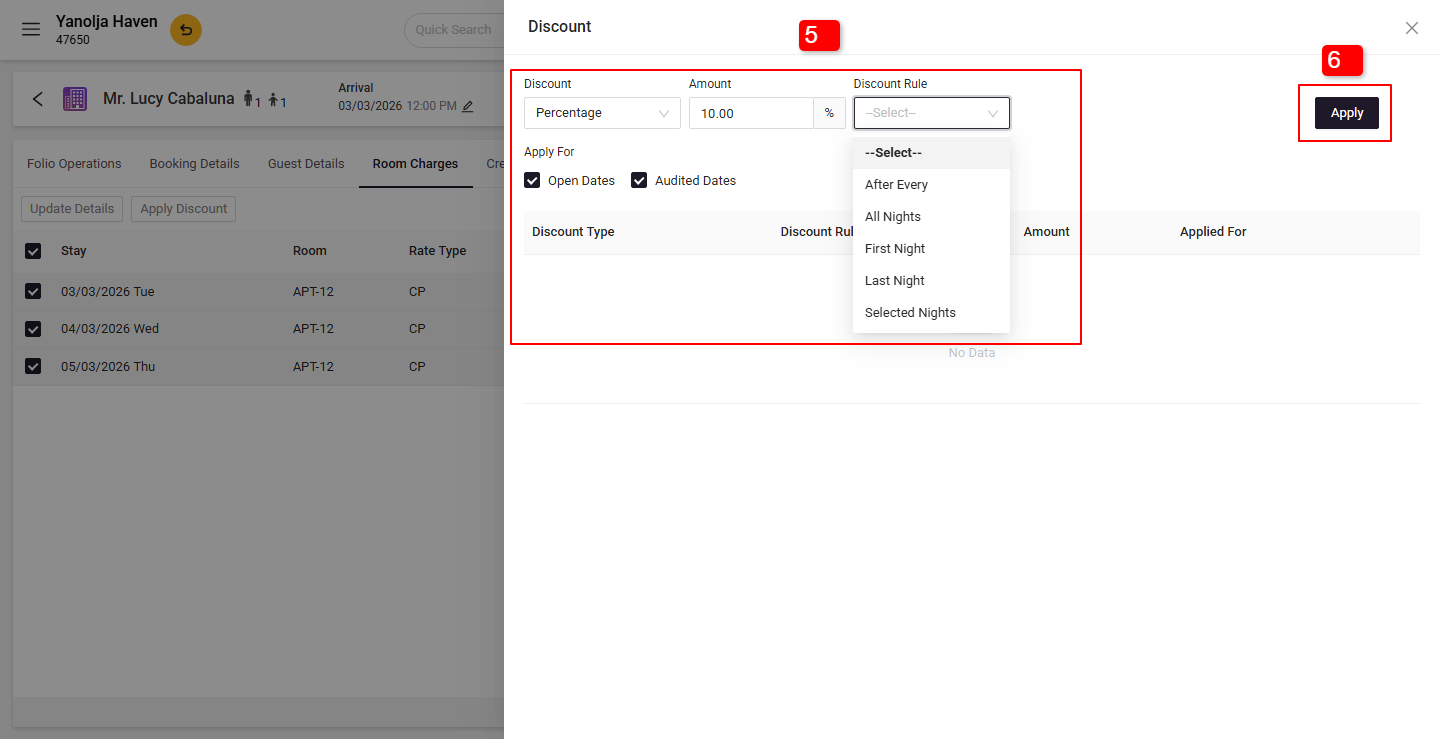
5. Select the Discount Type and Discount Rule.
6. Click Apply to confirm.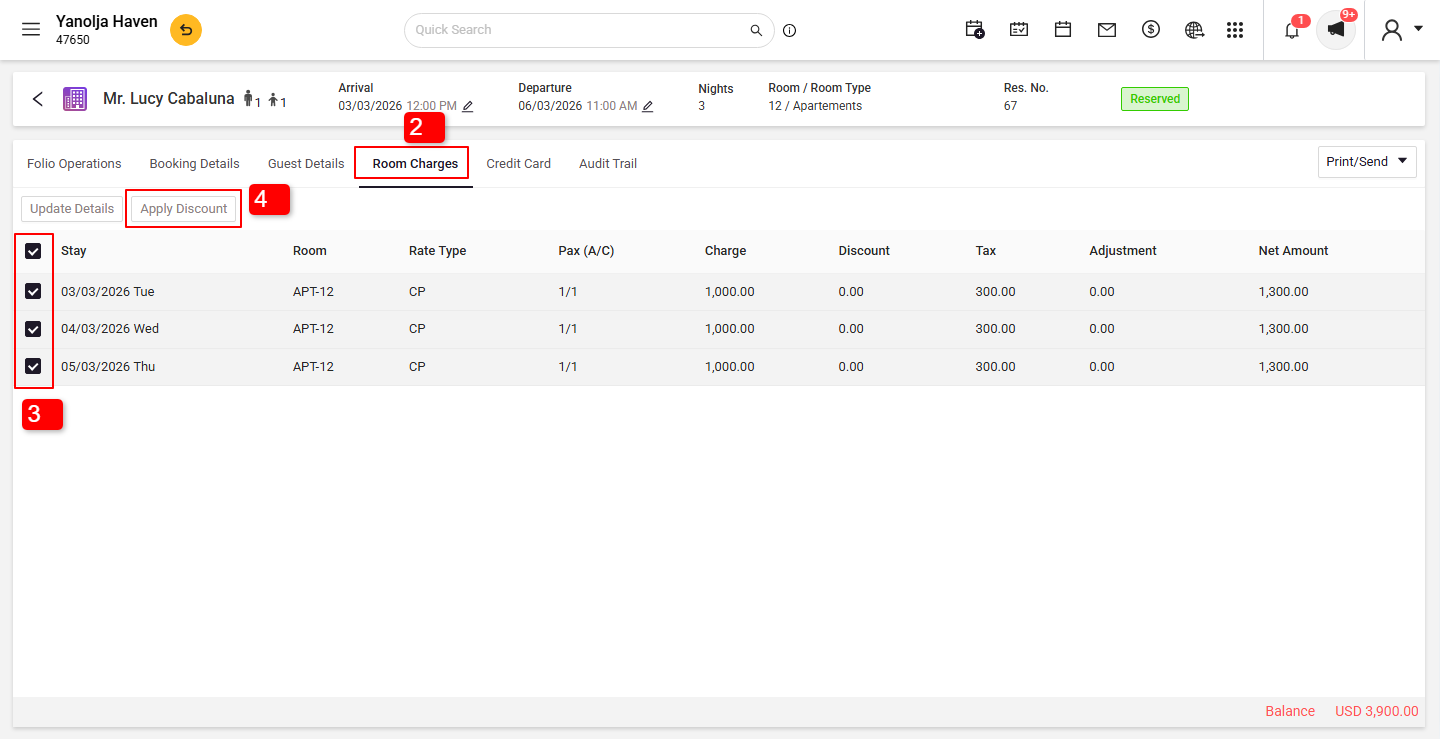
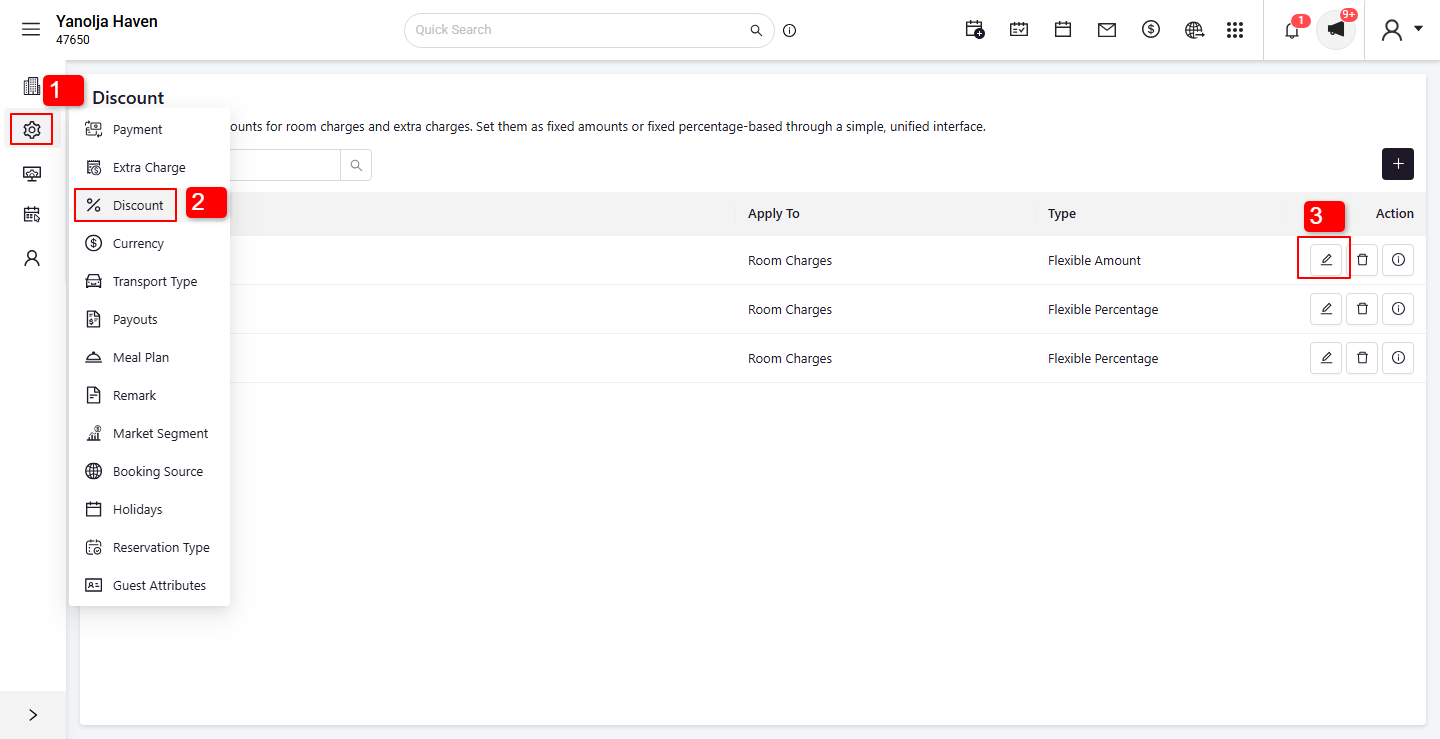
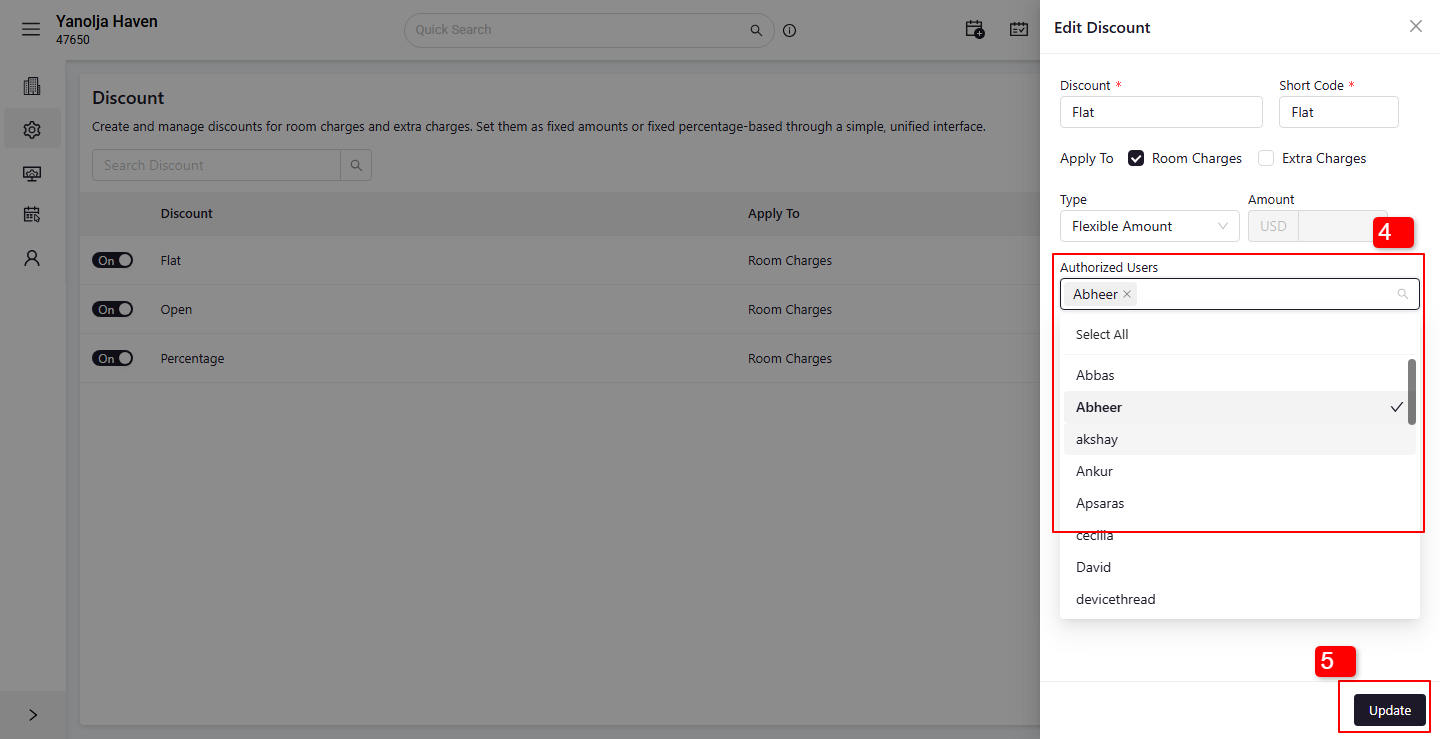
User Privileges Required:
1. Click on Settings.
2. Select the Discount option.
3. Click on the Edit option.
4. Select the user for whom you want to grant privileges.
5. Click on update button.
Was this article helpful?
That’s Great!
Thank you for your feedback
Sorry! We couldn't be helpful
Thank you for your feedback
Feedback sent
We appreciate your effort and will try to fix the article