To select a different invoice template in the PMS, follow the steps below:
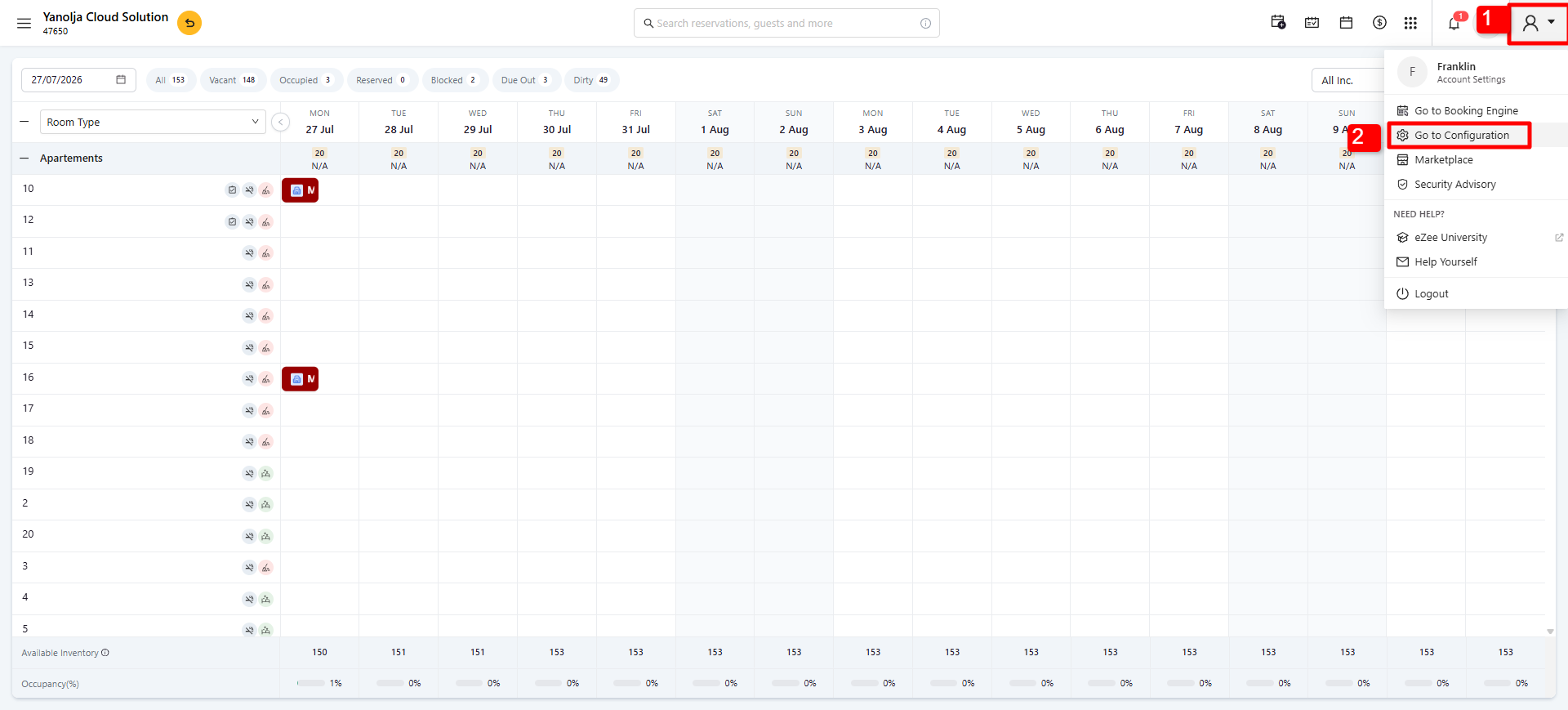
1. Click on your Profile.
2. Select Configuration.
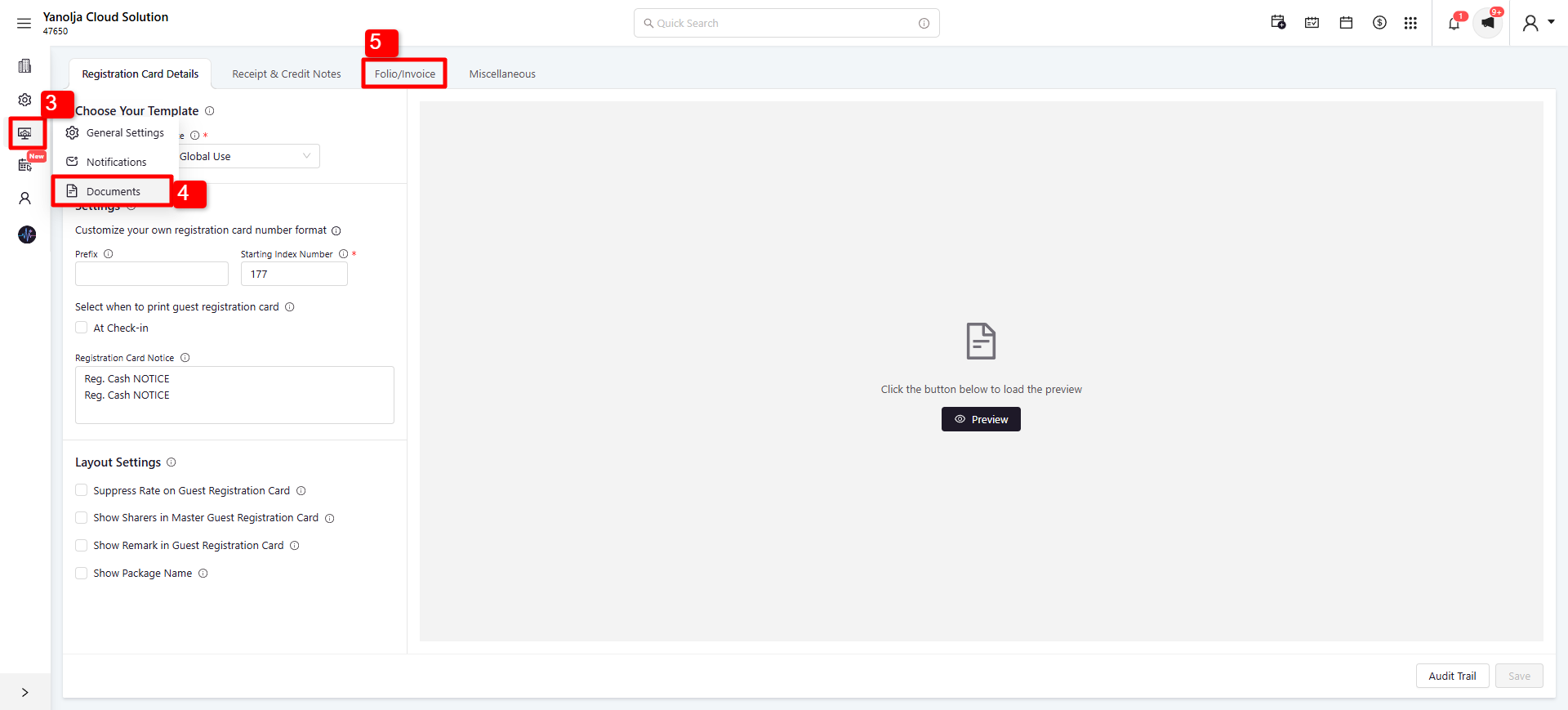
3. Navigate to Settings.
4. Click on Documents.
5. Go to the Folio/Invoice section.
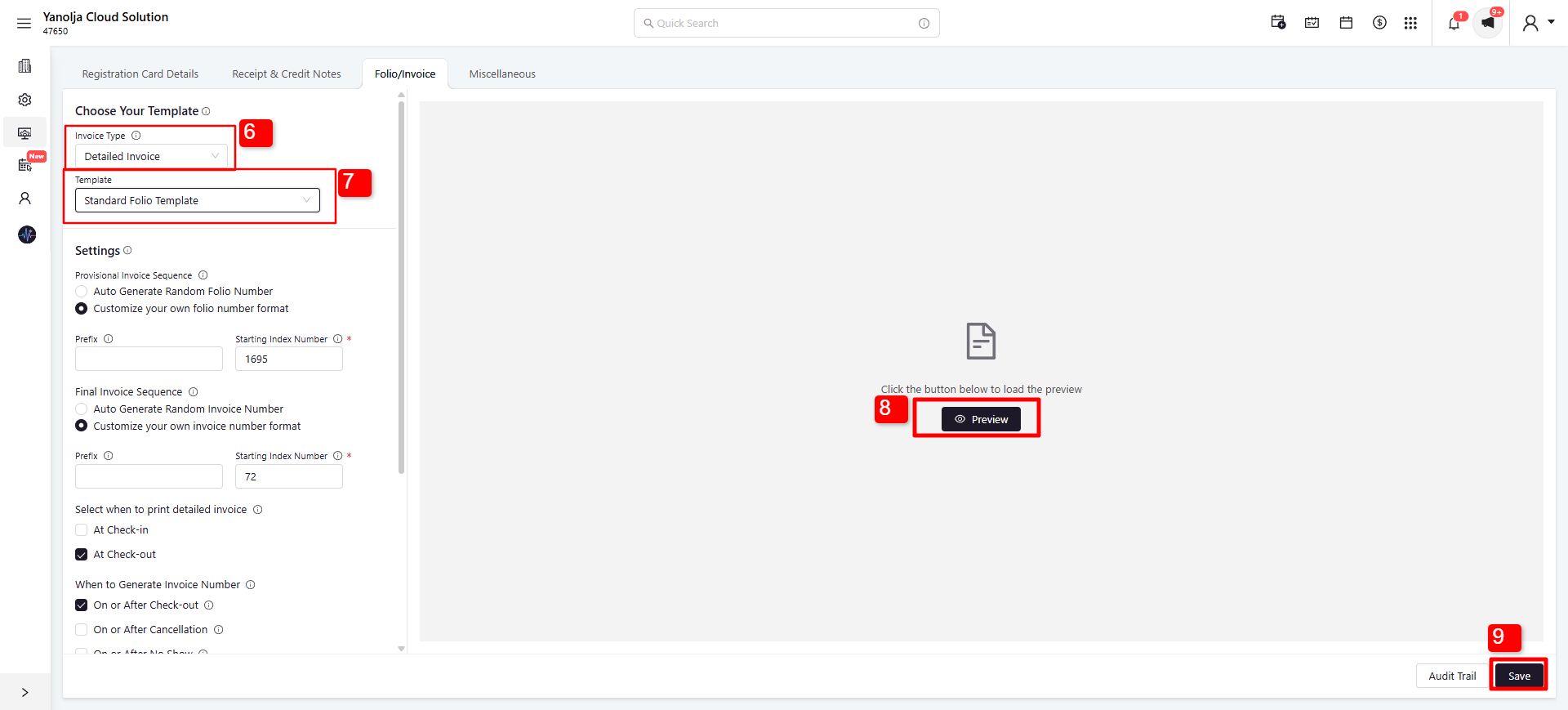
6. Choose your preferred invoice type: Detailed, Summarized, or Group.
7. Select your preferred invoice template.
8. Click Preview to review the selected template before applying it.
9. Click Save. The selected template will then be applied and available for all your reservations.
Was this article helpful?
That’s Great!
Thank you for your feedback
Sorry! We couldn't be helpful
Thank you for your feedback
Feedback sent
We appreciate your effort and will try to fix the article