Sometimes, hoteliers post wrong extra charges, so if they want to remove from the folio, they can use the Void option to void/remove extra charges. To void an extra charge in PMS, follow these steps:
Steps to Void an Extra Charge:
Access the Reservation:
- Log in to Unified Solution.
- Locate and select the reservation containing the extra charge you wish to void.
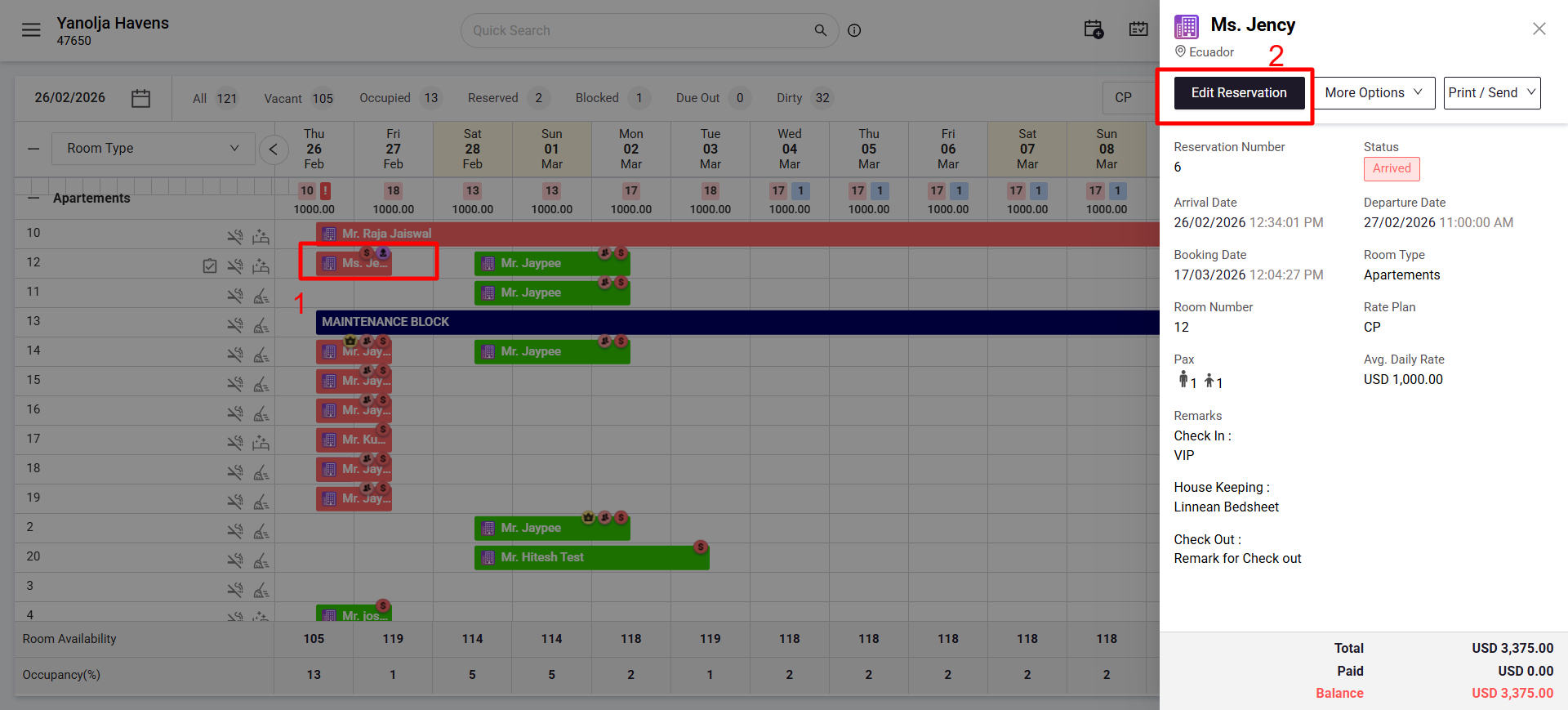
Navigate to Folio Operations:
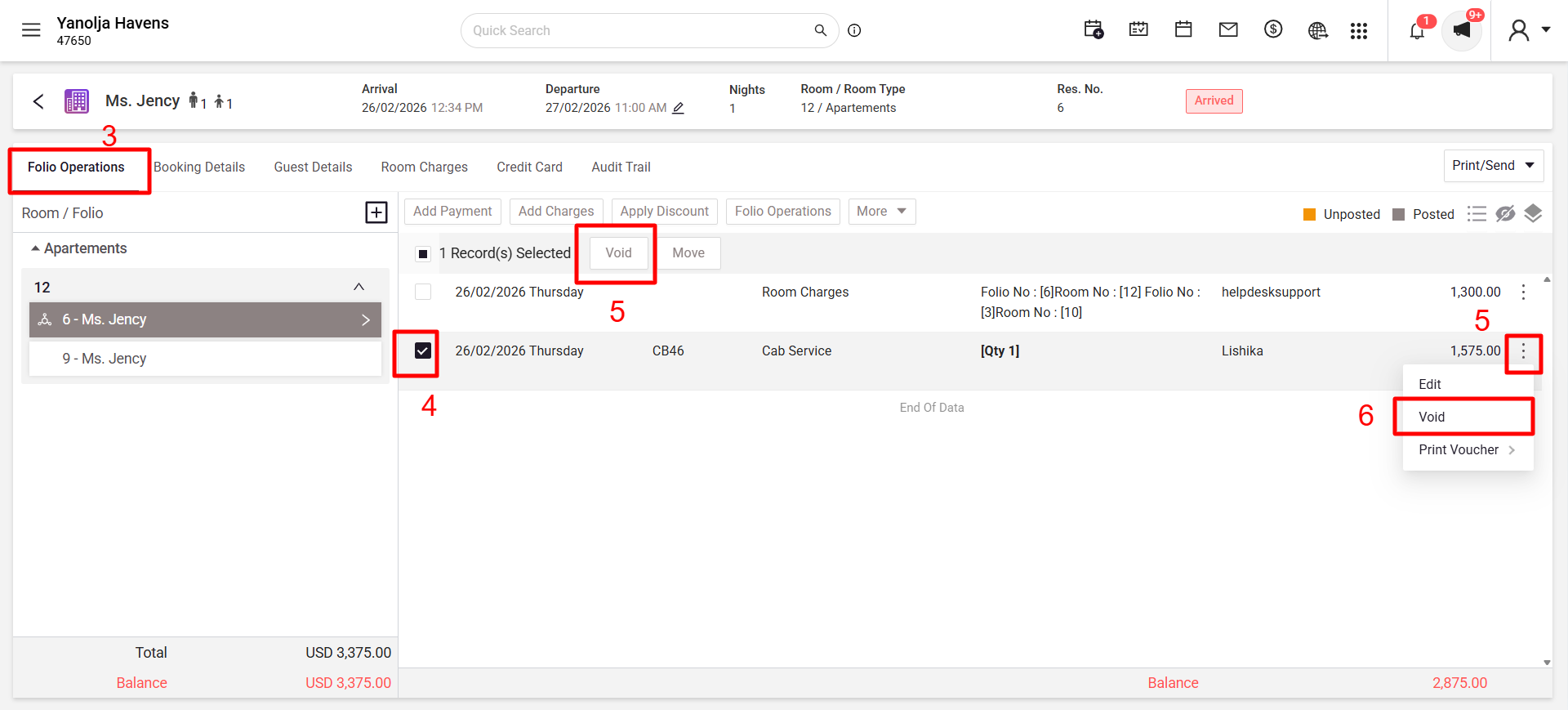
- Within the reservation details, click on the Folio Operations tab.
Select and Void the Extra Charge:
- Identify the specific extra charge you intend to void and select the checkmark besides it.
- Click on the Void button after selection.
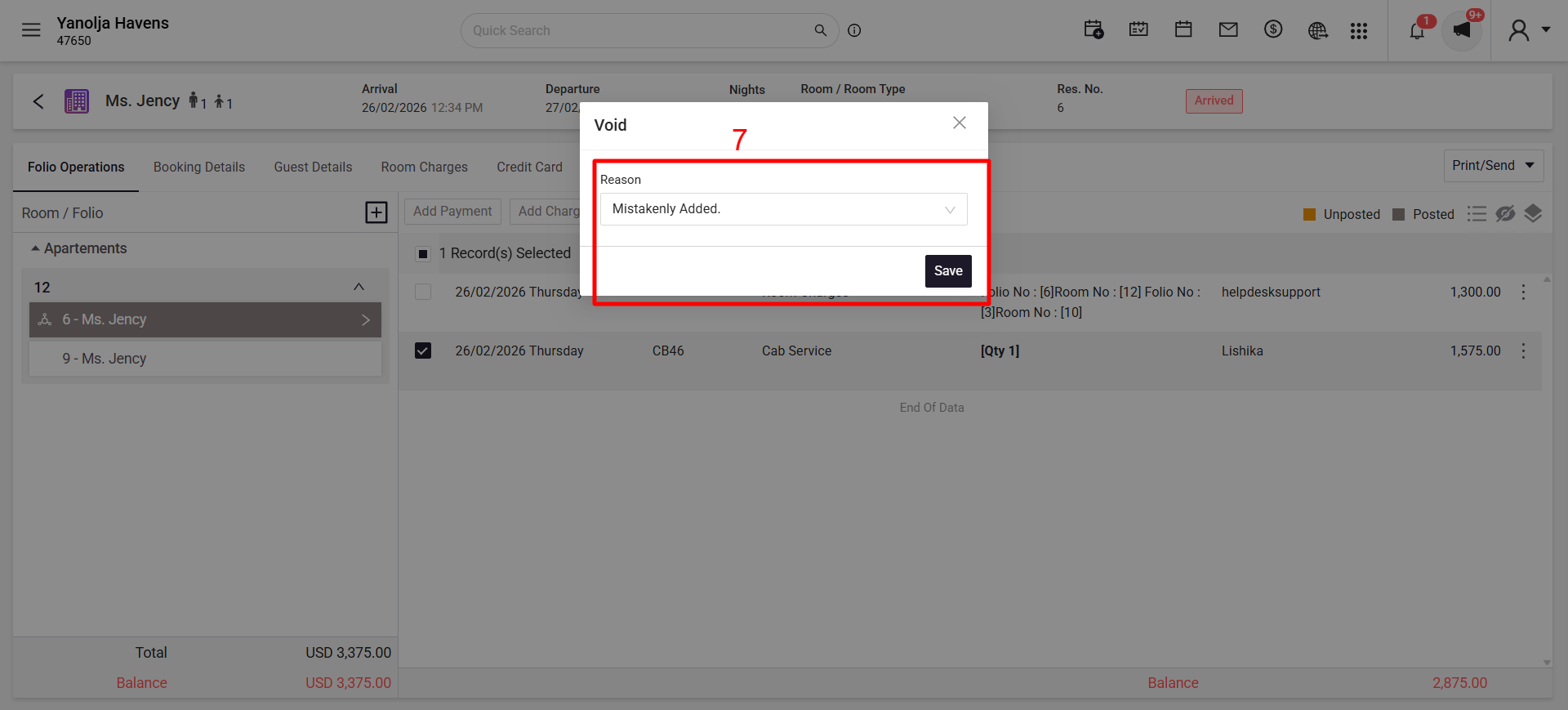
- When prompted, provide a reason for voiding the charge.
- Click Save to confirm the action.
Reporting:
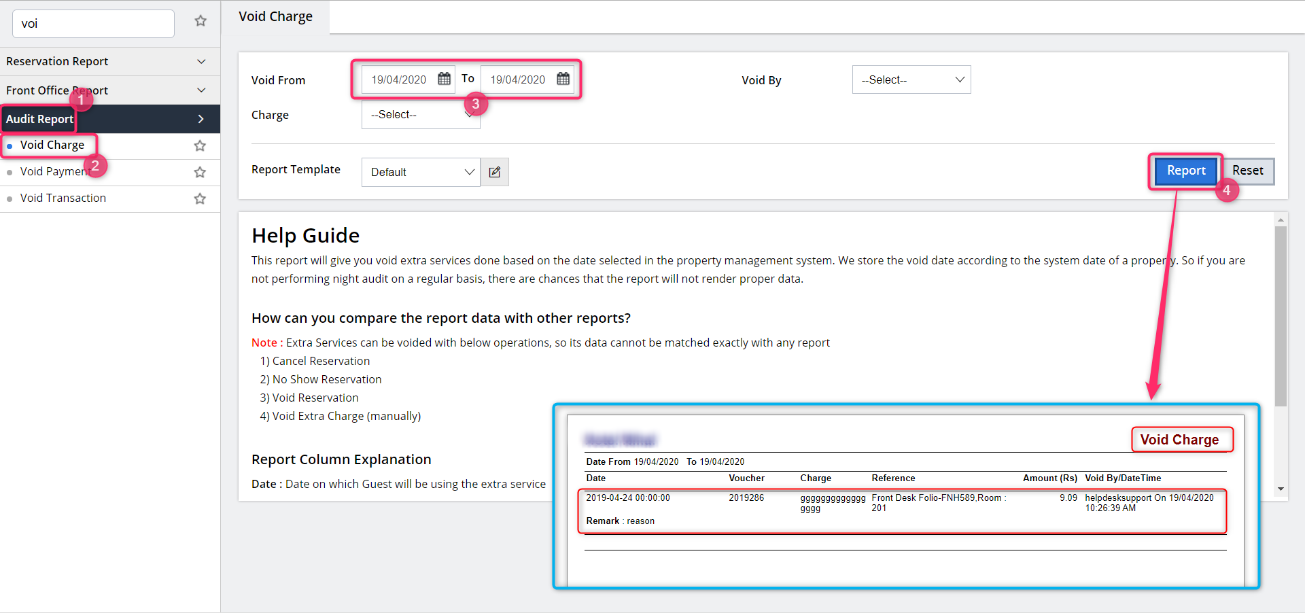
- Voided extra charges are documented in the Void Charge Report. This report details entries based on the date the extra charges were voided, allowing for accurate tracking and auditing.
Prerequisites:
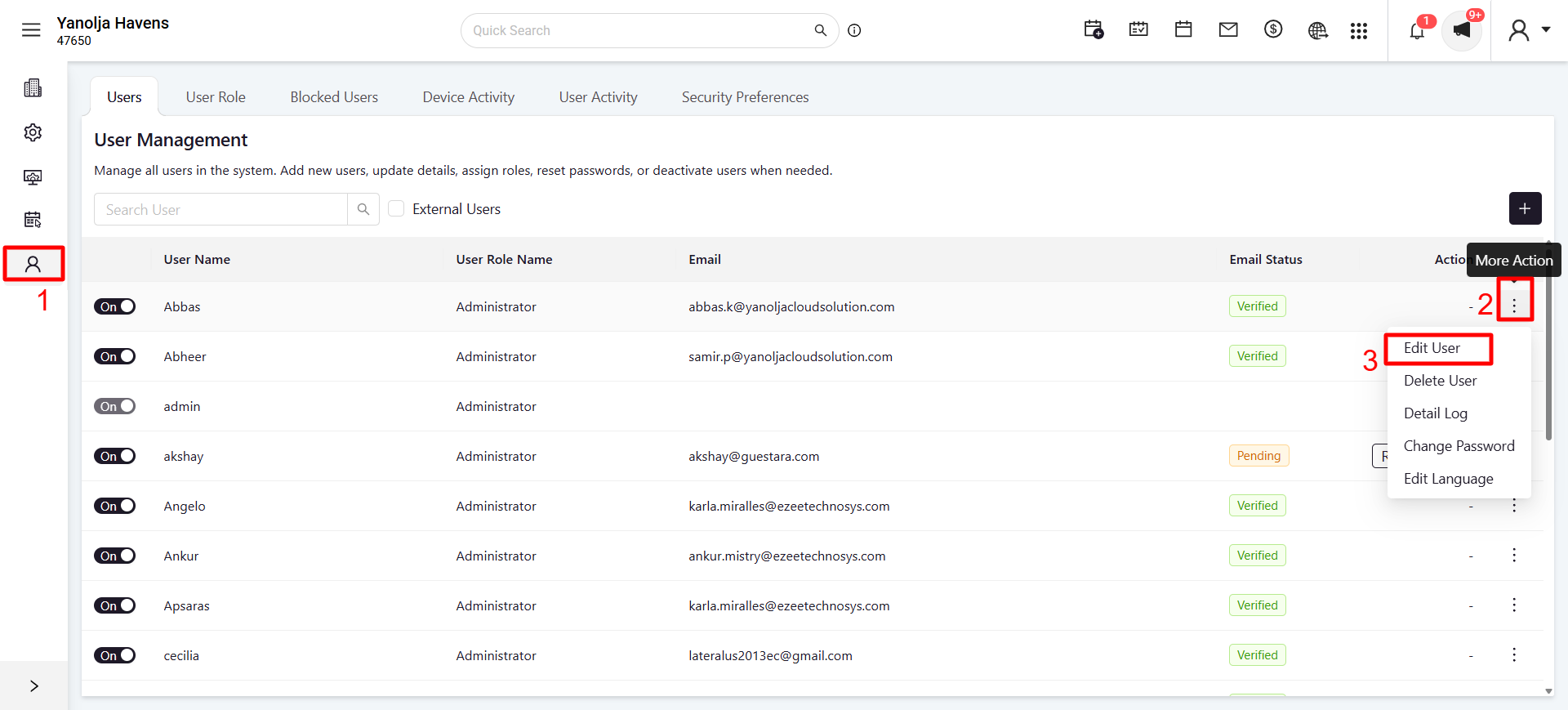
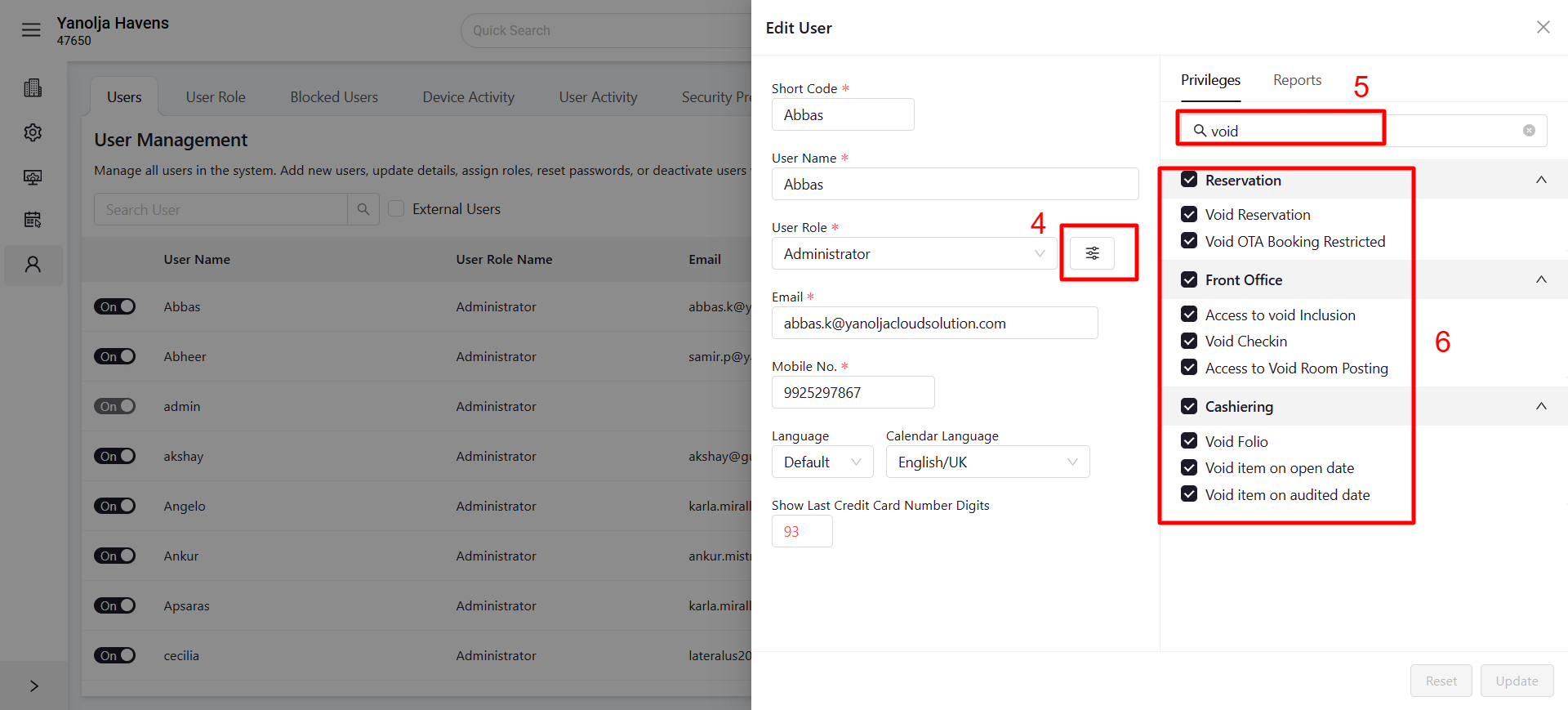
- User Privileges: Ensure your user account has the necessary permissions:
- Navigate to Unified Configuration > User Management> Edit User.
- Under Privileges
Was this article helpful?
That’s Great!
Thank you for your feedback
Sorry! We couldn't be helpful
Thank you for your feedback
Feedback sent
We appreciate your effort and will try to fix the article