How to Set Folio Routing in PMS?
Access Reservation:
- Go to Front Office > Reservations > Edit Transaction.
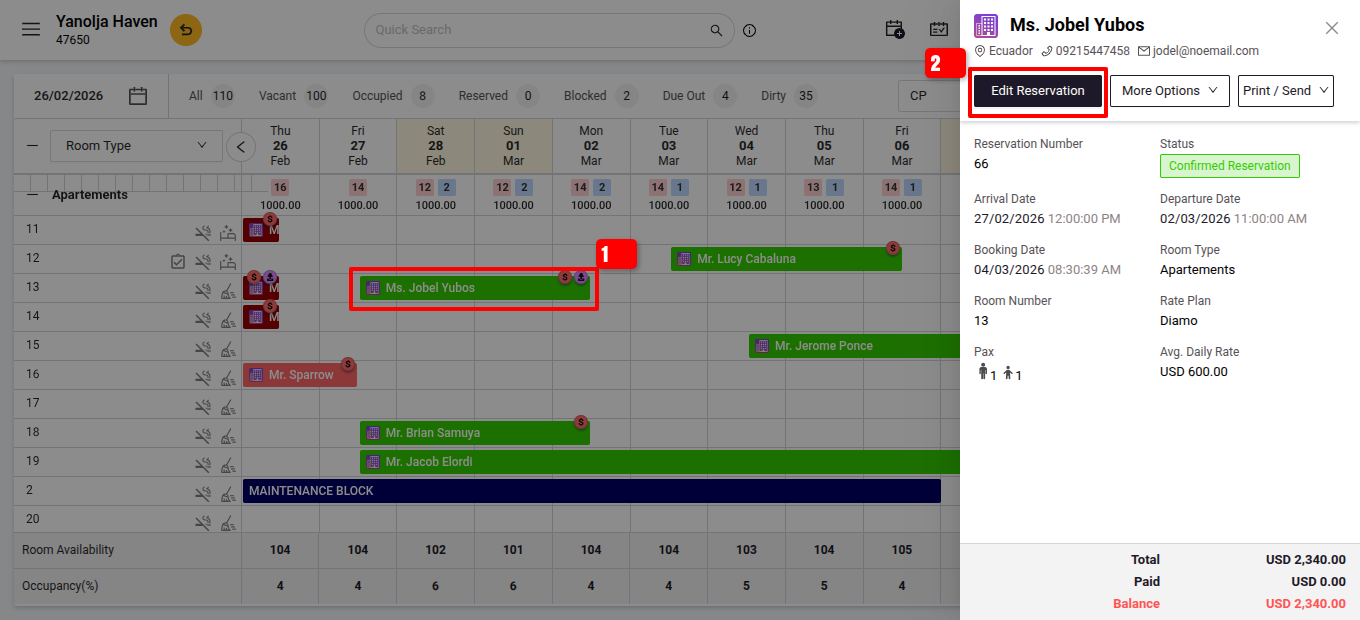
- Go to Front Office > Reservations > Edit Transaction.
- Create a Separate Folio:
- Click Folio Operations > Add Folio.
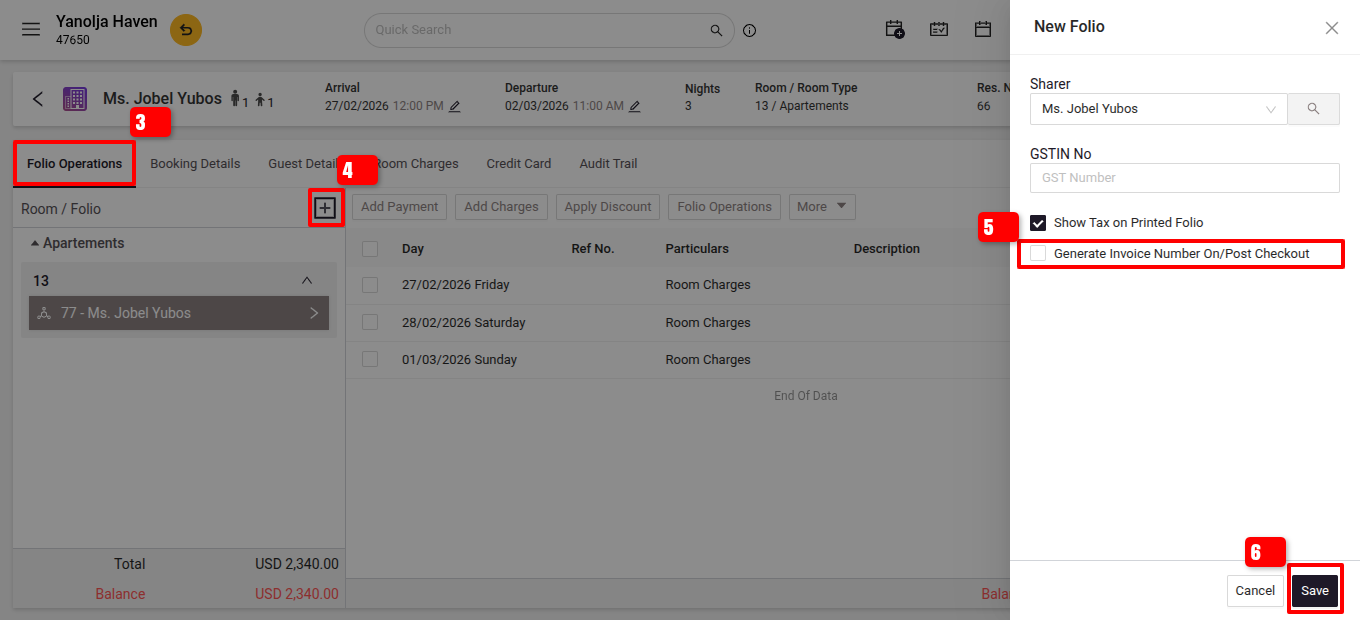
- Route Extra Charges:
- Select Charge Routing > Add Rule > Select Charges & Folio.
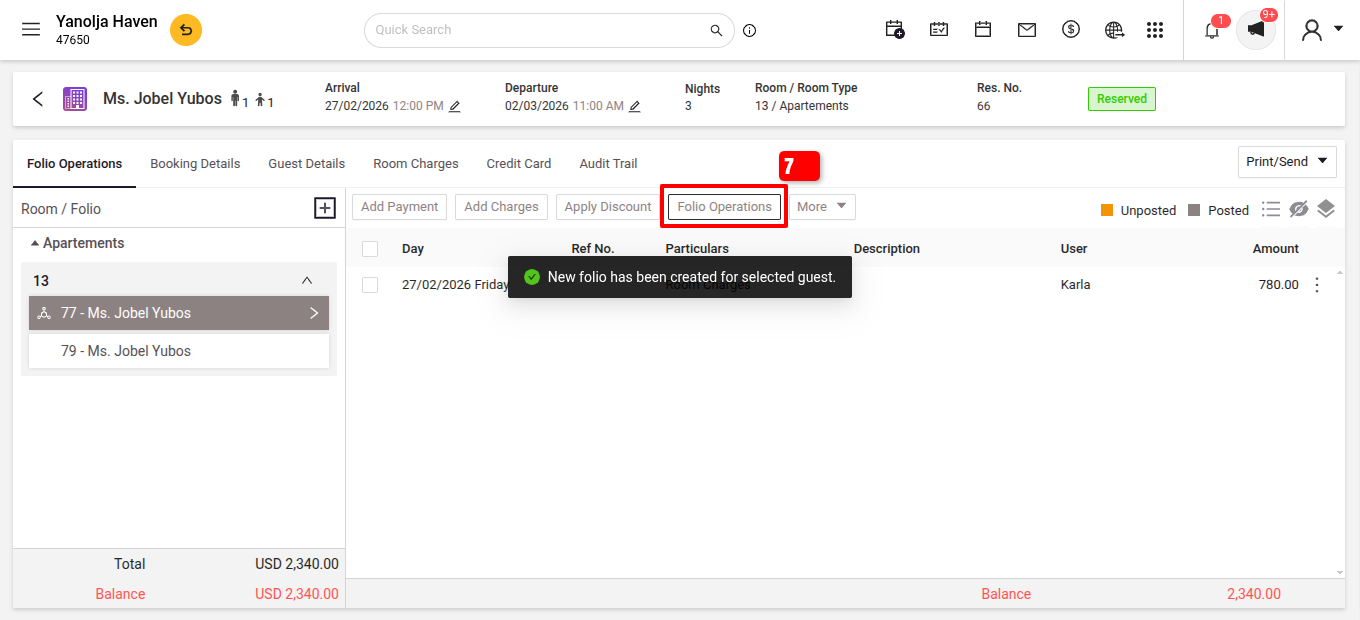
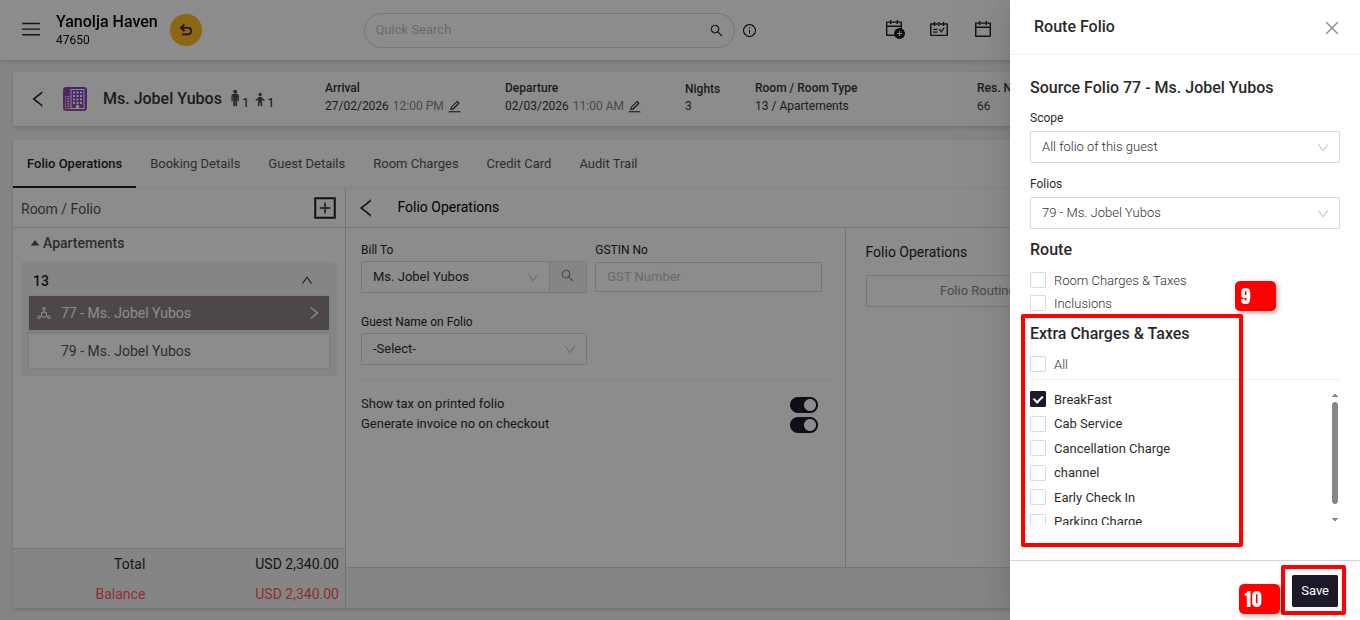
- Save & Confirm.
User Privileges: Go to configuration >> User Management >> Edit user >> Privileges >> Cashering >> Create new Folio.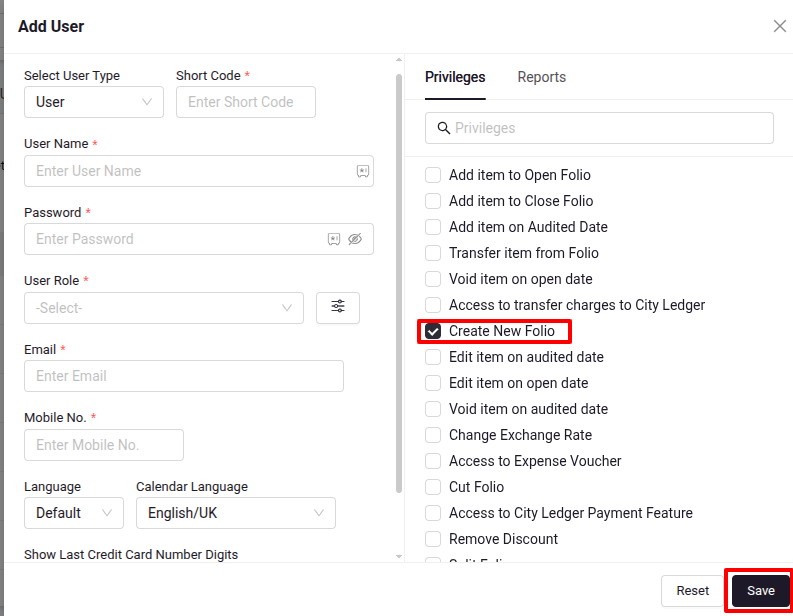
- Select Charge Routing > Add Rule > Select Charges & Folio.
- Click Folio Operations > Add Folio.
Was this article helpful?
That’s Great!
Thank you for your feedback
Sorry! We couldn't be helpful
Thank you for your feedback
Feedback sent
We appreciate your effort and will try to fix the article