Cut Folio in PMS.
In PMS, the Cut Folio feature allows hoteliers to split guest charges into separate folios. This is useful when a guest wants different charges to be billed separately—for example, keeping room charges in one folio and extra services in another.
By using this feature, a new folio is created while maintaining proper records of all transactions. This ensures clear billing, better invoice management, and accurate reporting.
How to Cut a Folio in PMS?
Steps to Cut a Folio
1. Access the Reservation
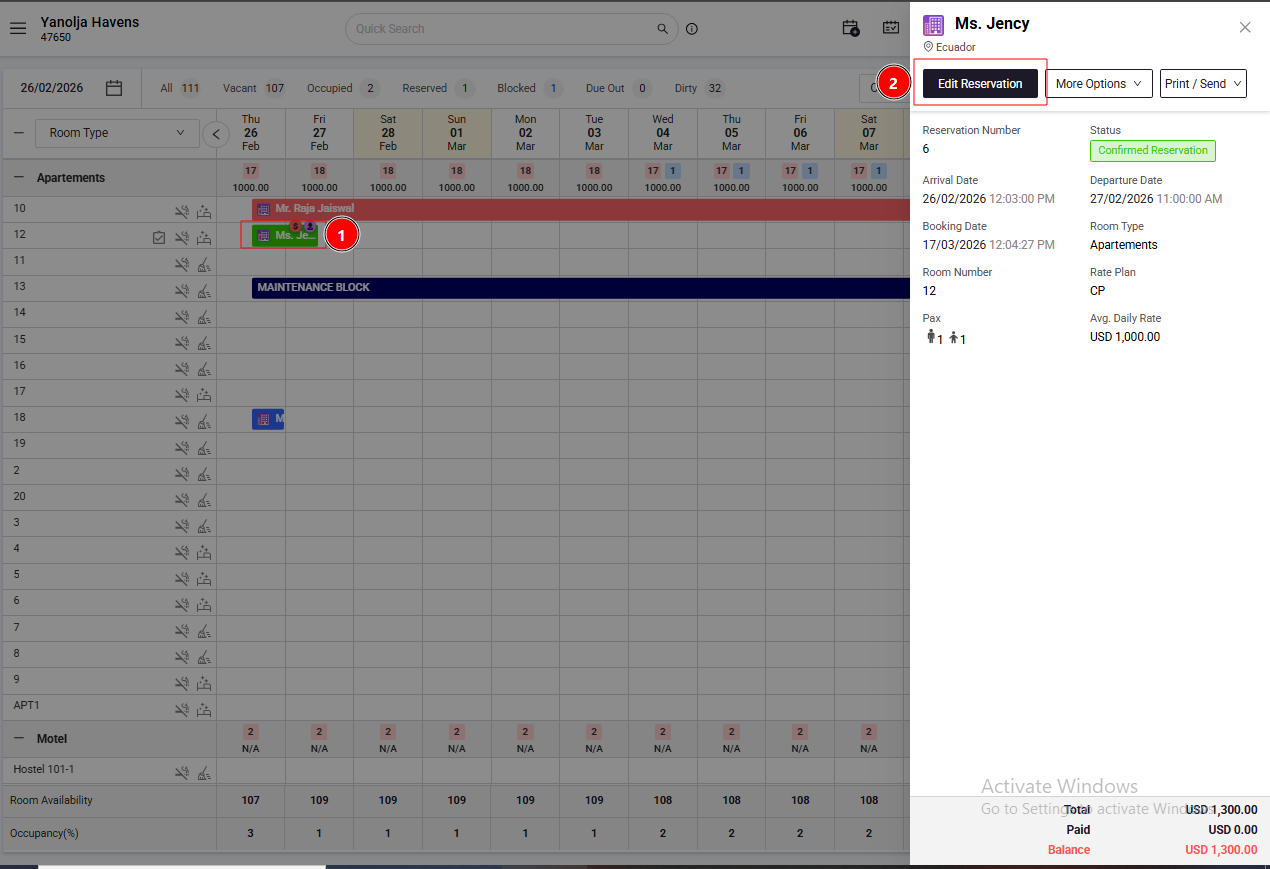
Go to Front Office > Reservation or Stay View
Select the required reservation
Click on Edit Reservation
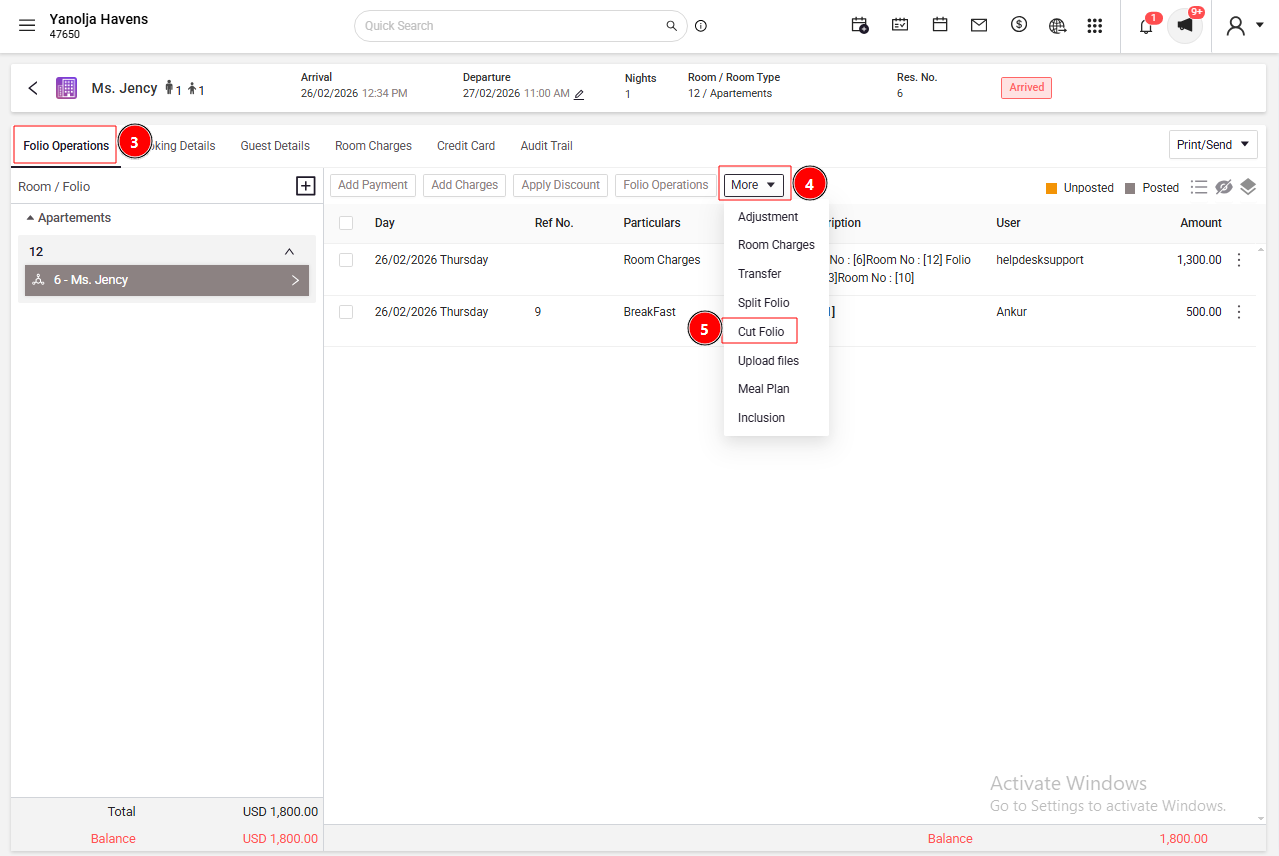
Navigate to Folio & Operations to view all transactions
2. Cut the Folio
Click on More Options
Select Cut Folio to create a new folio
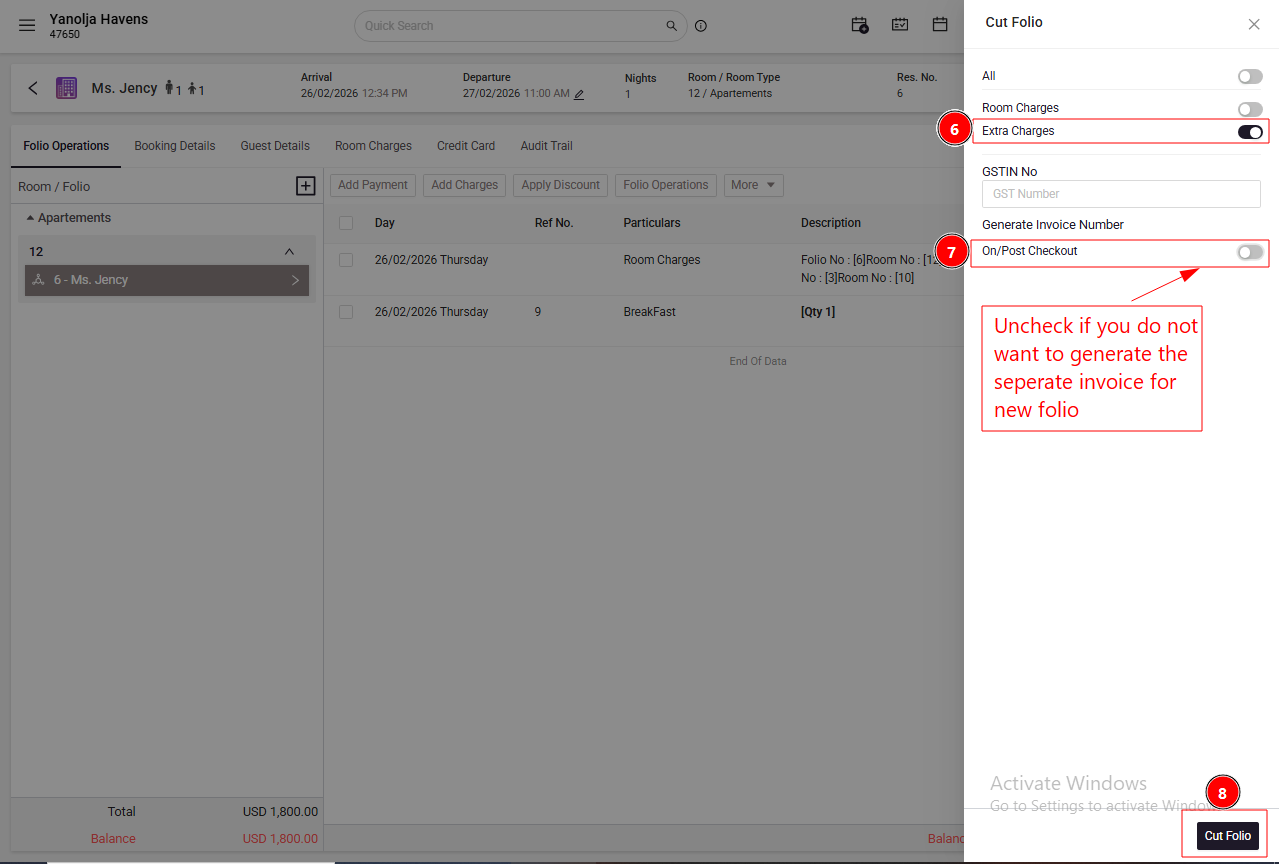
Choose the charges you want to move to the new folio
Alternatively, enable the Extra Charges option to move all extra charges into a new folio
Confirm and save the changes
3. View the New Folio
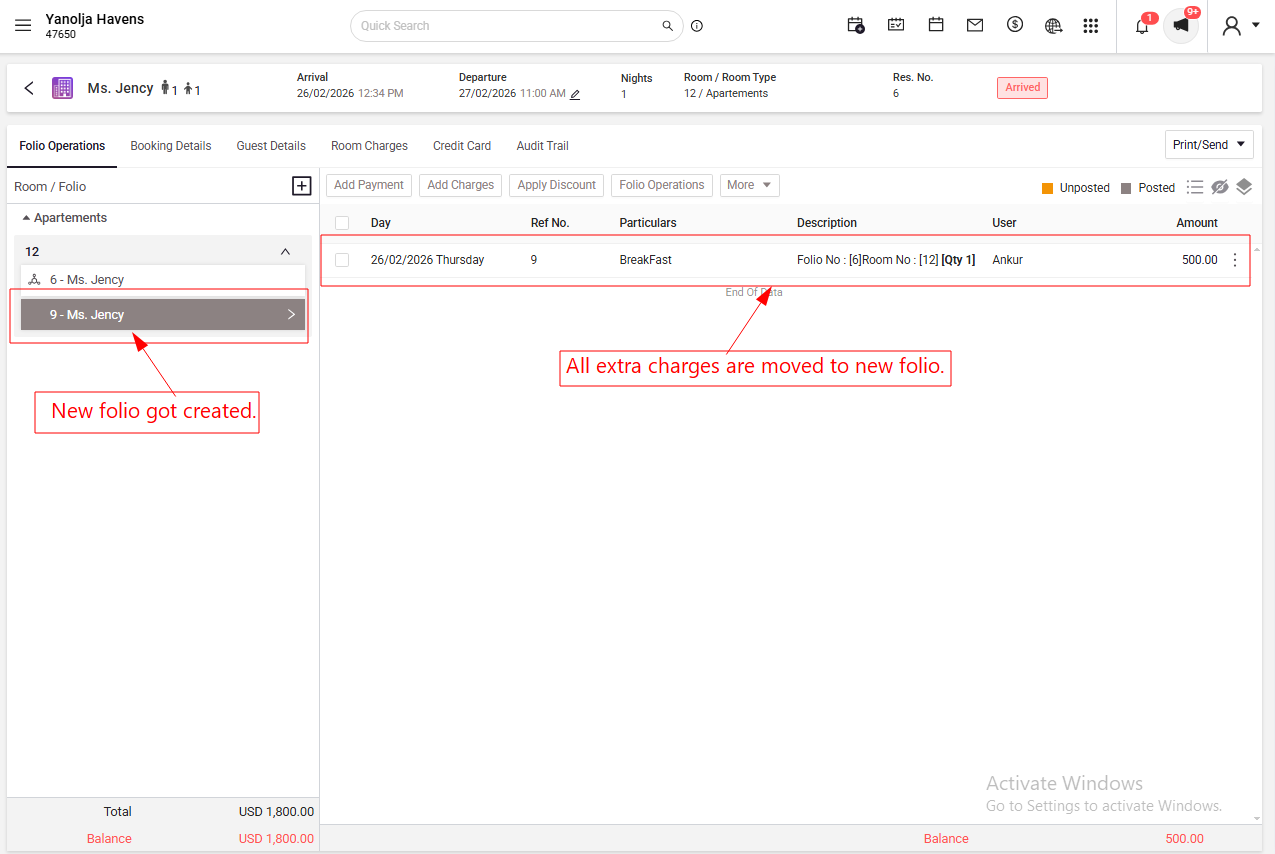
A new folio will be created with the selected charges
You can now generate separate invoices for each folio as required
Was this article helpful?
That’s Great!
Thank you for your feedback
Sorry! We couldn't be helpful
Thank you for your feedback
Feedback sent
We appreciate your effort and will try to fix the article