Path: Login into PMS Configuration >> Master >> Extra Charge >> Add Extra Charge >> Feed values >> Save.
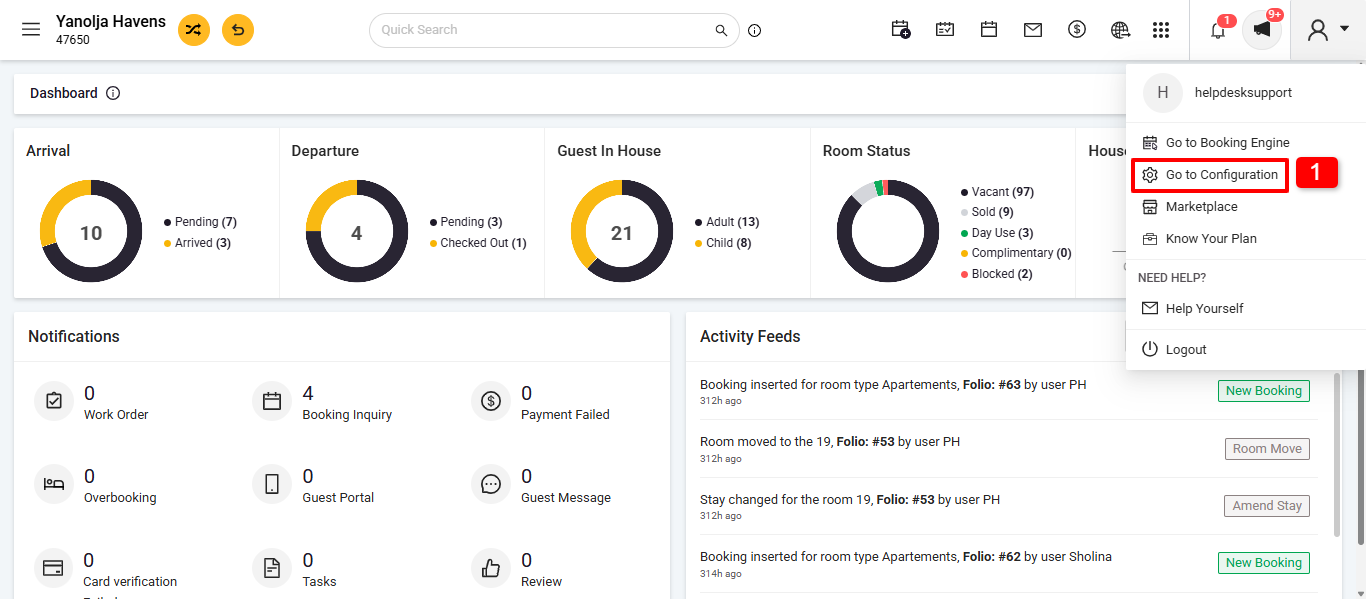
1. Click on Go to Configuration.
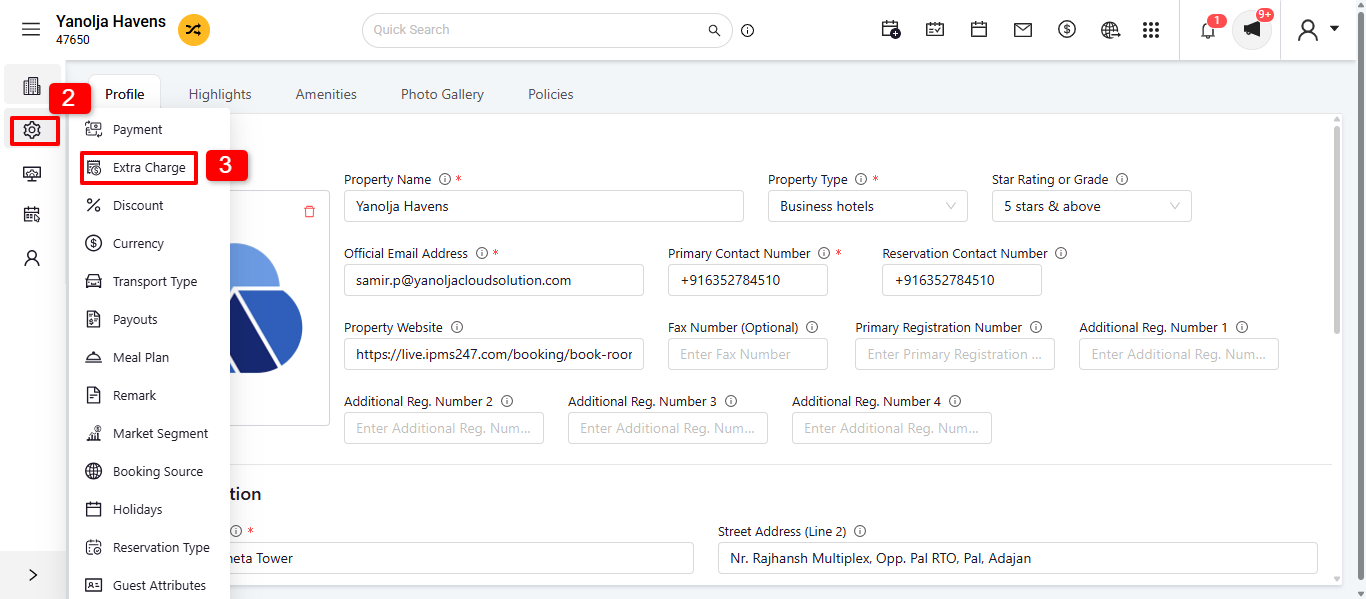
2. Click on General Setting.
3. Select on Extra Charge.
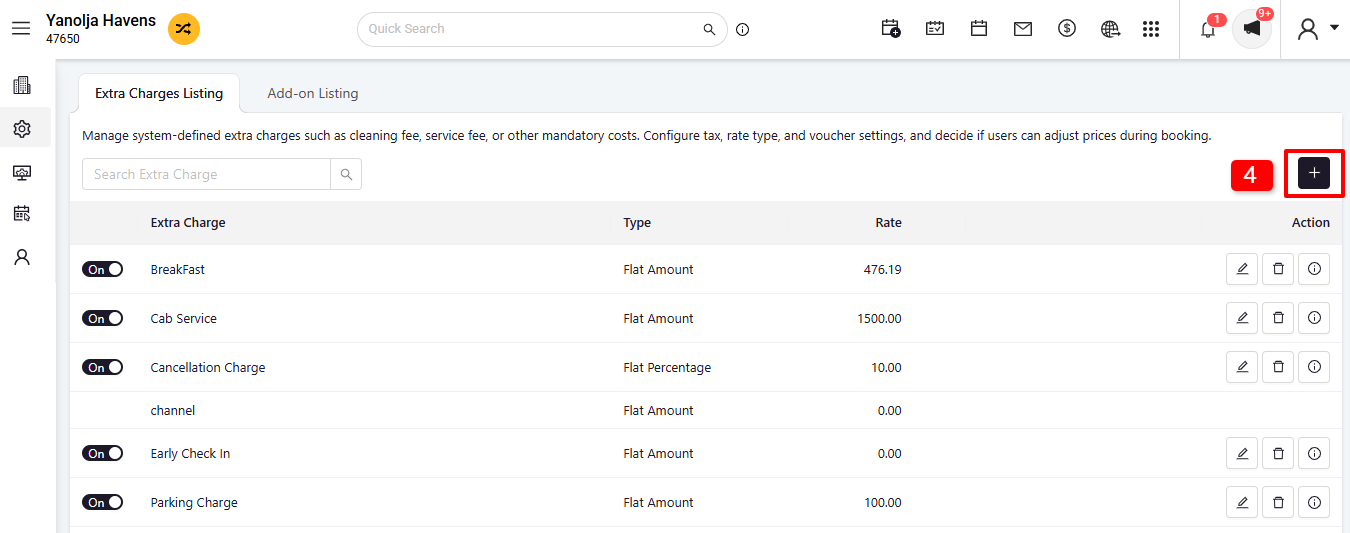
4. Click On Icon + to Add Charges.
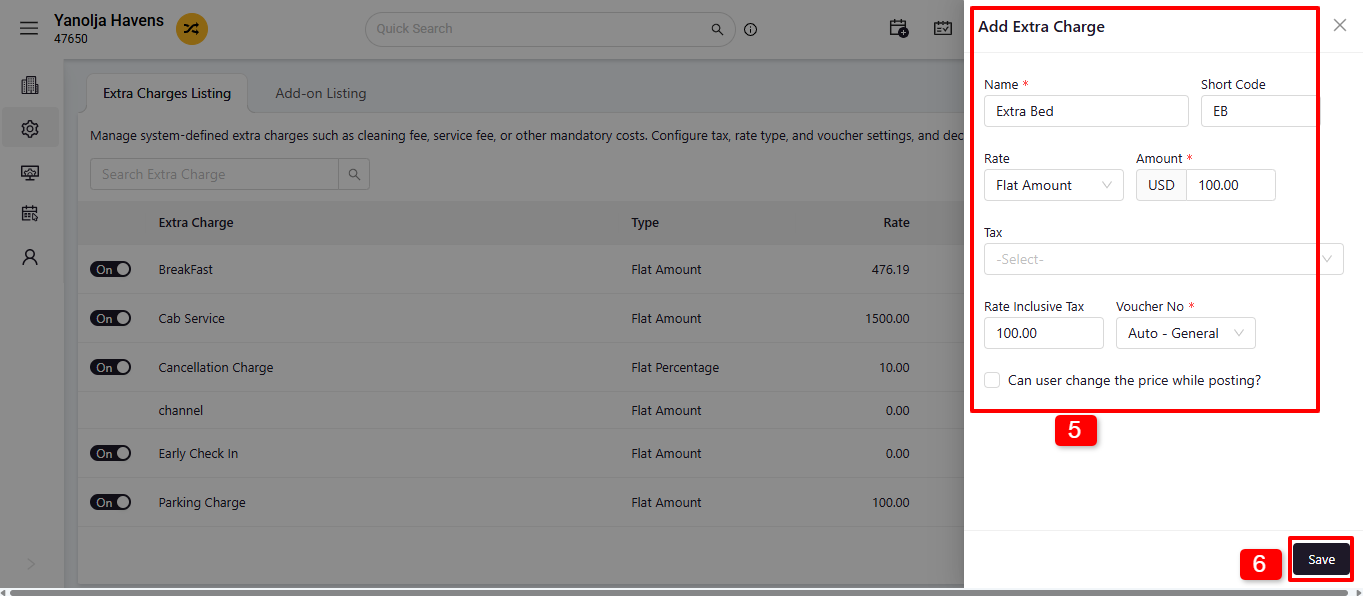
5. Needs to add all the relevant details.
6. Save the details.
Was this article helpful?
That’s Great!
Thank you for your feedback
Sorry! We couldn't be helpful
Thank you for your feedback
Feedback sent
We appreciate your effort and will try to fix the article