Managing Inclusions in eZee Absolute
What is an Inclusion?
- A predefined extra charge automatically posted during night audit.
How to Add/Edit Inclusion:
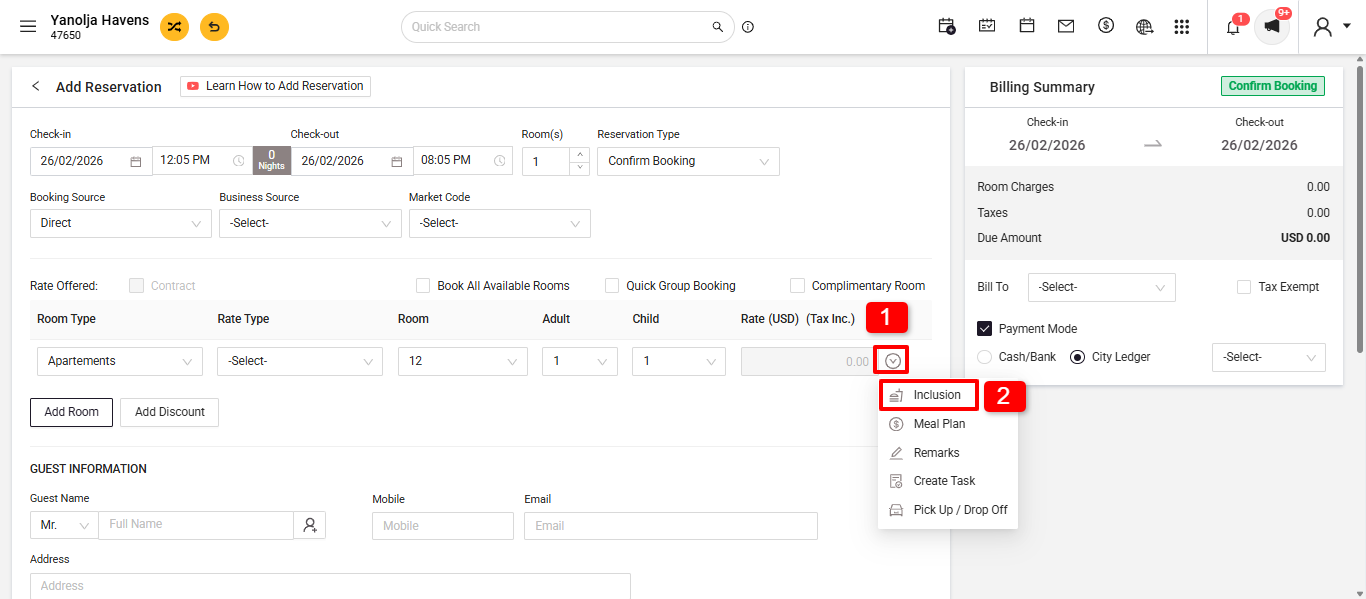
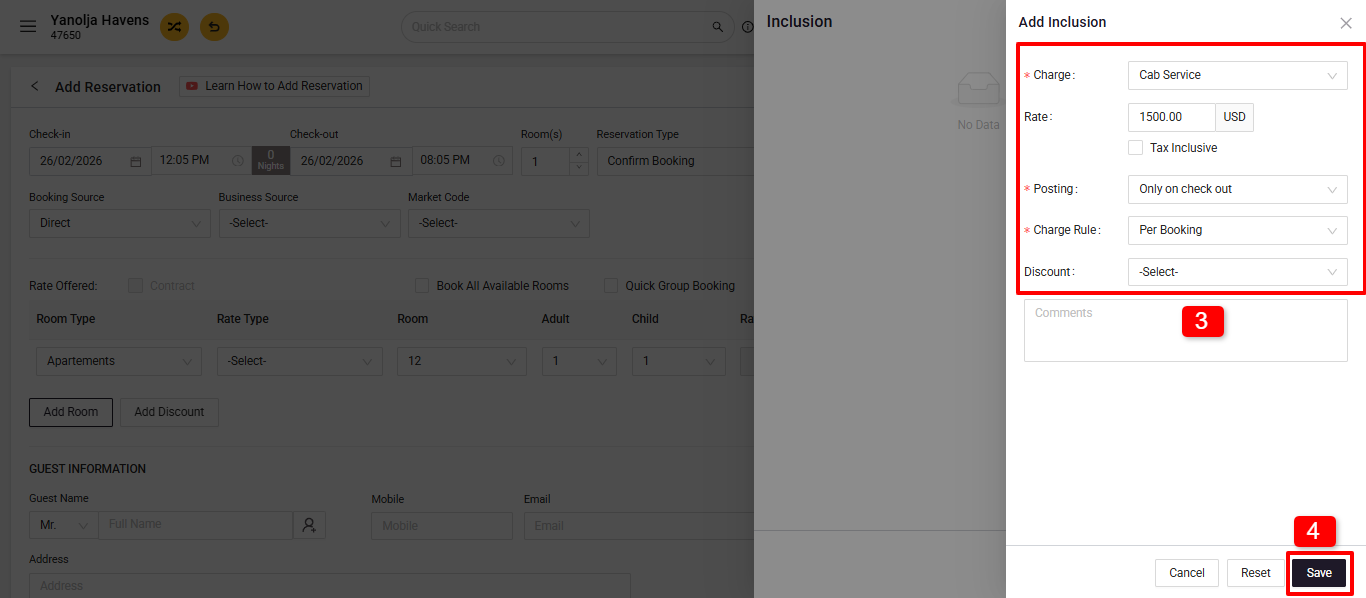
- At Check-in/Reservation: Go to PMS Front > New Reservation.
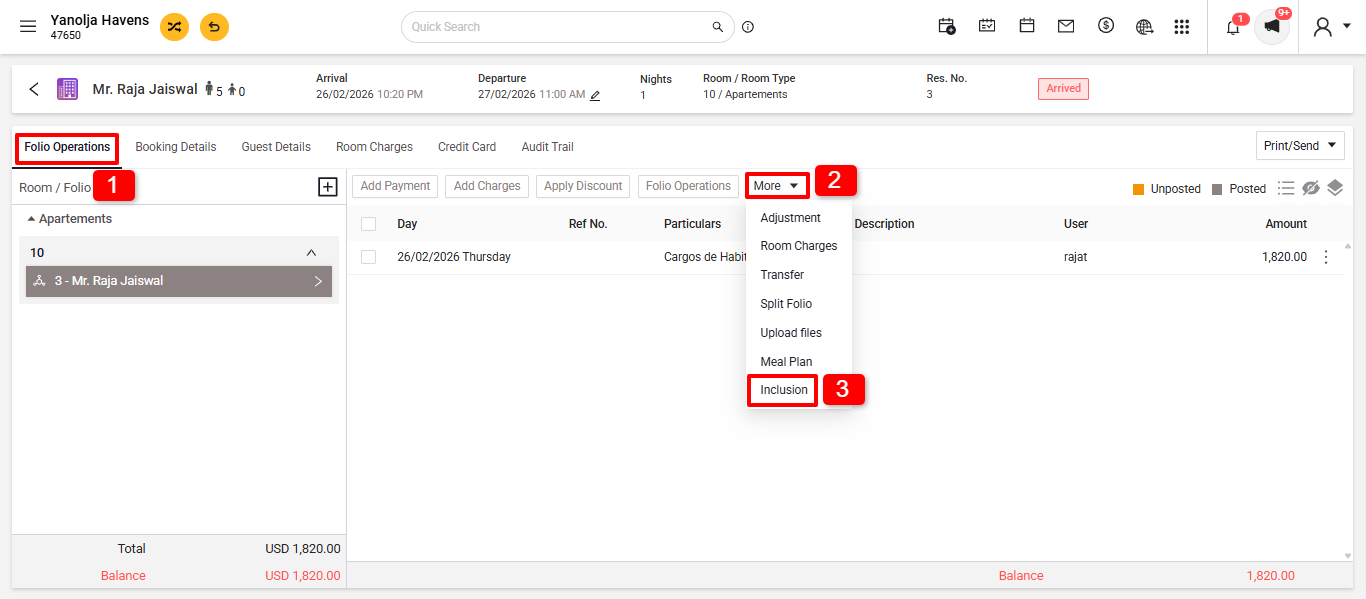
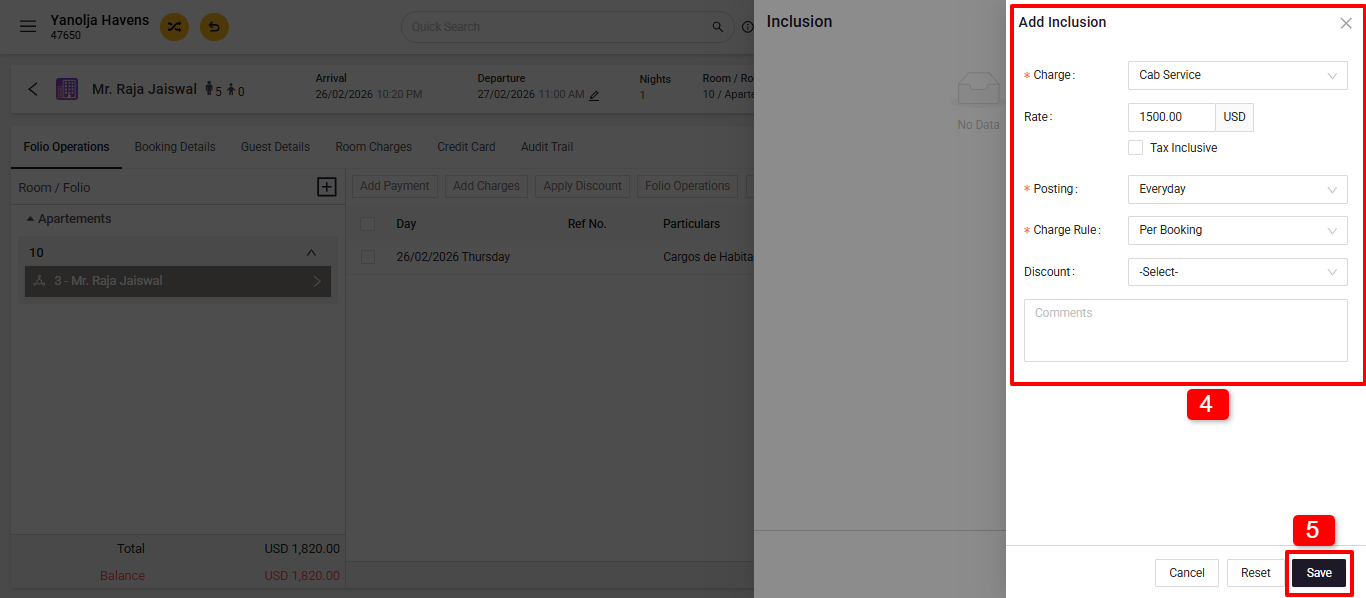
- After Check-in: Navigate to Edit Reservation > Folio Operation > Inclusion + Add Inclusion.
- At Check-in/Reservation: Go to PMS Front > New Reservation.
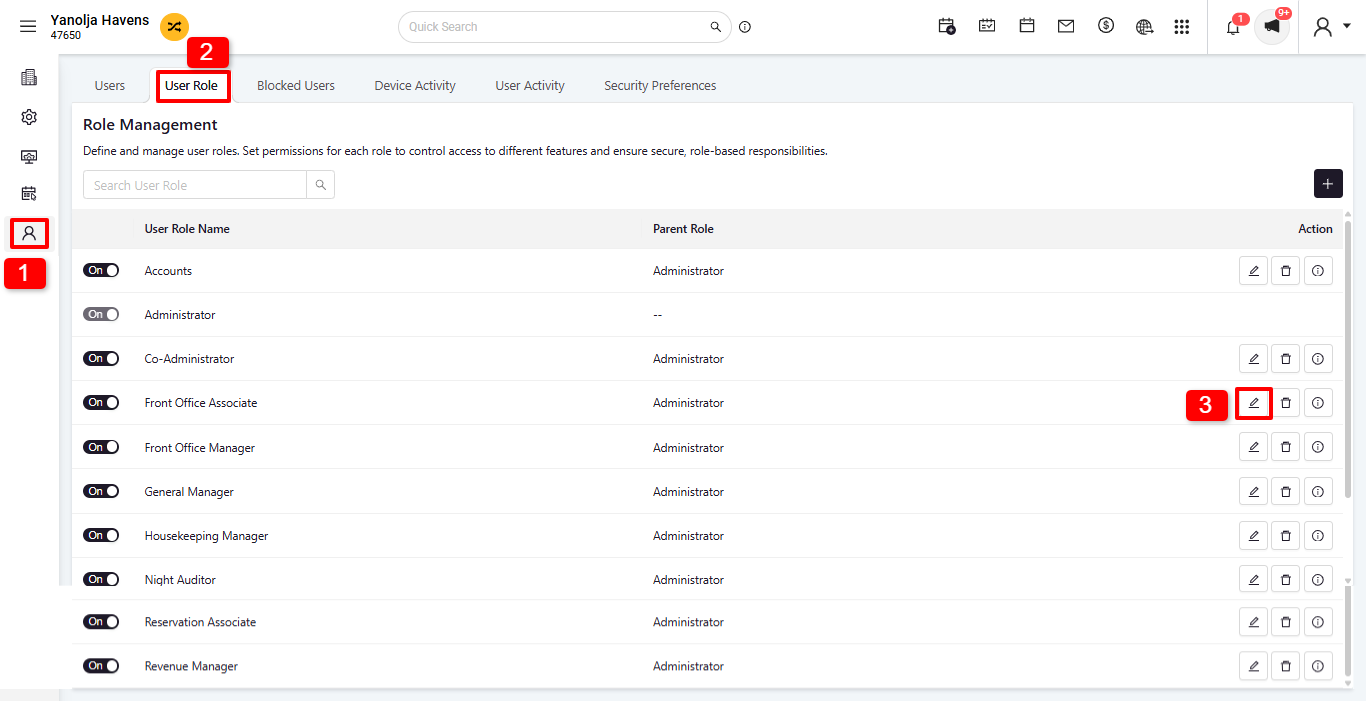
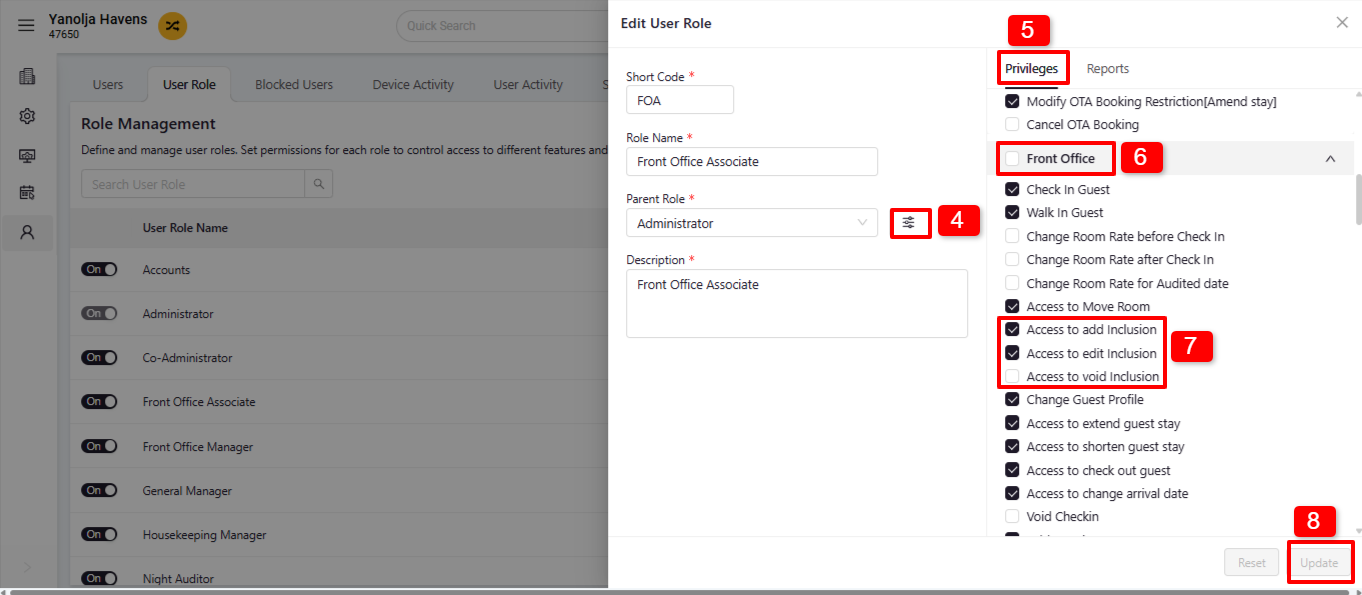
- Required User Privileges: Go to Configuration>User Management>User Role>Edit Inclusion in User Privileges settings.
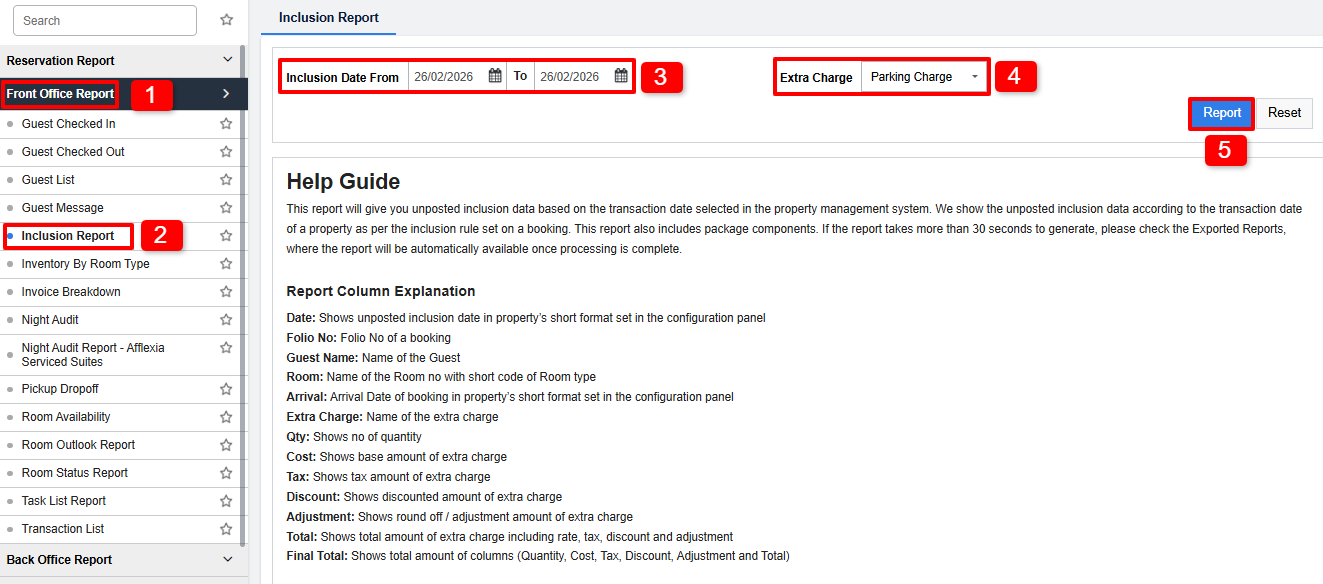
Report: For the Inclusion we can refer to the Inclusion report in Front Office.
Was this article helpful?
That’s Great!
Thank you for your feedback
Sorry! We couldn't be helpful
Thank you for your feedback
Feedback sent
We appreciate your effort and will try to fix the article