This guide explains how pet fees are applied in the Property Management System (PMS).
Prerequisite Setup
Before pet fees can be applied automatically, ensure the following setup is completed:
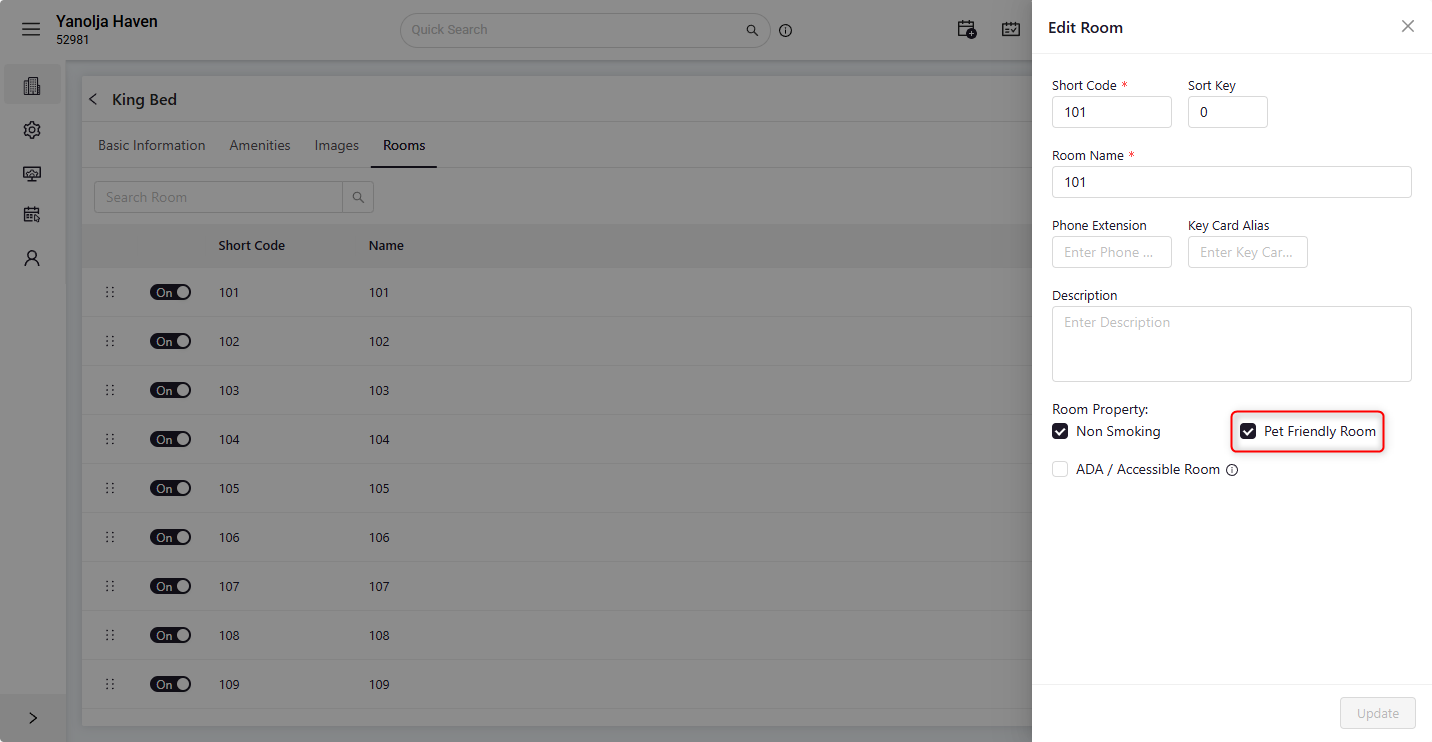
- The room must be configured as Pet-Friendly.
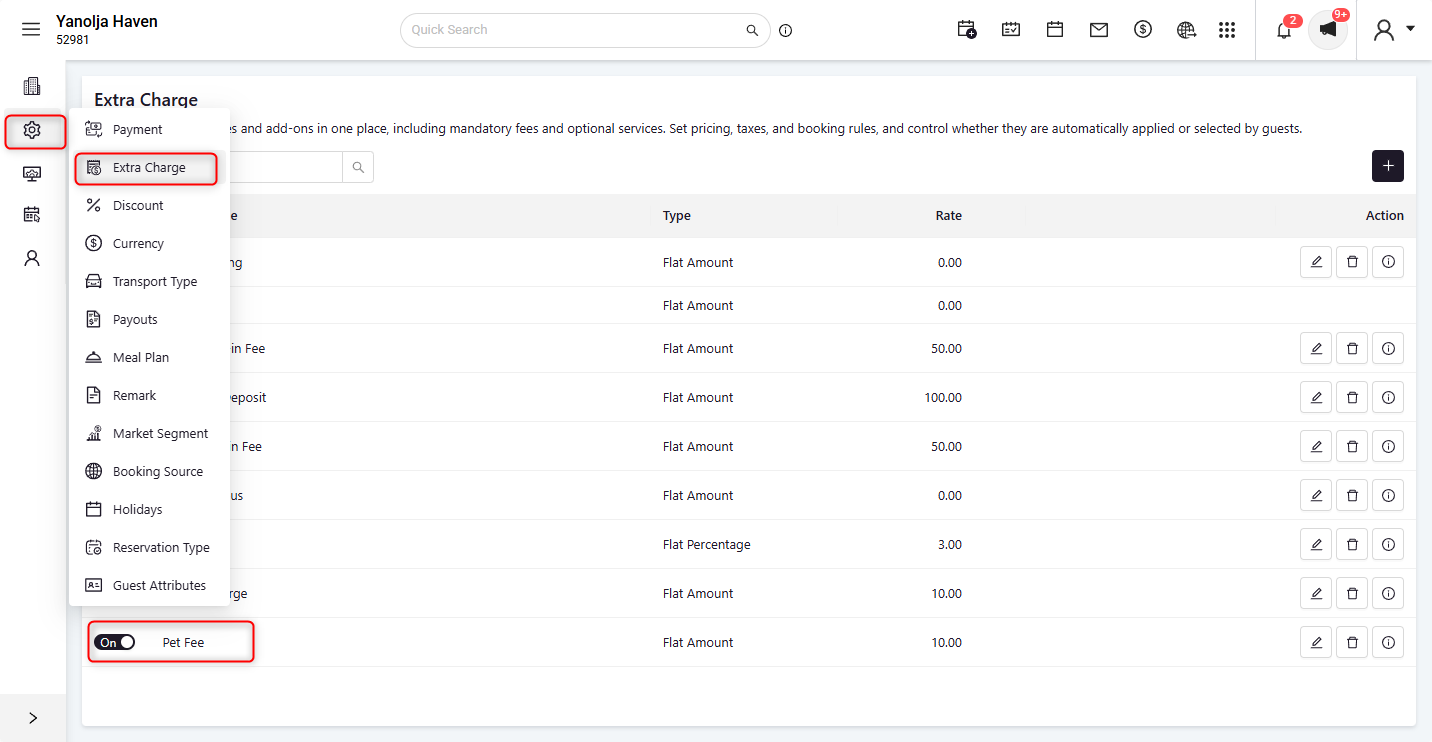
- Create a pet fee under Extra Charges.
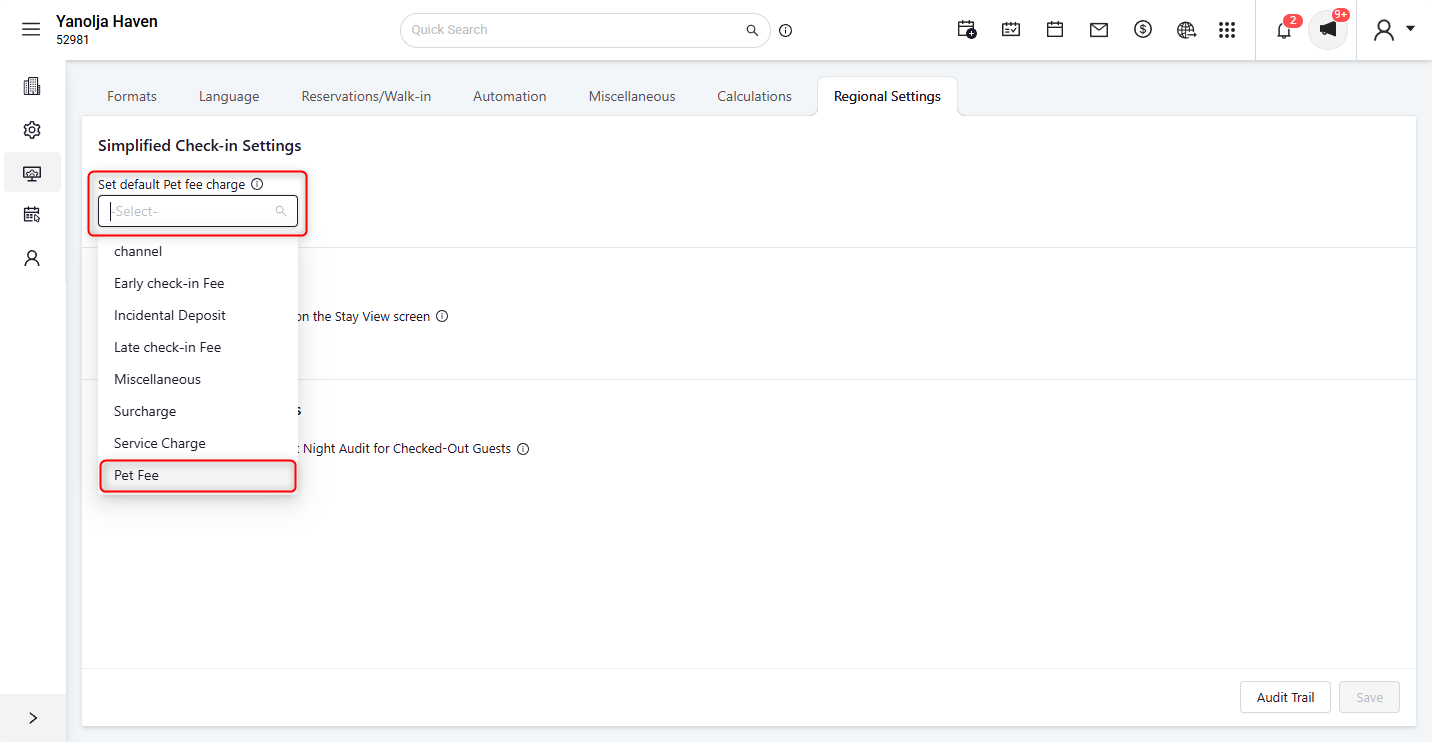
- Navigate to Configuration > General Settings > Regional Settings and select the created charge in Set Default Pet Fee Charge.
How Pet Fees Are Applied
- Enter the number of pets while creating a reservation.
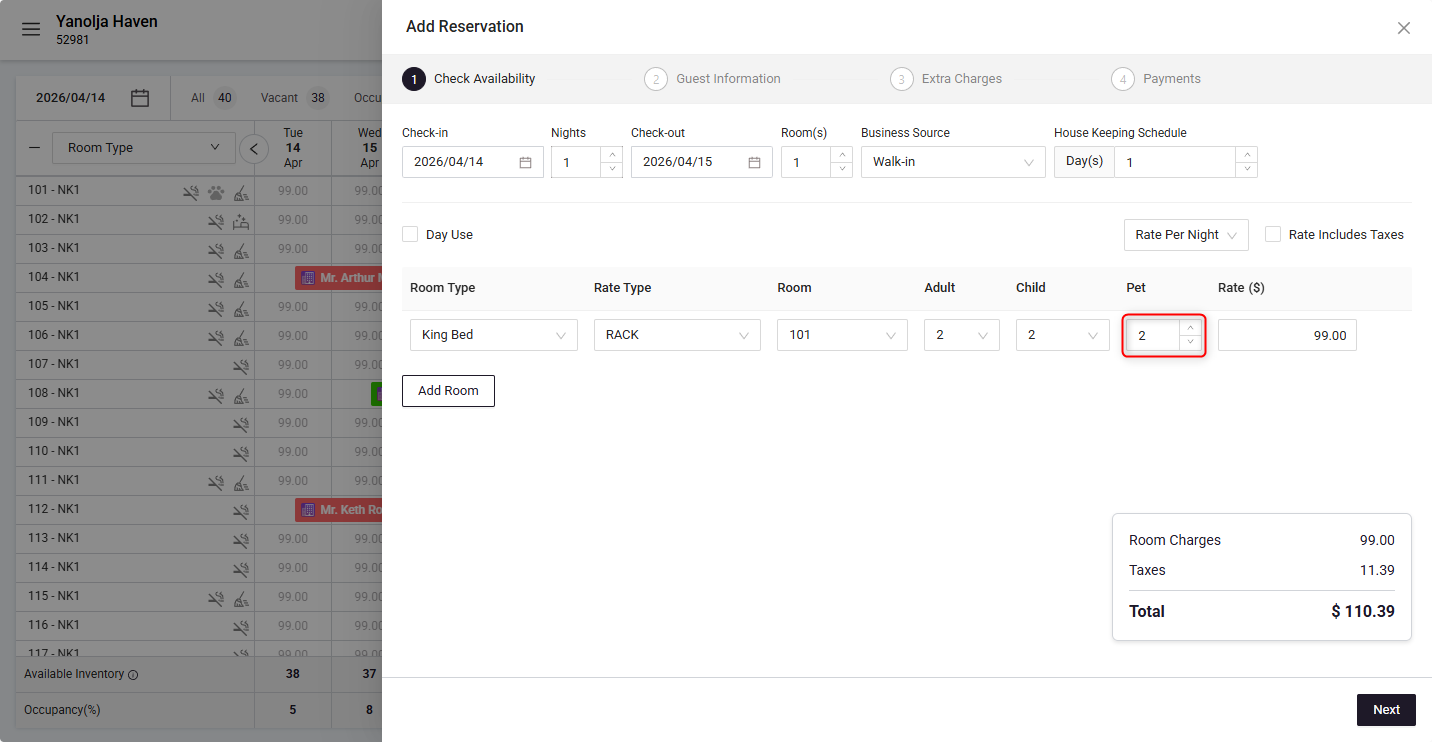
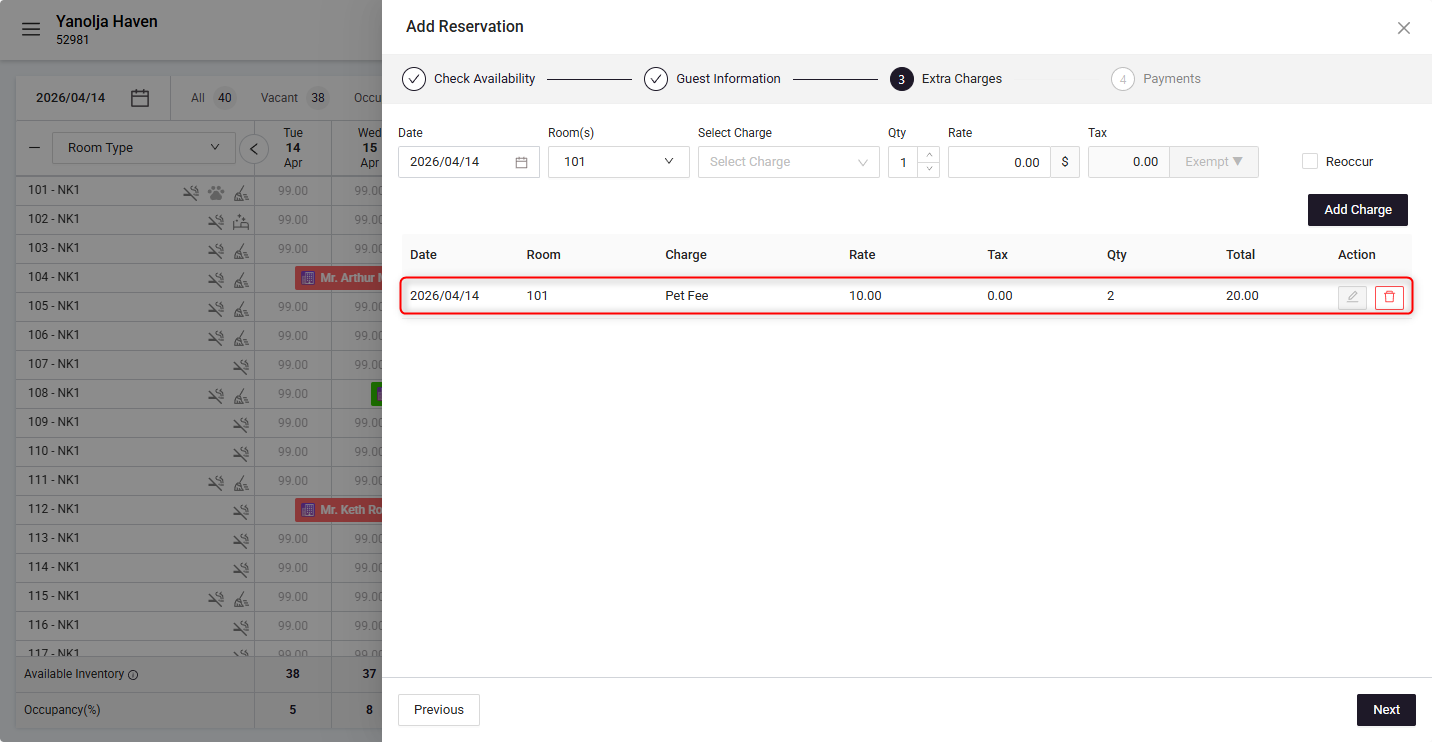
- The system will automatically post the pet fee based on the number of pets entered.
- Each pet is charged individually using the configured default pet fee. For example, if 2 pets are added to the reservation, the system will apply 2 pet fee charges.
Where These Charges Are Reflected
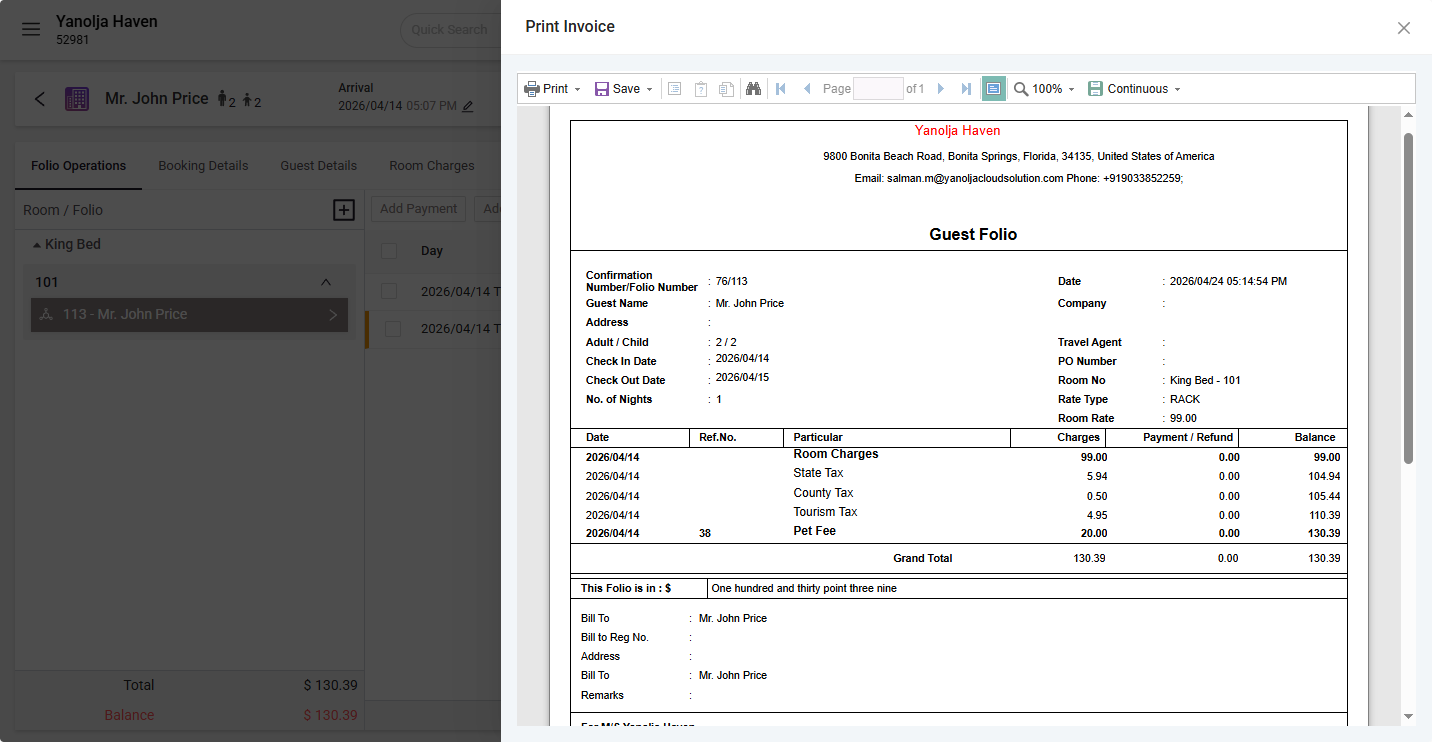
- The applied pet fees will be displayed in the guest invoice.
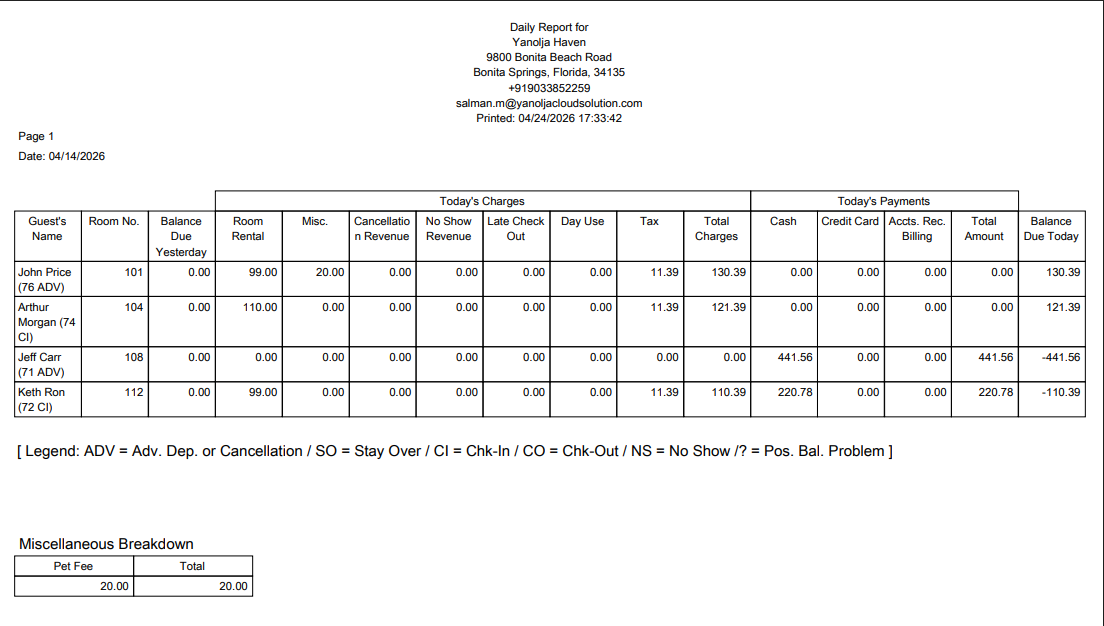
- These charges will also be available in the Financial Report for tracking and reconciliation.
This automation ensures that pet-related charges are applied accurately and consistently without manual calculation.
Was this article helpful?
That’s Great!
Thank you for your feedback
Sorry! We couldn't be helpful
Thank you for your feedback
Feedback sent
We appreciate your effort and will try to fix the article