Yes, it is possible to undo a check-out if a guest has been mistakenly checked out in the system.
Follow the steps below to undo a check-out:
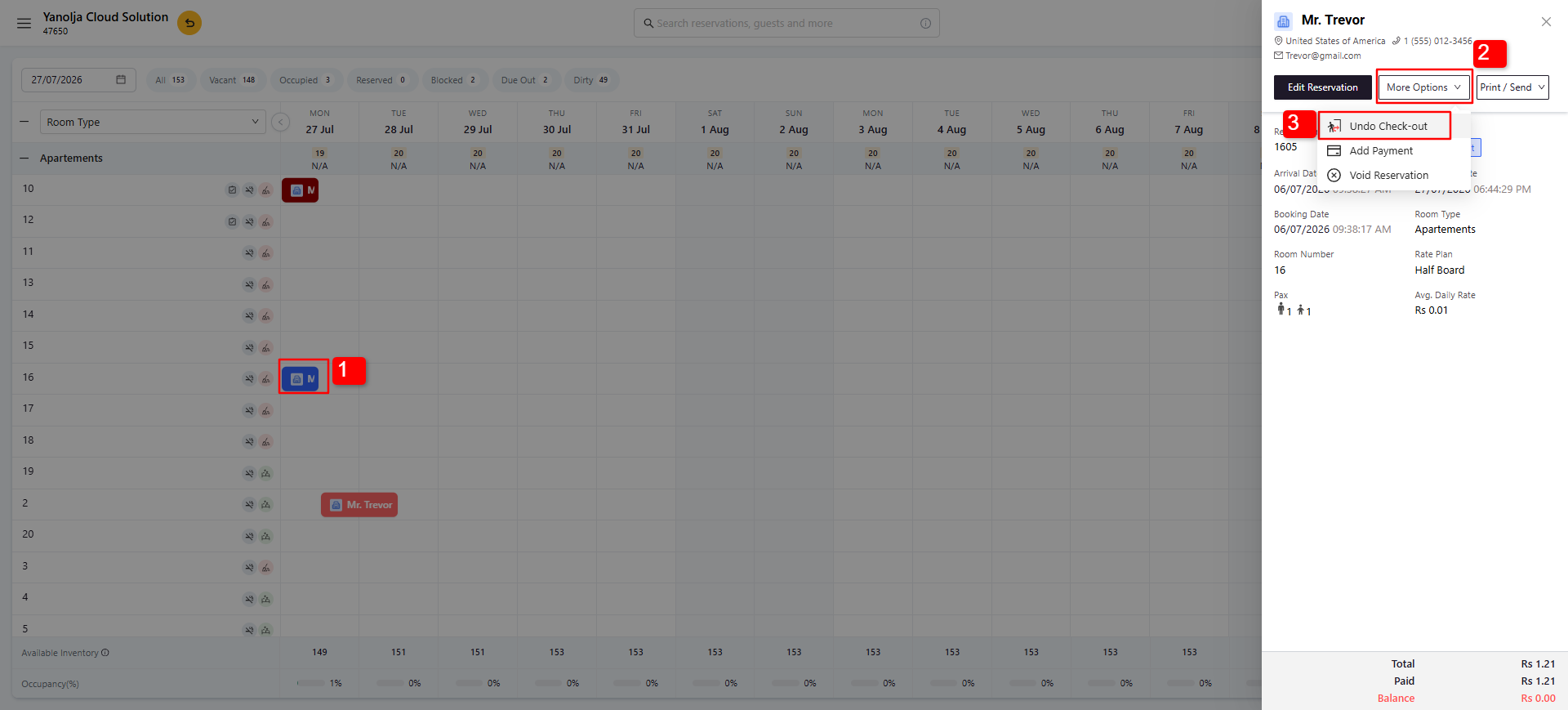
1. Navigate to the reservation for which you want to undo the check-out.
2. Click on More Options.
3. Click Undo Check-out. The guest's check-out will be reversed.
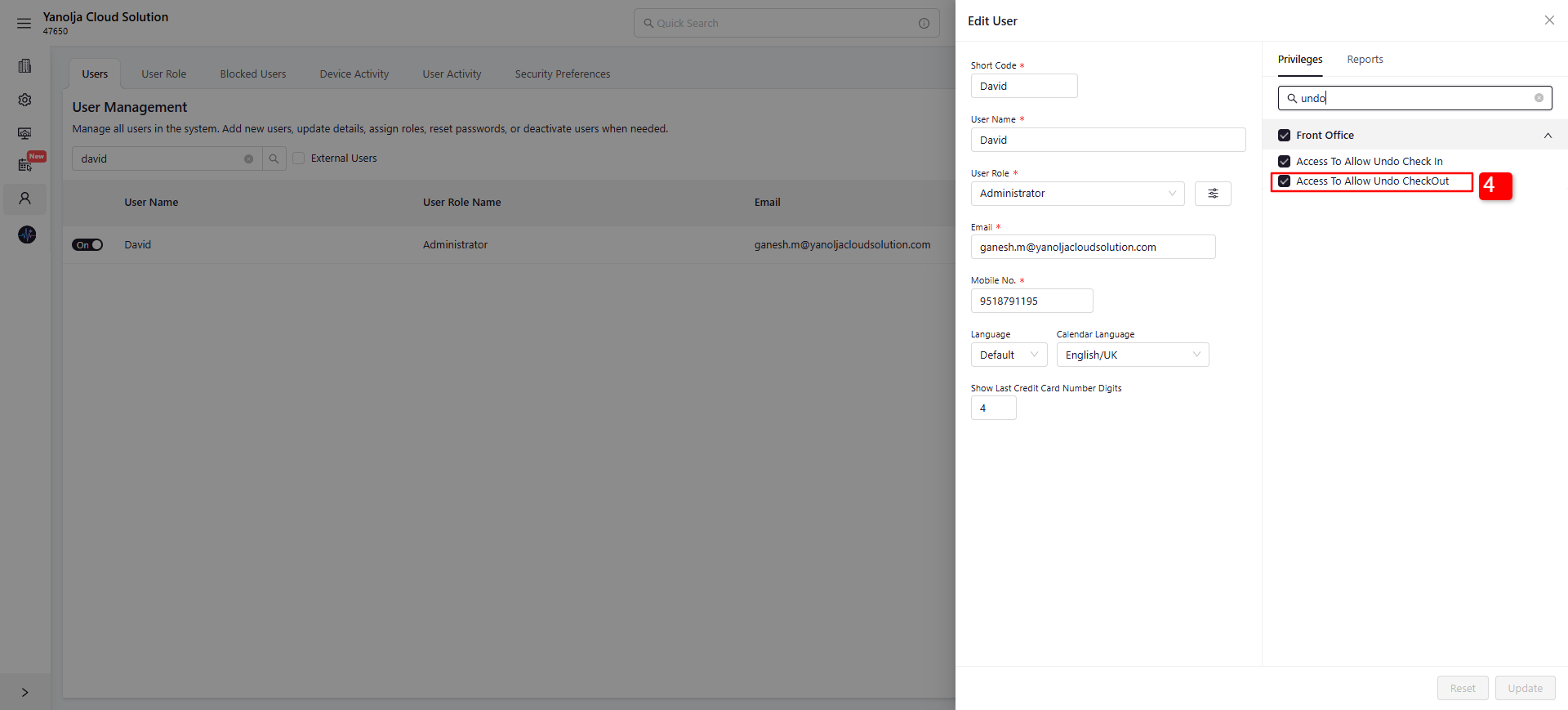
4. Ensure that the user has the required privilege to perform the Undo Check-out operation.
Note- Once the Night Audit is completed you can not perform "Undo check-out" operation.
Was this article helpful?
That’s Great!
Thank you for your feedback
Sorry! We couldn't be helpful
Thank you for your feedback
Feedback sent
We appreciate your effort and will try to fix the article