Yes, in PMS , you can undo a guest's check-in, but only for reservations made through the system, not for direct walk-in guests. This action is permissible only before the night audit is performed. Here's how to proceed:
Steps to Undo a Check-In:
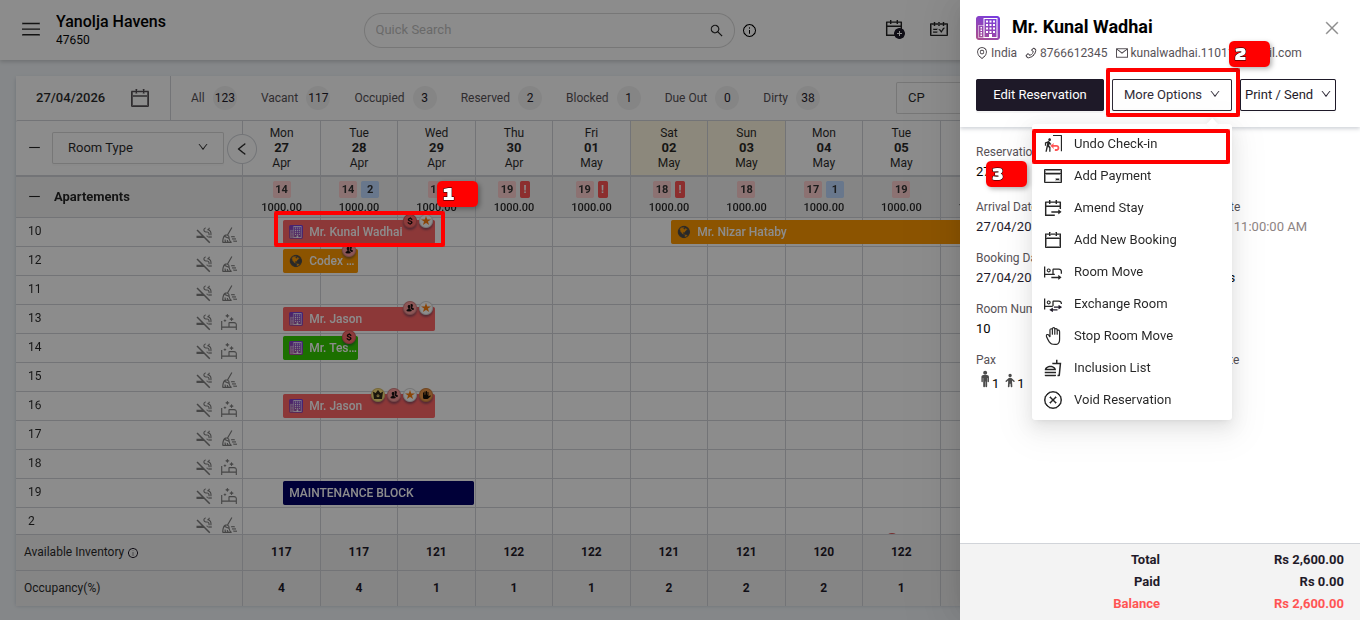
From Stay View:
- Click on the guest's Reservation from Stay View.
- Select More Options.
- Choose Undo Check-in.
User Privileges Required:
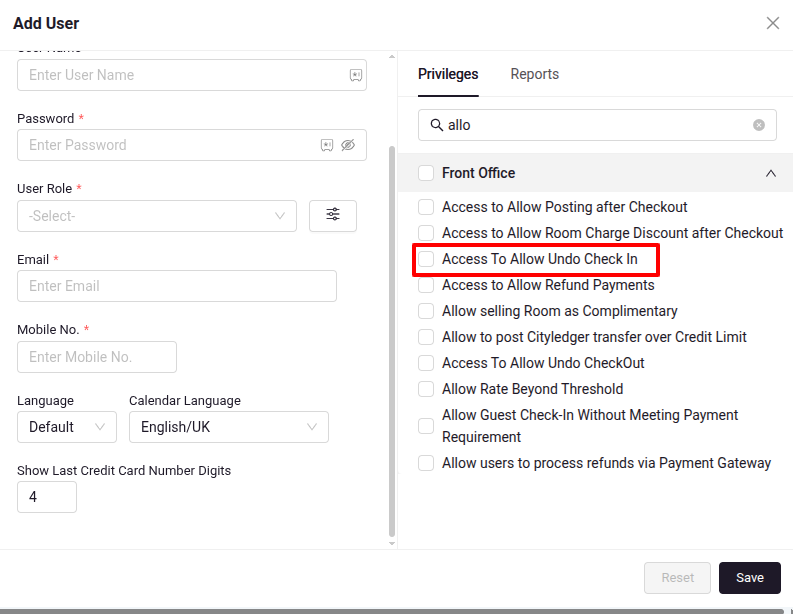
Ensure the user has the necessary privileges:
- Go to Configuration > User > Edit User > Privileges > Front Office.
- Enable Access to Allow Undo Check-In.
Important Note: This action is only applicable for guests with reservations that were first made and then checked in. It cannot be performed for direct walk-in check-ins.
Was this article helpful?
That’s Great!
Thank you for your feedback
Sorry! We couldn't be helpful
Thank you for your feedback
Feedback sent
We appreciate your effort and will try to fix the article