You can apply charges for late check-outs in PMS to ensure proper billing and maintain check-in schedules for upcoming guests. These charges can be defined based on your hotel's policy.
Steps to Set Up Late Check-Out Charges
1. Click on the Go to Configurations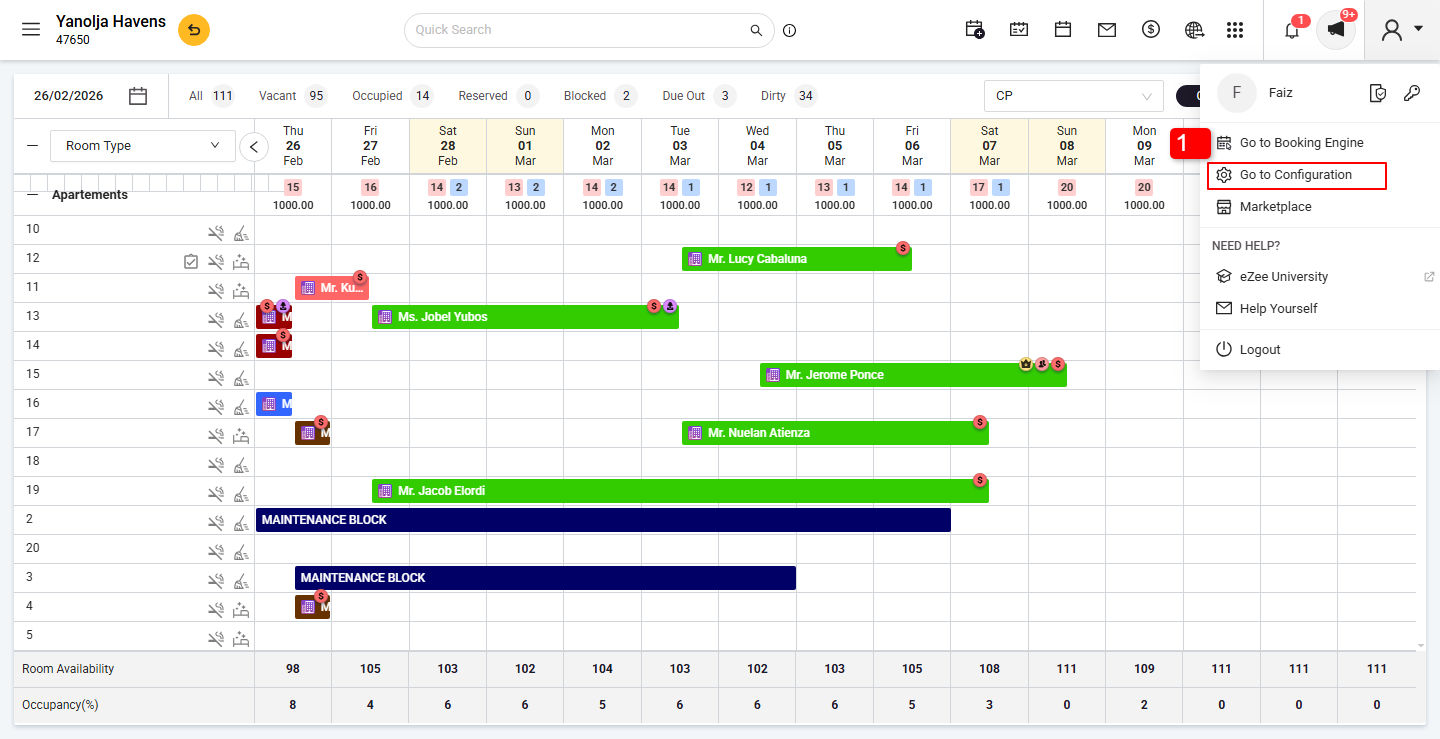 2. Click on the Main Menu.
3. Select the Hotel Profile.
4. Click on the Policies tab.
5. Enable Late Check-Out Settings.
6. Save the Settings.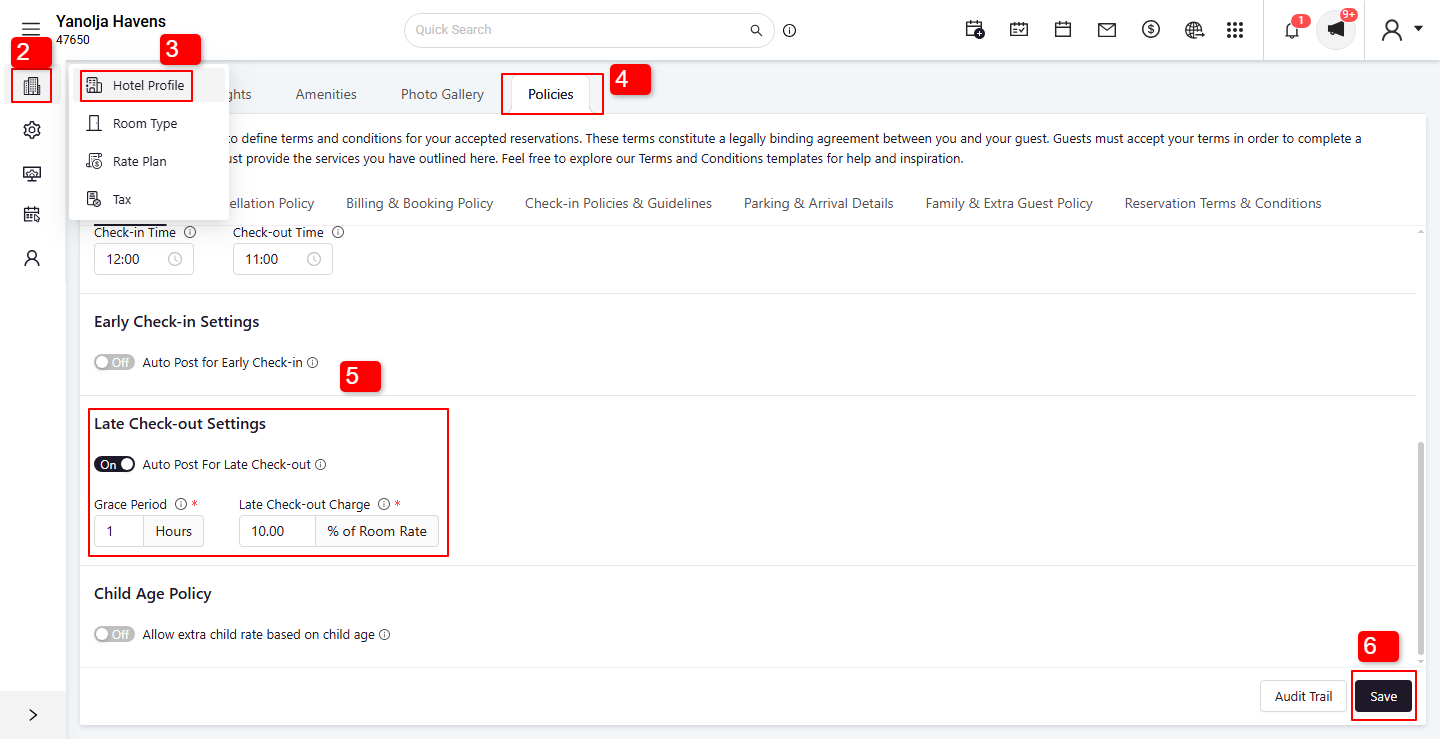 Define Late Check-Out Charge Rules
Add the percentage of the room ratethat will be collected as late check-out charges
Mention grace period if any (e.g., first 1 hour after check-out time free)
Was this article helpful?
That’s Great!
Thank you for your feedback
Sorry! We couldn't be helpful
Thank you for your feedback
Feedback sent
We appreciate your effort and will try to fix the article